Skip to content



There was a time when product photo generation and editing revolved around a handful of tools. Adobe Photoshop, Adobe Lightroom, GIMP, Corel PaintShop Pro, and a few others dominated the space. Choosing the right software was simple: Pick the one that fits your budget and skill level. Today, however, the rise of AI in this area has transformed the market. The space is now flooded with tools, each claiming to be the best in the business. Phot.AI is a classic example of this new wave. If you are considering using Phot.AI, this article is a must-read. In this review of Phot.AI, we break down its features, pricing, limitations, and overall value to help you make an informed final decision.
What is Phot.AI, and who is it for?
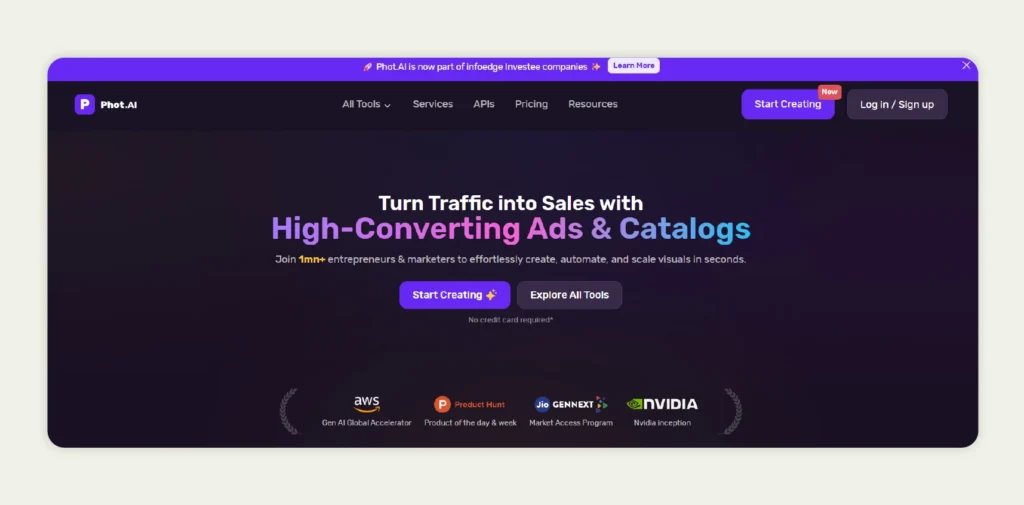
Phot.AI is an AI-powered photo editing platform that lets you enhance and generate images directly in your web browser. It’s a cloud-based solution accessible across devices. Phot.AI offers everything from basic touch-ups like cropping and lighting adjustments to advanced AI-driven edits such as object removal, background replacement, style effects, etc.
The platform is built for several kinds of users and use cases. It is used predominantly by content creators, ecommerce sellers, photographers, designers, and small businesses looking to produce professional-grade visual assets at scale.
What are the key features of Phot.AI?
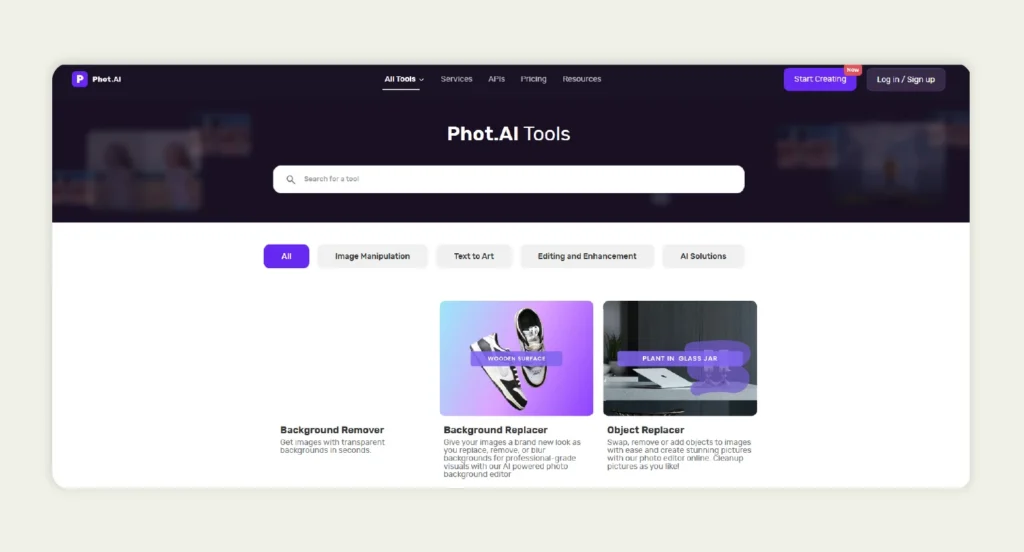
Phot.AI offers a collection of tools out of the box that simplify image/video generation and editing. While the software includes many built-in features, the following is a subset, giving an overview of what you can expect from it:
- Background Remover: Removes image backgrounds and creates transparent cutouts for your images. It’s well-suited for ecommerce product photography.
- Background Replacer: Lets you replace or remove backgrounds to create cleaner-looking visuals.
- Generative Fill: Uses AI to replace or modify objects within your image. It can fill gaps or adjust elements naturally.
- AI Image Extender: Expands your images beyond their original borders. It achieves this by generating new surrounding content that blends in.
- Image Enhancer: Improves your image quality by sharpening details, reducing blur, increasing resolution, and refining clarity.
- Image Upscaler: Denoises and enlarges your images while preserving quality. It makes them suitable for high-resolution use.
- AI Photo Editor: Allows you to edit and transform images using text-based instructions. You can turn written ideas into visual changes.
- AI Blur Background: Creates depth-of-field effects by blurring backgrounds in your images. It helps your products or subjects stand out.
- Video Enhancer: Enhances your low-quality or compressed videos by increasing sharpness. It supports up to 4k resolution.
- Video Background Remover: Removes video backgrounds without green screens. You can generate studio-style edits using AI.
Phot.AI review: Breakdown and analysis
We will now take a closer look at how Phot.AI performs in real-world use and evaluate it across key performance and usability factors:
Ease of use and user experience
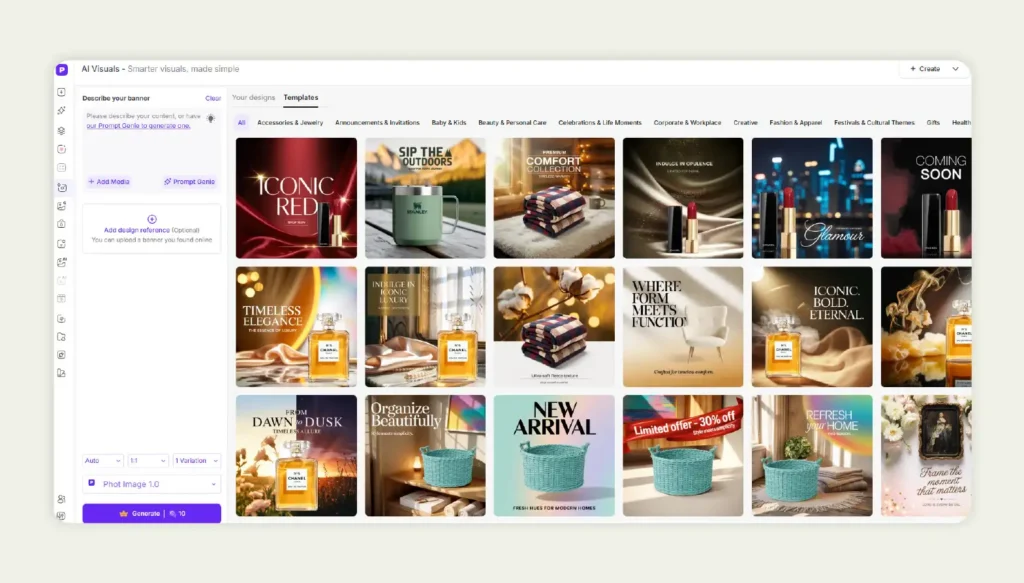
At first glance, the interface of Phot.AI appears modern and accessible. However, once you begin working with the platform, your experience can feel more complex than expected. This is particularly true if you are new to the whole AI image generation process.
Instead of guiding users through a simplified workflow, Phot.AI presents many granular tool options and micro-controls across different panels. While this level of control may appeal to advanced users, it can also create decision fatigue for those who want quick results without navigating multiple sub-features.
On the other hand, WizStudio was designed with a beginner-first approach. The interface emphasizes guided actions and outcome-based steps instead of tool-heavy menus. Even completely new users can move from upload to final output with minimal decision friction.
Image quality and performance
Phot.AI delivers generally good-quality outputs across most common image editing and enhancement tasks. Resolution handling and visual clarity are also acceptable for standard digital use cases.
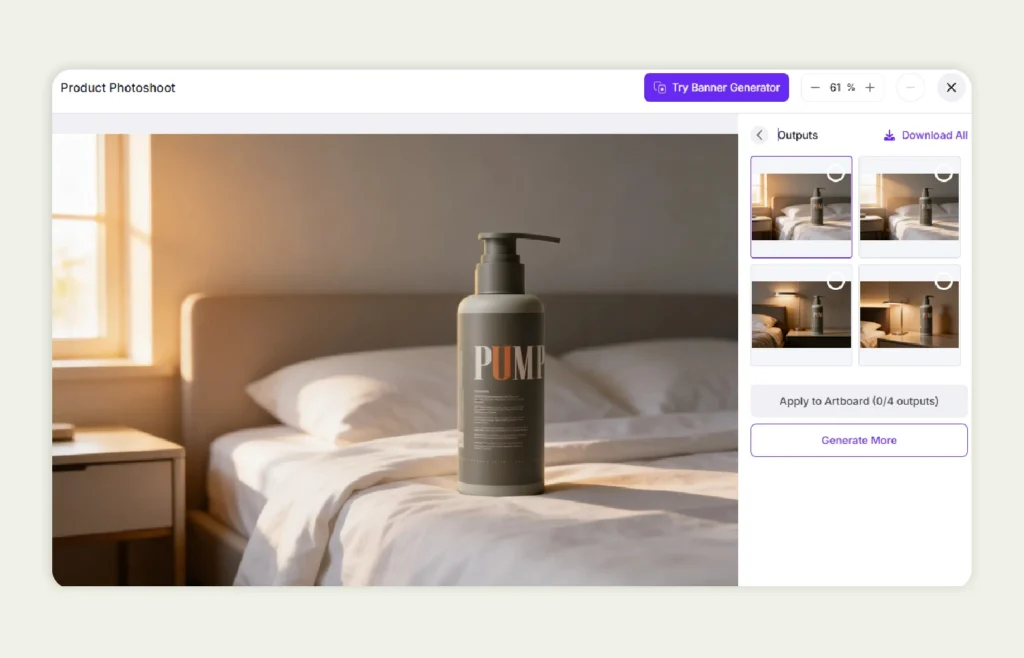
But because Phot.AI operates as a broad, multi-purpose image toolkit, results are not always consistent across different styles or content types. You may need to experiment with multiple settings and feature combinations to achieve desired outputs. In some cases, fine details or texture realism can appear uneven, especially when generating or heavily modifying images.
Another practical consideration is repeatability. When running similar edits across batches, maintaining uniform visual standards may require manual adjustments between outputs. If you have strict brand or catalog consistency, this can introduce additional review and correction time.
By contrast, WizStudio’s models are perfectly tuned around vertical requirements. This helps produce more consistent and commercially aligned outputs across batches. Rather than offering many loosely connected enhancement options, WizStudio emphasizes predictable quality and standardized results.
Pricing and value for money
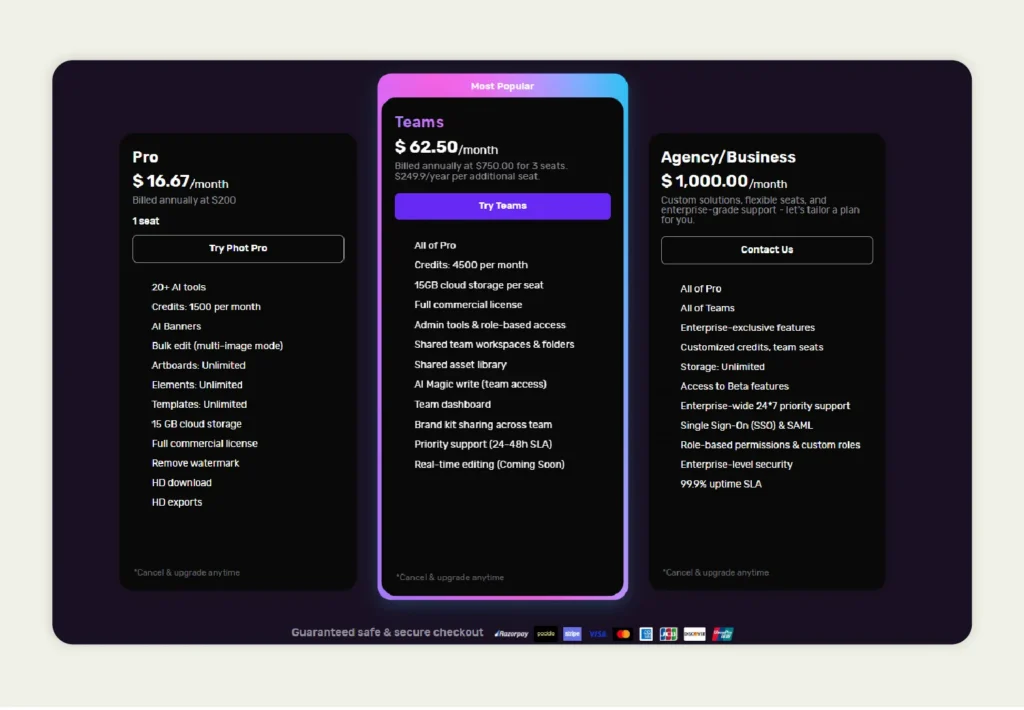
Phot.AI offers three paid plans starting with the Pro plan at $16.67 per month (billed annually). It is designed for individual users and includes limited credits and access to some core AI tools. Then there is the Teams plan at $62.50 per month for small teams with added collaboration features and higher usage limits. Finally, there is a custom-priced Agency/Business plan costing $1000 per month that targets enterprises with advanced security and premium support.
However, despite this clearly tiered structure, Phot.AI does not offer any truly comprehensive free plan. Many essential features, along with higher credit limits and reliable support, are locked behind its more expensive tiers. Compared to platforms like WizStudio that provide broader access at lower entry points and a free plan with unrestricted access to all the features. Want to understand WizStudio’s pricing and value better? Check out our pricing plans.
Phot.AI’s pricing model can feel restrictive, especially for small businesses. Over time, the cost of usage quickly adds up, making Phot.AI an expensive option for what is essentially a generic AI-powered image generation and editing tool.
Industry specialization
Phot.AI is designed as a general-purpose AI image platform and does not appear to be deeply specialized for any particular industry vertical. Its tools are broadly applicable across multiple use cases and are suitable even for personal use. While this gives good flexibility, it also means workflows and output tuning are largely left to you. For sectors like furniture or home décor, there are no clearly defined industry templates or domain-trained output controls built directly into the experience.
So, if you are working in specialized categories, you may need to rely on trial-and-error and repeated adjustments to achieve results that match your category standards. While this approach can work, it adds extra effort for your teams.
In contrast, WizStudio is built with industry-focused model training. Our features and presets are aligned with the visual and commercial requirements of targeted industries like furniture, home decor, lighting, toys, fashion, etc. This ensures your outputs are more consistent with real-world business needs.
Support
Phot.AI primarily offers product-led support through documentation, guides, and other standard customer assistance channels. Higher-tier subscription plans receive faster or priority support responses. However, support is largely platform-focused. This means you are expected to operate the tools yourselves and manage your own prompts and output refinement. There are currently no done-for-you or expert-assisted creative services built into the offering.
In contrast, WizStudio offers a done-for-you service layer alongside the platform. If required, industry specialists can handle your image generation and workflow setup directly. They will ensure prompts and outputs are aligned with your business and category requirements. This hybrid model is especially useful for teams that want professional results without dedicating internal resources to mastering prompt engineering or tool-level controls.

So, is Phot.AI actually worth using?
Phot.AI can be a useful option for you if you simply want access to a large collection of AI-powered image tools within a single platform. It delivers acceptable output quality and offers flexibility through its many micro-features and editing controls. However, this breadth also creates tradeoffs. The feature-heavy structure can slow down workflows and output consistency. It may require repeated manual adjustments. And the lack of industry-focused optimization makes it less predictable for business-critical use cases.
From a value perspective, the pricing can feel harder to justify for those who need production-ready visuals without too much effort. Much of the responsibility for prompt tuning and quality control still sits with you, the user.
If you are someone who wants industry-aligned outputs and more predictable batch consistency at affordable price points, platforms like WizStudio often provide stronger ROI.
Why is WizStudio a smarter choice over Phot.AI?
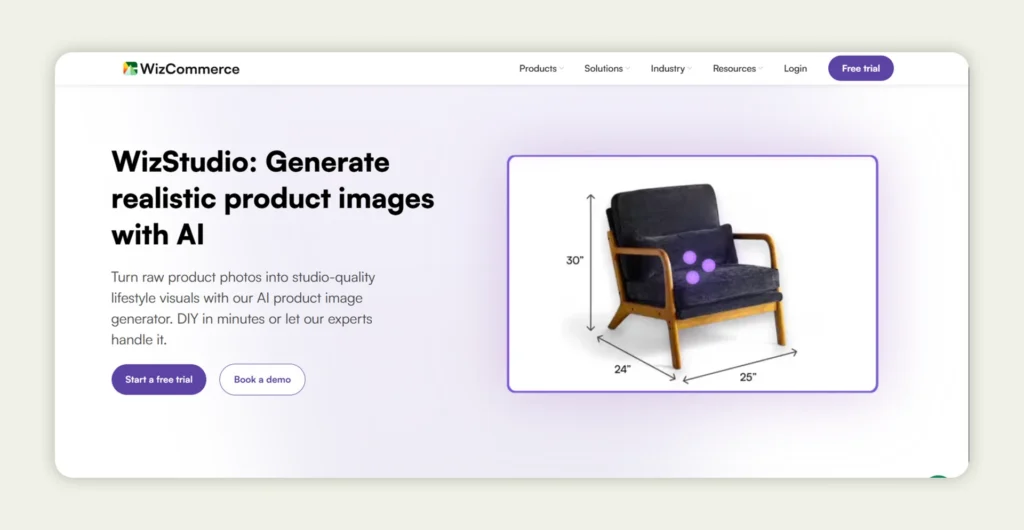
WizStudio is a cutting-edge AI lifestyle image generation platform designed to deliver consistently high-quality visuals. With just a basic product image and a simple prompt, you can quickly transform raw shots into on-brand creatives. The platform offers a comprehensive suite of features, including a lifestyle image generator, scene-to-video creation, AI-powered shadows, image extension, technical line drawings with dimensions, magic eraser, scene relighting, background removal and generation, generative fill, prompt-based editing, and high-resolution image upscaling from 1K to 4K.
But what truly differentiates WizStudio is its hybrid done-for-you approach. It smartly combines the speed and efficiency of AI with expert human refinement. This ensures that every output meets professional quality standards and aligns with your brand guidelines.
So, for brands seeking reliable creative solutions, WizStudio offers a smarter alternative. So, what are you waiting for? Sign up for a free trial and experience the difference firsthand.
Frequently Asked Questions
1. What is Phot.AI used for?
Phot.AI is mainly used for creating and enhancing images using AI-powered tools such as background removal, banner creation, and bulk editing. It is popular among marketers, freelancers, and very small businesses for quick visual content creation. However, businesses prefer more professional platforms like WizStudio, which go beyond basic automation by offering several advanced features tailored to industry-specific optimization.
2. How much does phot.AI cost?
Phot.AI offers three main pricing tiers, starting with the Pro plan at around $16.67 per month (billed annually), followed by the Teams plan at nearly $67.50 per month, and a high-end enterprise plan costing around $1000 per month. While these plans scale in features and credits, the pricing can become expensive as usage grows and more advanced capabilities are required.
3. Is Phot.AI free?
Phot.AI does not offer a fully functional free plan with access to all major features. Although it provides limited free access to a few basic tools, most advanced and practical capabilities are locked behind paid subscriptions. In contrast, platforms like WizStudio offer more flexible entry options, including a free plan that provides unrestricted access to core features. This makes WizStudio a more accessible choice for startups and small businesses that do not want to compromise on the quality of output.
4. Is Phot.AI worth it?
Whether Phot.AI is worth it largely depends on your needs and budget. If you are a freelancer or a very small business, you can use it for basic AI editing and quick design tasks. However, for businesses that require industry-specific outputs, access to advanced features, and expert support, it may fall short. From these Phot.AI reviews, you would have realized that most users find better long-term value with WizStudio, which combines automation with expert-led services to deliver more consistent and high-quality results.
5. What features does Phot.AI offer?
Phot.AI offers features such as Background Remover, Background Replacer, Generative Fill, AI Image Extender, Image Enhancer, Image Upscaler, AI Photo Editor, AI Blur Background, Video Enhancer, and Video Background Remover, covering both basic image editing and AI-powered photo and video enhancement needs.
6. What are the pros and cons of Phot.AI?
The main advantages of Phot.AI include easy-to-use AI tools, bulk editing options, and cloud-based access. It is suitable for quick visual tasks and simple design workflows. However, drawbacks include high pricing, restricted feature access on lower plans, limited free usage, and better support only on higher tiers. These factors can make it less attractive for value-conscious users.
7. What is the best alternative to Phot.AI?
The best alternative to Phot.AI is WizStudio, especially for businesses seeking more than basic automation. WizStudio offers high-performance AI features that guarantee better output quality. Unlike generic platforms, it focuses on real business outcomes, making it a stronger long-term solution for brands that prioritize consistency and professional results.