Skip to content



AI visual tools have evolved considerably. This is true both in terms of their technical capabilities and pricing complexity. The pricing pages of these platforms now resemble puzzles. They are filled with multiple tiers, usage limits, credit systems, and feature-based restrictions that are increasingly difficult to decode. CreatorKit, a popular AI visual generator, falls under this list. If you are considering CreatorKit for your image generation needs and are unsure whether it delivers true value for money, this blog is for you. In this, we examine CreatorKit’s current pricing model and help you determine whether it is the right investment for your business.
What is CreatorKit, and who is it for?
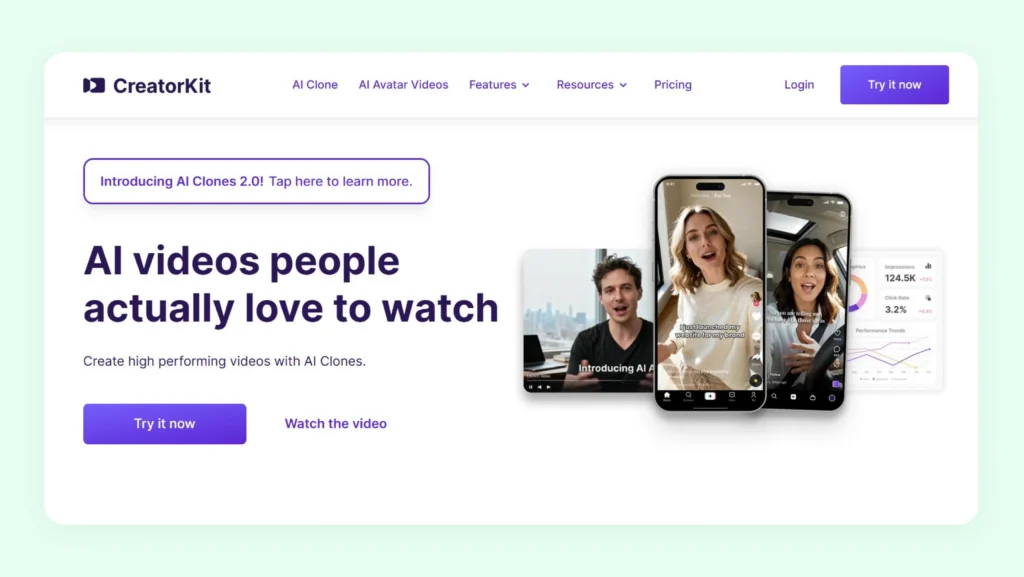
CreatorKit is a visual content platform that is powered by artificial intelligence. It offers tools for generating product photos, video ads, AI Actors, AI clones, and more. By consolidating these capabilities into one workflow, CreatorKit claims to simplify and speed up visual production.
CreatorKit is best suited for ecommerce brands, content creators, and marketing professionals who need to produce visual assets consistently. It is also particularly useful for teams looking to test creative variations and maintain a steady stream of product visuals without relying on external studios or large in-house creative departments.
How does CreatorKit pricing work?
CreatorKit’s pricing model is built around fixed monthly subscription tiers. Each plan offers a predefined number of downloadable videos and images. Unlike many AI product photo generators that operate on a more manageable credit-based system, CreatorKit focuses on download limits as the primary usage control. While users are allowed to generate content freely within the platform, the ability to export and use that content commercially is tied directly to their plan’s monthly allowance.
The platform also states that generations are technically “unlimited,” but this comes with important conditions
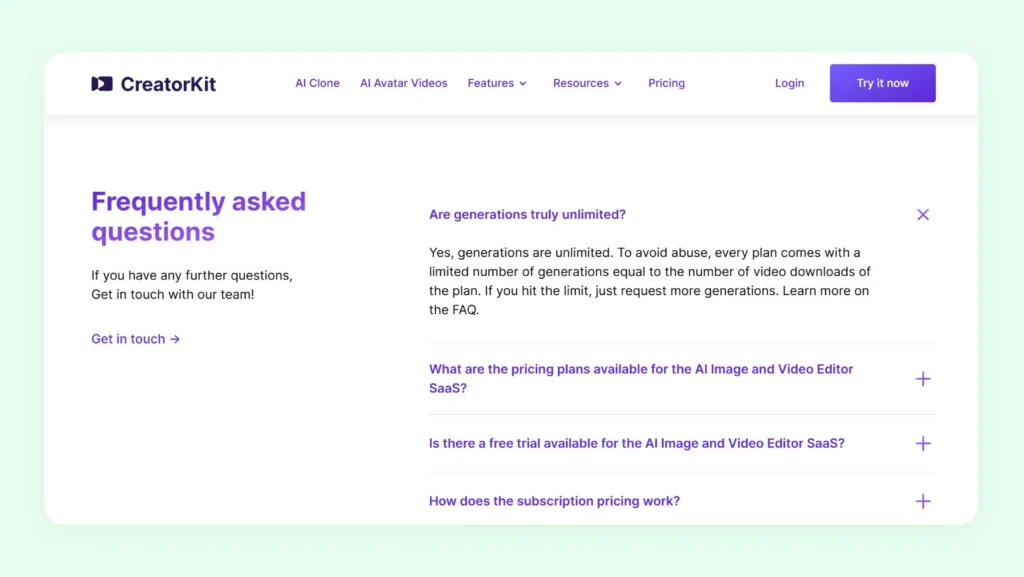
To prevent misuse, each plan includes a generation cap that mirrors its download limit. Once this threshold is reached, users must request additional generations from support. As a result, unlimited processing does not always translate into unlimited creative freedom, especially for users who rely on frequent testing and multiple variations.
While this approach helps CreatorKit manage system resources, it can introduce friction for power users who prefer predictable and self-managed usage models. For businesses that prioritize flexibility and transparency, this structure may require closer monitoring of limits to avoid workflow interruptions.
CreatorKit pricing plans: Detailed breakdown
There are five CreatorKit plans, and all of them provide access to its core AI tools. They differ mainly in terms of usage limits, downloads, customization options, and support levels. Here is how the plans are structured:

Free plan ($0/month): It’s an entry-level option that allows you to test the platform with limited downloads. You get 5 downloads per month across all categories, but all the downloaded assets will have a watermark.
- Pro plan ($32/month, when billed annually): It increases the usage limits to 10 downloads per month across all categories, along with watermark removal. You get chat support plus a single AI clone generation.
- Business plan ($82/month, when billed annually): It is designed for teams and growing brands that require higher production capacity. It raises monthly limits to 50 downloads per category and offers priority support with 24-hour response times.
- Business Plus ($115/month, when billed annually): It offers the highest usage limits, with up to 100 downloads per category, increased customization options, and real-time support. It provides the most flexibility for brands that rely heavily on AI-generated visuals.
- Enterprise (Custom pricing): This plan offers everything in the Business Plus plan, plus additional features like custom AI Clones, done-for-you services, unlimited revisions, and custom scenes.
If you’re still exploring your budget, it’s helpful to see how these costs compare to other major players. Check out our breakdowns of Picsart pricing, Presti AI pricing, Claid AI pricing, and pebblely pricing to see which model fits your production volume best.
What are the key features included in the pricing plans of CreatorKit?
CreatorKit’s pricing plans offer a handful of AI-powered tools aimed at simplifying video and visual content production. Here they are:
- AI Ads: This feature helps generate AI-powered video ads directly from a website URL. It streamlines ad production by turning existing web content into ready-to-use promotional videos.
- AI Actors: This feature creates videos featuring lifelike AI actors with natural expressions and synchronized lip movement. This enables users to produce presenter-style content without relying on on-camera talent or studio setups.
- AI Clones: It uses a single image and voice recording of a real person to generate UGC videos where the user appears to speak in different scenarios. It’s akin to high quality lip synced footage of a real person. Every new video requires a new audio track.
- AI Product Images: This tool generates product photography backgrounds using text prompts, uploaded images, or editable templates. It allows users to create contextual product visuals without endless takes.
- AI Avatar Videos: It produces videos with expressive AI avatars (a synthetic person) that gesture, move naturally, and lipsync accurately to scripts. It provides an alternative to traditional video production involving influencers for announcements or marketing messages.
- Basic Video Features: The platform includes tools to add text, merge videos, and trim clips online. These features support quick edits and refinements without requiring external video editing software.

Is CreatorKit worth the price in 2026?
When evaluating whether CreatorKit is worth the price in 2026, it’s important to look beyond its subscription tiers and monthly download limits. On the positive side, CreatorKit’s AI-based image and video generation tools can help you scale visual content faster than traditional methods at much lower costs. For brands that need to generate frequent social and product visuals without a dedicated creative team, this cost-benefit and accessibility can represent real value.
However, there are some important considerations that may temper that value for more demanding use cases. One key limitation is how downloads are tied to a monthly cycle: unused downloads do not roll over, and the cap resets at the start of each billing period. For businesses that work in bursts, such as seasonal launches or concentrated campaign periods, this structure can make it difficult to plan and execute efficiently.
By contrast, platforms like WizStudio offer credit systems with longer validity (for example, credits that can be used over six months), giving users more flexibility to pace their output based on workflow needs rather than subscription clocks.
Another area where CreatorKit’s value proposition may fall short for some buyers is in specialized workflows and output quality. While the platform delivers decent AI generations, it currently lacks advanced, industry-specific features or high-fidelity outputs that brands in image-heavy sectors (For example: furniture, home decor, jewelry business, etc.) may expect.
For teams that need polished ecommerce product photography or highly optimized advertising content, the absence of deeper customization and workflow integrations could mean additional post-production work or the need to invest in complementary tools.
For those looking for a more all-in-one editing toolkit rather than a video-first platform, our Phot.AI review explores whether a general AI photo editor offers better versatility for your brand.
WizStudio: A better alternative to CreatorKit in 2026
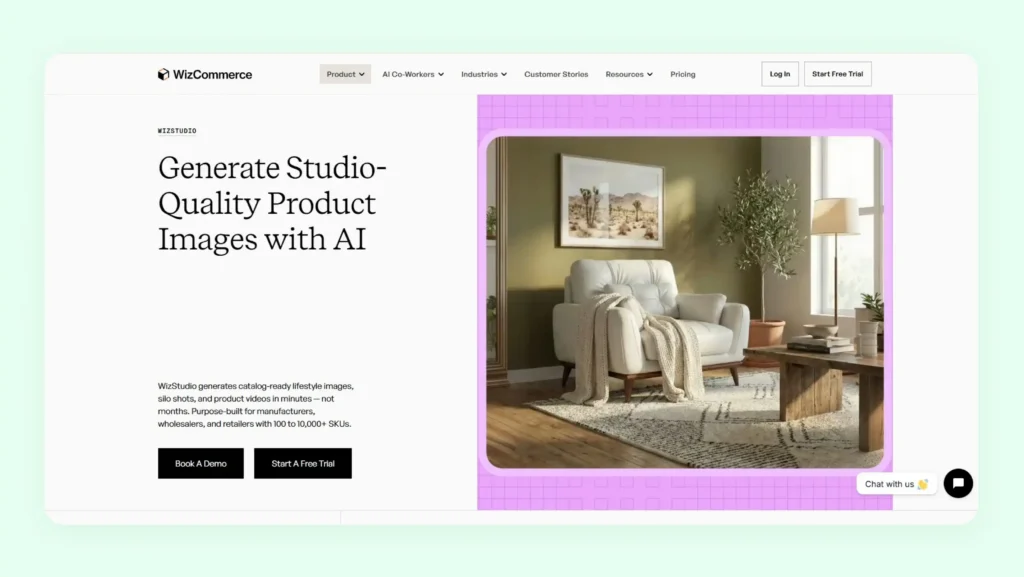
If you are a business that requires great flexibility in visual content production and hands-on support, you should consider WizStudio instead of CreatorKit. Our platform combines advanced AI-powered image and video capabilities with industry-focused expertise. This makes it particularly suitable for eCommerce, D2C, and performance-driven marketing teams.
Unlike rigid subscription tiers, WizStudio follows a transparent credit-based pricing model with longer validity. This gives you greater flexibility in how and when you consume resources.
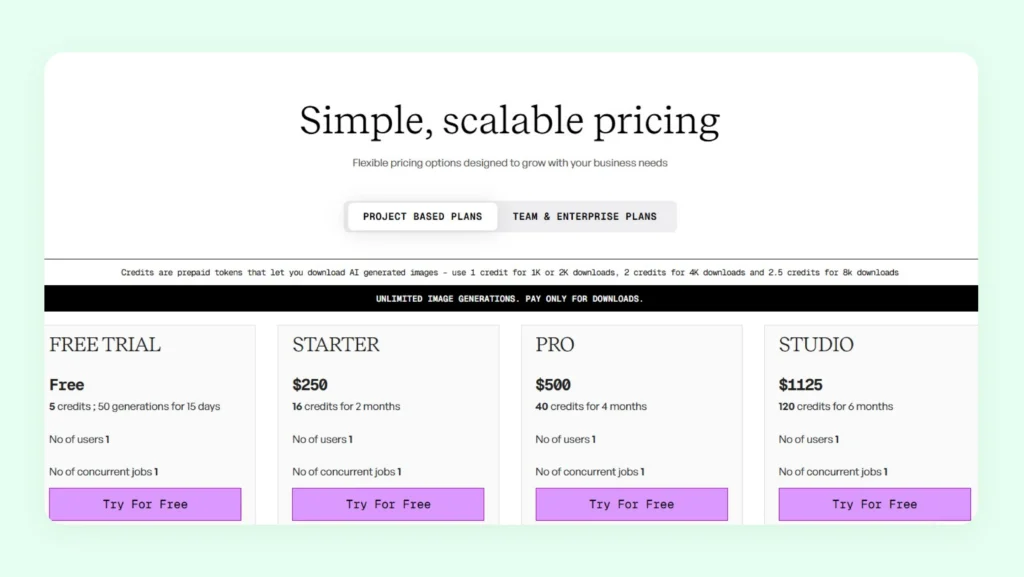
This approach is especially useful for teams managing seasonal campaigns, product launches, or fluctuating creative demands without being locked into restrictive monthly usage limits. Check out our detailed pricing here.
Beyond self-serve tools, we also offer powerful done-for-you services tailored to specific industries. With this, you can execute large-scale creative production without building an in-house studio. This blend of automation and expert support positions us as a more value-driven solution over CreatorKit. To see how these principles apply to your brand’s visual strategy, you can explore our comprehensive guide on AI product photography. Apart from this, here are some of the features offered by our platform that are either absent or under-equipped in CreatorKit, clearly indicating the better value offered by WizStudio to users:
- Scene Relighting: Instantly change the lighting or mood of a product image using AI-based relighting. This allows you to adapt visuals for different campaigns or platforms in a fraction of the time without worrying about the limits of the scene. You can check out our photography lighting tips to see how professional lighting setups can be replicated digitally for better realism.
- Background Remover: Automatically remove backgrounds to isolate your product cleanly. This is a core part of a professional image batch processing workflow. This helps you create studio-style visuals suitable for marketplaces and ads.
- Background Generator: Generates custom AI backgrounds while keeping the product in sharp focus. This enables you to create lifestyle-ready visuals without physical sets.
- Generative Fill: Adds missing props or visual elements using simple prompts. This reduces your dependency on manual editing and additional photography.
- Image Upscaler: Enhances image resolution from 1K to 4K within seconds. This ensures your assets are platform-ready for high-resolution ads and print use.
- Scene to Video Generator: Converts your product images to video with AI, expanding your creatives into scroll-friendly formats for social and ads. This expands your creative assets into scroll-friendly video formats for social and ads.
- AI Shadows: Adds natural and realistic shadows to your product images instantly. This improves depth and authenticity, especially for clean white-background shots.
- AI Image Extender: Expands your images beyond their original frame using AI. This supports flexible cropping and resizing for different ad placements.
- Line Drawings: Generates precise line drawings with dimension lines from product images. This is useful for technical documentation, catalogs, and product detail pages.
- Magic Eraser: Erase objects in photos to remove unwanted distractions while maintaining visual clarity. This keeps attention focused on your product while maintaining visual clarity.
If you’re evaluating CreatorKit but need greater flexibility and industry specialization at great price points, WizStudio is worth exploring as a more value-focused option for 2026.

FAQs on CreatorKit Pricing
1. Is CreatorKit free?
CreatorKit offers a free plan with limited downloads and watermark restrictions. This makes it suitable mainly for testing basic features and for building a social media presence on video platforms like YouTube (through shorts) or Instagram (through reels). However, for serious e-commerce use and access to good features related to image generation, you need to upgrade to a paid plan. In comparison, WizStudio provides an unrestricted, no-questions-asked free trial with usable credits. This means you can properly evaluate output quality before making a financial commitment.
2. What are the cons of using CreatorKit?
One limitation of CreatorKit is its monthly download cap structure, which can restrict campaign bursts and large-volume production. Additionally, it is not deeply specialized for e-commerce workflows such as multi-product staging or industry-specific catalog production. Platforms like WizStudio are built specifically for product-focused brands and marketers who are looking for industry-aligned tools for generating new creatives at affordable prices.
3. Does CreatorKit offer a free trial?
CreatorKit provides a limited free tier, but access comes with restrictions on downloads and feature usage. This can make it difficult, particularly for small businesses with financial constraints, to fully assess professional output quality before upgrading. By contrast, WizStudio offers a no-commitment free trial with usable credits. You can generate and download real assets with explicit usage rights or forced subscription decisions.
4. What is CreatorKit pricing?
CreatorKit follows a monthly subscription model (like every other app) with tiers ranging from free to Enterprise plans. Each tier includes the generation of unlimited videos, product ads, and images, but only a fixed number of downloads per month. CreatorKit costs scale based on download volume and feature access. This makes long-term value dependent on how consistently the platform is used each month.
5. Can I upgrade or downgrade CreatorKit plans?
Yes, CreatorKit allows users to upgrade or downgrade between plans based on their content needs. Changes typically take effect in the next billing cycle, like every other SaaS platform. However, since download limits reset monthly and do not roll over, users should plan transitions carefully to avoid losing unused allowances during the switch between subscription tiers.
6. Does CreatorKit charge per user?
CreatorKit’s pricing is structured around subscription tiers rather than per-user licensing. Costs are primarily tied to monthly download limits and feature access instead of the number of team members. For businesses with collaborative workflows, it is advisable to review plan details carefully or contact the sales team over email to understand how usage scales within a team environment.
7. Can I cancel my CreatorKit subscription anytime?
CreatorKit subscriptions can generally be canceled at any time, with access continuing until the end of the current billing period. Businesses should time cancellations strategically to maximize the value of their active subscription period.