Announcing our $8M fundraise to bring AI to wholesale. Read our manifesto

Product image to Video Generator

The AI product video generator that turns product image into a video.

Upload one product photo in the AI image to video generator and get a product video in the style you need, from lifestyle and closeup to advertisement, UGC, and a 360 spin.

Start with 5 free credits . Create your first product videos free . No card needed

our customers

Built for Wholesale. Powered by AI.

Built for Wholesale. Powered by AI.

image 1203 (1)

How the AI product video generator works

Step 1

Vector

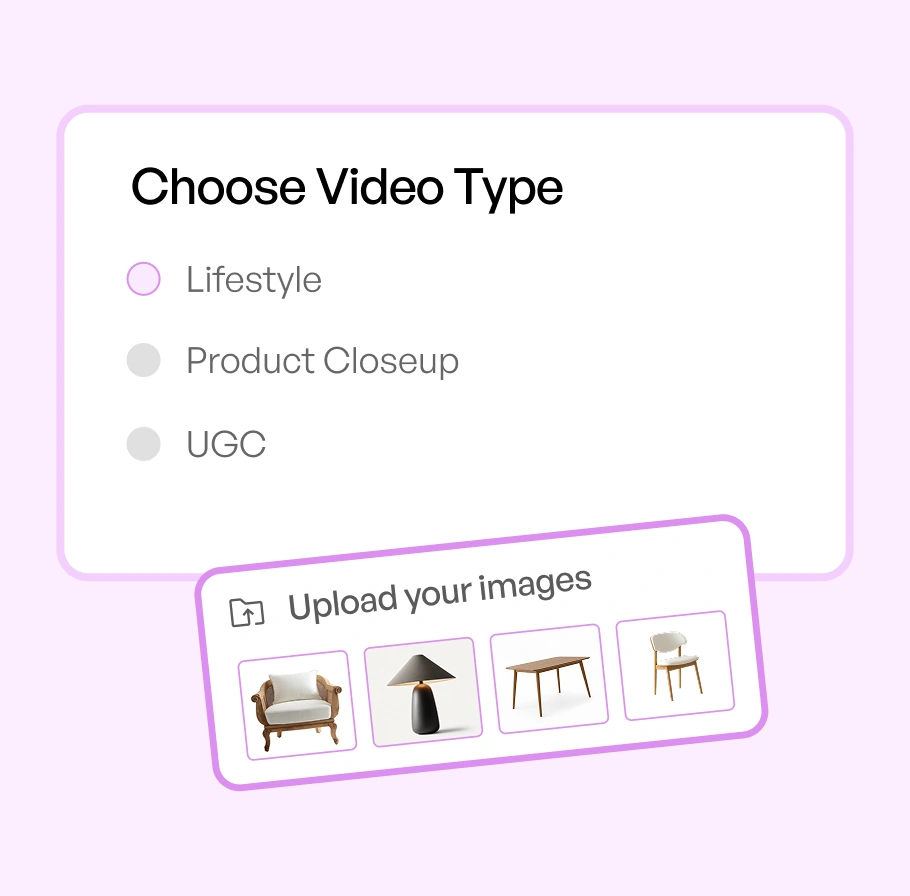
Choose a type and upload your image

Pick Lifestyle, Product Closeup, Advertisement, UGC, or 360, then add a product photo and up to five references.

Video-Generator-BG-1

Step 2

Ai-Status-In-Progress--Streamline-Carbon

Write your
script

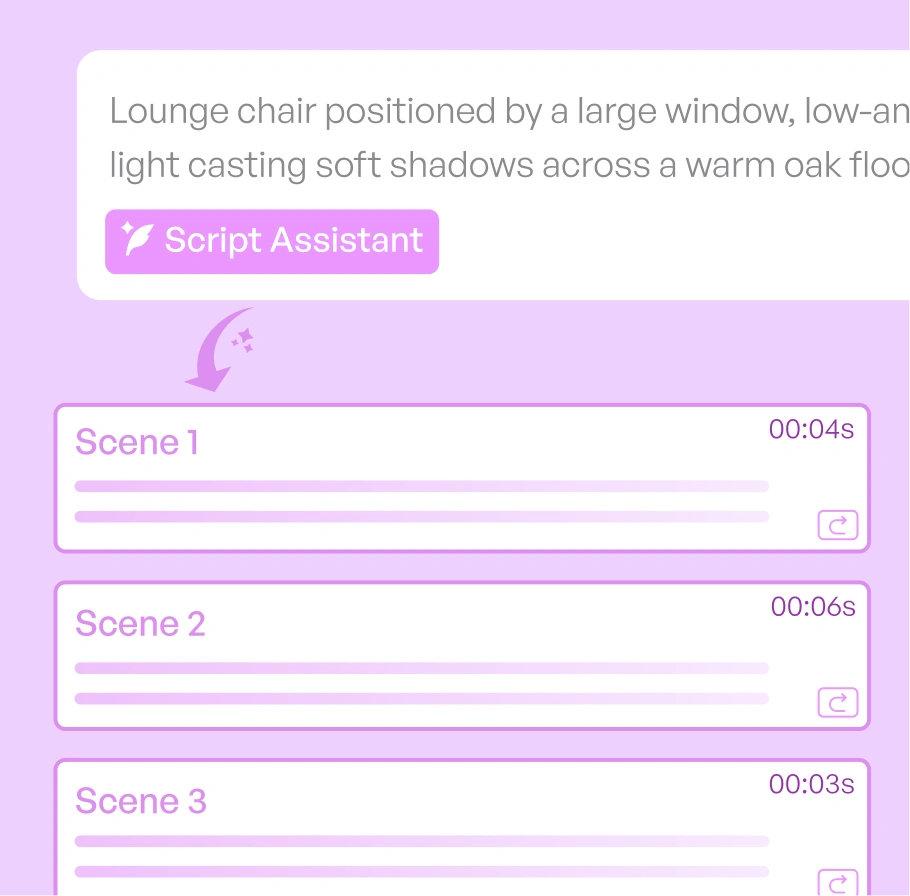
Describe the scene with the Script Assistant, add a voiceover, and arrange a storyboard if you want more control.

Video-Generator-BG-23

Step 3

IconImagesSparkle

Set format and generate

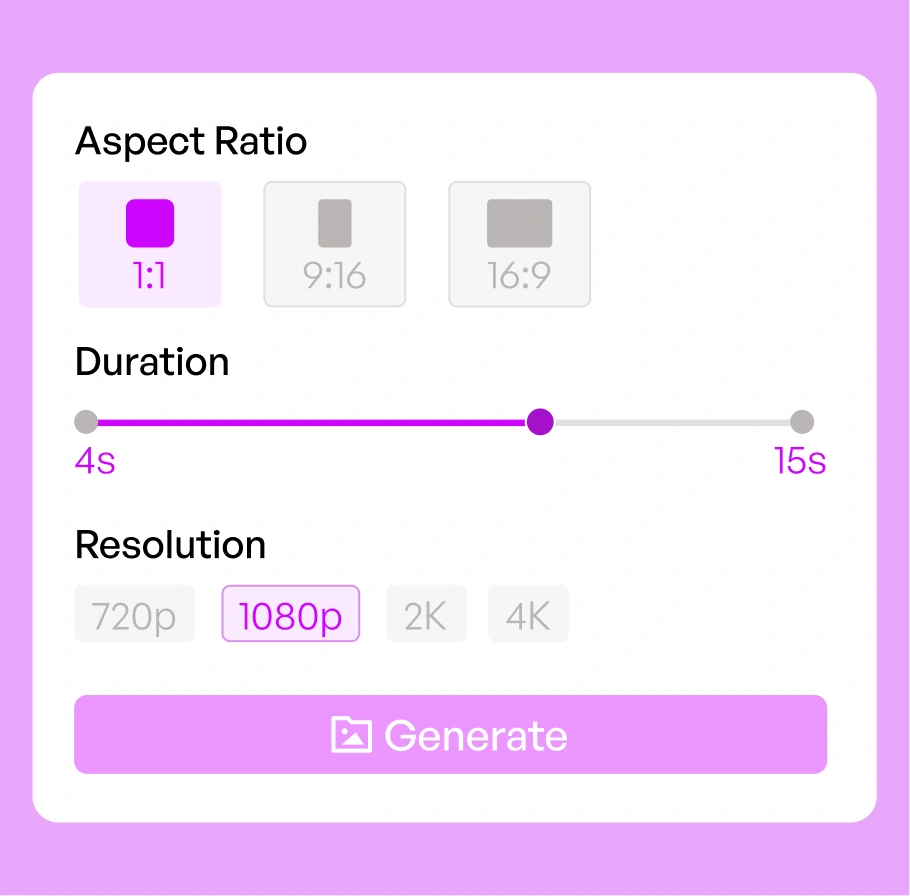
Choose aspect ratio, a length from 4 to 15 seconds, and resolution up to 4K, then generate.

Video-Generator-BG-2

From one product image to a video, in every style you need

The same product image becomes five ready-to-use videos, one for each place you sell. Pick a format to see the actual output before you generate your own.

Not every AI product video generator is built the same

Product shoots are slow and expensive, and most AI video tools change how your product looks. WizStudio does neither.

Start from a product image you already have

Upload a single product photo and WizStudio turns it into a short video. There is no footage to shoot, no set to build, and no timeline to edit. The image you already use for listings becomes the starting point for video, so you can turn a photo into video without a camera or a crew.

AI that keeps your real product accurate

Motion is applied to your actual product, so shape, color, material, and proportion stay true across the whole clip. That accuracy is what makes the video safe for catalogs, product pages, and marketplaces, where buyers expect the video to match what ships.

Write and refine your script with the Script Assistant

Describe the scene in a short script and let the Script Assistant help you write and refine it. Reference your uploaded media with the @ mention, and add an optional voiceover to bring the story to life. You shape the video in words, and the WizStudio AI image to video generator turns it into the shots.

Bring your own images, avatar, and audio

Add up to five references alongside your product image. Upload your own scene images, create an avatar to feature a person in the video, and set the mood with your own audio or a track from the built-in library. Reference any of them in your script, so the video matches your brand.

One video, sized for every channel

Set the aspect ratio for the channel you are filling before you generate: landscape for your website and product pages, square for marketplaces, and vertical for social feeds. The same product image works across all of them, so nothing is reshot for each placement.

Preview the video shot by shot before you generate

Turn your finished script into a storyboard and WizStudio renders one representative image for each shot, so you can see how the video will look scene by scene before you generate the full video. Review each shot next to its voiceover and description, adjust the script wherever you want, then regenerate the storyboard to match. You confirm the whole story visually first, then generate with confidence.

Generic AI video generator vs WizStudio

Same short image to product video. Two very different starting points and two very different results.

Features WizStudio Generic AI video generator
Starting point Starts from one product image Needs footage, clips, or a text prompt
Product accuracy Keeps your real product true to life Reinvents or distorts the product
Video types Lifestyle, closeup, ad, UGC, and 360 One generic style
Video for every product A video from images you already have A separate shoot or clip per item
Direction Script assistant, voiceover, storyboard Prompt and hope

The rest of the WizStudio toolkit

Every tool in the WizStudio AI product photography suite works from the same product images, so your catalog stays consistent as it grows.

Frame 1

Bulk Silos Generator

Clean white-background silo images for a full catalog, in bulk.

Frame 3

Dimension line draw

Turn products into technical line drawings with dimensions.

Frame 4

Background Remover

Remove backgrounds and get clean cutouts in seconds.

Frame 5

Magic Eraser

Erase unwanted objects and marks from product photos.

Turn your first product image
into a video, free

Upload one product photo and generate a short product video. Want to see it run across a full catalog? Book a demo.

Frequently Asked Questions

How do I turn a product image into a video?

Upload one product image, describe the scene, and the AI product video generator turns it into a short video in minutes. There is no filming, no set, and no video editing.

Yes. You can start free with WizStudio credits and create your first product videos from an image before you scale up. No card is needed to try it.

It is a tool that creates a product video from a single product photo. You give it an image and a short script, and it generates an image to video result you can download.

Yes. WizStudio makes a video from a photo you already have, so you can create product video from images without a camera, footage, or a production crew.

Each video runs from 4 to 15 seconds, which suits product pages, ads, marketplaces, and social feeds. You set the length before you generate.

You can create five types from one image: Lifestyle, Product Closeup, Advertisement, UGC, and a 360 spin. Each one fits a different channel and buyer moment.

Yes. Choose the aspect ratio and format for marketplaces, product pages, or vertical social feeds, and use the 360 spin for listings that show every angle.

You can export from 480p up to 4K Ultra HD, so videos stay sharp for catalog and marketplace zoom. You choose the resolution that fits each channel.

Yes. Alongside your product image you can upload your own images, create an avatar to feature a person, and set audio from the built-in library or your own upload. You reference any of them in the script.

Yes. Build the video as a single shot or add several shots, and give each shot its own scene, length, and optional voiceover. The Script Assistant helps you write and refine each one.

Upload your product image, describe the scene in a short script, and WizStudio turns the picture into a short product video. You can add more images as references and combine several shots into one video.

Upload your product image, write a short script, and add audio from the built-in library or your own upload. WizStudio combines the pictures and audio into a short product video you can download.

Yes. Alongside video, WizStudio works as an AI product image generator, so you can create the product images first and then turn them into video.