2026 B2B E-Commerce Benchmark Report 2026 by WizCommerce is live now. To view the whole report, just click the button.✦2026 B2B E-Commerce Benchmark Report 2026 by WizCommerce is live now. To view the whole report, just click the button.✦
2026 B2B E-Commerce Benchmark Report 2026 by WizCommerce is live now. To view the whole report, just click the button.✦2026 B2B E-Commerce Benchmark Report 2026 by WizCommerce is live now. To view the whole report, just click the button.✦
Most field sales CRMs only record what happened. This one carries the catalog, the buyer’s pricing, and the order, so the visit finishes in the app instead of back at a desk. Works with or without a signal.
A field sales CRM is built for reps who visit customers in person. It holds accounts and contacts, logs visits and calls, and runs on a phone where the selling happens. Traditional CRMs assume someone types up the day afterward. This one gets updated from the road.
A field sales CRM for distribution
Carries the catalog, the pricing, and the order
For distributors the bar is higher. The same app has to carry the catalog, the buyer’s pricing, and enough order history for a rep to know what is due. A CRM that only records the conversation leaves the order to someone else, later. That is where orders get delayed or priced wrong.
What your reps actually do in the field
A field sales CRM built for distribution has to survive the whole visit, not just the part where someone logs a note. This is the sequence your reps run five to fifteen times a day, with WizPilot working the account underneath each step.
01
Prep the account
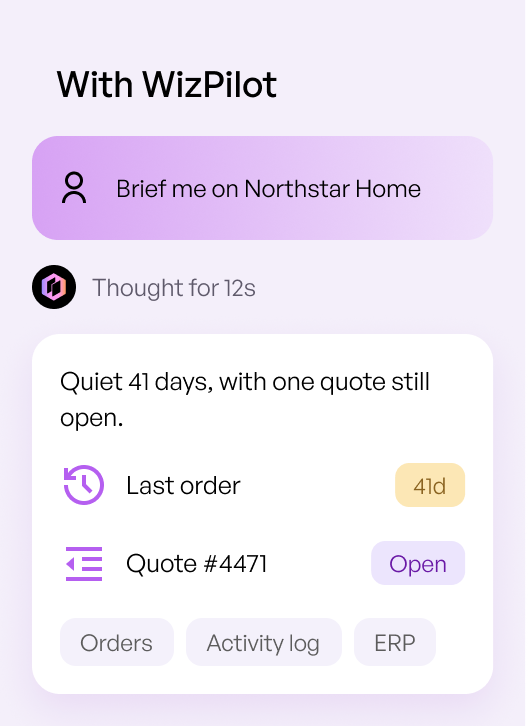
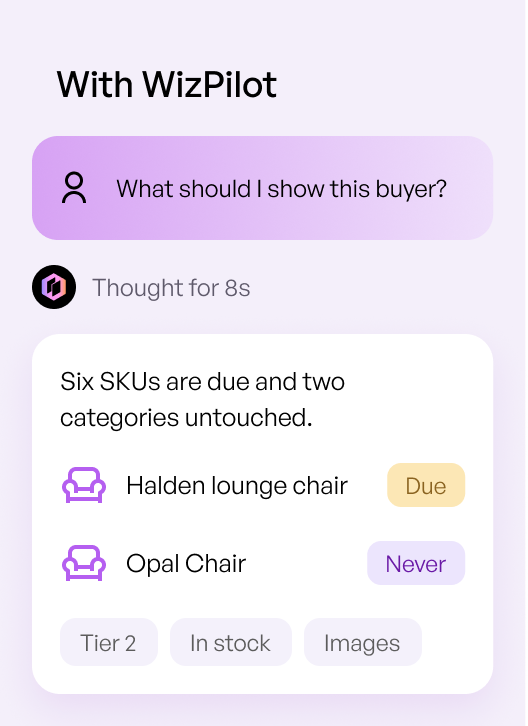
Order history, last visit, open quotes, and what this buyer has never bought.
02
Walk the catalog
Live products with images, availability, and the pricing that belongs to this account.
03
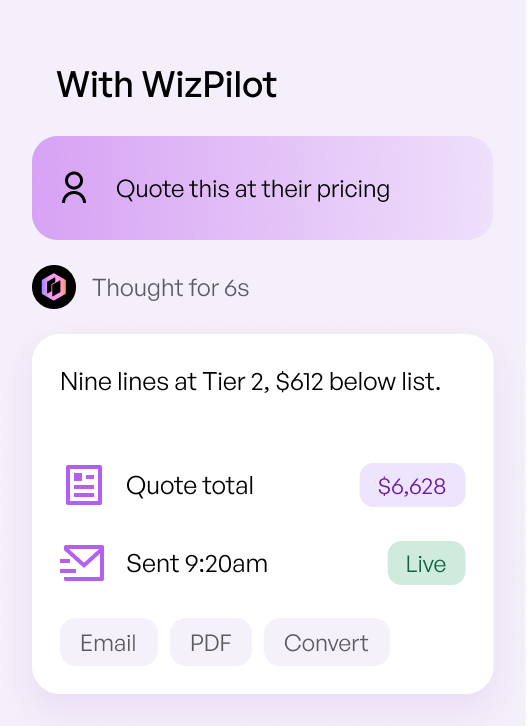
Quote on the spot
Build the quote in front of the buyer and send it before leaving.
04
Write the order
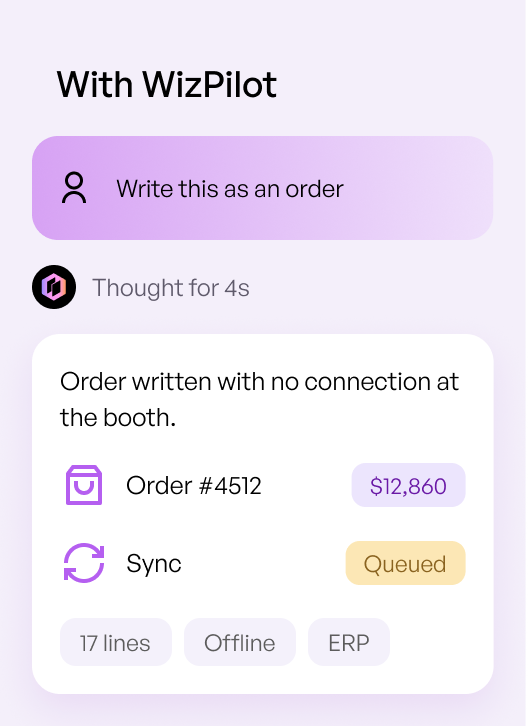
Convert the quote or write the order directly, with or without a connection.
05
Sync and follow up
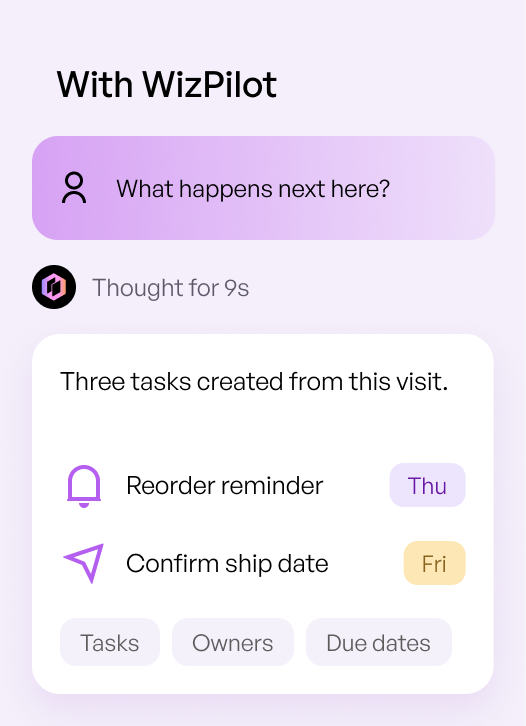
The order or PO reaches the back office and the next task lands on the rep.
Everything a rep needs on one screen
AI search and recommendations
Reps find the right product in seconds across a catalog of thousands of SKUs, with AI surfacing what this account is likely to buy next.
Customer-specific pricing and quotes
Price lists, negotiated pricing, and customer product codes sit on the account, so quotes go out at the price that belongs to that buyer.
Live catalog and inventory
Products with images, options, and current availability, so nobody promises stock that is already committed.
Offline ordering
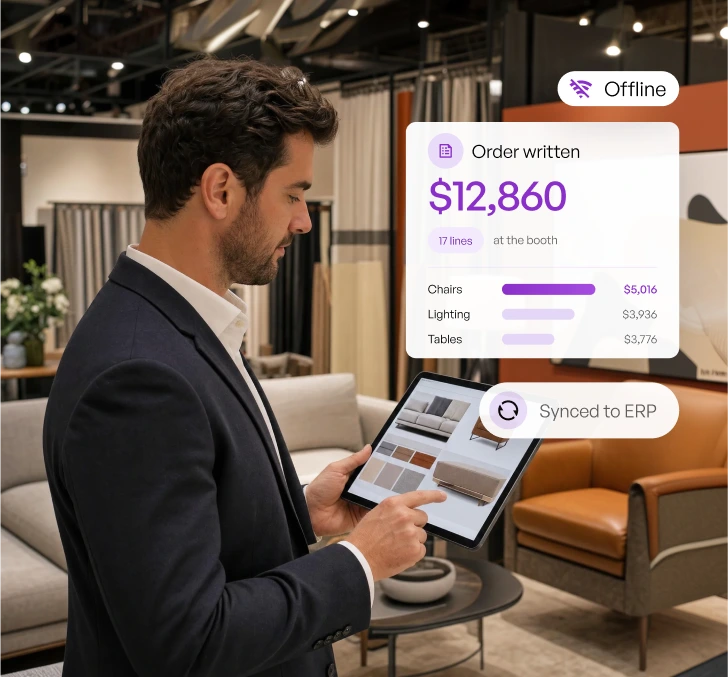
Reps browse, quote, and write orders with no connection at a booth or on a route, and everything syncs once they are back online.
Carts, wishlists, and quotes to orders
Build multiple carts per customer, save a wishlist for later, and convert a quote into an order without re-entering a line.
Visits, calls, and meetings on the account
Every interaction logged against the right account, so the next rep to open it sees the full history rather than a gap.
A new CRM usually goes the same way. It is bought so managers can see what is happening, reps are asked to type up every visit, and because that typing helps nobody but the manager, it gets thinner every week.
Week one
Everyone writes it up
Training is fresh and the manager is watching.
Week two
Notes get shorter
The write-up happens at the end of the day, from memory.
Week three
It gets put off
Two or three visits go in at once, on a Friday.
Week four
Some of it is guessed
The reports still look full. Not all of it happened.
The answer is not more training. It is giving your reps a CRM they would open anyway.
The visit is recorded while it happens, not at 9pm
Reps open it for the catalog and the pricing, not for the manager
Orders written in the app record themselves
Managers see which accounts were visited without asking
Built for outside sales and inside sales
The same account data serves two different jobs, which is why one system beats two tools that do not talk to each other.
Outside sales
An outside sales CRM has to work where the connection does not. Your reps run route sales and market appointments, write orders on a tablet, and log the visit against the account without typing it up later that night.
Inside sales
Inside sales CRM work is volume work. Reps see which accounts are due to reorder and which have gone quiet, then call from a prioritized list rather than working alphabetically down a spreadsheet.
Furniture, gift, jewelry, and food brands write a large share of the year in a handful of market weeks. A rep has fifteen minutes with a buyer, the venue wifi is unreliable, and most teams still take those orders on paper and key them in afterward.
Follow-up starts from what was actually written, and managers see booth performance by rep while the show is still running.
How a show day runs
01
Download the catalog and your accounts before the show
02
Browse and search the full line with no connection
Runs on a platform that already connects to your ERP
Your order history, customer pricing, inventory, and invoices live in your ERP. WizCRM runs on WizCommerce, which connects to the ERP and B2B order management platform your business already uses, so your team works from the same customer and order data your operations team maintains rather than from a separate copy of it.
WizCommerce integrates with:
How this compares to a desk CRM
WHAT THE REP NEEDS
Generic CRM
WizCRM
Log the visit
✕
Typed up afterward, from memory
✓
During the visit
Logged against the account as the rep works
See the catalog
✕
Product names in a list, if at all
✓
Full catalog
Images, options, and live availability, searchable in seconds
Customer-specific pricing
✕
Custom fields and workarounds
✓
On the account
Price lists, negotiated pricing, and customer product codes
Quote the buyer
✕
Usually leaves the CRM
✓
In the app
Built and sent in front of the buyer
Write the order
✕
Re-entered in another system
✓
In the app
Quote converts to order with no re-entry
Work with no connection
✕
Read-only at best
✓
Fully offline
Orders written at a booth or on a route, synced later
Tell us your category, how many stops your reps make in a day, and whether they need offline access. We will show you the visit, the quote, and the order written from the same screen.
A field sales CRM is software your reps use away from a desk to manage accounts, log visits, and move deals forward on mobile. In wholesale it also has to hold the catalog, the customer’s pricing, and the order, because a field visit usually ends in an order rather than a next step.
How does a field sales CRM differ from a regular CRM?
A regular CRM is built for a desk and a browser, and it assumes someone types up the visit afterward. A field sales CRM works on a phone or tablet, holds up without a connection, and captures the visit and the order at the point of the conversation instead of hours later.
Is a field sales CRM the same as a sales rep app?
They describe the same thing from two angles. A sales rep app is named for what the rep does with it, and a field sales CRM is named for the customer data behind it. For a distributor the two have to be one tool, because a rep working an account needs the history and the order in the same place.
Will my reps actually use it?
They use it when it helps them sell. Reps open it for the catalog, the buyer’s pricing, and the order, so the visit and the activity get logged as a by-product rather than as a task at the end of the day. Adoption problems usually come from asking reps to record work the tool did not help them do.
Does tracking visits mean micromanaging reps?
Visit data exists so managers can see coverage and spot accounts nobody has called on, not to time anyone’s day. The reps who benefit most are the ones whose work was previously invisible, since effort that shows up in the data is effort that gets recognized.
Does it work offline?
Yes. Reps browse the catalog, apply customer pricing, and write orders with no connection at a trade show booth or on a route. Everything syncs when they are back online, and the order lands on the account record with the rest of that customer’s history.
Can reps take orders at a trade show?
Yes, and this is what the offline mode exists for. A rep works the full catalog at the booth, quotes the buyer, and writes the order in the same app. Managers see booth performance by rep while the show is still running.
How does it connect to our ERP?
WizCommerce connects to the ERP your business already runs, so product, pricing, inventory, order, and invoice data reach the app your reps use. Every setup differs, so the data flow is scoped with your team before implementation rather than after.
Which field sales CRM is best for B2B distribution?
For B2B distribution the deciding factor is whether the visit ends in an order. Visit logging matters, but a distributor also needs the catalog, customer-specific price lists, and order history in the same app, because the rep quotes and writes the order at the account rather than back at a desk.
Which mobile CRM is best for field sales teams?
It depends on whether your reps write orders or book appointments. Visit-logging tools are strong for appointment-based selling, and distributors and wholesalers quoting from a catalog need order writing and customer pricing in the same app. We compared the main field sales CRM options if you want the shortlist.
The 2026 B2B E-Commerce Benchmark Report for Distribution Teams
8 Benchmarks Behind The Best Run Wholesalers
Every wholesaler is spending on a website, an order-writing app, and now AI. Almost none can say whether it’s working. This report benchmarks 8 metrics across 250+ wholesalers so you can see exactly where your digital channel sits — and how far it is from the top.
 Skip to content