Announcing our $8M fundraise to bring AI to wholesale. Read our manifesto

 Multi Product Image Generator

Generate one lifestyle image with multiple products.

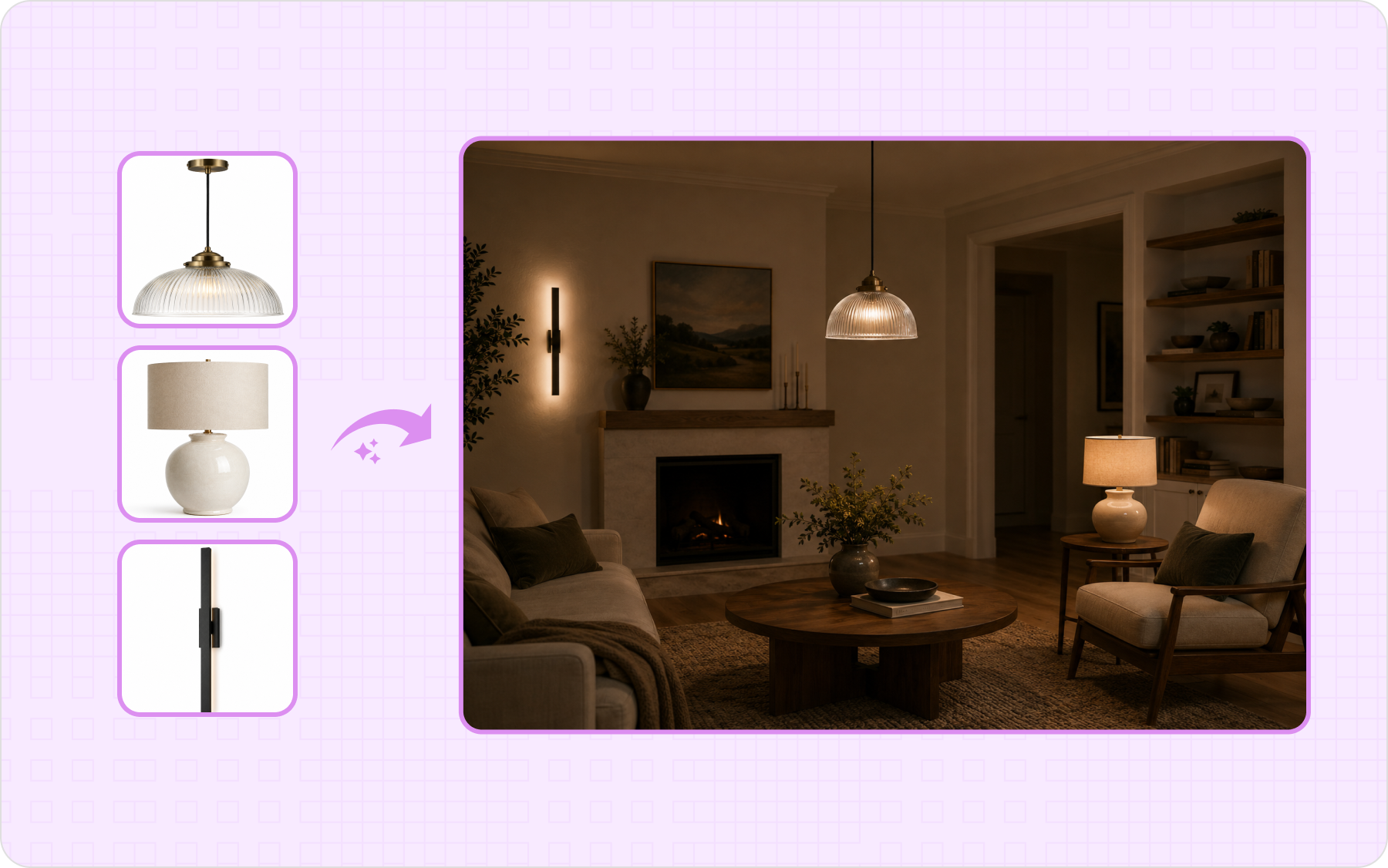
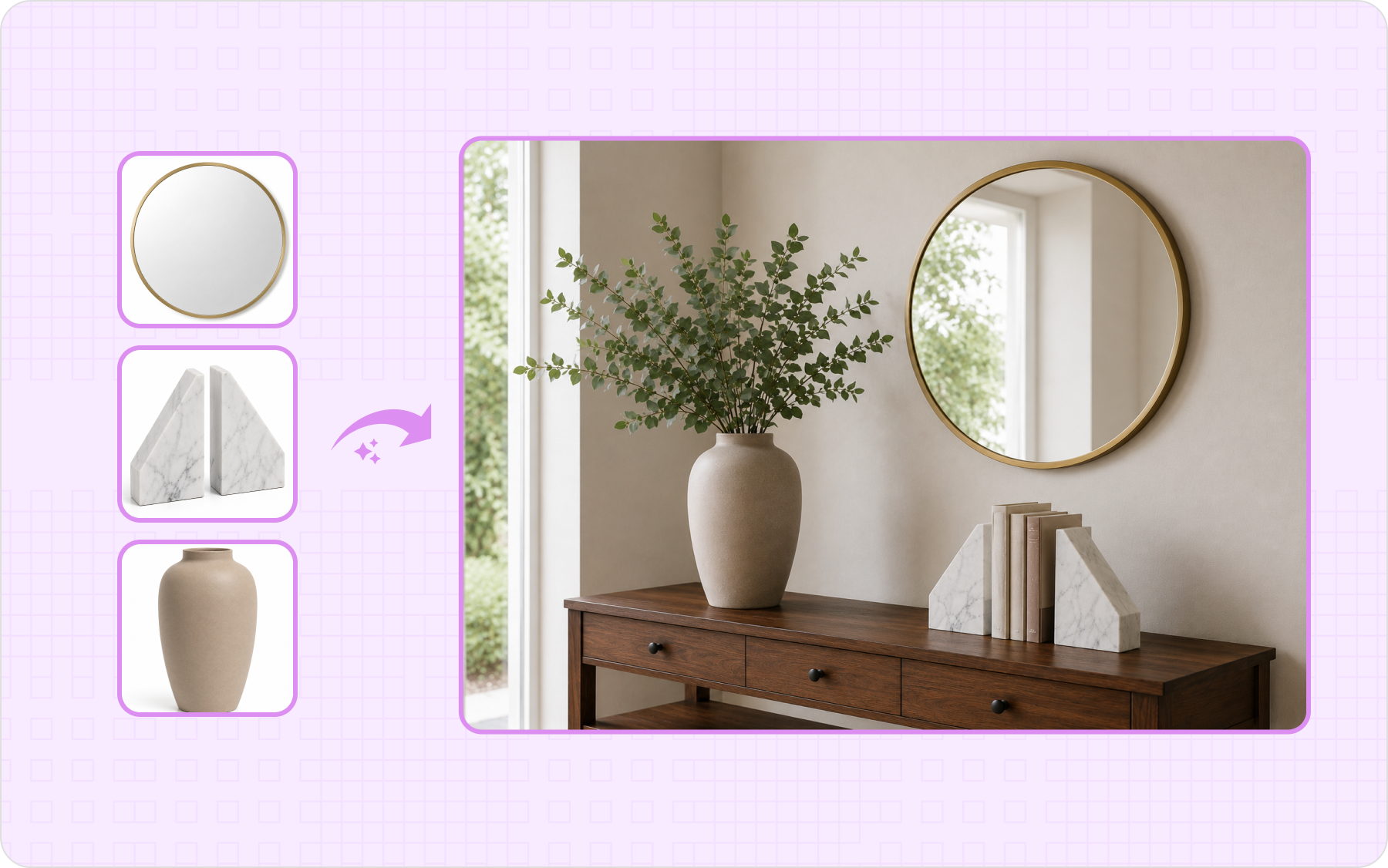
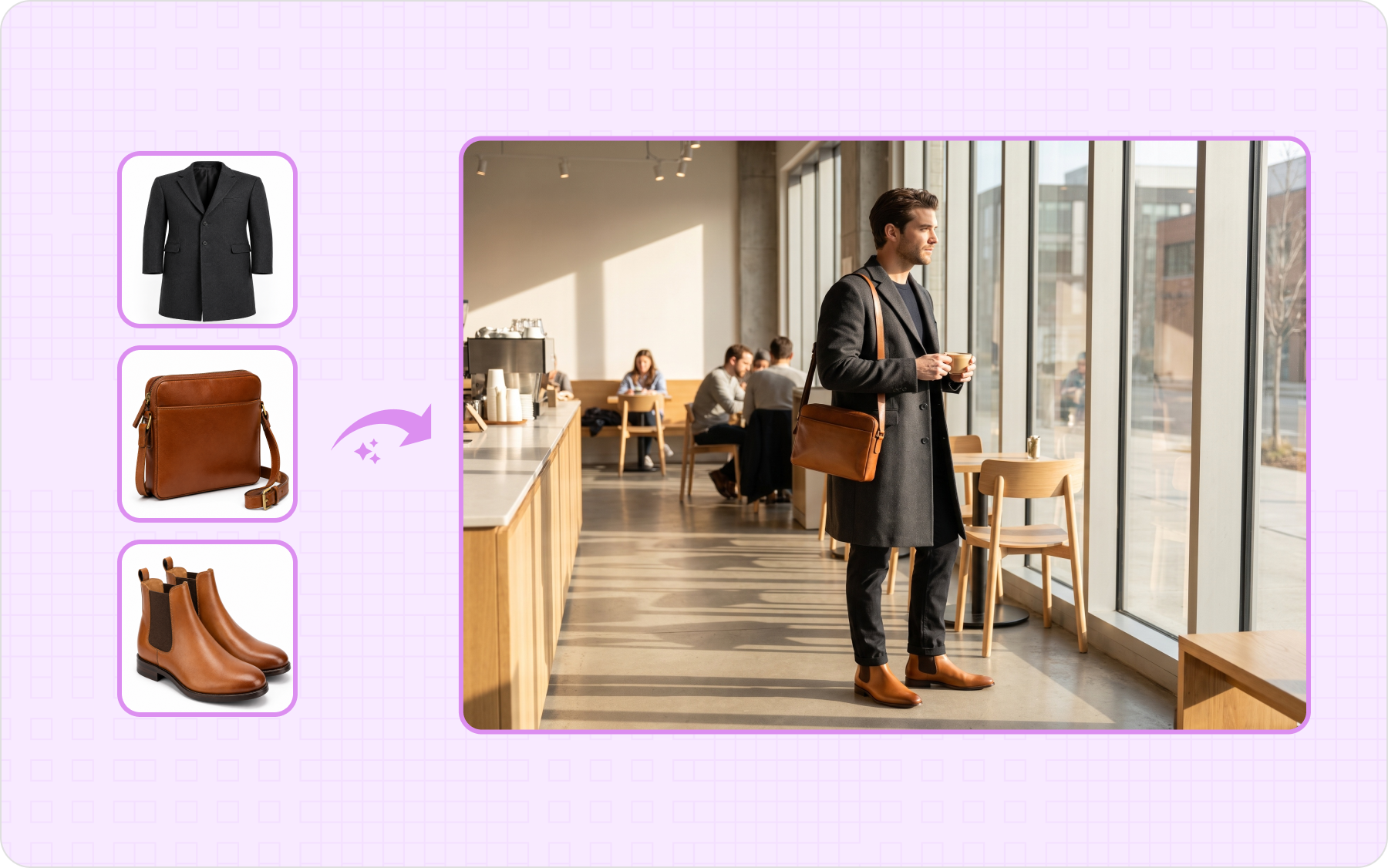
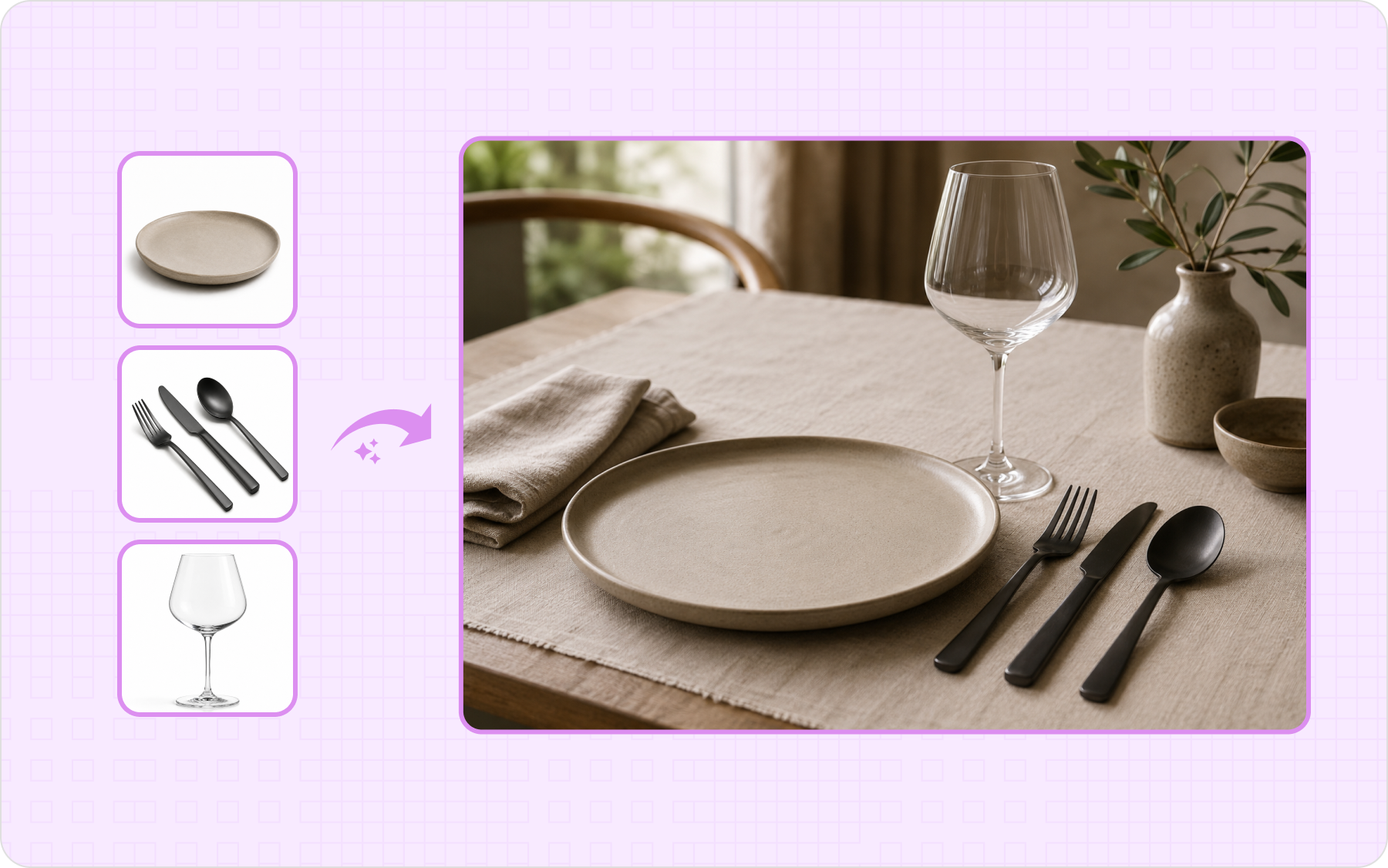
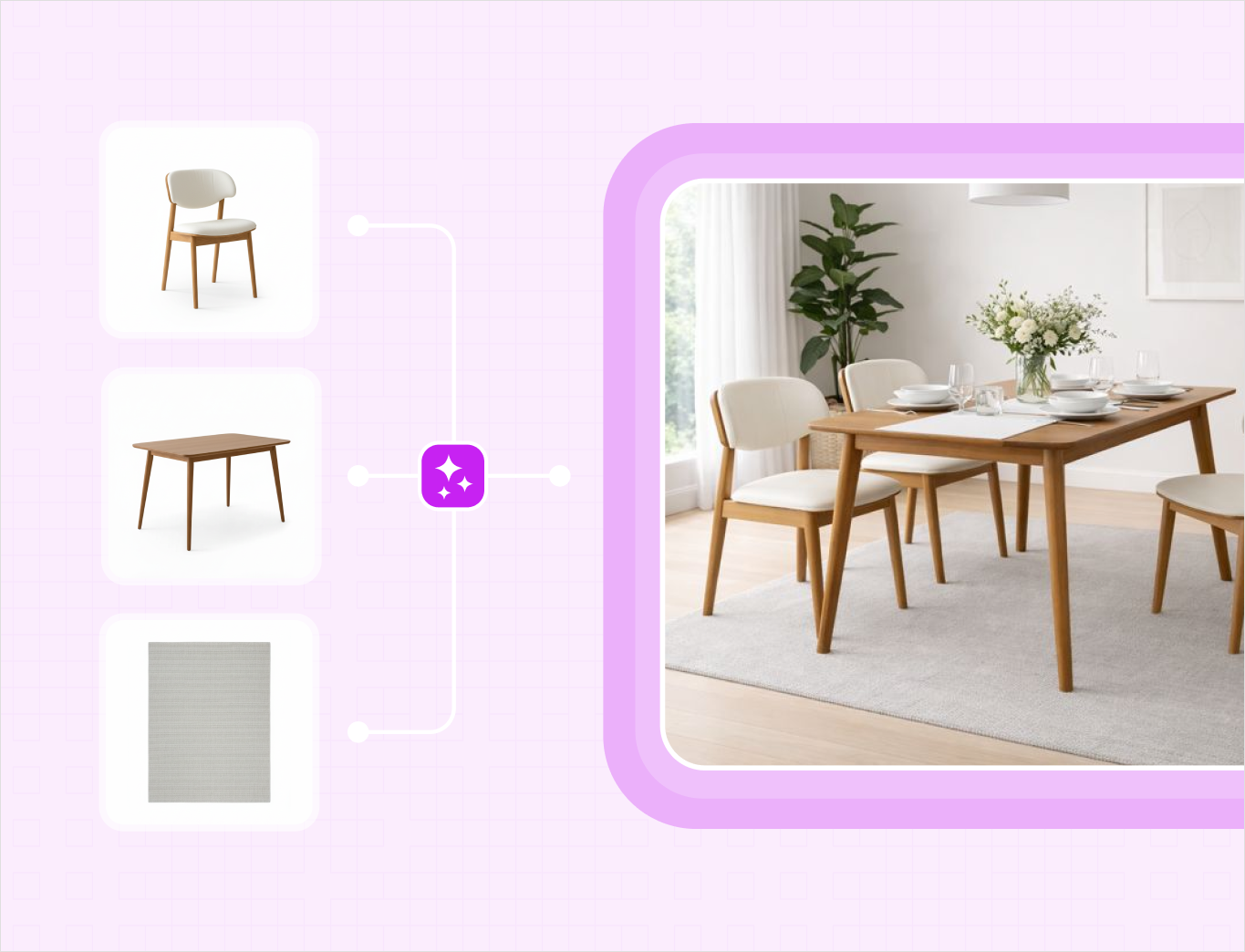
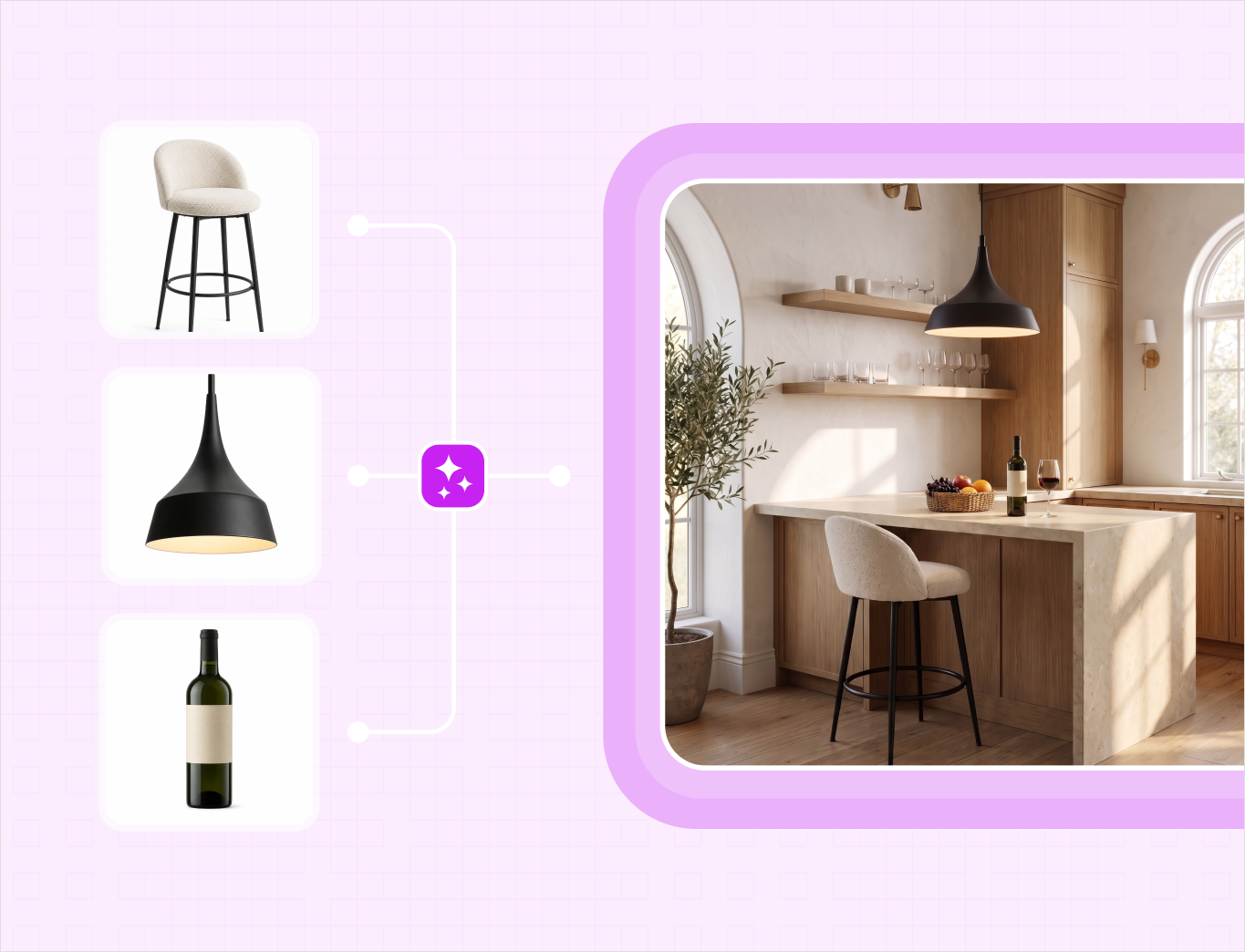
Upload your product photos, describe a scene, and get several products staged together in one styled image that matches in scale, lighting, and shadow.

Start with 5 free credits . Generate first multi-product images free . No card needed

our customers

Built for Wholesale. Powered by AI.

Built for Wholesale. Powered by AI.

image 1203 (1)

How to generate an image with multiple products

Step 1

Vector

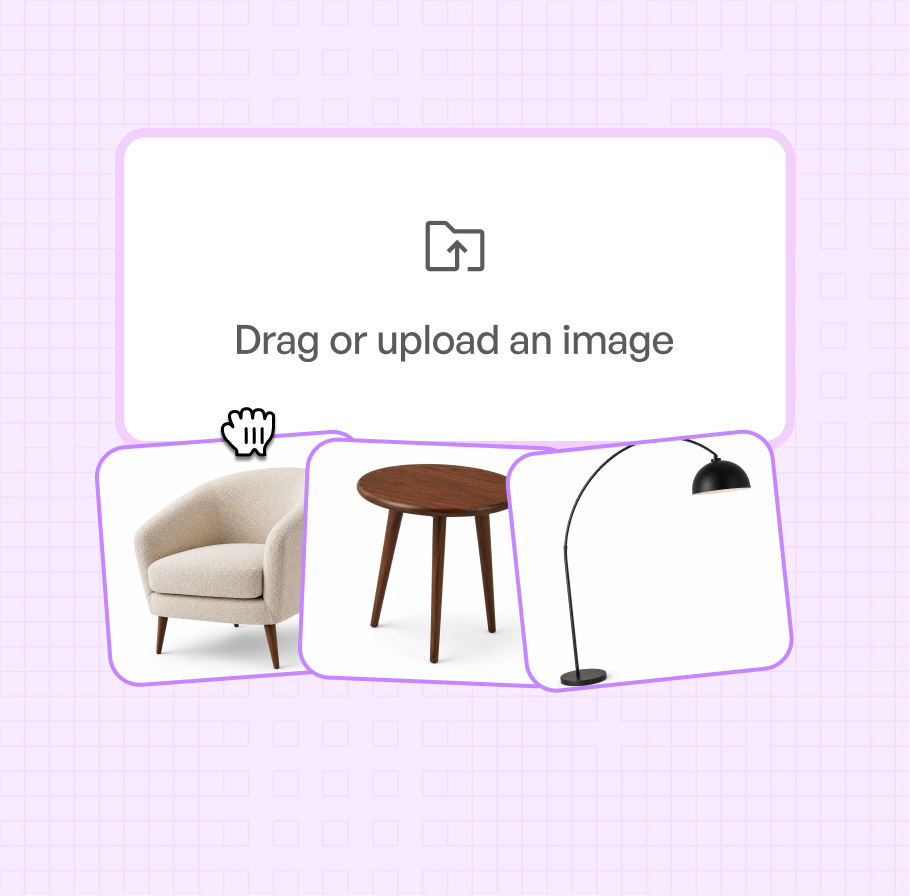
Upload Your Product Images

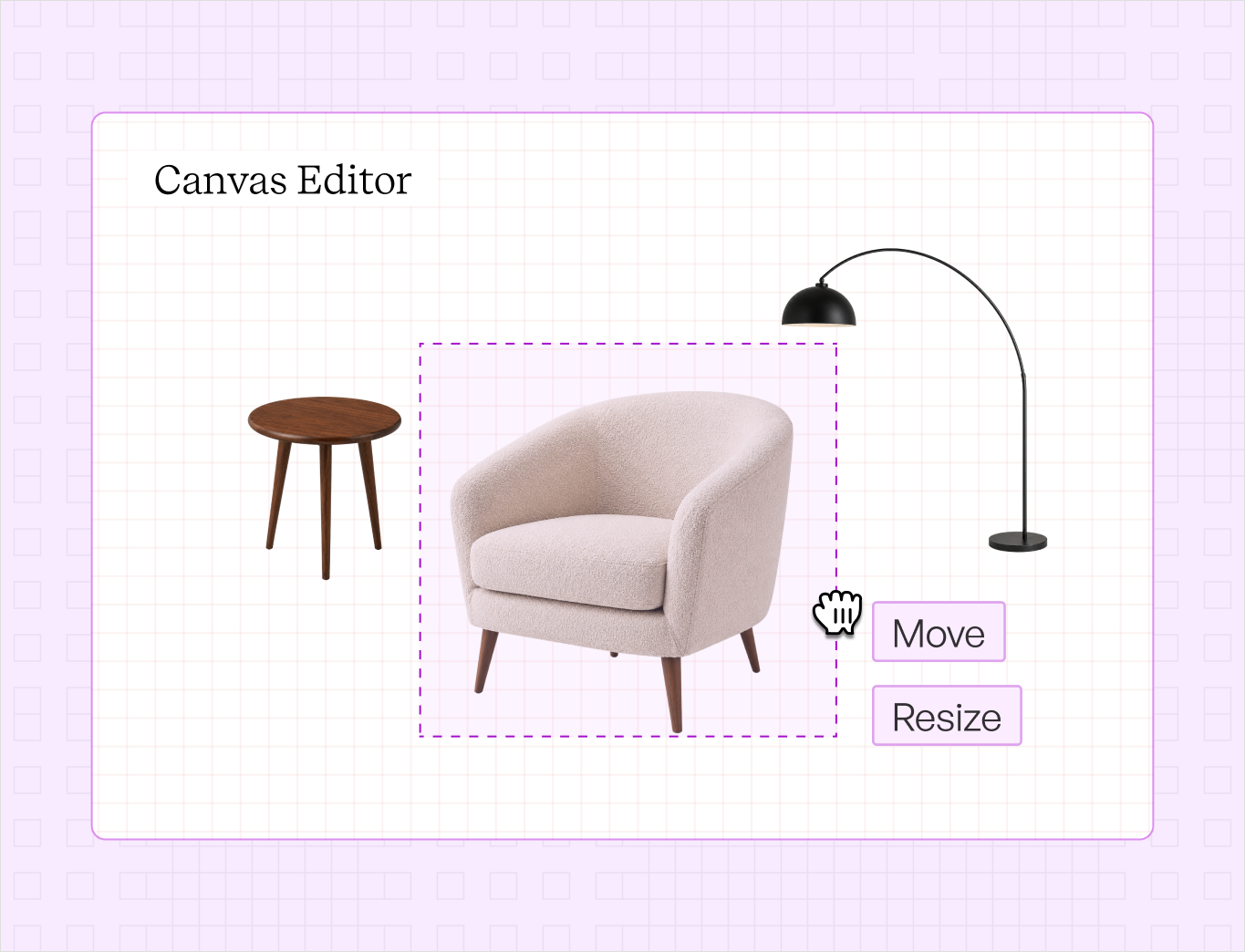
Add the product photos you want in the scene. WizStudio removes each background, and you resize and arrange them on the canvas so every product sits at the right scale.

Multi-image-Step-1

Step 2

Ai-Status-In-Progress--Streamline-Carbon

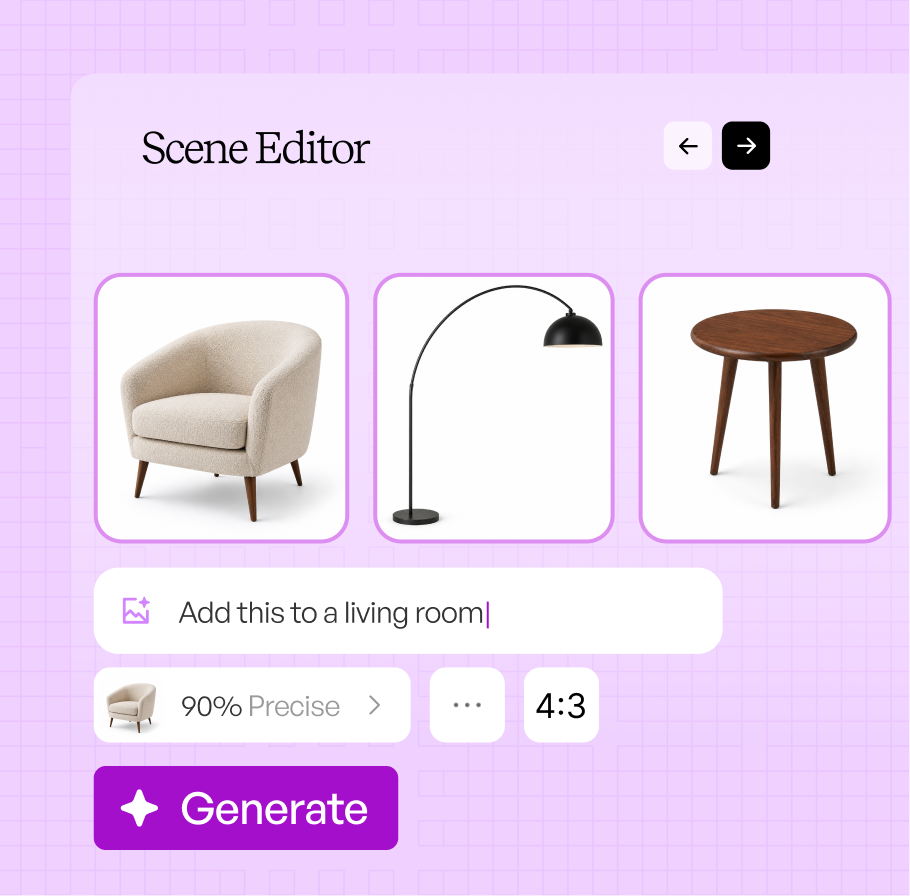
Describe the scene

Type the scene you want or pick a suggested one, and set how the products sit together. Enhance Scene fills in the details for you.

Multiimage-Step2

Step 3

IconImagesSparkle

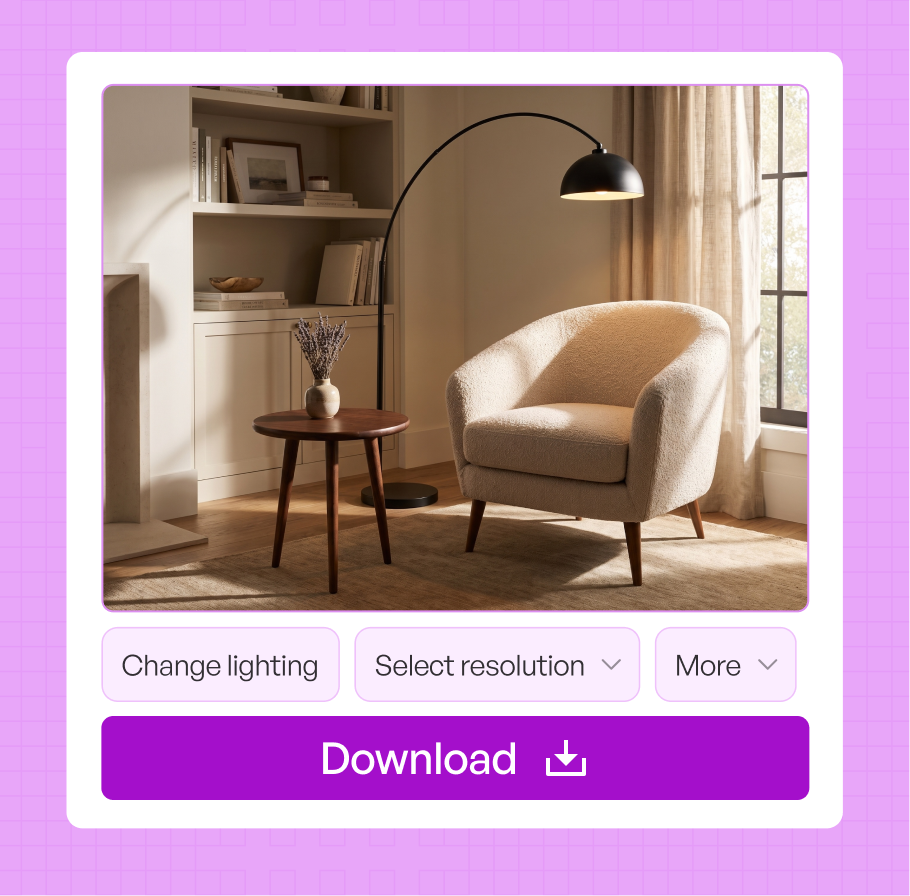
Generate and download

Generate variations of the multi-product scene, refine any of them, and download at resolutions from 1K up to 8K.

Multi-image-Step-3

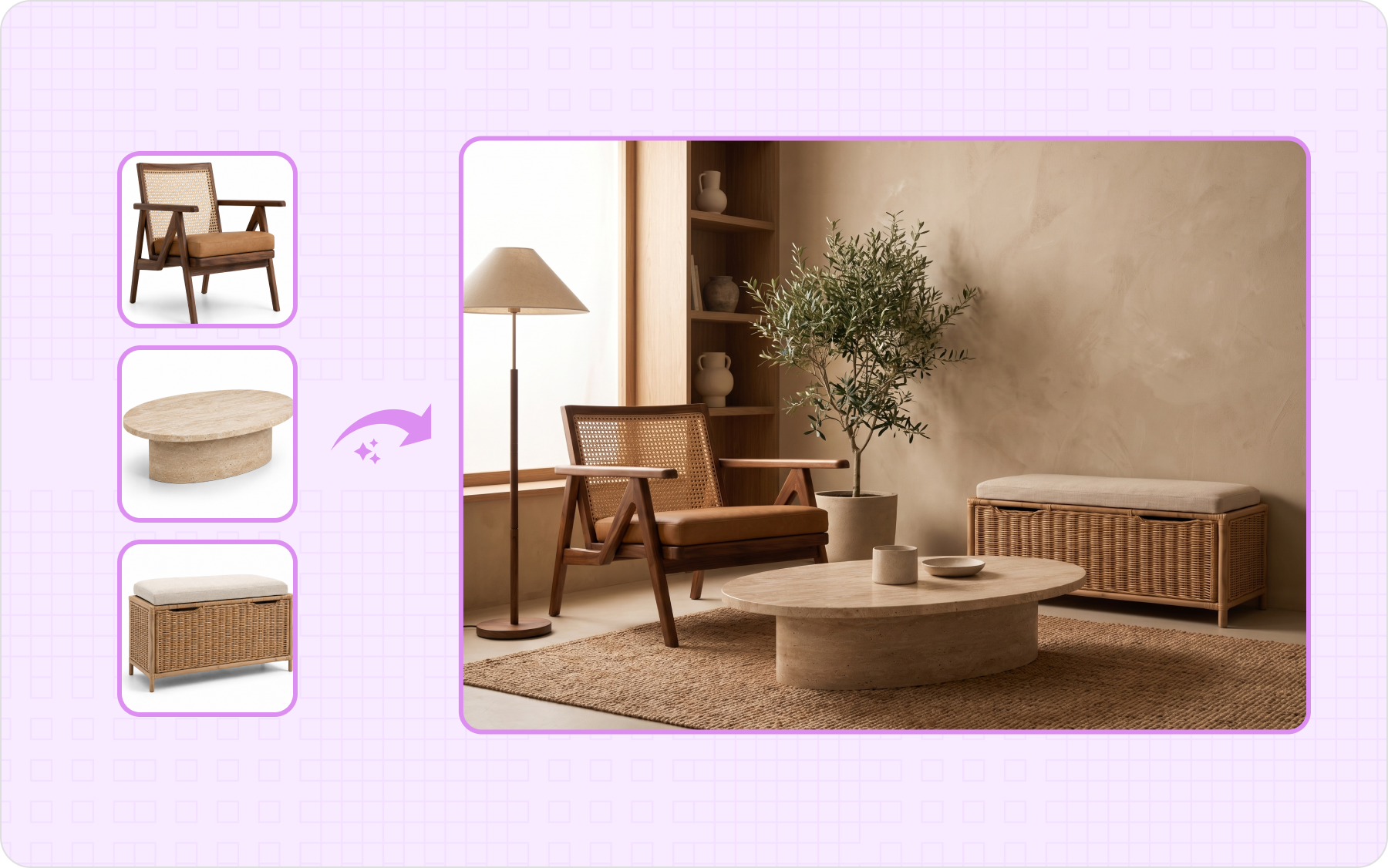
Image generation with multiple products that looks shot together

Several different products blend into one cohesive image, matched in scale and lighting, so buyers see the full offer at a glance, which lifts average order value and cross-sells.

Multi-Image-tab-1
Multi-Image-tab-2
Multi-Image-tab-3
Multi-Image-tab-4
Multi-Image-tab-5

The AI multi product image generator that turns multiple products into one cohesive story.

A catalog has dozens of product mixes, and they change every season. Shooting or editing each one does not scale, so WizStudio builds them from the product photos you already have.

Build lifestyle image from product photos you already have

Turn the individual product photos in your catalog into one finished image. A new combination does not need a photoshoot or a stylist, just the photos you already have.

Multi-Image-background-1
Multi-Image-background-2

Different product photos, matched in one scene

Your product photos come from different shoots, so they rarely match. WizStudio sizes, lights, and shadows each one to the same scene, so the products look shot together, not pasted.

Arrange the products the way you want

Place the products on the canvas and set how they sit together, from a two-item pairing to a full-room setup, so the composition matches how you want the set to sell.

Multi-Image-background-3
Multi-Image-background-4

Refine the scene with AI Edit

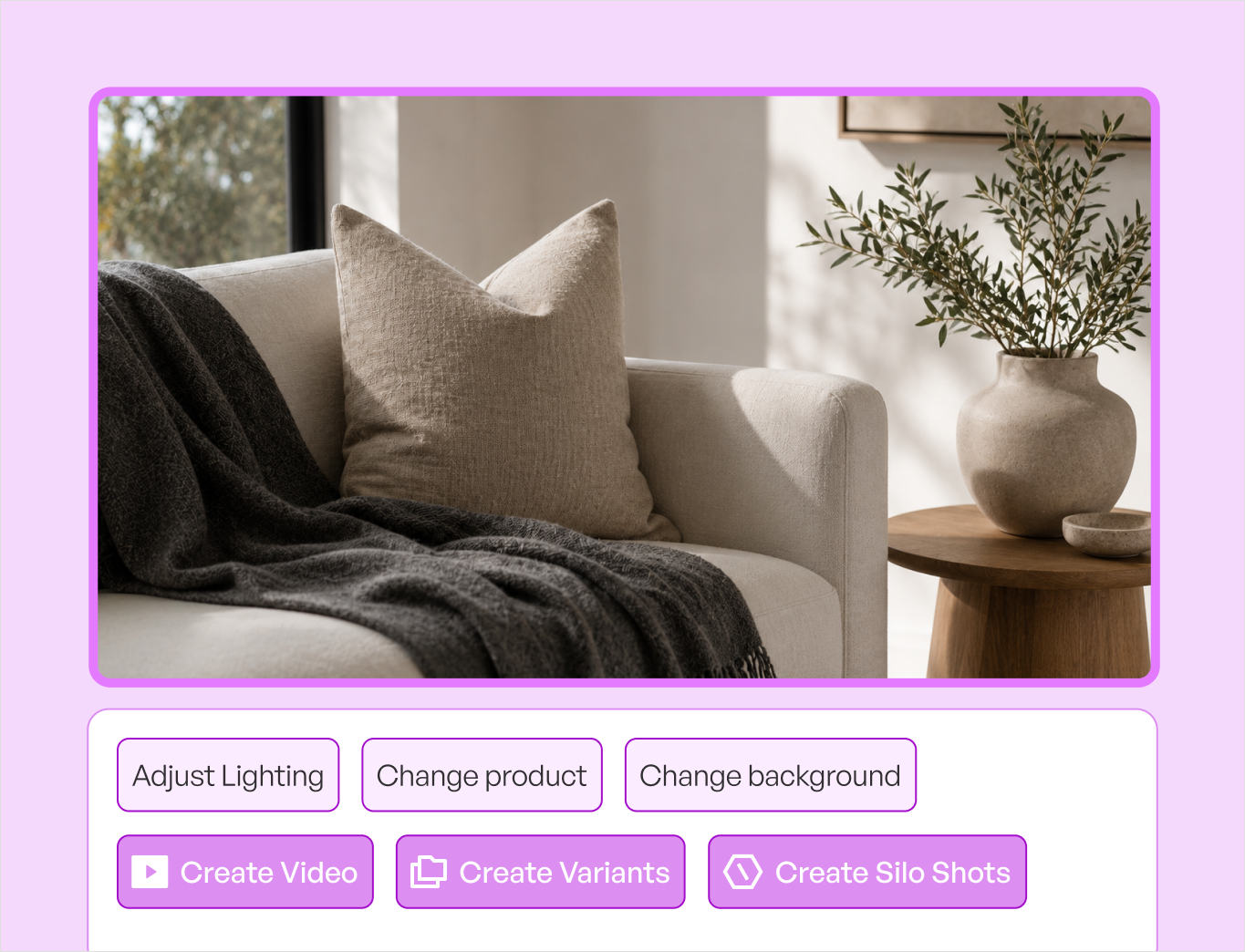
Describe a change in plain language with AI Edit, relight the scene, or swap the background on the finished image, and keep it next to the rest of your AI product photography work in one place.

Generic AI photo tool vs WizStudio

WizStudio builds one cohesive image you can publish, where the others leave you compositing products by hand.

Features WizStudio Generic AI image extender
Products per image Several products in one scene Can redraw or distort the product
Different source photos Sized and lit to one scene New area can clash with the original
Changing the set Edit and generate again One result
Composition Arrange products on a canvas General canvas sizes
Built for Bundles, gift sets, and collections Standalone tool
Cost Pay only on download Pay per generation

The rest of the WizStudio toolkit

Every tool in the WizStudio AI product photography suite works from the same product images, so your catalog stays consistent as it grows.

AI image expander

AI image expander

Extend a product image to any aspect ratio.

Image to video

Image to video

Turn a product image into a short product video.

Variant builder

Color, finish, fabric, and pattern variations from one image.

Bulk silo builder

Bulk Silos builder

Clean white-background silo images for a full catalog, in bulk.

Dimension line draw

Dimension line draw

Turn products into technical line drawings with dimensions.

Magic eraser

Magic Eraser

Erase unwanted objects and marks from product photos.

Multi-product generator

Multi-product generator

Stage several products together in one scene.

Background remover

Background Remover

Remove backgrounds and get clean cutouts in seconds.

Build your first product set,
free

Upload a few products, describe a scene, and get one image with the whole set staged together. Explore the full AI product photography software, or book a demo.

Frequently Asked Questions

Can I add multiple products in one image?

Yes. In WizStudio, upload the product photos you want, arrange them in the scene, and generate a single image with all of them staged together. WizStudio is built for this, several products in one cohesive shot, rather than one product per image like most AI photo tools.

They do. WizStudio places the products into the same generated scene, so they share one background, one light source, and one set of shadows, and the result reads as a single photo rather than cutouts pasted onto a backdrop. It matches the sizing too, so a small item next to a large one stays in believable proportion.

Yes, and this is the main reason to use it. Photos from different suppliers or shoots rarely share lighting or angle, so composing them by hand looks stitched. WizStudio relights and rescales each product to the same scene, so a group of mismatched source photos comes out looking like one coordinated shoot.

You can. In WizStudio, move, remove, or restyle a product in the scene and generate again, so when a bundle changes for a season or a promotion you update the image instead of booking a new shoot. Since you only pay when you download, you can try different combinations first.

Anything you sell as a group: two-product pairings, gift sets, kits, seasonal bundles, and full-room or full-collection setups. WizStudio suits catalog and collection pages, “complete the look” placements, and bundle listings where buyers need to see the whole offer in one image.

Yes. WizStudio lets you refine the finished scene, relight it, change the background, or describe an edit in plain language, then download at resolutions from 1K up to 8K, sharp enough for product pages, marketplace listings, and print catalogs. It is part of the wider WizStudio AI product photography suite.