Skip to content




Bad lighting makes premium products look cheap. Harsh shadows hide details, washed-out colors misrepresent what you’re selling, and flat images fail to capture quality. In ecommerce, where customers can’t touch or inspect what they’re buying, your photos carry the entire selling burden. That means lighting isn’t just a technical detail; it’s what builds buyer confidence and prevents returns. Studies show that professional lighting can boost conversion rates by 30-40 percent.
The challenge is that getting lighting right the traditional way takes expensive equipment, technical expertise, and hours of setup per product. Most businesses end up with inconsistent results across their catalogs, mixing light sources that create color casts and undermine brand trust.
That’s where this guide comes in. We’ll walk you through 12 practical photography lighting tips that work, from three-point setups to managing tricky reflections on glossy products. You’ll also see how AI product photo generators like WizStudio can enhance lighting digitally, delivering studio-quality results without complex equipment or technical knowledge.

12 essential product photography lighting techniques
Mastering these photography lighting tips for product photography will transform your visuals from amateur snapshots to professional images that sell.
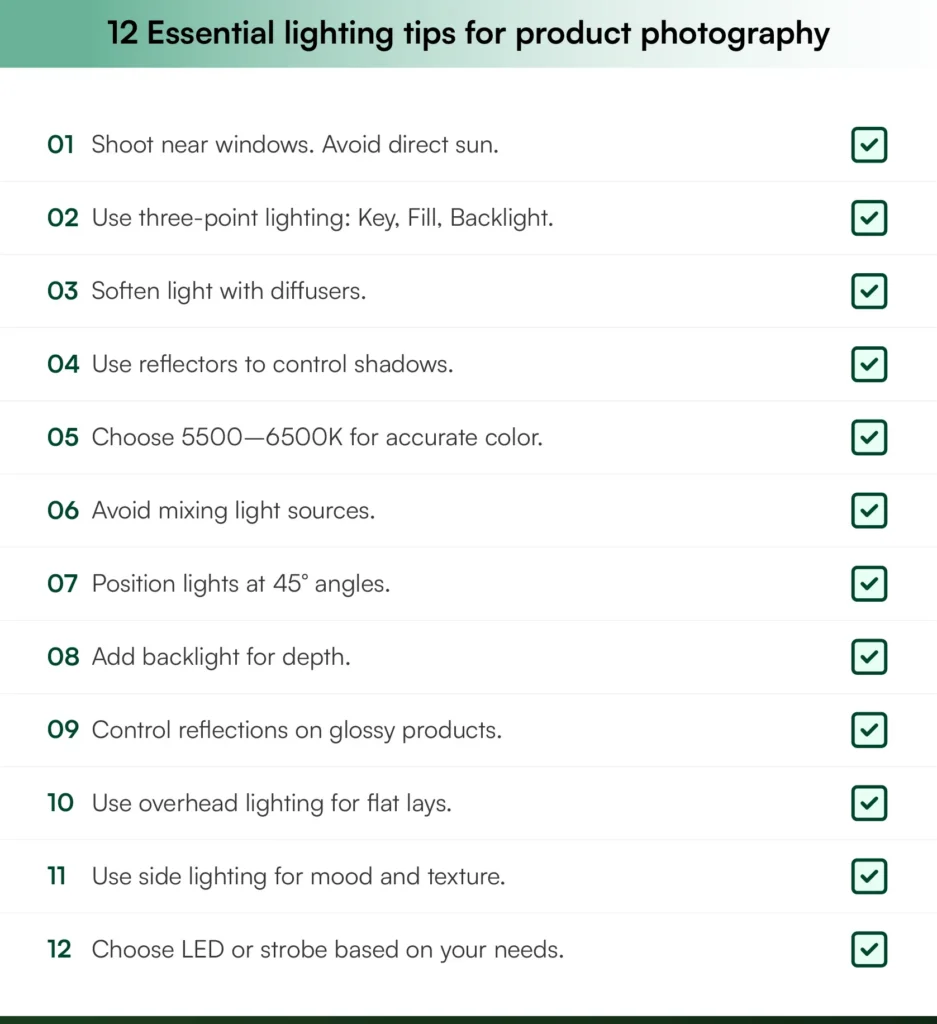
1. Use natural light strategically

Natural light from windows provides soft, diffused illumination perfect for beginners. The best light quality comes during early morning or late afternoon when sunlight is less harsh. Position your product 2-3 feet from a north-facing window to avoid direct sunlight, which creates harsh shadows and blown-out highlights.
While natural light is free and easy to work with, it lacks consistency. Cloud coverage changes throughout the day, affecting color temperature and brightness. For catalog photography requiring uniform results across hundreds of products, supplement natural light with continuous LED lighting or use AI photo generator tools that ensure on-demand lighting across your entire product range.
2. Master the three-point lighting setup
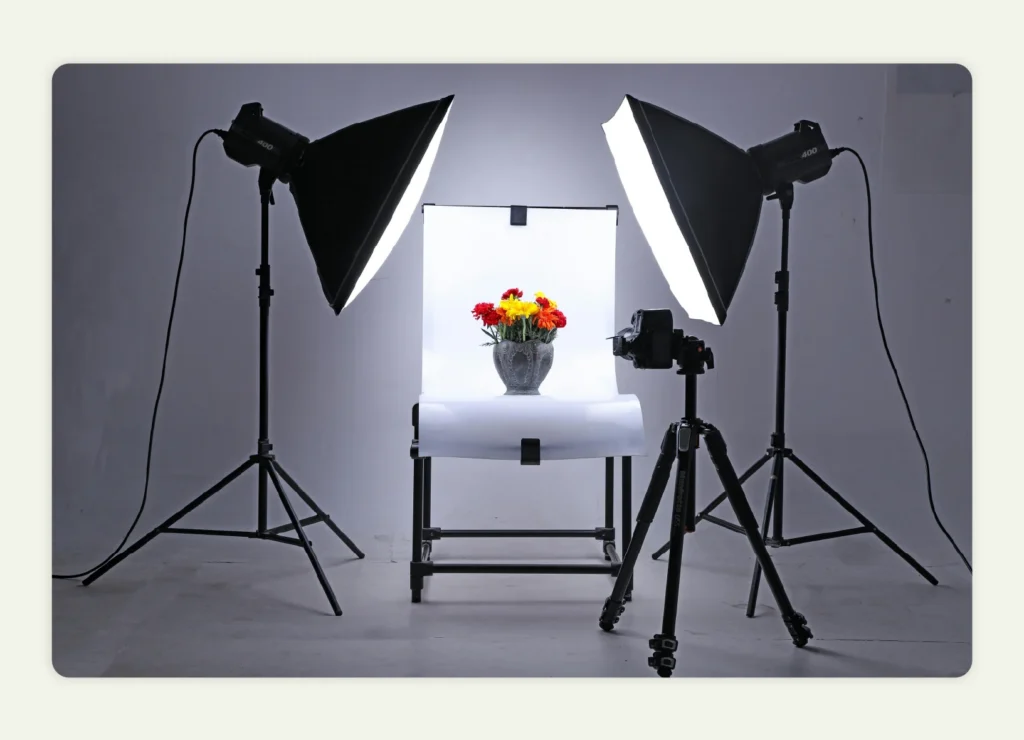
The three-point lighting technique is the industry standard for professional product photography. This lighting setup uses three light sources positioned strategically:
- Key light: Your main light source positioned at a 45-degree angle from the product. This creates dimension and reveals product details without harsh shadows.
- Fill light: Placed opposite the key light at 50-75 percent intensity to soften shadows without eliminating them. This maintains depth while keeping the image bright.
- Backlight: Positioned behind the product to create separation from the background and add a subtle rim of light around edges. This depth prevents products from looking flat.
This classic studio lighting configuration creates professional, dimensional images perfect for white background ecommerce photos. The three-point setup works universally across different product types and ensures consistency across your catalog.
3. Soften harsh light with diffusers
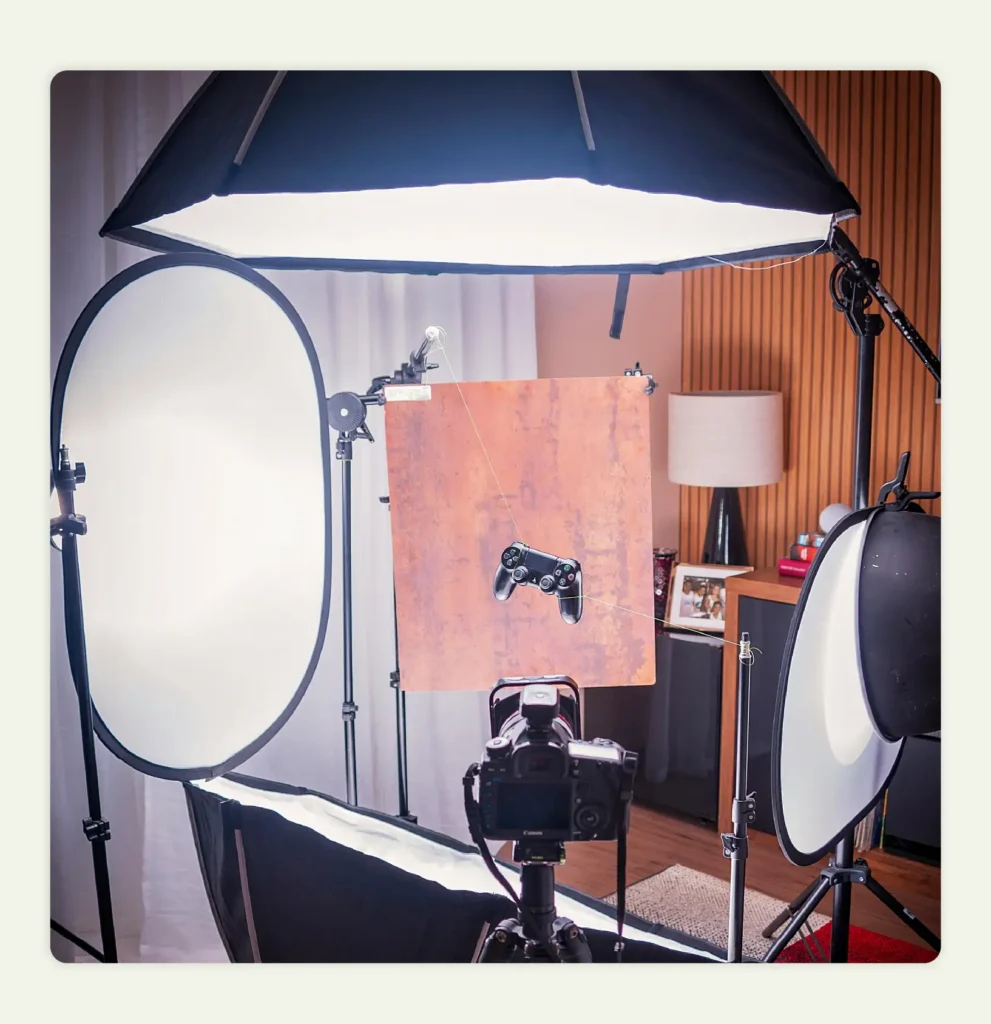
Managing both harsh light and shadows is essential for professional results. Direct light creates unflattering shadows and highlights that obscure product details. Using light modifiers like softbox diffusers, umbrella lights, or diffusion panels spreads light evenly across your product, giving you complete control over illumination. Even a white shower curtain or parchment paper works as a DIY diffuser. This soft light is critical for reflective or textured products where harsh lighting creates distracting glare. Budget options start around $30, while professional softboxes range up to $300.
4. Control shadows with reflectors
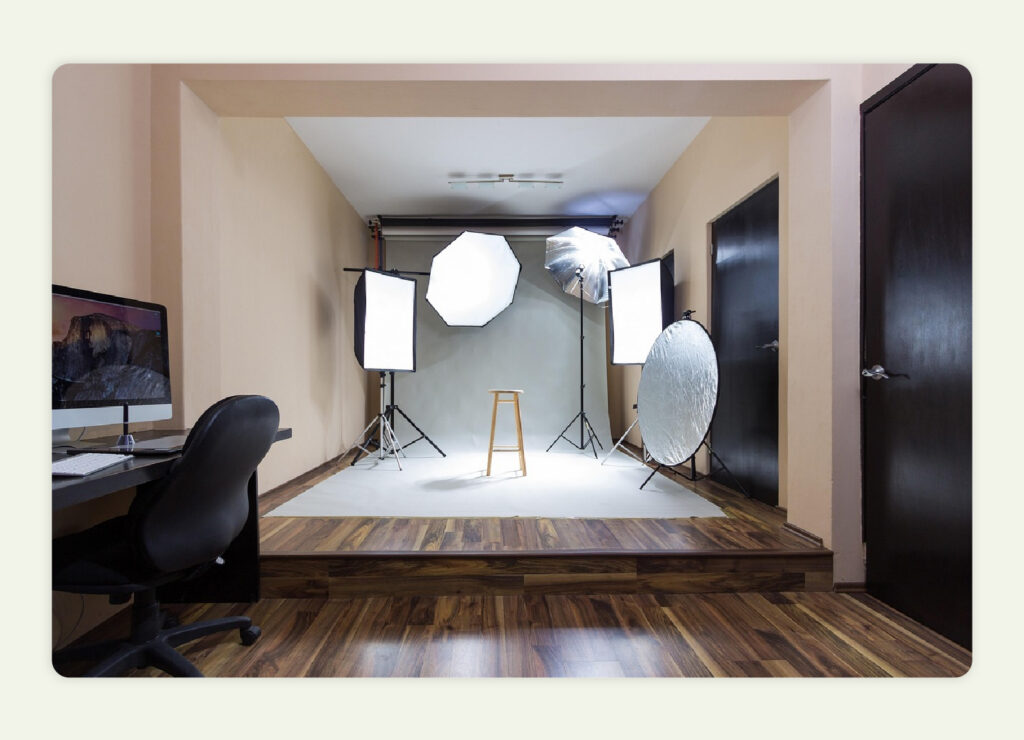
White reflectors provide subtle fill, while silver reflectors offer brighter, more intense reflection. Position a reflector opposite your main light source to bounce light back onto shadow areas. This is a great way to achieve shadow-free white background shots without purchasing additional light sources. DIY white foam boards cost around $5 and work excellently for smaller products.
Combining reflectors with diffusers in your product background will give you professional-level control over your lighting setup at a fraction of studio costs.
5. Choose the right color temperature
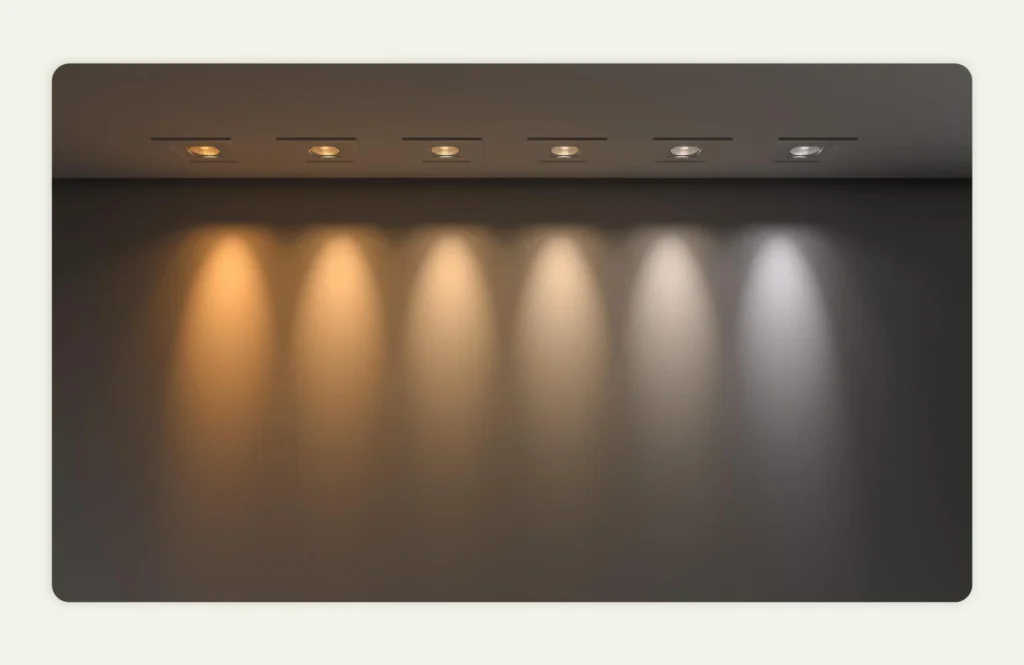
Color temperature, measured in Kelvin (K), dramatically affects how products appear. The wrong temperature creates color casts that misrepresent your products.
- 5500-6500K (daylight): This neutral, true-to-life color temperature is standard for ecommerce photography. It renders colors accurately and works with white backgrounds.
- 3200-3500K (warm): Creates a cozy, inviting feel perfect for lifestyle photography and home decor products. However, avoid this for catalog shots where color accuracy is critical.
Whatever temperature you choose, keep it consistent across all your light sources. Mixing temperatures creates the color casts that make products look unprofessional and inaccurate.
Also read: 10 Best Practices for Home Decor Photoshoots to Boost CTR

6. Avoid mixed lighting sources
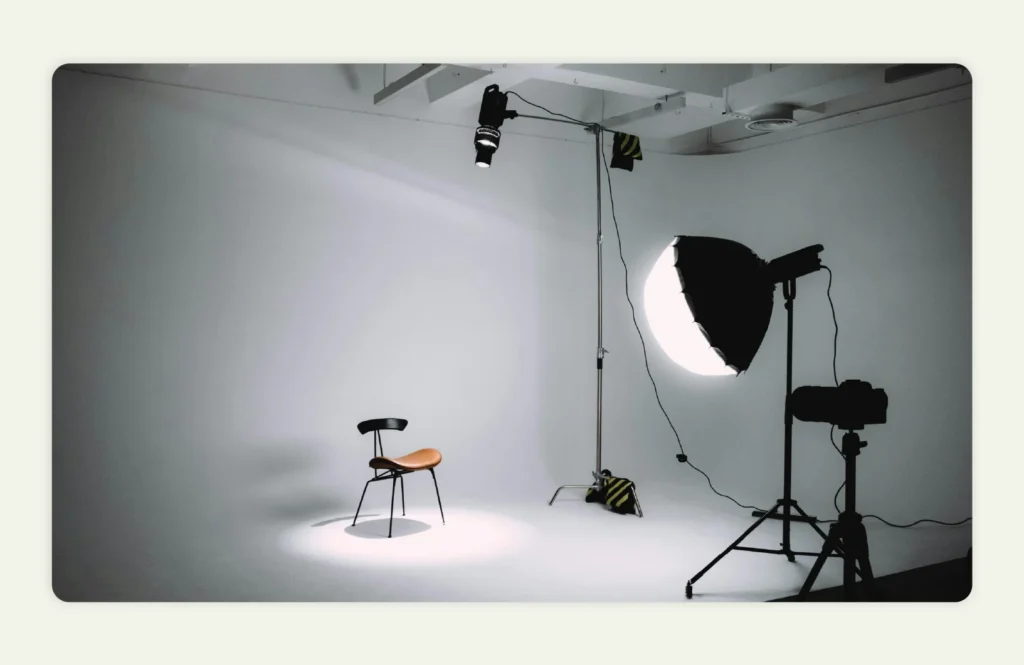
Using different types of light in the same shot creates uneven color across your product. When you combine window light with overhead fluorescent bulbs, each light source produces its own color tone, which might result in a product having two looks with one color on the left side and a completely different shade on the right.
Before you start shooting, turn off all room lights. Use only your photography lights, whether that’s natural window light or your LED setup. Keeping everything to one light type eliminates those unwanted color shifts that ruin otherwise good photos. This single step makes your images look noticeably more professional and ensures colors stay true across your entire product.
7. Position lights at 45-degree angles
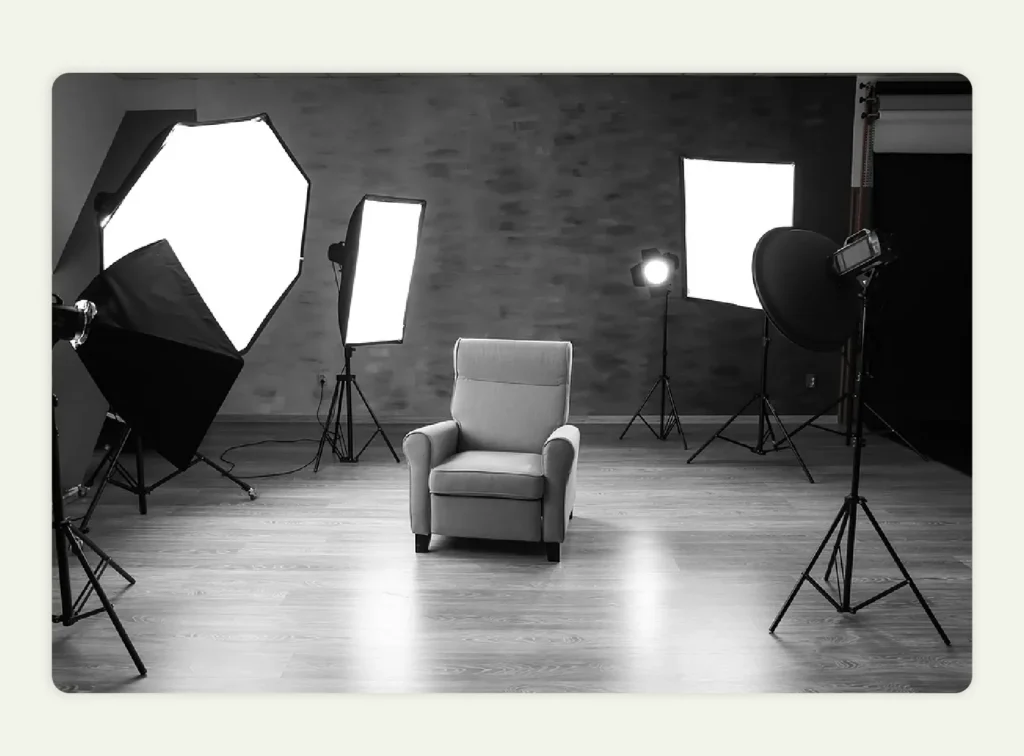
Light placement matters as much as the lights themselves. Get the angle wrong, and your product looks flat or has harsh shadows that hide details.
The 45-degree angle solves this. Position your key light and fill light at 45-degree angles on opposite sides of the product, slightly above and angling down. This creates a dimension that makes products look three-dimensional while keeping shadows soft and natural.
This setup mimics natural overhead light, so it looks familiar to viewers. Once you dial it in for one product, replicate it across your entire catalog for consistent results.
8. Use backlighting for depth and dimension
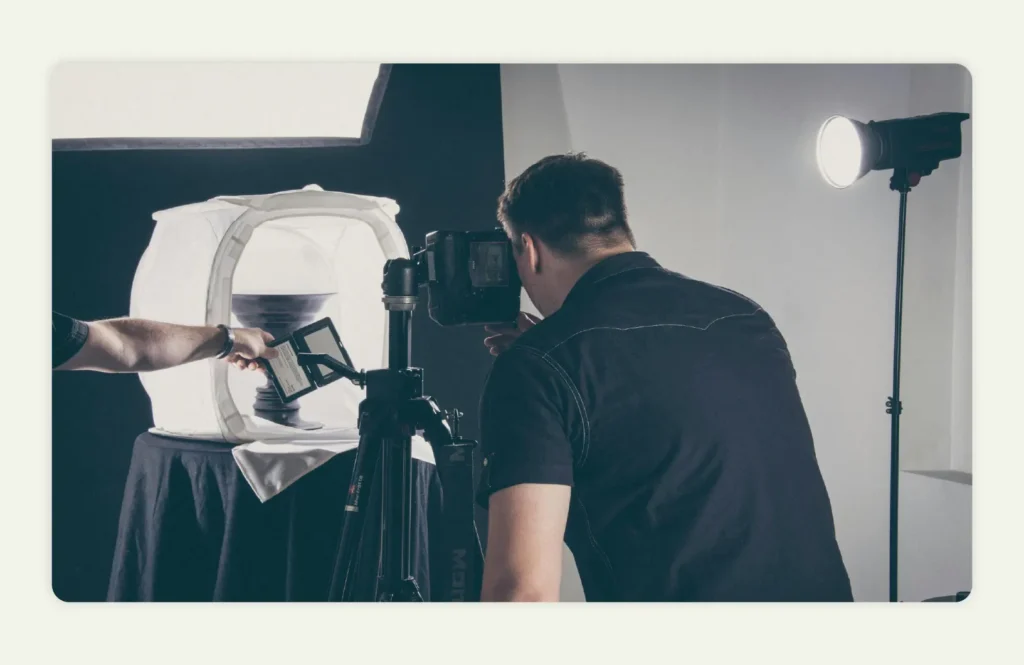
Backlighting separates products from their backgrounds and creates a rim light around edges that adds professional depth. This technique prevents flat-looking images and is especially effective for glass, bottles, and translucent products.
Position your backlight behind the product at 20-30% of the power output of your key light. Too much backlight overwhelms the image, while too little fails to create the desired separation. This subtle edge lighting is a great choice for ecommerce images where products need to stand out against white backgrounds.
9. Manage reflections on glossy and reflective products
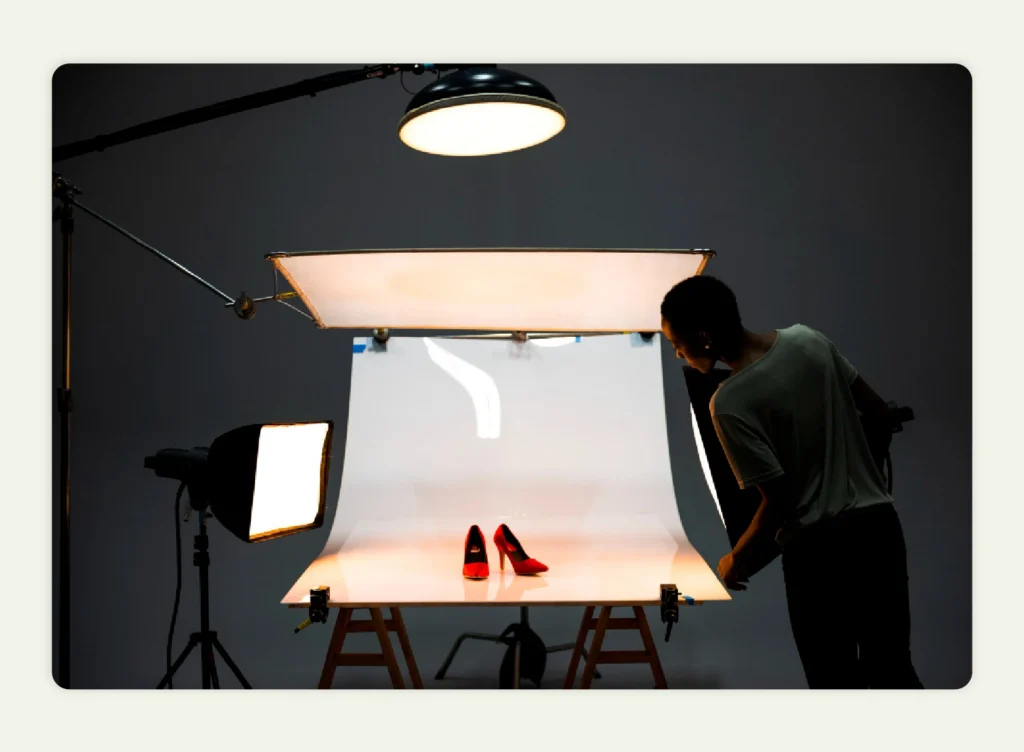
Reflective surfaces like glass, metal, and glossy finishes are tricky. Small light sources create harsh reflections, and poor positioning means you’ll see your camera and yourself in the shot.
Use larger light sources like softboxes to create even, diffused reflections. Position lights at sharper angles away from the camera so your equipment doesn’t show up in the reflection. For extremely reflective products, tent lighting surrounds the product with diffused light and eliminates most reflection issues.
When reflections get too complex to manage manually, AI product imagery tools can automatically adjust them and save you hours of retouching work.
10. Light from above for flat lay photography
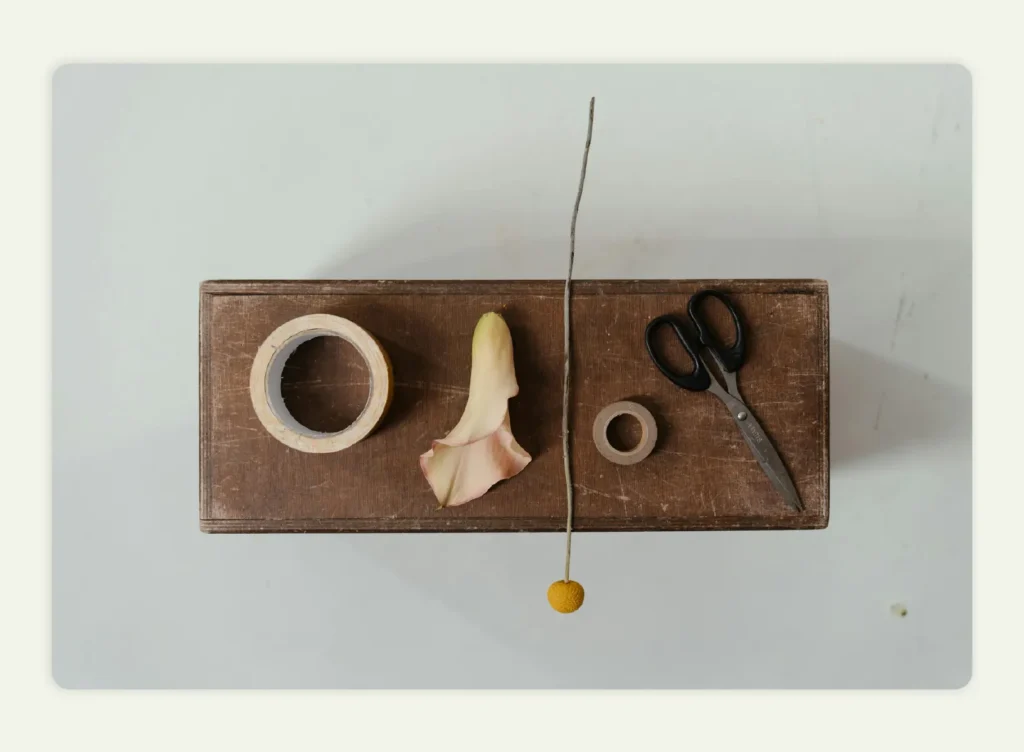
Flat lay shots, popular for fashion, food, cosmetics, and smaller products, require overhead lighting. Position two continuous light sources at opposite 45-degree angles above the product to eliminate shadows.
This overhead lighting setup creates a clean, bright aesthetic perfect for social media and ecommerce listings. Soft, diffused light is critical here to avoid harsh shadows from overhead positioning. Many photographers use an overhead soft box mounted on a boom arm for consistent results.
11. Create mood with side lighting
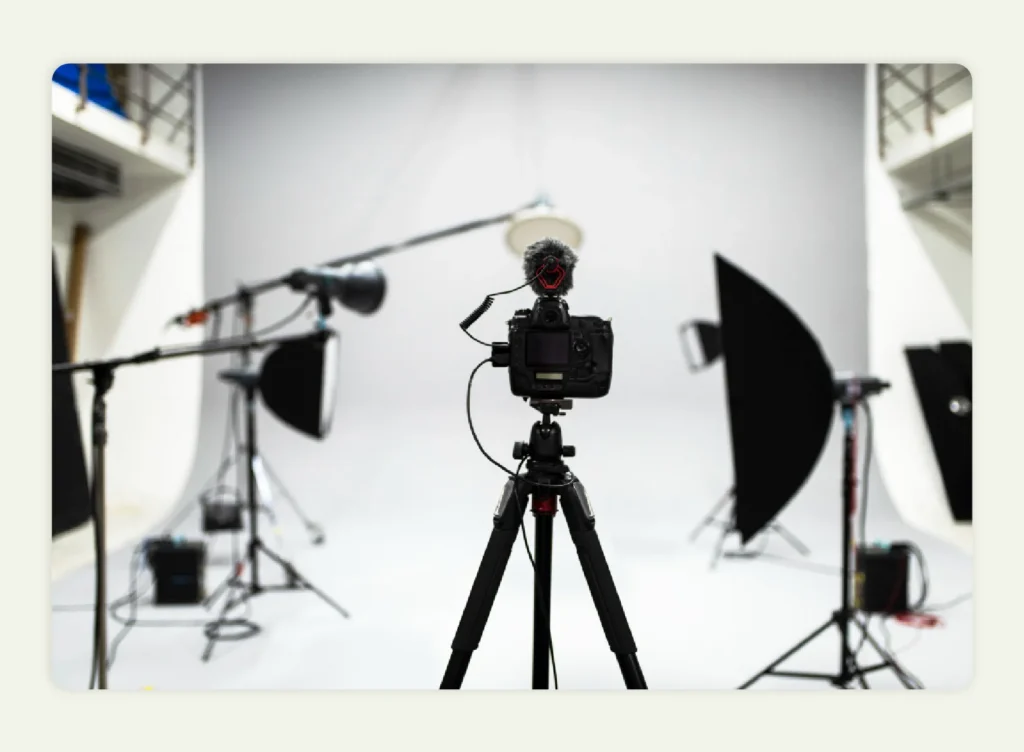
Side lighting, positioned at 90 degrees to the product, creates dramatic shadows perfect for storytelling and marketing campaigns. This technique shows texture exceptionally well and builds emotional connection through contrast.
While side lighting is less suitable for standard catalog listings, it excels for lifestyle photography and product marketing materials. The dramatic quality draws attention and creates visual interest that engages viewers emotionally. Use this when showcasing premium products or building brand narratives.
12. Understand continuous vs. strobe lighting
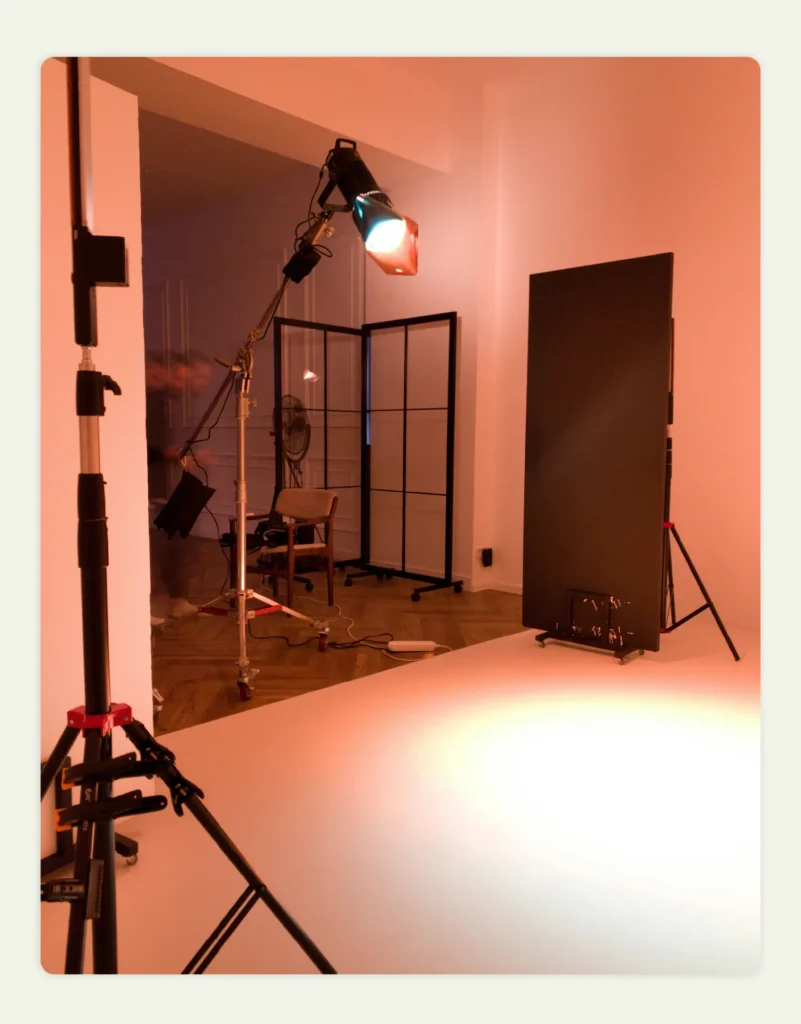
Choosing between continuous LED and strobe lighting affects your workflow, budget, and results:
Continuous LED lighting: Offers constant illumination, making it easier for beginners to see exactly how light falls on products. LED lights range from $50-$500 and provide excellent versatility for both photography and video. This is the best light choice for ecommerce sellers who also create product videos.
Strobe lighting: Provides more powerful bursts of light and is the professional standard for still photography. Strobes cost $200-$2000+ but offer superior light intensity and faster shutter speeds. However, the learning curve is steeper.
For most ecommerce applications, continuous LED lighting offers the best balance of affordability, ease of use, and versatility. A basic starter kit with two LED panels, stands, and diffusers costs around $210 and handles the majority of product photography needs.
Common lighting mistakes to avoid
Even with proper equipment and knowledge, photographers frequently make these lighting errors that damage image quality:
- Using only overhead room lights with mixed color temperatures
- Incorrect exposure with too much or too little brightness
- Ignoring shadows completely or creating harsh shadows
- Using direct on-camera flash without diffusion
- Wrong light positioning creates unflattering angles
- Uneven background lighting creating gray cast on white backgrounds
- Inconsistent lighting setup across the product catalog
Even experienced photographers struggle with these challenges, especially when managing large product catalogs requiring hundreds of consistent images. This is where AI tools prove invaluable.
How AI image generation perfects product photography lighting

Traditional studio lighting setups come with real costs. A complete professional kit runs from $1000–$5000, and mastering the techniques needed to produce great shots takes months, which means you’re spending hours per product getting everything right. When you’re managing hundreds or thousands of SKUs, this approach just doesn’t scale.
Using AI product photo generators addresses these exact challenges, delivering professional photos with ease, just what WizStudio’s AI product imagery helps perfect. Built specifically for ecommerce and wholesale product photography, WizStudio handles all the lighting complexity automatically. Upload a raw product image, and the AI takes care of the rest.
Here’s what that looks like in practice:
- Background removal and relighting automatically cleans up your shot by removing unwanted backgrounds and adjusting lighting to create professional illumination. The AI analyzes your product and applies the right light intensity and direction, so you don’t need to guess at exposure settings.
- AI shadows add realistic depth by generating natural shadows that match light direction and product shape. This creates dimension without setting up multiple lights and reflectors manually.
- Color enhancement optimizes brightness and color accuracy automatically. Products appear true to life with proper white balance, eliminating color casts from mixed light sources.
- Lifestyle image generation creates photorealistic settings with proper ambient lighting. Your products appear in realistic home or commercial environments with balanced illumination that would normally require expensive location shoots and complex lighting setups.
- Batch processing applies consistent lighting across your entire catalog. Whether you have 10 products or 10,000, every image gets uniform quality and professional treatment.
Traditional vs. WizStudio workflow comparison
| Task | Traditional approach | WizStudio approach |
| Setup three-point lighting | 2-3 hours per session | Not required |
| Shoot product | 30 minutes per product | 5 minutes basic photo |
| Post-production editing | 1-2 hours per product | 30 seconds automated |
| Generate lifestyle scenes | Location shoot required | 2 minutes automated |
| Total time per product | 4-6 hours | 10 minutes |
| Equipment cost | $1000-$5000+ | Subscription only |
Beyond the speed and cost savings, WizStudio offers a done-for-you service where AI handles the heavy lifting while expert designers handle styling and fine-tuning. This ensures professional quality with 24-48 hour delivery for businesses that want expertise without hiring in-house designers.
The result is workflows that are 10x faster, consistent catalog quality regardless of scale, and costs that are 20x cheaper than traditional photoshoots.
Conclusion
Lighting determines whether your product photos look professional or amateurish. The problem is that getting it right the traditional way means investing in equipment, learning technical skills, and spending hours on each shoot. When you’re photographing five products, that’s manageable. When you’re managing a catalog of 500 or 5,000 products, those hours and costs multiply into a real operational bottleneck.
AI tools like WizStudio remove the technical barriers and time investment while delivering the same professional results. You get professional lighting quality across your entire catalog without the time and cost that traditionally came with it. For wholesalers scaling their product photography, that changes everything.
Ready to transform your product photography? Start a free trial to see how this works.
FAQs
What are the best lighting tips for product photography?
The best lighting photoshoot tips focus on diffusing light to prevent hot spots and harsh glares on your subject. You should always match color temperatures across all sources to avoid unprofessional color shifts. These photography lighting tips ensure your images look clean, consistent, and professional for any ecommerce platform.
How to set up lighting for a lighting product photoshoot?
To set up lighting for a lighting product photoshoot, you must balance the fixture’s internal glow with external ambient light. Use a 2-light setup for product photography to define the exterior frame while the bulb is off. This specific lighting for product pictures highlights both form and functionality.
How to shoot decorative lights for product photos?
You shoot decorative lights for product photos by using a slow shutter speed (1/15 to 1 second) on a tripod to capture the natural glow. This lighting technique for product pictures prevents the fixture from appearing as a blown-out white shape. You can then use WizStudio to place these glowing products into realistic environments.
What background is best for lighting photography?
The background that is best for lighting photography is a non-reflective surface like seamless paper or matte vinyl to prevent distracting light spill. These materials ensure your lighting for product pictures remains the primary focus. White backgrounds are also standard for ecommerce catalogs, providing consistency and true colors. Choosing a neutral tone allows for easier background removal and professional post-production editing.
What are light tricks for photography?
Popular light tricks for photography include light painting (moving lights during long exposures) with a handheld torch during a long exposure, and creating bokeh with out-of-focus background lights, rim lighting (backlighting for glowing edges), lens flares, silhouettes, catchlights, and gobo lighting (projecting patterns). For ecommerce, the most useful “trick” is three-point lighting with strategic reflectors to control highlights and shadows.
How to take pictures of lighting fixtures?
You take pictures of lighting fixtures by using a small aperture like f/11 to ensure every detail remains sharp. Position your lights at 45-degree angles to reveal texture without creating glare on the hardware. For large catalogs, WizStudio helps by automatically balancing brightness and contrast for a professional finish
How to make the best product photos?
You make the best product photos by maintaining total control over shadows and color accuracy in every shot. Consistent product photography lighting across your entire website builds customer trust and reduces returns. Utilizing high-quality gear or AI-driven tools ensures a unified look that scales with your business needs.