





Contents
- 1 What is a B2B order-taking app?
- 2 Benefits for distributors using a B2B order-taking app
- 3 Advantages for brand owners using a B2B order-taking software
- 4 Which are the best B2B order-taking apps?
- 5 How to choose the right B2B order-taking app?
- 6 WizOrder: The best B2B order-taking app
- 7 How to get started with implementation and onboarding?
- 8 Conclusion
- 9 FAQs
- 9.1 What are the best B2B order-taking apps?
- 9.2 How does B2B order-taking software work?
- 9.3 What are the benefits of using a B2B ordering app?
- 9.4 What are the key features of a B2B order-taking app?
- 9.5 How does an order-taking app help sales reps?
- 9.6 How does a B2B ordering app integrate with ERP or CRM software?
- 9.7 What is the difference between a B2B and a B2C ordering app?
B2B ordering is advancing fast, and distributors and brand owners need solutions that keep pace with the demands of modern sales. Gone are the days of faxed orders, spreadsheets, and endless back-and-forth emails.
The B2B e-commerce (U.S.) market is projected to reach $1.8 trillion by 2023, making up 17% of all B2B sales. Order-taking apps modernize how orders are taken and ensure accuracy, speed, and convenience. Imagine having all your product catalogs, pricing, and client data at your fingertips, ready to create and confirm orders instantly.
Today, B2B order-taking apps streamline the entire process from inventory management and pricing updates to order confirmation and payment, while giving sales teams the tools they need to close deals efficiently.
Choosing the right app can be overwhelming, especially with so many options offering automation, mobile accessibility, and ERP integrations. To help you navigate that with clarity, we’ve highlighted the best B2B order-taking apps currently, focusing on features that drive productivity, reduce errors, and enhance customer relationships. let’s explore together
What is a B2B order-taking app?
A B2B order-taking app is an application designed for wholesale businesses, mobile sales reps, and wholesale distributors to capture and process customer orders using mobile devices, tablets, or mobile applications instead of relying on paper forms, phone calls, or spreadsheets. These apps integrate with ecommerce platforms, ERP systems, or CRM software to give you real-time inventory control, price lists, sales data, and efficient order management. Using mobile devices in the field helps your sales process move faster and gives you full visibility into your distribution processes.
Benefits for distributors using a B2B order-taking app
Distributors who adopt a B2B order-taking app see significant improvements in operational efficiency, customer satisfaction, and business scalability. These apps transform everyday workflows and empower sales teams to focus on revenue-generating activities rather than administrative tasks. Here’s a deeper look at the key advantages:
1. Centralized order management
A B2B ordering app centralizes all customer orders in a single system, eliminating the chaos of spreadsheets and scattered paperwork. Sales reps and field sales teams can quickly access order history, review customer details, and process new orders directly from their mobile devices. This streamlined approach not only saves time but also gives management complete control over the distribution process, ensuring nothing slips through the cracks.
2. Real-time inventory tracking
When your B2B order-taking software integrates with warehouse management and ERP systems, inventory data is always up to date. This real-time visibility prevents over-committing products, helps optimize cash flow, and strengthens supply chain management. Distributors can make smarter stocking decisions, avoid shortages, and ensure they meet customer demand consistently.
3. Automated order processing
Modern B2B apps handle order writing, validation, and submission automatically. Orders flow seamlessly into your order management or ERP systems for fulfillment, reducing the need for manual input. This automation minimizes errors, accelerates processing, and frees your team to focus on customer interactions instead of administrative chores.
4. Enhanced customer experience
Equipped with mobile tools, sales reps can enter orders faster, provide accurate product data, and respond to inquiries in real time. This friction-free process boosts the customer experience, making it easy for wholesale clients to reorder, track shipments, and maintain confidence in your service, ultimately driving repeat business and stronger customer relationships.
5. Scalability and growth opportunities
As your wholesale operation grows, a capable B2B app scales alongside you. Features such as multi-user pricing, hierarchical user accounts, and advanced analytics allow you to manage more products, distributors, and orders without increasing overhead. This scalability supports growth into new markets and helps your business adapt to evolving demands.
6. Offline capability
Field sales reps often encounter areas with limited or no connectivity. A robust B2B order-taking app allows orders to be recorded offline on mobile devices, syncing automatically once a connection is restored. This ensures that sales activities never stop, even in remote locations.
7. Analytics and reporting
B2B apps provide real-time insights into sales performance, order histories, and financial metrics. Distributors can monitor cash flow, track distribution trends, and gain actionable intelligence that supports strategic decision-making. Comprehensive reporting helps identify high-performing products, optimize workflows, and plan for growth.
8. Integrated payment gateways
With built-in payment options, including credit card, net terms, and carrier billing, distributors can process transactions faster and reduce friction. Streamlined payment workflows improve cash flow and ensure that orders move efficiently from placement to fulfillment.

Advantages for brand owners using a B2B order-taking software
Brand owners gain unprecedented visibility and control when leveraging B2B order-taking apps. By connecting directly with distributors and sales teams, they can ensure operational efficiency and brand consistency across the supply chain. Here’s how these benefits translate into practical outcomes:
1. Direct access to distributor networks
Brand owners can monitor orders from wholesale distributors in real time, view customer orders by partner, and track product movement across regions. This visibility reinforces strategic brand management, allows early identification of bottlenecks, and helps maintain tight control over distribution processes.
2. Streamlined order fulfillment
Integrating the B2B ordering platform with ERP and warehouse systems simplifies the order fulfillment process. Brand owners can reduce reliance on middle-office staff, speed up delivery times, and respond to market demand faster. Faster order processing also ensures that products reach customers promptly, enhancing satisfaction and trust.
3. Improved communication and collaboration
A unified system connects sales reps, distributors, and brand owners in real time, ensuring smooth sharing of product information, pricing updates, and customer data. This collaboration reduces errors, limits support requests, and improves overall customer service, while fostering stronger relationships across the wholesale network.
4. Increased brand visibility and control
Centralized order tracking and standardized price lists allow brand owners to maintain consistent brand representation across all distributors. Monitoring compliance with brand standards becomes simple, enabling businesses to uphold quality, messaging, and product positioning throughout the supply chain.
5. Data-driven insights and analytics
Access to detailed metrics, including user activity, product performance, sales trends, and distribution data, empowers brand owners to make informed decisions. Insights gained from analytics guide pricing strategies, product launches, and enterprise resource planning, helping the brand grow efficiently and maintain a competitive edge.
Which are the best B2B order-taking apps?
B2B ordering is evolving fast, and distributors and brand owners need solutions that keep pace with the demands of modern sales. Gone are the days of faxed orders, spreadsheets, and endless back-and-forth emails. Today, B2B order-taking apps streamline the entire process from inventory management and pricing updates to order confirmation and payment, while giving sales teams the tools they need to close deals efficiently.
Choosing the right app can be overwhelming, especially with so many options offering automation, mobile accessibility, and ERP integrations. To help you navigate the landscape, we’ve highlighted the best B2B order-taking apps in 2025, focusing on features that drive productivity, reduce errors, and enhance customer relationships.
Here are the top contenders worth evaluating this year:
1. WizOrder by WizCommerce
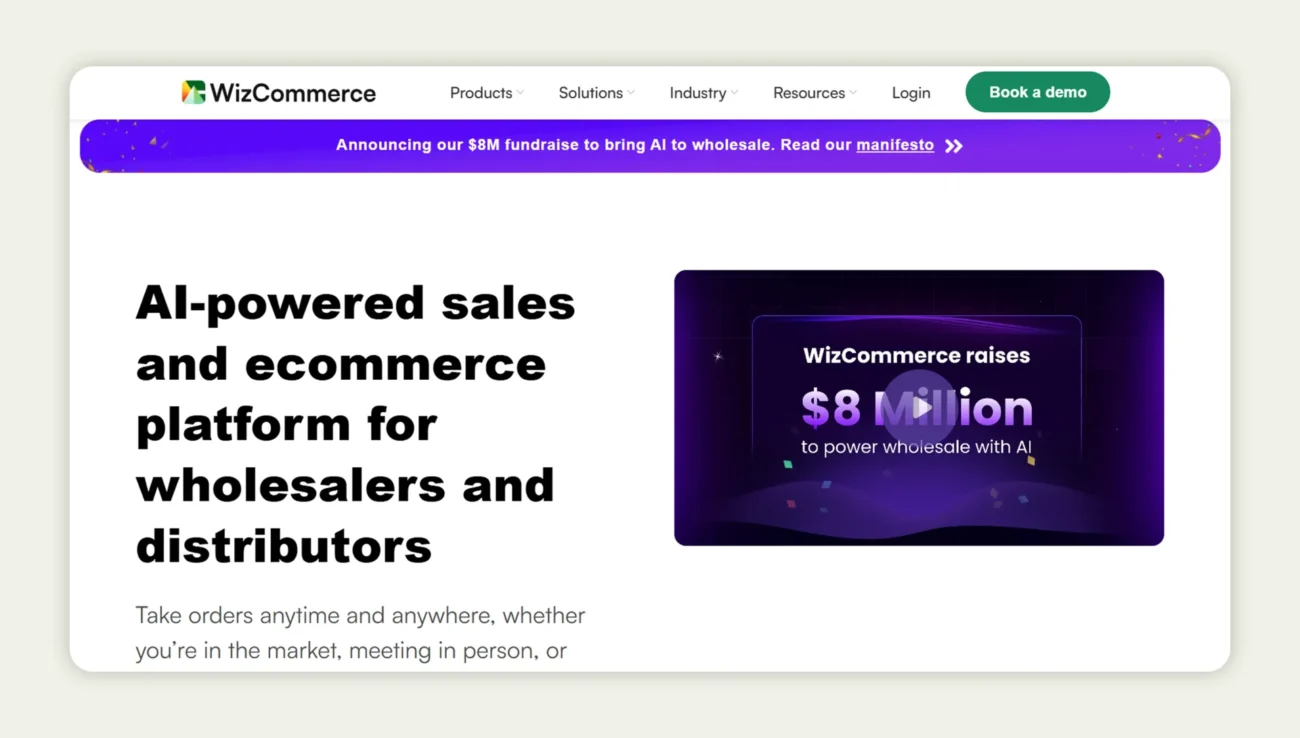
WizOrder is the dedicated B2B order-taking app from WizCommerce, built specifically for wholesalers, distributors, and field sales that require speed, mobile flexibility, and advanced automation. With its interface designed for reps in the field, and deep integrations into backend systems, it moves from quote to order in minutes while maintaining accuracy across complex catalogs.
Key features:
- Typo-tolerant search & attribute filters: Reps can use any keyword or combination of attributes (size, material, stock availability) to find products, speeding product discovery even in large catalogs.
- AI-driven product recommendations: If a product is out of stock or a rep wants to upsell, the app suggests high-relevance alternatives and bundles automatically.
- One-click quote-to-order workflow with mobile & offline support: Create quotes on mobile, convert them instantly to orders, even in offline mode, ensuring orders aren’t delayed due to connectivity issues.
- Seamless ERP/CRM integration: Orders, inventory, and customer data flow directly to backend systems, no manual reconciliation or data silos.
- Offline order taking & market-ready tools: Reps can take orders at trade shows or remote locations without an internet connection, syncing later, and the app also supports barcode/QR scanning for fast on-the-ground order capture.
2. Zoho Inventory
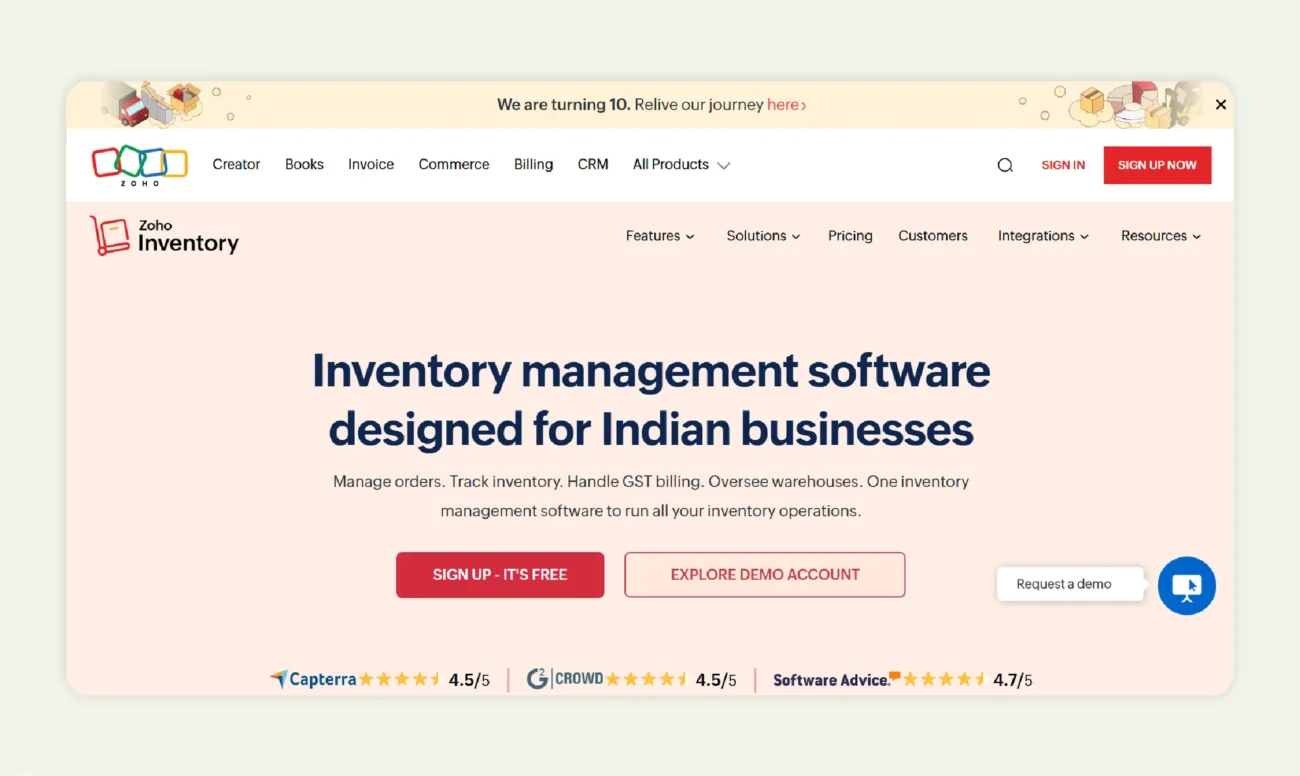
Zoho Inventory excels for small to medium wholesale businesses that need scalable solutions. It integrates seamlessly with e-commerce platforms, payment gateways, and accounting systems, enabling distributors to manage orders, inventory, and fulfillment from a single dashboard.
Key features:
- Unified order & inventory management: Syncs sales from all channels, online, retail, and wholesale into one dashboard, keeping stock levels accurate and orders organized automatically.
- Tiered pricing & modular setup: Start small and scale easily. Unlock advanced automation, analytics, or integrations only when you need them.
- Mobile order entry with real-time data: Reps can check stock, view customer details, and create orders instantly from their mobile devices, reducing response times.
- Seamless integration with ecommerce & accounting systems: Works smoothly with Shopify, QuickBooks, and Zoho Books, eliminating manual uploads and errors.
3. Brightpearl
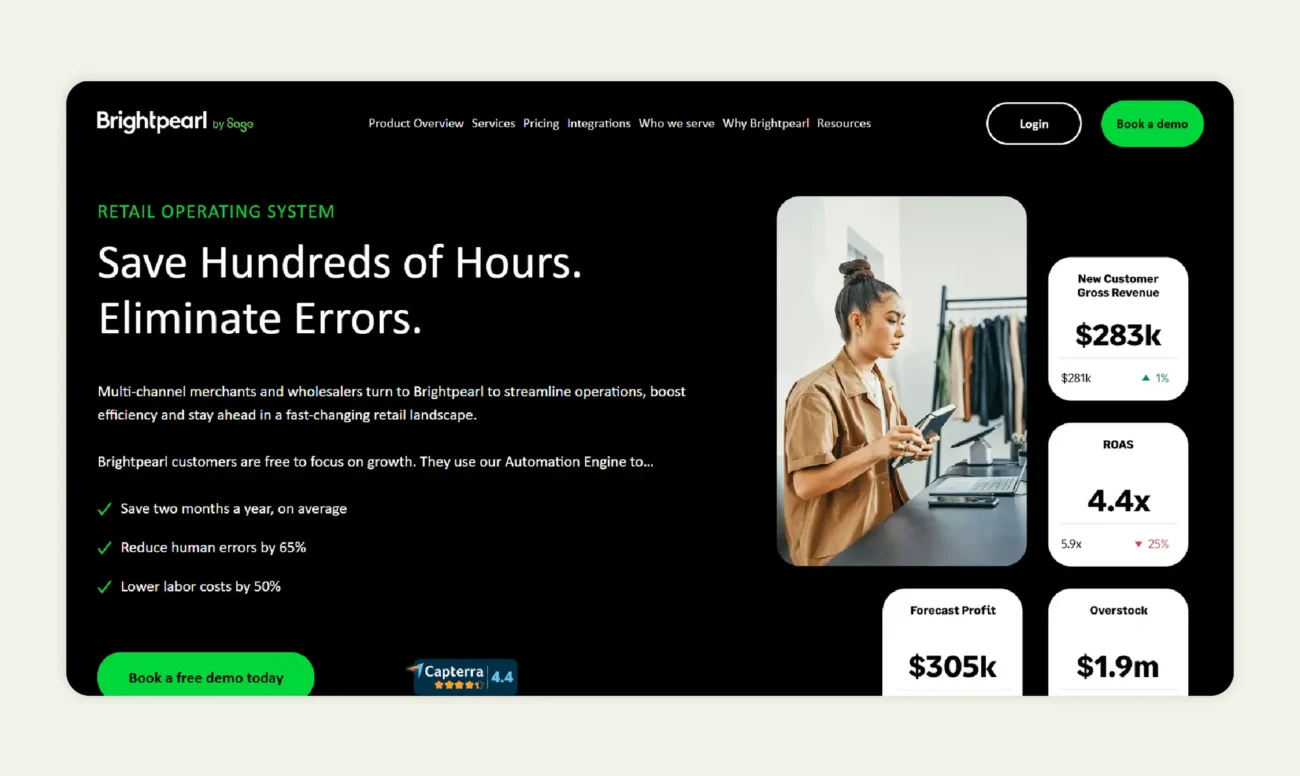
Brightpearl is ideal for retail-wholesale hybrid businesses. It combines inventory management, order processing, and warehouse integration with analytics and reporting tools, giving teams complete visibility over the supply chain. Brightpearl’s platform helps businesses handle complex workflows across multiple channels, ensuring accuracy and efficiency in large-scale operations.
Key features:
- Omnichannel order processing & warehouse integration: Syncs sales from every channel, online, in-store, or distributor into one workflow, automating picking, packing, and shipping.
- Advanced reporting & analytics: Tracks performance across products, orders, and fulfillment so teams can make faster, data-backed decisions.
- Multi-warehouse support & routing logic: Automatically directs orders to the best warehouse based on stock, location, or delivery speed, reducing shipping costs and delays.
- Real-time visibility across all channels: Provides a live view of inventory and sales across every touchpoint, minimizing stockouts and overselling.
- Built for scale: Handles large order volumes and complex distribution networks without performance slowdowns.
4. QuickBooks
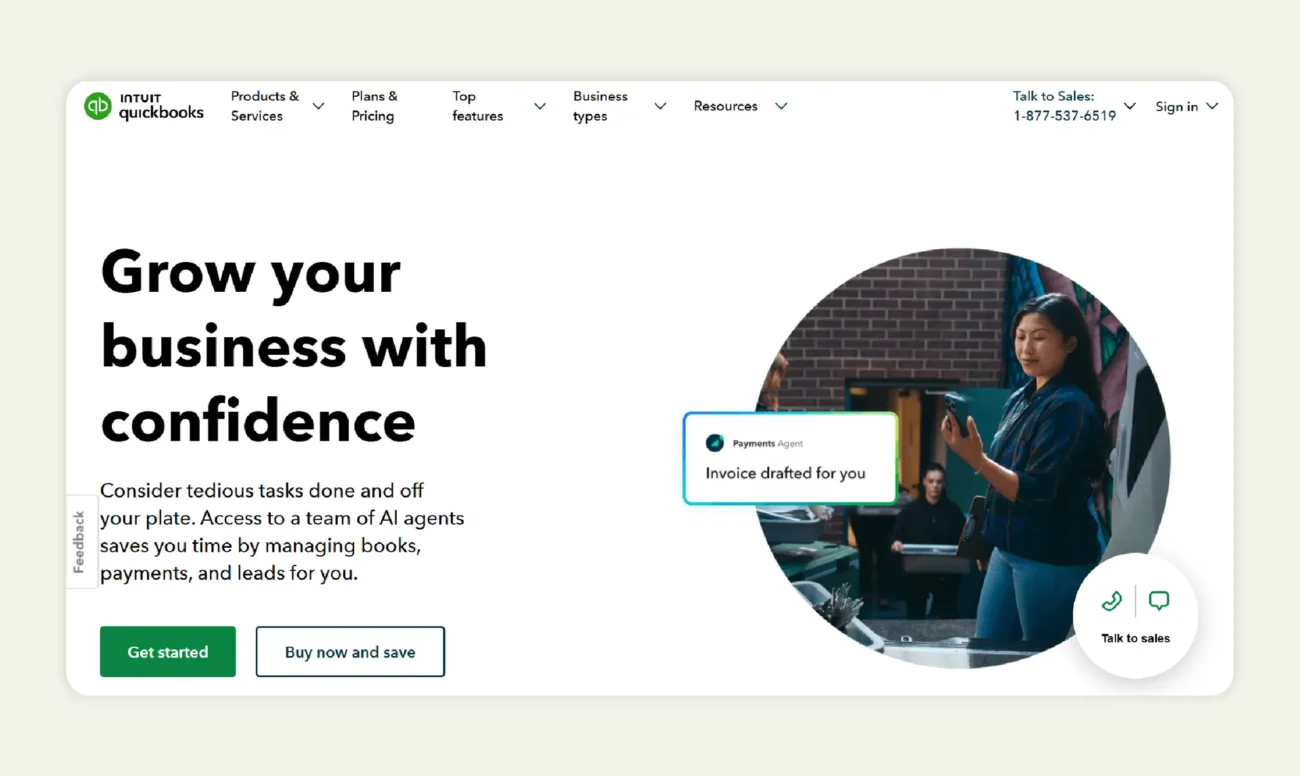
While known mainly as accounting software, QuickBooks now supports wholesale order workflows, making it a convenient all-in-one system for managing both financial and operational processes. For distributors already using QuickBooks for bookkeeping, extending it to handle order management is an easy and cost-effective step forward.
Key features:
- Real-time inventory tracking in an accounting environment: Monitors stock levels as orders are placed and fulfilled, keeping financial and inventory data perfectly aligned.
- Automated invoicing & finance integration: Instantly generates invoices, syncs payments, and updates ledgers, removing manual work between sales and finance teams.
- Compatibility with third-party apps & add-ons: Connects with order management tools, CRMs, and ecommerce platforms to expand functionality as business needs grow.
- Minimal learning curve: Familiar interface and workflow design make onboarding simple for teams already using QuickBooks.
- Ideal for small to medium distributors: Offers an affordable, integrated way to manage finances and orders without investing in a full-scale ERP.
Read more: B2B Order Management with QuickBooks Solutions
5. Pepperi
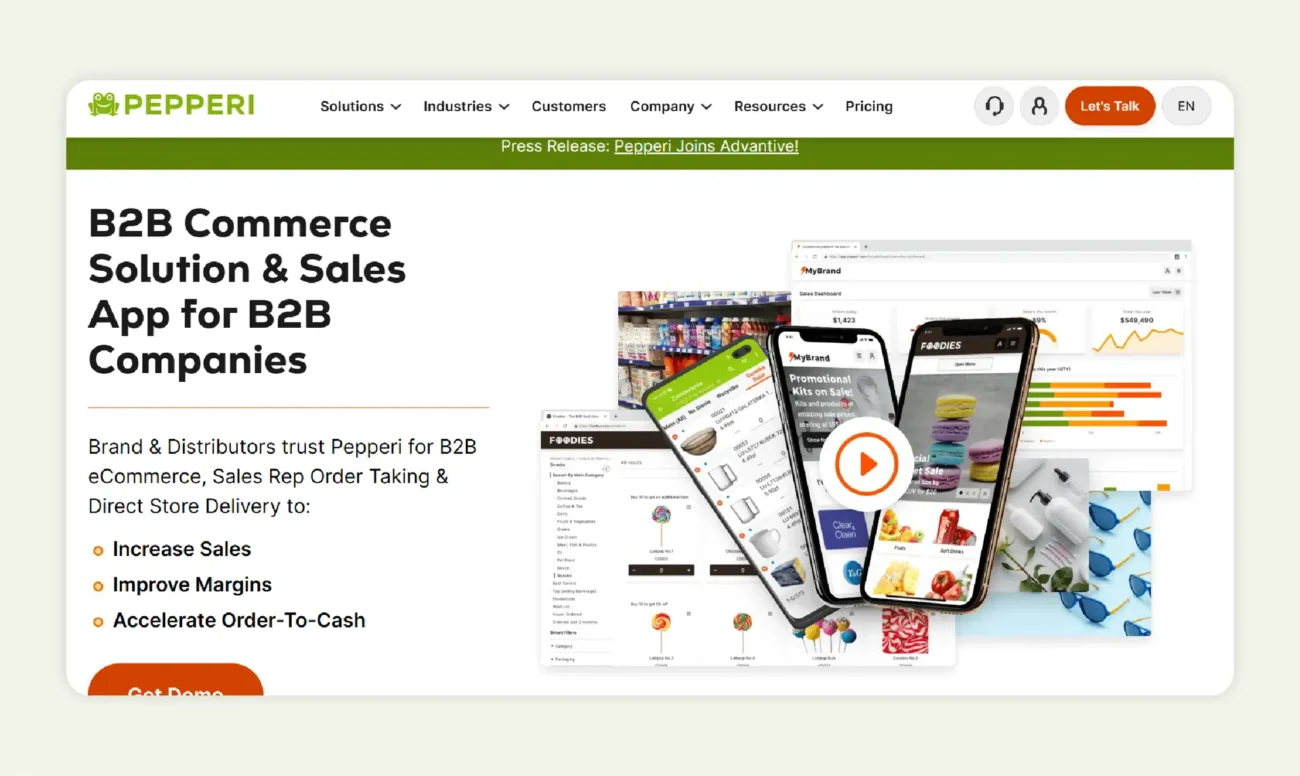
Pepperi is purpose-built for field sales teams and distributors who need to manage orders anytime, anywhere. Designed with mobility in mind, it helps sales reps capture and process orders on the go, whether at client visits, retail stores, or trade shows. Its robust offline functionality, mobile-first interface, and real-time insights make it ideal for teams that depend on flexibility and speed in the field.
Key features:
- Intuitive mobile interface: Built specifically for tablets and smartphones, the app ensures a seamless, user-friendly experience for sales reps handling multiple orders on the move.
- Offline order entry with auto-sync: Allows reps to take and store orders even without internet access, automatically syncing data once connectivity is restored, so business never pauses.
- Real-time inventory visibility: Displays up-to-date product availability and pricing, helping reps avoid over-selling and improving order accuracy.
- Mobile-friendly promotions, pricing, and tracking tools: Simplifies discount management and lets reps monitor order statuses right from their mobile devices.
- Optimized for field-based distribution networks: Pepperi’s mobile-first design empowers teams working outside the office, ensuring faster response times and better customer interactions.
Research consistently shows that the best-ranked B2B order-taking and order-management software in 2025 is judged by three core capabilities: integration with enterprise systems, mobile sales enablement for reps, and automation of workflows. Your ideal choice will depend on your business size, workflow complexity, and how heavily your sales teams rely on mobile tools.
How to choose the right B2B order-taking app?
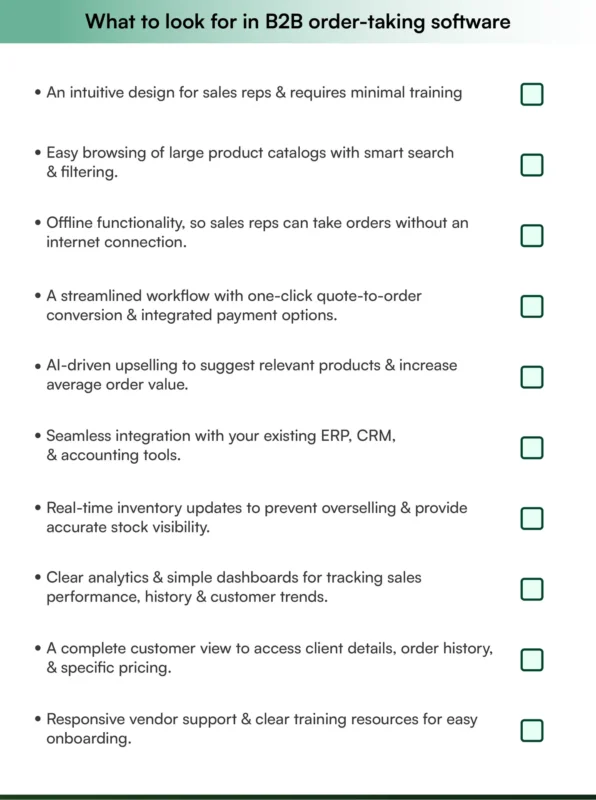
Selecting the best B2B order-taking app or B2B order-taking software for your business isn’t just about picking a popular tool. It requires careful evaluation to ensure the solution aligns with your sales workflows, distribution processes, and customer experience goals. Before making a decision, consider questions like: Which mobile devices are supported? Does the software integrate with your ERP or CRM systems? How responsive is customer support? Can it handle inventory control, track order history, or automate your sales process?
A structured evaluation helps you identify a solution that not only meets current needs but also scales with your business and drives efficiency across your sales and distribution teams.
Evaluation criteria for the app
Scalability: The right B2B order-taking app should grow with your business. As order volume, product range, and distributor networks expand, the software should handle increased demand without slowing down or requiring costly upgrades. Look for features like multi-user accounts, hierarchical pricing rules, and advanced analytics that support long-term growth.
Integration: Your app should seamlessly connect with existing systems, ERP, CRM, accounting platforms, and ecommerce solutions. Integration eliminates duplicate data entry, ensures order accuracy, and provides a unified view of your operations. Without it, teams may waste hours reconciling information across disconnected platforms.
Security: Data security is critical when handling customer information and payment terms. Evaluate whether the app offers encryption, secure authentication, and compliance with industry standards. A secure solution protects your business reputation and builds trust with your distributors and customers.
Support: Even the most intuitive B2B software needs training and ongoing support. Ensure the provider offers onboarding assistance, clear documentation, and responsive support channels. A reliable partner can help your field sales team adopt the app quickly and resolve issues before they impact orders or customer satisfaction.
WizOrder: The best B2B order-taking app
Ease of use is one of the biggest factors to consider when choosing a B2B order-taking platform. The right software should help your sales team process orders faster, access customer data on the go, and eliminate time-consuming manual tasks. It should feel intuitive even for new users, with minimal setup or training required.
Among the many B2B order-taking tools available today, WizOrder consistently stands out for its simplicity and functionality.
WizOrder is designed to make order-taking effortless for wholesalers, distributors, and field sales teams. The platform combines an easy-to-navigate interface with smart automation that simplifies every step of the sales process.
Sales reps can take and process orders directly from their tablets or mobile devices, even when offline. The app syncs automatically once reconnected, keeping inventory and customer records updated in real time. This feature alone helps field reps work faster and close deals on the spot.
WizOrder also integrates seamlessly with major ERP and CRM systems, giving teams complete visibility into customer orders, inventory levels, and payment status without switching between tools.
Some of its most user-friendly features include:
1. Mobile order capture
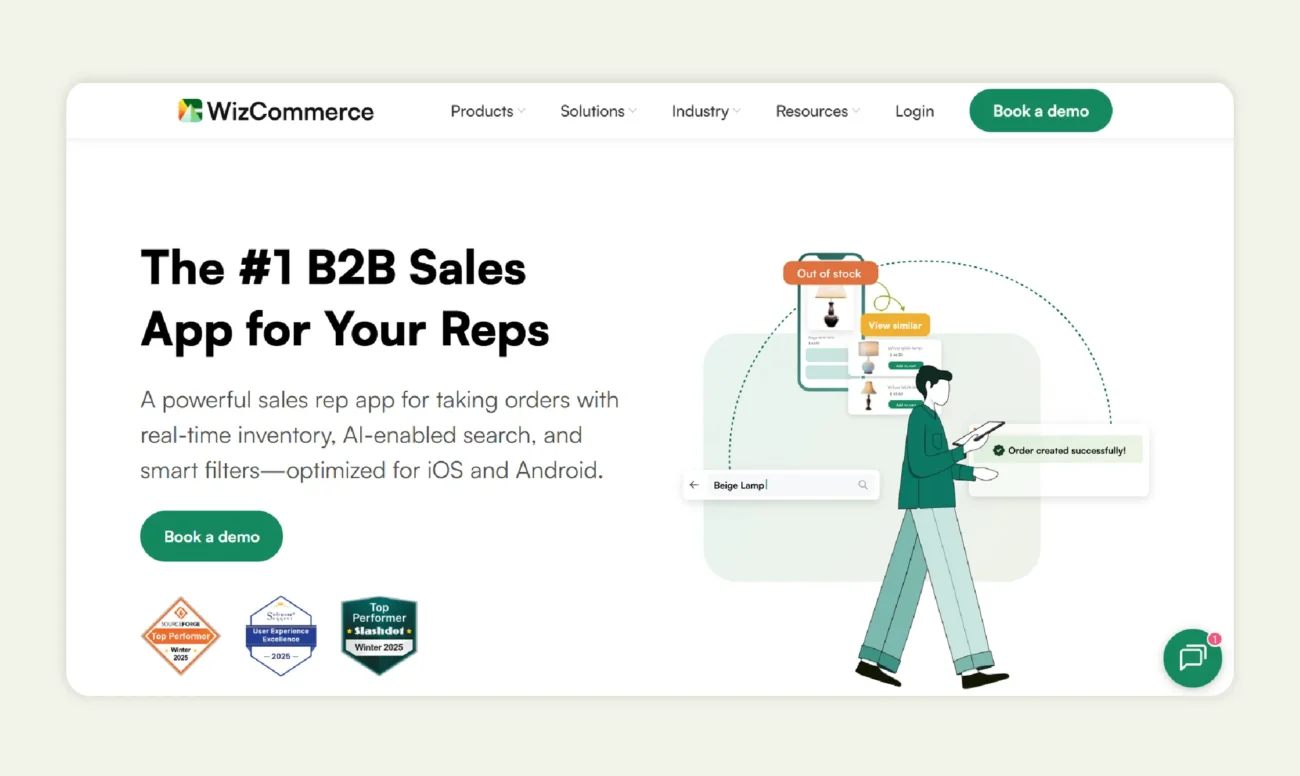
WizOrder lets sales reps create quotes and place orders on the go, whether they’re in the field, showrooms, or at trade shows. The app is built for mobile use and even supports offline order-taking at markets, so reps can keep selling even with patchy or no internet.
2. AI search & recommendations
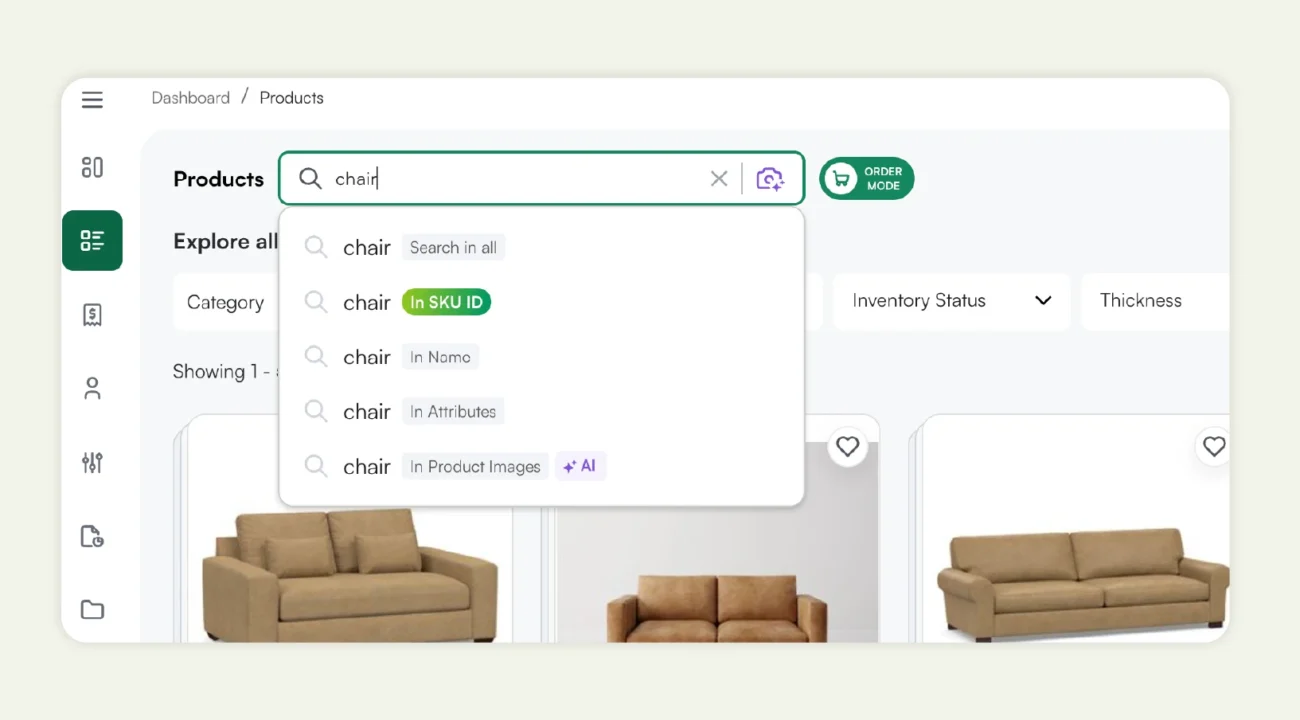
The app includes AI-powered search and discovery so reps can quickly find products without memorizing thousands of SKUs. Features like typo-tolerant search, attribute filters, “view similar,” and Amazon-style recommendations (“frequently bought together,” top picks per customer) help uncover upsell and cross-sell opportunities.
3. ERP/CRM/website integration
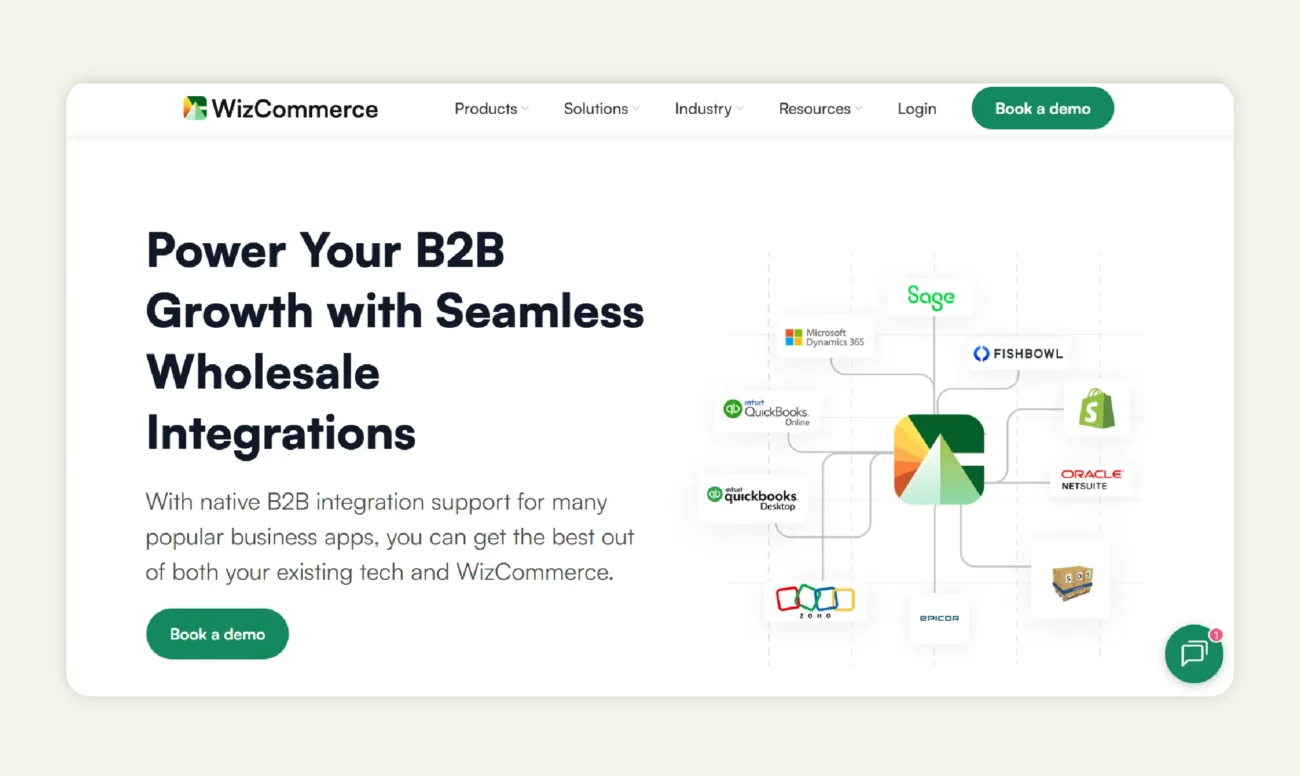
WizOrder integrates with your ERP, CRM, accounting tools (including QuickBooks), inventory systems, and B2B ecommerce site to keep data in sync. This integration powers live inventory, accurate order status, and centralized reporting, so reps see the same information as your back-office systems without manual reconciliation.
4. Product & variant management
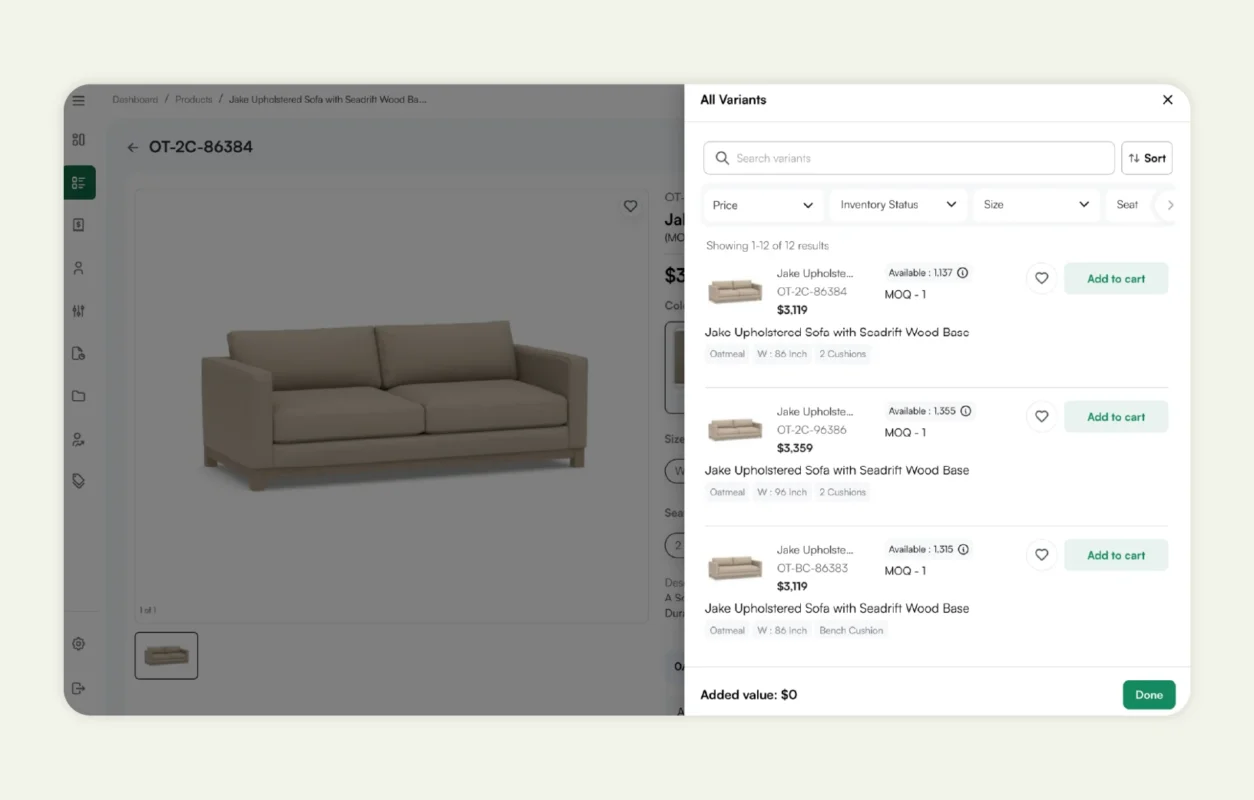
The app is designed for complex B2B catalogs, supporting multiple variants, custom products, and rich attributes like size, material, and price range. Reps can slice and filter the catalog by any attribute, build custom collections (e.g., clearances, themed assortments), and easily suggest alternatives for out-of-stock items.
5. Faster quote-to-cash
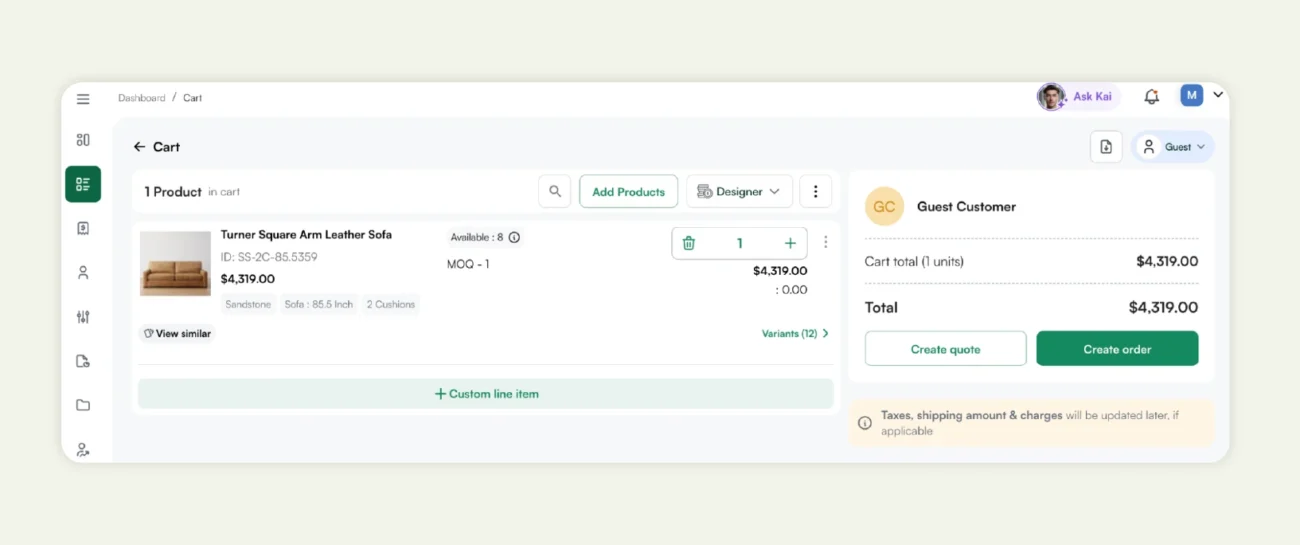
WizOrder lets reps create quotes, save draft carts, and convert them into orders in seconds, which WizCommerce cites as driving up to a 30% reduction in quote-to-cash time. Combined with in-app payments via WizPay and streamlined refunds, it helps move orders from quote to paid status with fewer handoffs and less manual work.

How to get started with implementation and onboarding?
Rolling out a B2B order-taking app effectively is just as important as choosing the right software. A structured implementation ensures your team adopts the app quickly, orders are processed accurately, and disruptions to daily operations are minimized. Here’s how to get started:
1. Data migration
Migrating your price lists, customer details, and historical order data into the new system is a crucial first step. Proper migration ensures your sales reps and distributors have access to accurate information from day one, preventing mistakes and minimizing downtime. A clear plan for data mapping, validation, and cleanup makes the transition smooth and avoids costly errors.
2. Training
Even the most intuitive app requires proper training. Equip your sales representatives, field sales teams, and wholesale distributors with hands-on guidance on using mobile devices, navigating product catalogs, and processing orders. Well-structured training increases adoption rates, reduces errors, and ensures your team can leverage all the features the software offers.
3. Customization
No two distribution businesses operate the same way. Customize your order-taking software to match your workflows, whether that’s setting up field sales hierarchies, configuring direct access for distributors, applying credit terms, or managing inventory control. Tailored settings ensure the app fits seamlessly into your operations rather than forcing your team to adapt to a rigid system.
4. Testing
Before rolling the app out across your entire network, run a pilot test in a small region or with a subset of users. This allows you to validate workflows, integrations with ERP or CRM systems, and support readiness. Testing identifies gaps early, provides a chance for feedback, and ensures the final deployment is smooth and effective.
Conclusion
Using the best B2B order-taking apps represents more than better software; it’s about smarter distribution, happier customers, and stronger growth. Whether you’re a wholesale distributor or a brand owner looking for better control, an app built for B2B workflows gives you the tools to streamline your supply chain, improve customer service, and support your sales process across mobile devices, field sales reps, and ecommerce platforms.
For a solution that’s easy to use and powerful, WizCommerce delivers AI-driven recommendations, quick reordering, full order tracking, and automated alerts at every step of the buying process.
Ready to take the next step? Book a demo today, explore your distribution workflows, and see how you can transform your order history, inventory control, and order management software all in one place.
FAQs
What are the best B2B order-taking apps?
The best apps for distributors and brand owners in 2025 seamlessly integrate mobile order entry, sales representative support, inventory control, ERP integration, and offline capabilities. Top software platforms like WizCommerce, Pepperi, and Zoho Inventory rank highly.
How does B2B order-taking software work?
These apps enable sales representatives or distributors to place orders via mobile device, syncing with an ERP/CRM and utilizing real-time inventory to apply the correct price list. This ensures that customer orders are captured accurately and fulfilled swiftly.
What are the benefits of using a B2B ordering app?
You’ll gain centralized order management, improved customer relationships, faster sales process, reduced support requests, and better cash flow, all essential for wholesale businesses.
What are the key features of a B2B order-taking app?
Critical features include real-time inventory, customer-specific pricing, offline ordering, mobile device support, analytics dashboards, and integrated payment terms.
How does an order-taking app help sales reps?
Sales reps using these apps spend less time on administrative tasks and more time selling. Using real-time data on product availability, order history, and customer pricing empowers the field sales team.
How does a B2B ordering app integrate with ERP or CRM software?
Integration means orders created in the mobile app flow directly into your ERP or CRM systems, updating inventory control, order history, financial management, and customer records in real time.
What is the difference between a B2B and a B2C ordering app?
B2B ordering apps support features like credit terms, wholesale price lists, bulk orders, and distributor networks. B2C apps focus on consumer check-out, single-item orders, and simple inventory.