Skip to content



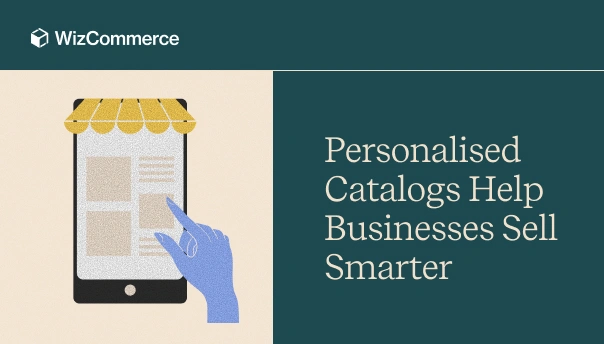
A decade ago, catalogs had certain characteristics. They were built to display everything a business sold. They were organized around internal product hierarchies. And they assumed buyers would traverse through complexity, rely on sales teams for clarity, and tolerate generic pricing and irrelevant products as part of the process.
But today, catalogs are expected to surface the right products at the right price, and at the right time for each buyer. As a brand, you no longer win by showing more products faster. You win by showing fewer. Personalized catalogs make this possible. They redefine how relevance is delivered at scale, guiding choices and reducing uncertainty. In this blog, we will explore what a personalized catalog is and why it has become an absolute necessity in today’s ecommerce world.
What are personalized catalogs in B2B ecommerce?
A personalized B2B ecommerce catalog is a context-aware product listing experience that adapts in real time to who the buyer is, how they buy, and what applies to them. It is not just a filtered view layered on top of a generic product list.
Personalized catalogs in ecommerce are “deliberately selective”. They remove irrelevance before the buyer ever encounters it. The result is not just a cleaner interface, but faster decisions and buying journeys that feel guided rather than overwhelming.
A personalized catalog supports:
- Dynamic product visibility based on account, region, role, or eligibility.
- Customer-specific pricing driven by contracts, negotiated rates, or volume tiers.
- Relevant SKUs and assortments aligned to buying patterns and business context.
- Contextual recommendations that support repeat purchases and upsell opportunities.
Here are some examples of personalized catalogs in action:
| Scenario | Products visible in the catalog | Pricing shown |
| Regional distributor | Only SKUs approved for the distributor’s territory | Territory-specific price lists and margin structures |
| Repeat buyer with a contract | Frequently purchased SKUs and contracted product range | Pre-negotiated contract pricing and volume tiers |
| Large enterprise account | Curated assortment aligned to internal procurement standards | Account-level pricing with approval thresholds |
| Season-driven buyer | Products relevant to current demand cycles | Standard pricing with contextual offers |
Why are customer-specific catalogs essential for B2B businesses in 2026?
Today, B2B buying has shifted from being sales-driven to system-driven. Buyers now interact with catalogs and portals long before they speak to your rep(if they speak to one at all). Put simply, in this new world, your catalog is no longer a supporting asset. It is your storefront shaping the buying experience. So, when a catalog fails to reflect the buyer’s context, complexity spills into the journey.
Why do traditional catalogs fail modern businesses?
Traditional catalogs were built to push everything to buyers. They rarely focused on what actually mattered to them. While this worked to an extent when the portfolio was limited, things started to fall apart as product portfolios expanded. Catalogs started turning into exhaustive SKU repositories, one where relevance was left for the buyer to figure out. So, instead of simplifying decisions, they introduced friction. This friction was attributed to four major factors:
- Information overload: Buyers were forced to navigate thousands of products with no contextual prioritization. It made discovery harder instead of easier.
- Irrelevant products: Catalogs surfaced items that buyers were not eligible to purchase due to contract or account rules.
- Manual sales intervention: Pricing, discounts, and stock mostly require offline validation. This dragged sales teams into non-value-adding tasks.
- Poor experience for repeat customers: Loyal buyers ended up seeing the same generic catalog every time. There was no memory of past purchases or preferences. This resulted in dropouts.
How have personalized B2B catalogs solved the above challenges?
Personalized B2B catalogs don’t fix one isolated problem. They address the structural mismatch between how your B2B business operates today and how your catalogs are inherently designed. By embedding context directly into your catalog layer, personalization removes friction for your buyers while reducing operational load for internal teams. Here’s how they achieve it:
- Surfacing only what is relevant to each buyer: Personalized catalogs and personalized searches display only applicable products based on account, role, location, and eligibility. It eliminates irrelevant options upfront. This shifts the buyer’s effort from searching to deciding.
- Scaling without fragmenting the core structure: Personalized catalogs apply logic at runtime. This means a single catalog framework can support thousands of buyer scenarios. This enables scale without creating parallel catalogs.
- Accelerating repeat purchases through familiarity: Personalized catalogs recognize repeat buyers and prioritize frequently purchased products. This way, they reduce time spent browsing, allowing returning customers to transact faster.
- Reducing manual intervention from sales teams: Personalized catalogs resolve pricing and availability automatically at the account level. Buyers no longer need to rely on sales teams for routine checks or confirmations.
What is the impact of personalized catalogs in ecommerce?
The real impact of personalized catalogs is not limited to better experiences. It also shows up in your business metrics. By removing friction from discovery and ordering, personalized catalogs influence how quickly your buyers convert and how often they return. Here are some key metrics positively impacted by personalized catalogs:
- Shorter sales cycles: Faster product discovery and pre-applied pricing reduce time from intent to order.
- Higher conversion rates: Relevant products and accurate pricing increase catalog-to-cart and cart-to-order conversions.
- Higher average order value (AOV): Contextual recommendations and tailored assortments lift basket size organically.
- Improved repeat purchase rate: Quick reordering and familiarity-driven experiences increase order frequency.
- Lower cost-to-serve: Reduced sales intervention cuts effort spent on price checks, order corrections, and support.
How does a personalized catalog for B2B ecommerce website work?
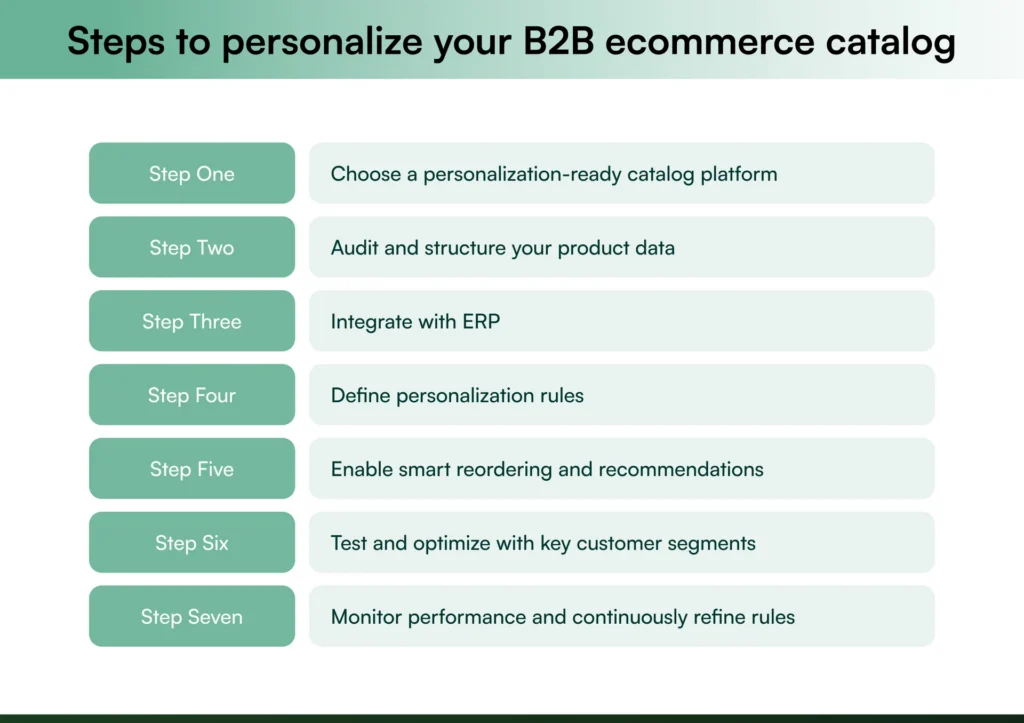
Personalizing your catalog is not an overnight task. It involves aligning data, systems, people, and business rules around how your buyers actually purchase. The steps below cover a simple approach to building personalization that delivers real impact to your business:
1. Choose a personalization-ready catalog platform
Personalization starts with the platform you choose. And this decision determines how scalable and sustainable your catalog will be in the long run. Many B2B ecommerce platforms can display products. But very few are designed to orchestrate complex B2B buying logic dynamically. A robust personalization-ready B2B catalog platform should support the following capabilities:
- Dynamic product visibility based on account, role, region, and eligibility.
- Multiple price lists and account-specific pricing displayed automatically.
- Contract-based assortments tied to customer agreements.
- Execution of runtime B2B ecommerce personalization rules without duplicating catalogs.
- Account and role-based access control within the same buyer organization.
- ERP and inventory integration for real-time pricing and availability.
- Support for self-serve and sales-assisted buying in one system.
WizCommerce was built with all these requirements in mind. The platform focuses on eliminating manual intervention, reducing sales back-and-forth, and ensuring buyers only see what’s truly relevant to them. The catalog does the heavy lifting, so that your teams can focus on closing deals.
2. Audit and structure your product data
Personalization can only work when your product data is consistent and complete. It should be structured for logic and not just for display. Before defining any personalization rules, you must audit your catalog to identify gaps in attributes, inconsistencies in naming, and variations in how similar products are represented. Poorly structured data limits how accurately products can be filtered, priced, restricted, or recommended.
Here are some tips to structure product data effectively:
- Standardize product attributes: Ensure common attributes (size, material, pack size, grade, etc.) follow a consistent format across all SKUs.
- Normalize naming conventions: Avoid variations in product names for similar items. Use a clear and repeatable naming structure.
- Separate variants from parent products: Structure color, size, or configuration variants logically to prevent duplication and confusion.
- Use clear, functional categories: Organize products based on how buyers search and purchase, instead of focusing on internal manufacturing or accounting logic.
- Audit for missing or unused attributes: Remove redundant fields and fill gaps in attributes that may be needed for filtering or personalization later.
3. Integrate with ERP
True personalization cannot exist in isolation. Your catalog must reflect real-time business logic from ERP. ERP Integration ensures that availability, pricing, customer, and order data are always accurate. The best part – manual intervention from sales or operations teams is no longer needed. By syncing catalog data with backend systems, you can ensure that your buyers see what can actually be purchased, at the right price, with the right fulfilment expectations.
WizCommerce integrates with some of the top ERPs in the market, including Microsoft Dynamics 365 Business Central, NetSuite, Sage, Epicor Prophet 21, SAP Business One, SAP S/4HANA, and IBM AS400.
4. Define personalization rules
This is the step where personalization moves from concept to execution. Instead of creating multiple custom catalogs for different buyers, you can define rules that dynamically shape the catalog experience for each buyer. These rules translate real-world contract agreements and operational constraints into system logic. This means your buyers automatically see what applies to them every time.
Here are some common personalization rules you need to define:
- Product visibility rules: Control which SKUs are visible based on account, region, role, contract requirements, or eligibility criteria.
- Pricing rules: Apply customer-specific price lists, negotiated rates, contract pricing, and volume-based tiers automatically at login.
- Minimum order quantities(MOQs): Enforce customer or product-specific MOQs without requiring sales validation or order corrections.
- Quantity and pack-size constraints: Define allowed order increments, pack sizes, or case quantities to prevent invalid orders.
- Assortment restrictions: Limit buyers to approved or contracted product sets while hiding non-applicable alternatives.
5. Enable smart reordering and recommendations
For repeat B2B buyers, speed matters more than discovery. Once core personalization rules are in place, the next step is to make repeat purchases effortless by enabling smart reordering and contextual recommendations. This shifts the catalog from a browsing interface to a transaction accelerator. Personalized reordering typically includes:
- Quick reorder views that surface frequently purchased or recently ordered SKUs.
- Saved assortments or order lists for recurring or scheduled purchases.
- Purchase history–based recommendations that reflect actual buying patterns.
- Contextual suggestions tied to category, seasonality, or order composition.
6. Test and optimize with key customer segments
Once personalization rules and smart reordering flows are defined, you should test catalog experiences with a few high-impact customer segments. For instance, you could focus on repeat buyers, large enterprise accounts, regional distributors, or key revenue contributors. Starting small allows you to validate whether the defined rules are working as intended and that buyers are seeing the right products at the right prices.
Also, track how different segments move through the catalog and where friction still exists. See how often sales intervention is required. Insights like these can then be used to refine visibility rules, pricing logic, reorder flows, and product recommendations.
7. Monitor performance and continuously refine rules
Personalized catalogs are living systems that must adapt as your customers and portfolio grow. After rollout, you need to continuously monitor how personalization is performing across key metrics. Initially, you can focus on conversion rates, order frequency, sales intervention, and time-to-order.
Regular performance reviews help identify rules that are too misaligned with buyer behavior in the long run. As new SKUs are added and customer segments evolve, your personalization rules should be constantly tweaked to stay relevant. This ongoing calibration ensures your catalog continues to support scale and deliver a competitive advantage in a highly crowded market.
Why are B2B businesses choosing WizCommerce for catalog personalization?
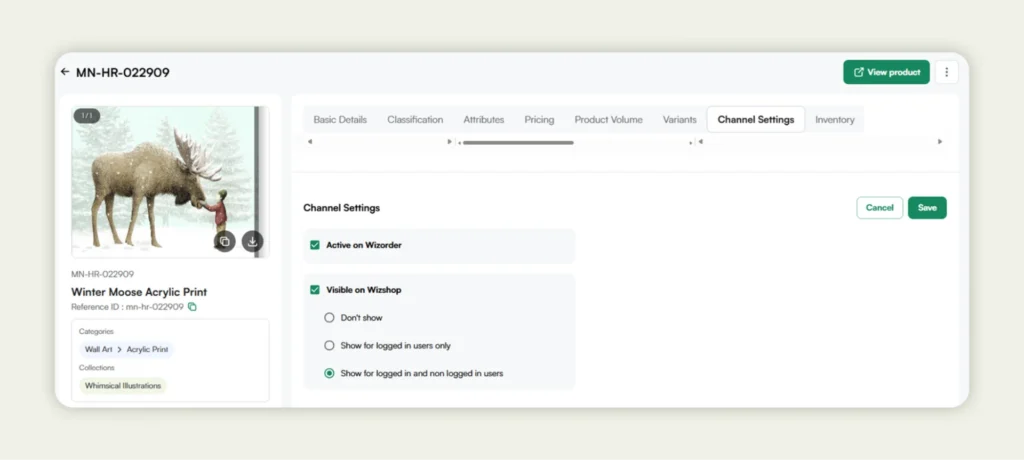
If your goal is true B2B catalog personalization and not just basic product listing, WizCommerce is a natural fit. Built B2B-first, it eliminates the need to adapt B2C platforms or compromise on catalog features that don’t align with wholesale selling. Secondly, personalization is embedded directly into the catalog layer, allowing you to configure dynamic, buyer-specific catalogs that reflect customer relationships, pricing logic, and operational constraints.
Below are some of WizCommerce’s core capabilities for B2B catalog personalization:
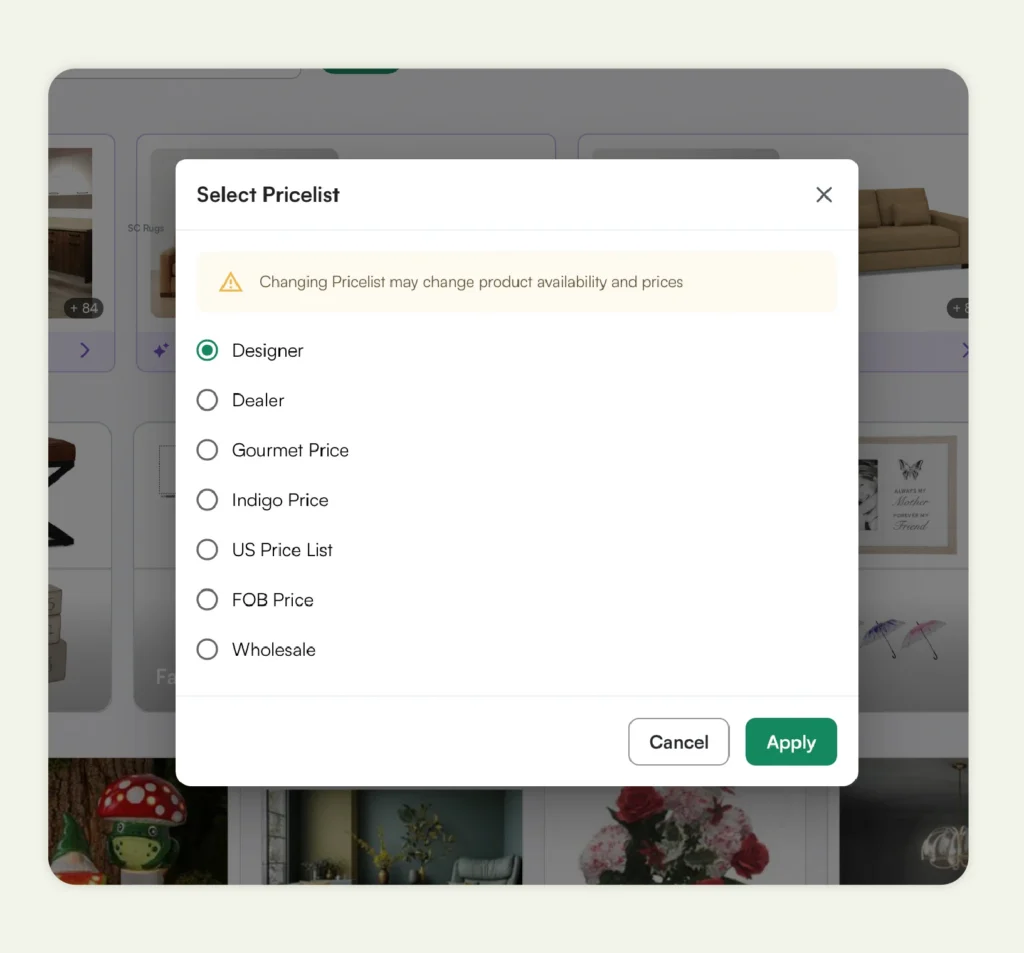
- Buyer-specific catalogs and pricing: You can create segmented and hyper-personalized digital catalogs with login-based visibility, custom price lists, and contract pricing to support negotiated B2B relationships at scale.
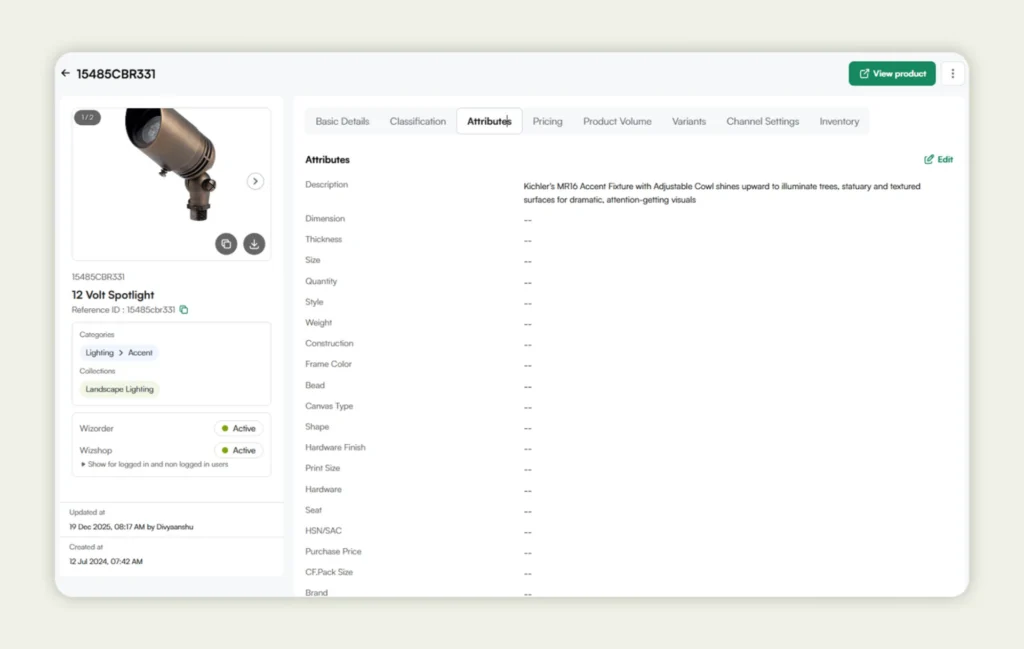
- Scalable handling of complex product data: You can manage thousands of SKUs, variants, and attributes with ease, all while keeping catalog data structured and personalization-ready.
- ERP-driven catalog accuracy: Products, pricing, and inventory directly from ERP systems are integrated so that different users only see what’s available and applicable to them, resulting in faster transactions and better customer engagement.
- Configuration-first personalization rules: Control catalog visibility, pricing logic, MOQs, and workflows through built-in configurations instead of custom development.
- Offline-ready personalized catalogs for field sales: Your sales reps can access buyer-specific catalogs, pricing, and ordering workflows even without internet connectivity.
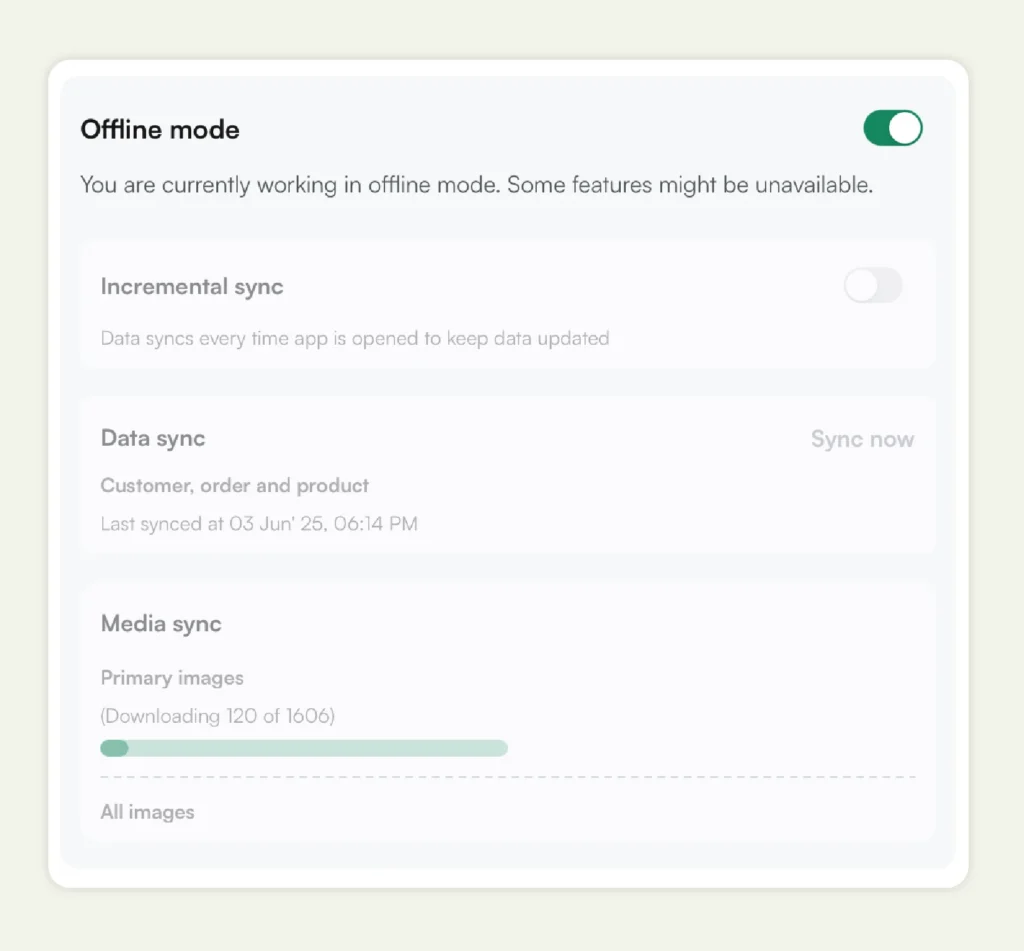
- Unified catalog for buyers and sales teams: Support both self-serve buying and assisted selling using the same live catalog and pricing logic. This ensures consistency across every touchpoint in the buying process.
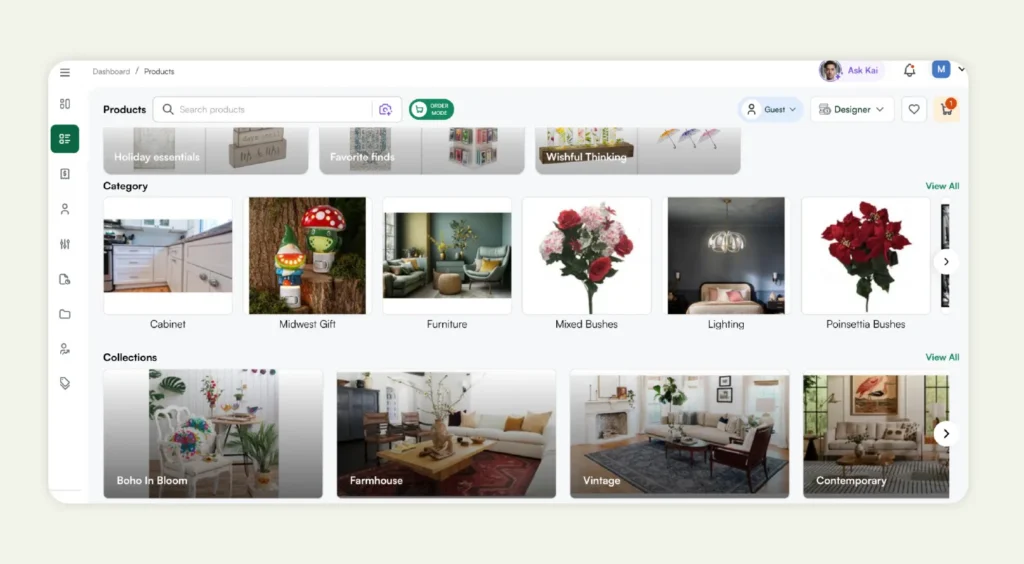
At WizCommerce, we don’t just host your catalogs. We personalize them by design, making it easier for you to scale as a wholesaler while delivering clarity to every buyer. Want to know more about us? Book a free demo now.
Frequently Asked Questions
How do personalized catalogs benefit B2B ecommerce companies?
Personalized catalogs benefit B2B ecommerce companies by helping reduce buyer friction through showing relevant product offerings at accurate prices. This leads to faster purchasing decisions, enhanced customer experience, higher conversion rates, improved repeat buying, and lower sales effort. Internally, they reduce manual interventions and enable you to scale complex catalogs without increasing operational overhead.
What features should I look for in B2B personalized catalog software?
The features to look for in B2B personalized catalog software include: dynamic product visibility, customer-specific pricing, contract-based assortments, role-based access, ERP and pricing system integration, and support for both self-serve and sales-assisted buying. The platform should also apply personalization rules at runtime, allowing a single online catalog to adapt to multiple customer scenarios without duplication.
What are the best practices for managing personalized catalogs in B2B ecommerce?
The best practices for managing a personalized catalog in B2B ecommerce first it’s to start with clean, well-structured product data and define personalization rules centrally. Avoid duplicating catalogs. Use dynamic logic instead. Regularly audit rules and monitor key metrics like conversion and sales intervention. Finally, don’t forget to update personalization rules as your SKUs and buyer contracts change to keep the catalog relevant to the unique needs of your target audience and scalable at the same time.
How does catalog personalization work for different B2B customer segments?
Catalog personalization works for different B2B customer segments by adapting product visibility, pricing, assortments, and workflows based on segment-specific rules. For example, distributors may see region-approved SKUs. Enterprise accounts may see contracted assortments. Similarly, repeat buyers might get quick reorder views. Each segment interacts with the same catalog framework, but experiences it differently.
How can I integrate personalized catalogs with my existing B2B ecommerce platform?
Most modern B2B ecommerce platforms, such as WizCommerce, offer customer-specific catalogs and catalog personalization as a built-in capability rather than an external add-on. This means you don’t need to rely on separate product catalog software solutions or complex third-party integrations. Personalization works natively using your existing product and customer data, pricing rules, and ERP integrations.
Why personalize your B2B catalog?
Personalizing your B2B ecommerce catalog shifts complexity away from buyers and sales representatives into the system. It improves buying speed, reduces errors, supports hybrid selling models, enhances user experience, and scales with growing product and customer complexity. In 2026, ecommerce personalization is essential for delivering efficient and competitive B2B buying experiences.
What roles does catalog printing play in B2B personalization today?
The role catalog printing plays in B2B personalization today is limited, as digital catalogs have become the primary method for delivering personalized experiences. Printed catalogs are static and cannot adapt to individual buyer needs, while online catalogs allow for dynamic updates, real-time pricing, and tailored product offerings, making them much more effective for personalization.
How does online catalog customization differ from traditional printed catalogs in B2B?
Online catalog customization differs from traditional printed catalogs in B2B by enabling real-time, dynamic personalization based on buyer data such as purchase history, location, and contracts. Printed catalogs are fixed and cannot reflect the same level of individual relevance, while online catalogs can adjust instantly to display personalized product selections, pricing, and recommendations.