Skip to content



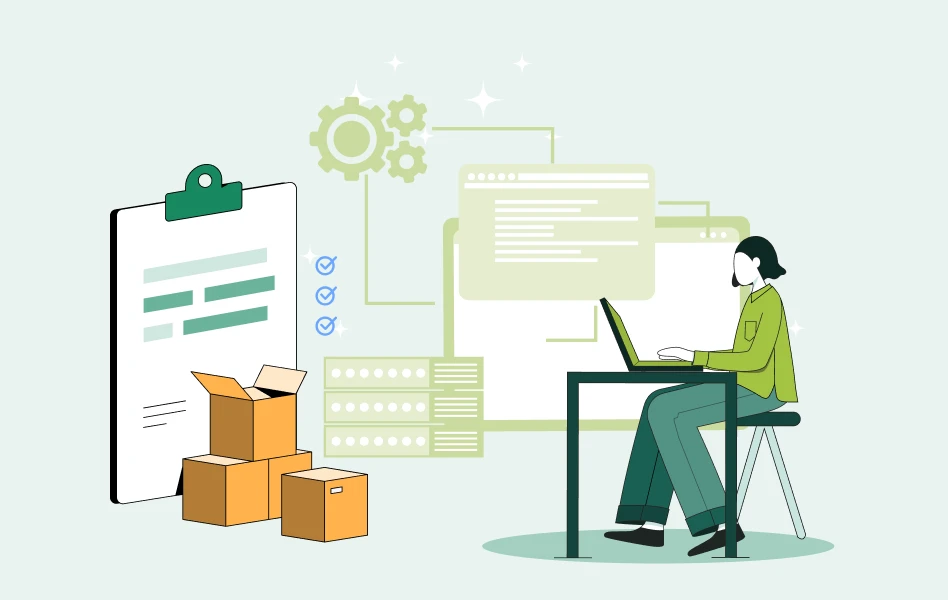
B2B e-commerce ERP integration is the automated data connection between your B2B e-commerce platform and your ERP system. It syncs orders, inventory, pricing, customers, and invoices between the two without manual entry, so your storefront and sales reps always work from real-time data while your ERP stays the single source of truth.
Without integration, your storefront and ERP fall out of sync. Orders get re-keyed by hand into NetSuite or QuickBooks, stock counts are reconciled in spreadsheets, and pricing is updated manually across systems. Every manual step adds delay and a chance for errors, like a wrong SKU, a missed case pack, or a customer-specific price that does not apply.
Connecting the two systems closes that space. The payoff is faster order processing, stock counts your buyers can trust, and a team that spends its hours selling instead of retyping. This guide covers what B2B e-commerce ERP integration is, how it works, the methods and costs involved, which ERPs fit wholesale, and how to roll it out without surprises.
Quick Key Facts of 2026 on B2B E-Commerce ERP Integration
The 2026 data on B2B e-commerce ERP integration is consistent: suppliers that connect commerce to their ERP automate more of their sales process, capture more revenue, and make it easier for buyers to order from them.
- 87% of B2B suppliers are currently upgrading their ERP systems or plan to, which makes this a rare window to connect front-office commerce to back-office ERP. (Deloitte Digital, 2026)
- Suppliers that completed front-office to back-office integration were about 4 times more likely to report highly automated sales processes, and more than 4 times more likely to say customers find it easy to do business with them. (Deloitte Digital, 2026)
- High-maturity digital suppliers beat their annual sales goals by a 110% greater margin than low-maturity peers, and ERP integration is a core part of that maturity. (Deloitte Digital, 2026)
- 37% of B2B buyers say they would pay a slightly higher price to a supplier that is easy to do business with, which is exactly what real-time ERP data makes possible. (Deloitte, 2024)
- The most common wholesale ERPs in this category include NetSuite, Microsoft Dynamics 365 Business Central, SAP Business One, QuickBooks, Sage, Acumatica, and Epicor.
What Is B2B E-Commerce ERP Integration?
B2B e-commerce ERP integration is the connection between your e-commerce platform (your buyer-facing storefront and rep ordering tools) and your ERP (the system that runs inventory, accounting, and fulfilment). Once connected, orders flow into the ERP automatically, while inventory, pricing, customers, and invoices flow back to the storefront, with no manual re-keying.
Once integrated, the ERP remains the single source of truth for stock and pricing, while the storefront and your reps always show current numbers. Orders post to the ERP without re-entry, inventory updates as items sell, and the same records stay consistent in both systems. The result is accurate availability, correct customer pricing, and no duplicate data entry. That flow is the backbone of a sound B2B e-commerce website architecture.
Does ERP integration differ for B2B vs B2C?
Yes, and the difference is the whole point. A B2C store syncs a product, a price, and a stock count. A wholesale operation has to sync tiered pricing, customer-specific catalogs, net terms, case packs, MOQs, multi-warehouse inventory, and tax logic that changes by customer and ship-to. A consumer platform retrofitted for wholesale tends to flatten all of that, which is why so many distributors end up duct-taping spreadsheets back on top. A wholesale-native software syncs the complexity instead of hiding it.
How Does B2B ERP Integration Work?
B2B ERP integration works by connecting your storefront and ERP through an API or native connector: an online order flows into the ERP, and the ERP sends inventory, pricing, and invoice data back to the storefront, usually in real time.
In practice, a buyer places an order on the storefront, the order travels to the ERP, the ERP confirms stock and sends back inventory and invoice details, and the storefront updates. In a complete setup, the same connection also reaches your warehouse and accounting systems, so one order updates stock, books the invoice, and starts fulfillment without anyone moving data by hand.
Data can flow in three directions:
- Inbound (ERP to storefront): products, inventory, pricing, and customer records published from the ERP out to your storefront.
- Outbound (storefront to ERP): orders, new customers, and payments captured online push back into the ERP.
- Two-way (bi-directional): both happen continuously, so a price change in the ERP and an order placed online both land where they belong within seconds.
Most modern wholesale integrations run two-way and in real time. When something changes, like an order being placed or stock dropping, the systems update each other right away instead of waiting for a scheduled batch. Many wholesalers also keep EDI (Electronic Data Interchange) running alongside, since large retail buyers still send purchase orders that way, and a capable platform handles both at once.
B2B E-Commerce ERP Integration Methods Compared
There are five main ways to connect an ERP to a B2B e-commerce platform: point-to-point, middleware (iPaaS), native API, custom build, and third-party connectors. Native connectors and middleware are the most common for growing wholesalers.
Each method suits a different business size and technical setup. Here is how they stack up.
| Method | How it Works | Speed | Cost | Best Suited For |
|---|---|---|---|---|
| Point-to-point | A direct connection between two systems, with no middle layer. Hard to scale as you add systems. | Fast | Low | Small businesses with one or two systems |
| Middleware / iPaaS | A central hub routes and translates data between many systems. Scales well. | Medium | Medium to high | Growing operations running several platforms |
| Native API integration | A purpose-built connector between your platform and your ERP. | Medium | Built into the platform | Wholesalers wanting real-time, supported sync |
| Custom build | A connection coded from scratch for your exact workflows. | Slow | High | Highly unusual or complex processes |
| Third-party connectors | Pre-built apps that link popular platforms. Standard use cases only. | Fast | Low to medium | Teams wanting a quick start with light customization |
Pro tip: the method matters less than who maintains it. A clever custom build that breaks every time your ERP updates costs more over three years than a supported native connector that quietly keeps working.
Native integration vs iPaaS vs custom: a decision framework
For most growing wholesalers the real choice comes down to three options: a native connector built into your commerce platform, an iPaaS (integration platform as a service) such as Celigo, Boomi, MuleSoft, Workato, or Jitterbit, or a fully custom build. If NetSuite is your ERP, the NetSuite ecommerce connector options break down which of those paths each vendor takes. Each is a legitimate choice, and the right one depends on your team and your roadmap.
| Factor | Native Connector | iPaaS (Celigo, Boomi, etc.) | Custom Build |
|---|---|---|---|
| Upfront cost | Lowest (included or scoped by the vendor) | Medium (license plus implementation) | Highest |
| Time to go live | Fastest | Medium | Slowest |
| Who maintains it | Your commerce vendor | Your team or a partner | Your developers |
| Flexibility for odd workflows | Good for wholesale patterns out of the box | Very high | Total, at a price |
| Updates as ERP changes | Vendor handles compatibility | You manage it | You manage it |
| Best for | Wholesalers wanting supported, wholesale-ready sync | IT-heavy orgs connecting many systems | Genuinely unique processes |
iPaaS tools are powerful and worth a serious look if you are stitching together many systems with a capable IT team. The honest tradeoff is ongoing ownership: you are buying flexibility, and with it the responsibility to maintain mappings, monitor issues, and keep connectors current as your ERP evolves. A native connector trades some of that flexibility for a vendor that owns uptime and compatibility on your behalf.
Which ERPs Integrate With B2B E-Commerce?
A B2B e-commerce platform can integrate with most major ERPs, including NetSuite, Microsoft Dynamics 365 Business Central, SAP Business One, SAP S/4HANA, Sage, Acumatica, Epicor, Oracle ERP Cloud, QuickBooks, Zoho, Odoo, and Infor.
This is the question most buyers actually arrive with: will it work with my ERP? The table below covers the systems most common in wholesale and distribution, what each is best known for, and where to go deeper. WizCommerce connects to the systems below through native connectors, pre-built integrations, or partner-built connectors.
| ERP / accounting system | Typical fit | Deployment | Learn more |
|---|---|---|---|
| NetSuite | Mid-market to enterprise wholesale and distribution | Cloud | NetSuite ecommerce integration |
| Microsoft Dynamics 365 Business Central | Mid-market distributors and manufacturers | Cloud | Dynamics 365 integration |
| SAP Business One | Small to mid-market wholesalers | Cloud or on-premise | SAP Business One integration |
| SAP S/4HANA | Large enterprise operations | Cloud or on-premise | SAP S/4HANA integration |
| Sage Intacct | Finance-led mid-market | Cloud | Sage Intacct integration |
| Sage 100 | Established mid-market distributors | On-premise or hosted | Sage 100 integration |
| Acumatica | Growing distributors and manufacturers | Cloud | Acumatica integration |
| Epicor Kinetic | Manufacturing-heavy distributors | Cloud or on-premise | Epicor Kinetic integration |
| Epicor Prophet 21 | Durable-goods and industrial distribution | Cloud or on-premise | Epicor Prophet 21 integration |
| Oracle ERP Cloud | Large enterprise | Cloud | Oracle ERP Cloud integration |
| QuickBooks (Online & Desktop) | Small to mid-market wholesalers | Cloud or desktop | QuickBooks integration |
| Zoho Books / Inventory | Small businesses and lean teams | Cloud | Zoho integration |
| Odoo | SMBs wanting an all-in-one stack | Cloud or on-premise | Odoo integration |
| Infor (M3 / SyteLine) | Industry-specific manufacturers | Cloud or on-premise | Infor integration |
| Fishbowl | Inventory-first QuickBooks users | On-premise or hosted | Fishbowl integration |
If your ERP is not on this list, it is still worth a conversation. Many connections are partner-built or handled through a middleware layer, and WizCommerce scopes ERP fit during discovery before any commitment.
B2B E-Commerce ERP Integration: A Step-by-Step Implementation Guide
A B2B e-commerce ERP integration runs in seven steps: scope it, map your fields, clean your data, build the connection, test with real transactions, go live on a planned cutover, then hand it to a named owner. The work that decides the outcome happens in steps 1 to 3, before anything is connected.
Two things to settle before step 1
Name your system of record: Make the ERP authoritative for customers, pricing, inventory, and orders, and have the storefront reflect it rather than hold its own copy. Decide this once, for every entity, not per field as issues come up. One master record is what keeps the two systems from drifting.
Decide how you will phase it: Going live by data entity or by channel keeps a mapping gap as a small fix. A single big-bang cutover turns the same gap into a customer-facing outage. Phasing costs a little more calendar time and removes most of the risk.
The seven steps
| Step | Who owns it | Done when |
|---|---|---|
| 1. Scope | Ops lead, with IT and finance | ERP version, modules, and must-have workflows documented |
| 2. Map fields | Ops lead with integration partner | Every field has a source, target, direction, and cadence |
| 3. Clean data | Business team, in the ERP | No duplicates, no empty required attributes |
| 4. Build | Integration partner or IT | Flows enabled and documented |
| 5. Test | Business users | Real orders reconcile in both systems |
| 6. Go live | Ops lead | Cutover complete, alerts on, rollback path ready |
| 7. Own it | Named individual | Monitoring and escalation assigned |
Step 1: Scope
Document your ERP and its version, the modules in play, and the workflows that genuinely matter to your business: tiered pricing, multi-warehouse, net terms, case packs, and EDI. Bring IT, finance, and operations in here rather than at testing, since finance usually owns the pricing and tax rules and operations owns fulfillment logic.
Step 2: Map fields.
Work through the data entities above and give each field a source, a target, a direction, and a cadence. Validate the mapping against three or four real customer records before you sign it off, because pricing tiers and customer hierarchies are where structural mismatches surface.
Step 3: Clean your data
This is the step most often skipped and the one that decides your timeline. Fix it in the ERP, not in the integration. In practice that means products missing images, descriptions that are still internal warehouse codes, empty weight and dimension fields, duplicate customer records, and price tiers nobody uses anymore. Treat it as a business task with a deadline, not an IT ticket.
Step 4: Build
Enable or build the flows with the ERP as the source of truth, then document how each one behaves so the next person to touch it is not reverse-engineering it.
Step 5: Test with real transactions
Run an order, a price change, a deliberate oversell, a partial shipment, a return, and a backorder, and reconcile both systems after each. Then have the people who will use it daily validate the workflows themselves. User acceptance testing catches the process gaps technical tests pass straight through.
Step 6: Go live
Pick a controlled window in a quieter sales period with the team on standby. Have alerts on from the first hour and a rollback path ready before you start, not drafted during the cutover.
Step 7: Give it an owner
Integrations drift as either system changes, so name the individual who watches the flows, resolves errors, and retests after an ERP upgrade. An integration with no owner slowly returns to rekeyed orders, which is the problem it was built to solve.
Most integrations go live in a few weeks on a native connector or a native-integration platform, and over several months on a custom build. Data quality moves that timeline more than the technology does.
What Data Should Sync Between Your ERP and Your Storefront?
A complete B2B integration syncs products, inventory, customers, pricing tiers, orders, invoices, payments, shipping, tax, and returns, plus multi-warehouse, multi-currency, and multi-entity data for larger operations.
Here is the full picture of what should flow between systems, and why each one matters to a wholesaler.
- Products and catalog: new launches, descriptions, and updates publish from the ERP so reps and buyers always see the current line.
- Inventory: real-time stock counts across every location, so buyers see accurate availability and your team avoids overselling.
- Customers: unified records, including credit status and assigned price tiers, consistent in both systems. Those synced records are what your team works from in a CRM for wholesale distribution – the ERP stays the master for credit and pricing, while the CRM holds the activity around the account that the ERP never records: deals, quotes, follow-ups and rep visits.
- Pricing tiers and contract pricing: customer-specific prices, volume breaks, and promotions apply automatically, with no rep intervention.
- Orders: every order placed online or by a rep flows into the ERP for fulfillment without rekeying.
- Invoices and payments: invoices generate and payment status updates sync, keeping account balances current.
- Shipping and tracking: methods, rates, and tracking numbers pass back to the buyer for real-time visibility.
- Tax and returns: tax logic and credit memos stay accurate across systems.
For larger operations, three more capabilities separate a basic sync from an enterprise-grade one: multi-warehouse inventory management (stock by location, not one lumped number), multi-currency (pricing and invoicing in the buyer currency), and multi-entity (clean separation of books across divisions). If you sell across borders or run more than one legal entity, confirm these on day one.
Types of ERP Sync: Real-Time, Scheduled, and Manual
ERP data syncs in four ways: real-time (instant), event-driven (triggered by an action), scheduled (at set intervals), and manual (user-initiated). Most wholesalers use real-time for stock and pricing, and scheduled for bulk updates.
Not every piece of data needs to move the instant it changes. Matching the sync type to the data keeps your systems fast and your costs sensible.
| Sync Type | When it Runs | Best For |
|---|---|---|
| Real-time | Instantly, the moment data changes | Pricing, inventory, orders, payments |
| Event-driven | Triggered automatically by a specific event, such as an order being placed | High-volume, time-sensitive workflows |
| Scheduled | At set intervals (hourly, nightly) | Product descriptions, bulk catalog updates |
| Manual | Only when a user triggers it | One-time imports, occasional bulk changes |
Most wholesalers run a mix: real-time for anything a buyer sees (stock, price, order status), and scheduled for the heavier, less urgent updates.
Common B2B E-Commerce ERP Integration Challenges (and How to Solve Them)
The most common B2B e-commerce ERP integration challenges are sync issues, data mapping mismatches, pricing conflicts, ERP customization drift, security and compliance, and post-migration accuracy. Each one is preventable with testing and clear field mapping.
Integration is well-understood territory in 2026, but a few issues come up often enough to plan for. None of them are reasons to avoid integrating. They are reasons to integrate carefully.
1. Data synchronization issues
Small mismatches, a missing required field, an incompatible date format, or a rate limit, can interrupt a sync.
How to solve it: test thoroughly before go-live, turn on automatic alerts, and keep sync logs visible so issues surface early instead of compounding.
2. Data mapping mismatches
The most common root cause of sync trouble is a field in the ERP that does not cleanly map to the storefront, often around pricing tiers or customer records.
How to solve it: invest real time in the mapping step, validate it against live customer examples, and document every mapping so it survives staff changes.
3. Pricing conflicts between ERP and storefront
When both systems can edit a price, they can disagree.
How to solve it: decide which system is the source of truth for pricing (usually the ERP), set the sync direction accordingly, and use two-way sync only where it genuinely helps.
4. ERP customizations that drift
Heavily customized ERPs can change in ways a rigid connector does not expect.
How to solve it: choose a connector whose vendor maintains ERP compatibility, and flag any custom fields during discovery so they are mapped from the start.
5. Compliance and data security
Customer and transaction data has to move securely and in line with privacy rules.
How to solve it: encrypt data in transit, limit access by role, and keep audit logs across every connected system.
6. Post-migration data accuracy
During the initial migration, duplicate or partial records can carry over.
How to solve it: cleanse data before migration, run a pilot batch, and apply validation rules so only clean records move.
How Much Does B2B E-Commerce ERP Integration Cost?
B2B e-commerce ERP integration cost depends on the method: native connectors are usually lowest over time because maintenance is included, iPaaS adds subscription costs, and custom builds carry the highest upfront and ongoing cost.
Cost depends on three things: the integration method, the complexity of your workflows, and who maintains the connection over time. The table below shows the typical cost shape of each approach. Treat these as directional bands rather than quotes, since real figures vary widely by ERP, data volume, and customization.
| Approach | Upfront Cost | Ongoing Cost | What Drives the Price |
|---|---|---|---|
| Native Connector | Low to medium | Usually included with the platform | Number of workflows, customization depth |
| iPaaS / Middleware | Medium | Subscription plus management time | Connector count, data volume, internal upkeep |
| Custom Build | High | Developer maintenance | Complexity, ERP version changes, support needs |
Watch the total cost of ownership, not just the sticker price: The costs that surprise teams later tend to be ongoing: middleware tiers that climb with volume, developer time to fix mappings after an ERP update, and the quiet cost of sync issues (a duplicate order, an oversell, a wrong price) that take staff time to clean up. A supported native connector usually wins on total cost of ownership precisely because the vendor absorbs that maintenance.
Pro tip: Deloitte research found that upgrading front-office systems alongside an ERP can offset a meaningful share of the ERP cost over time, because the combined setup drives more digital sales. The integration is not only an expense line, it is part of how the ERP pays for itself.
ERP Integration by Industry
ERP integration priorities shift by industry. WizCommerce supports five wholesale verticals, home furnishing, furniture, gifts and accessories, food and beverage, and industrial, and each leans on a different part of the sync: real-time catalog and inventory for home and furniture, lot and expiry tracking for food and beverage, offline order writing for gifts, and contract pricing for industrial.
ERP INTEGRATIONS
Find The Guide Built For Your Industry.
Keep your ERP as the source of truth. Add a selling layer shaped to how your vertical sells.
 Food & Beverage
 Furniture
 Industrial
 Gift & Accessories
 Auto Parts
 HVAC & Plumbing
 Building Materials
Wholesale is not one workflow, it is many. Here is how integration priorities shift across the industries WizCommerce serves.
- Home furnishing and decor: Large SKU counts, frequent new collections, and showroom-driven selling make real-time catalog and inventory sync the priority for home brands such as Howard Elliott. See B2B home furnishing solutions.
- Furniture: Big-ticket items, longer lead times, and made-to-order options put accurate inventory, ETAs, and order-status sync front and center for furniture brands like Zuo Modern. See furniture wholesale solutions.
- Gifts and accessories: Seasonal catalogs and heavy trade-show selling reward offline order writing that syncs the moment reps reconnect, the workflow behind gift and accessory sellers like Toynk. See B2B gifts and accessories solutions.
- Food and beverage: Lot tracking, expiry dates, and high reorder frequency put the focus on fast, accurate inventory and order sync. See B2B food and beverage solutions.
- Industrial and durable goods: Complex pricing, customer-specific contracts, and ERPs like Epicor Prophet 21 make robust pricing-tier and multi-warehouse sync essential. See industrial distribution solutions.
How WizCommerce Works With Your ERP?
Your ERP stays the system of record. WizCommerce is the commerce layer that sits on top of it, so buyers, reps, and back-office teams all work from the data your finance team already trusts.
For your buyers. WizShop is a B2B e-commerce software where customers reorder against their own pricing, catalog, and terms, so routine orders stop arriving by phone and email.
For your reps. WizOrder is a sales rep ordering app built for the field and the trade show floor, and it keeps working when the venue Wi-Fi does not. WizPilot, an AI sales copilot, flags which accounts are due to reorder and which are going quiet.
For your back office. Ella handles AI order entry for the purchase orders that still arrive as email or PDF attachments. WizPay pulls B2B payments, including ACH and net terms, into the order itself. WizCRM keeps account history and open quotes beside the orders they came from.
A connector is table stakes. What decides whether the setup works is how the commerce layer behaves once the data arrives. Tiered pricing, case packs, customer-specific catalogs, order minimums, and multi-warehouse stock all need to follow the rules your ERP already defines, without workarounds layered on top.
Pre-built connectors cover the ERPs wholesalers actually run, including NetSuite, Microsoft Dynamics 365 Business Central, SAP Business One, Sage, Epicor Prophet 21, QuickBooks, and Fishbowl.
FAQs on B2B E-Commerce ERP Integration
1. Is ERP integration necessary for all B2B e-commerce platforms?
ERP integration is not strictly required, but for any wholesaler past a low order volume it quickly pays for itself. If your team rekeys orders, reconciles stock by hand, or fields constant stock-availability calls, integration removes that manual work and keeps inventory, pricing, and orders accurate across every channel in real time.
2. Can small businesses use ERP-integrated B2B e-commerce platforms?
Yes, small businesses can absolutely use ERP-integrated B2B e-commerce platforms. Smaller wholesalers often start with QuickBooks, Zoho, or Fishbowl paired with a native connector, which keeps cost and setup light while still removing manual order entry. As order volume grows, the same integration scales up without a costly rebuild.
3. How much does B2B e-commerce ERP integration cost?
B2B e-commerce ERP integration cost varies by method and complexity. Native connectors are usually most cost-effective over time because maintenance is included, while iPaaS and custom builds add ongoing subscription or developer costs. Scope it against your specific ERP, data volume, and workflows to get an accurate figure, not a guess.
4. How long does ERP integration take to go live?
ERP integration timelines depend mostly on data quality and workflow complexity. Native connectors for common ERPs like NetSuite or QuickBooks are typically the fastest to launch, while custom builds take the longest. Clean data and a clear field-mapping plan are the two factors that shorten any go-live timeline more than anything else.
5. What is the difference between B2B and B2C ERP integration?
The difference is wholesale complexity. B2B ERP integration must sync tiered and contract pricing, net terms, case packs, MOQs, customer-specific catalogs, and multi-warehouse inventory. B2C syncs only a product, price, and stock count, which is why consumer platforms retrofitted for wholesale often struggle to handle the extra data.
6. Which ERP works best with a B2B e-commerce platform?
There is no single best ERP for B2B e-commerce. The best fit is the system your finance team already trusts, connected through a supported, wholesale-ready connector. NetSuite, Microsoft Dynamics 365 Business Central, and SAP Business One are among the most common in wholesale, but a strong connector matters more than the ERP brand.
7. Do we need in-house developers to integrate our ERP?
With a native connector, you usually do not need in-house developers. The vendor handles the build, the data mapping, and ongoing maintenance, so your team stays focused on selling. Custom builds and some iPaaS setups do require developer involvement, both to launch the integration and to maintain it as your ERP updates over time.
8. Native connector or iPaaS like Celigo or Boomi: which should I choose?
Choose a native connector if you want supported, wholesale-ready sync with low maintenance and a faster launch. Choose iPaaS like Celigo, Boomi, MuleSoft, or Workato if you have a capable IT team connecting many systems and you value flexibility over hands-off upkeep. Both work well; the right choice depends on your team and roadmap.
9. What happens if we switch ERPs in the future?
If you switch ERPs later, a platform with multiple pre-built connectors makes the change far easier, since you re-point the connection to the new system instead of rebuilding from scratch. Confirm connector coverage for your likely future ERP before you commit, so a later migration stays a quick configuration task, not a big project.
10. Does ERP integration prevent overselling?
Yes, ERP integration prevents overselling when inventory syncs in real time. The storefront and your reps reflect current stock across every warehouse location, so buyers cannot order what is not actually available. Real-time or event-driven inventory sync is the specific capability to confirm, since scheduled-only syncs can lag behind.