Skip to content



Are you wondering how to handle your cash and card payments easily? It’s not magic. It’s all about choosing the right small business payment options for your business.
Every business needs a way to accept payments, but with so many different solutions available, it can be tough to know where to start. The payment gateway market is expected to expand to USD 48.4 billion by 2029, showing just how many businesses are making these decisions right now.
Some payment options work better for smaller stores, others are designed for online businesses, and some specialize in B2B transactions.
Finding the best payment system for small business operations means balancing low fees, security, and ease of use, and this guide breaks down the top small business payment solution options for your wholesale business, their costs, and what makes each one different, so you can pick the payment solution that actually fits your business.
|
How do small business payment options work?
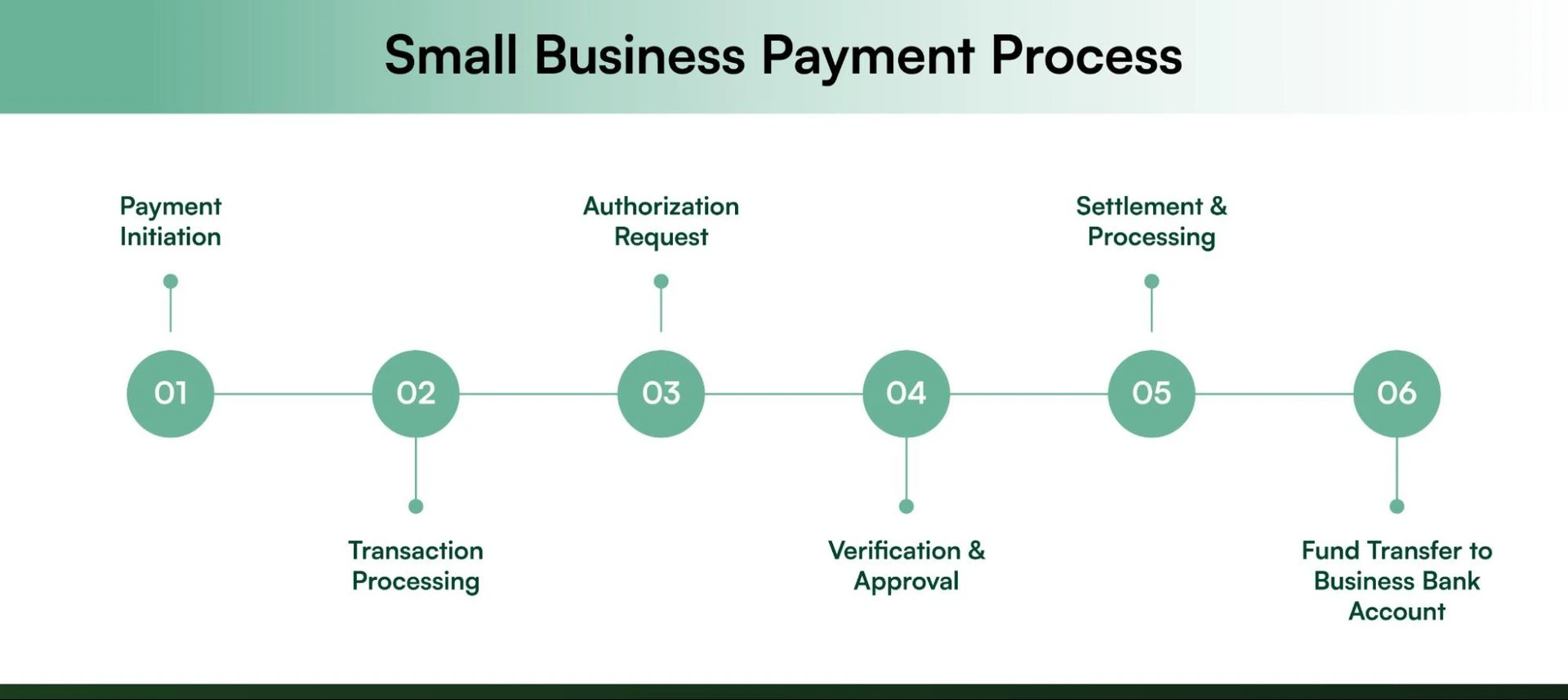
Understanding how small business payment options work is essential for making the right choice for your business. Whether you’re processing credit card payments, ACH transfers, or digital wallet transactions, all payment systems follow a similar behind-the-scenes process to securely move money from your customer’s account to yours.
While this might seem complex, modern small business payment options handle all the technical details automatically.
Here’s what happens every time a customer makes a payment:
- Payment initiation
The customer initiates a payment using a POS system (for in-person transactions) or a payment gateway (for online purchases).
- Transaction processing
The payment system receives the transaction details and encrypts the data before sending it for authorization.
- Authorization request
The payment system forwards the transaction request to the customer’s card-issuing bank or financial institution for approval.
- Verification & approval
The card issuer or bank verifies the transaction, checking for sufficient funds and fraud risks. Once approved, an authorization message is sent back.
- Settlement & processing
The payment system finalizes the transaction, ensuring funds are processed and recorded in the merchant’s account.
- Fund transfer to business bank account
After settlement, the funds are transferred from the merchant account to the business’s bank account, typically within one to three business days.
Now that you understand the process, here’s why choosing the right small business payment options makes such a difference for your business.

8 Factors to consider when selecting a small business payment solution
Did you know that 88% of online shoppers are less likely to return to a website after a bad user experience? One of the biggest factors in customer satisfaction is having a seamless and secure payment system for small businesses.
Whether you run a B2B ecommerce or B2C ecommerce store or a physical shop, choosing the right payment software for small business is essential for smooth transactions, customer trust, and business growth. Here’s what to consider when making your decision:
| Factor | What to consider |
| Transaction fees | Credit cards cost more than debit card payments, ACH transfers are usually cheapest. Calculate based on your typical transaction amounts. |
| Online vs In-person fees | Online transactions often cost more than card swipes. Prioritize low online fees if you’re primarily e-commerce. |
| Pricing structure | Flat rate (same fee per transaction), Interchange-plus (network cost + markup), or Subscription (monthly fee). Choose based on your transaction volume. |
| Customer service | Look for 24/7 support with real humans. Payment issues need immediate resolution. |
| Simplicity & business fit | System should focus on ease of use, match your technical comfort, and business complexity. Don’t overpay for features you won’t use. |
| System compatibility | Must integrate with your accounting software, inventory management, and other tools. Automatic syncing saves hours of manual work. |
| Easy integration | Setup should be straightforward without requiring technical expertise or developers. Goal: Start accepting payments quickly. |
| Security & compliance | Must have PCI-DSS compliance, end-to-end encryption, fraud prevention, and tokenization. Security protects both you and your customers. |
1. Transaction fees
First, think about the transaction rates. These are the extra costs you pay when a customer uses a card. Credit cards, debit cards, and Automated Clearing House (ACH) transactions all have different fees. Credit card fees are usually higher than debit card fees, and ACH transactions can be cheaper. Understanding these differences is vital when selecting business payment services.
2. Online vs. in-person fees
Next, consider the fees for online vs. in-person payments. Some business payment systems charge more for online transactions than for in-person ones. So, if you sell a lot online, look for software with low online fees. This can help save money in the long run.
3. Pricing structures
There are different pricing structures to consider:
- Flat rate: You pay the same fee for every transaction.
- Interchange-plus: You pay the cost from the card network plus a small fee.
- Subscription models: You pay a monthly fee instead of a per-transaction fee.
Think about which pricing model best suits your business. Different business payment services offer different pricing structures, so choose one that aligns with your sales volume and transaction types.
4. Customer service
Choose a reliable payment system with 24/7 support that offers great customer service. If something goes wrong, you need help quickly. Good customer service is essential for smooth business operations and promptly resolving issues.
5. Simplicity and specific business needs
Finally, choose software that is simple to use and meets your specific needs. The best payment processing software for small business should simplify your workflow, not complicate it, whether that’s handling online orders, in-store swipes, or invoicing.
You might not need a complicated system if you have a small store. But if you run an online shop, you need something that handles online payments smoothly. Suitable business payment systems make transactions straightforward and secure for you and your customers.
6. Compatibility with existing systems
Check if the software is compatible with your existing systems. This means it should work well with the tools and software you already use in your business. If you use a specific accounting software, ensure that the payment processing software can easily share data. For example, platforms like WizCommerce offer seamless integrations with popular ERPs like QuickBooks and NetSuite, automatically syncing payment data with your existing workflows. This helps in keeping everything running smoothly and avoids extra work.
7. Ease of integration
Consider how easily the software can connect to your current systems. You want business payment services that can easily plug into what you’re already using without causing problems. For example, if you have a website selling products, the payment software should work smoothly with your website.
8. Security and compliance
Security is one of the most critical aspects of choosing a payment system for a small business. With rising fraud cases and cyber threats, ensuring that your payment software for small business is PCI-DSS compliant (Payment Card Industry Data Security Standard) is non-negotiable.
Key security features to look for:
- End-to-end encryption to protect customer data.
- Fraud detection and prevention tools to minimize risks.
- Tokenization technology for extra security.
- Compliance with industry standards to avoid legal issues.
A secure payment system for small businesses protects both you and your customers, ensuring a trustworthy and hassle-free payment experience.
Now that we’ve covered the basics, let’s explore some top payment system options that small businesses swear by.
Also read: Everything You Need to Know About Sezzle & Its Security Measures
Top 8 best payment processors for small businesses in 2026
With 1.3 trillion non-cash transactions made globally in 2023 and expected to reach 2.3 trillion by 2027, it is more crucial than ever to have dependable, secure payment processing software to take online and cashless payments.
When evaluating the best small business payment solutions in 2026, it’s important to choose a solution that matches your business model. While many of the best payment processing software focus on simple transactions, B2B companies have unique needs like Net payment terms, bulk processing, and complex integrations.
Here’s our analysis of the leading payment options for small businesses, starting with the best solution for B2B operations.
| Provider | Best for | Transaction fees | Key strengths | Main limitations |
| 🏆 WizPay | B2B commerce | Industry-lowest | Net 30/50 terms, AI insights, 24/7 support | Not for micro-retailers |
| Clover | Retail/Restaurants | 2.3-2.6% + 10¢ | Full POS suite, CRM, analytics | Expensive hardware ($49-$1,649) |
| Square | Startups/Small biz | 2.6% + 10¢ | No monthly fees, free hardware | No high-risk merchants |
| Stax | High-volume biz | Interchange + 8-15¢ | 24/7 support, same-day funding | High monthly costs |
| Stripe | Online retailers/International transactions | 2.9% + 5¢ | 135 currencies, developer tools | Requires technical skills |
| Helcim | High-volume biz | Interchange + 0.3% + 8¢ | Volume discounts, no setup fees | No 24/7 support |
| HubSpot payments | CRM-integrated sales | 2.9% + 30¢ | Native CRM integration, sales automation | Limited payment features |
| Payment depot | High-volume processing | Interchange + $59-$199 | Wholesale pricing, no markup | High monthly minimums |
1. WizPay by WizCommerce – Best small business payment option for B2B
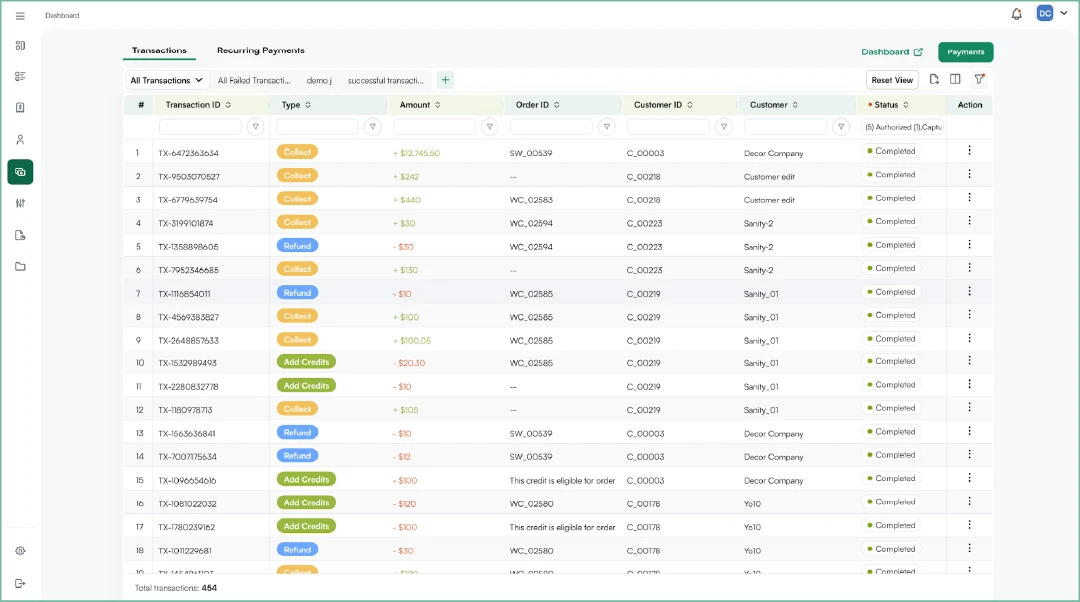
WizPay stands out among small business payment options because it’s specifically built for B2B transactions. Designed for flexibility, security, and cost-effectiveness, it supports multiple payment methods, flexible Net 30/50 terms, and seamless refunds—all at the industry’s lowest transaction fees. Unlike traditional payment processors, WizPay helps businesses get paid faster while reducing costs.
Key features
- Industry-lowest transaction fees – Keep more of your revenue
- Flexible payment terms – Accept payments on Net 30, Net 50, or custom schedules
- Multiple payment methods – ACH, payment links, tap/swipe cards, stored credit details, and offline payments
- Seamless refund processing – Issue refunds directly from the app
- All-device compatibility – Accept payments on mobile, tablet, or web
- Automated account updater – Reduce payment declines by automatically updating expired cards
- Advanced dispute management – Track and resolve chargebacks from your dashboard
- Deep integrations – Syncs with QuickBooks, Xero, and other accounting tools
- Complete ecosystem – Integrates with WizOrder and WizShop for omnichannel operations
- AI-powered insights – Smart reporting and recommendations for better cash flow
See how a wholesale manufacturer cut order processing time from 45 minutes to under 5 minutes and saved 40 hours weekly with WizPay’s flexible B2B payment system.
Pros
- Lowest transaction fees – Keep more of your revenue with cost-effective processing rates.
- 24/7 customer support – Dedicated support team available round the clock.
- Smart reporting & real-time insights – Stay in control of your business finances with detailed analytics.
Cons
- Best suited for B2B businesses – Not ideal for micro-retailers with single-payment transactions.
2. Clover
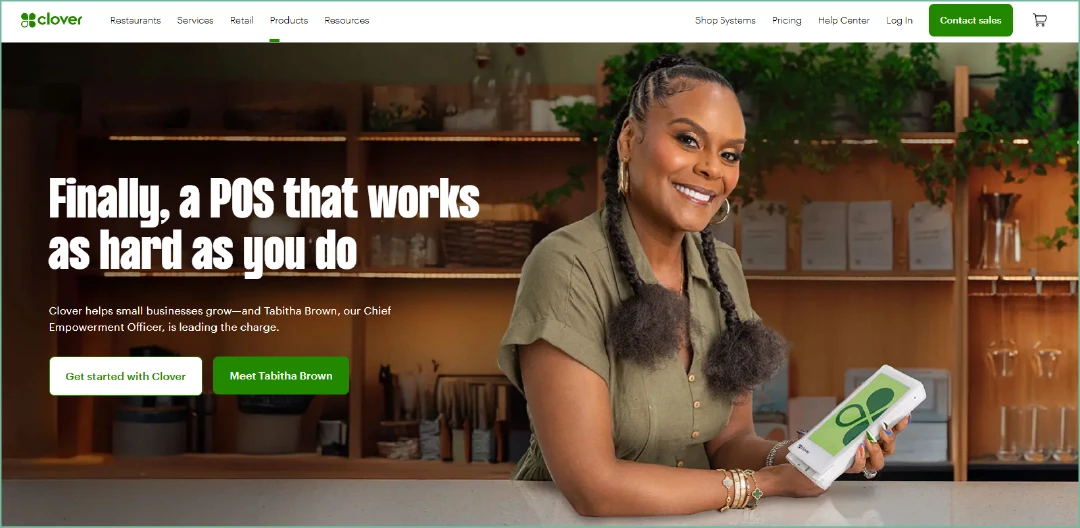
Clover is a comprehensive POS system provider that launched in 2012, offering both hardware and software solutions for businesses that need full point-of-sale functionality. It charges 2.3% to 2.6% plus 10¢ for in-person payments and 3.5% plus 10¢ for online payments.
Key features
- Free POS software and mobile card reader
- Comprehensive POS systems
- Free invoicing tools
- API integrations for customization
- Specialized solutions for retail and restaurants
Pros
Clover provides extensive features that support various business operations. It excels in inventory management, employee scheduling, and customer relationship management with integrated CRM and offers advanced analytics for better business insights. This makes Clover a versatile partner for businesses seeking comprehensive payment processing solutions.
Cons
Cost is a significant consideration for small businesses, and Clover can be expensive. Monthly software subscription fees can go up to $69.95, higher than many competitors. Additionally, the cost of POS hardware, ranging from $49 to $1,649, can be prohibitive for small business owners.
3. Square
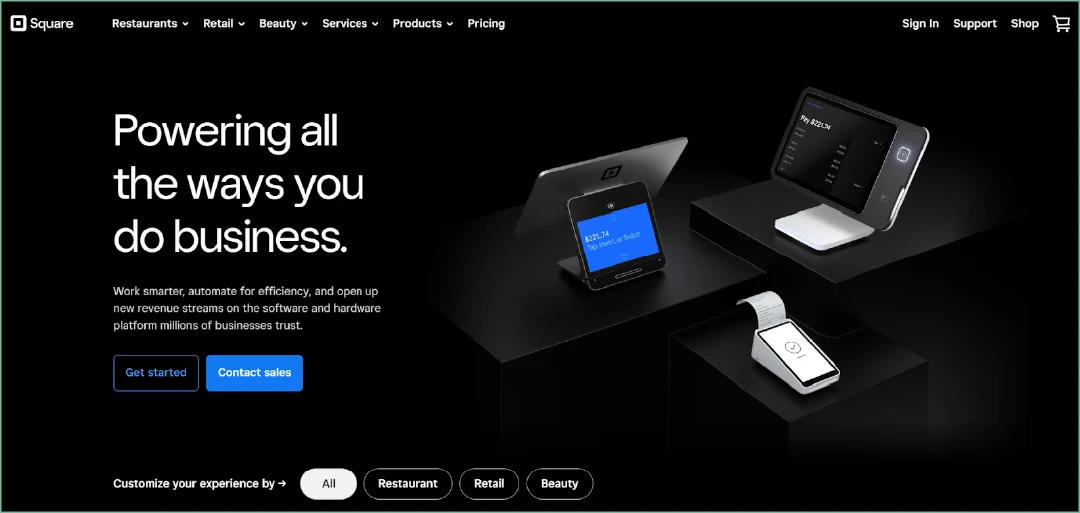
Square is an affordable small business payment option that operates on a flat-rate pricing model with no monthly subscription fees. Square charges 2.6% plus 10¢ for in-person transactions and 2.9% plus 30¢ for online transactions.
Key features
- Comprehensive POS systems
- Free invoicing tools
- Complimentary mobile card reader
- API integrations for customization
- Detailed analytics and reporting
- Specialized software solutions for retail and restaurants
Pros
Square’s cost-effective pricing is a significant advantage, with no fees for early termination, activation, refunds, or chargebacks. Additionally, Square does not charge for monthly subscriptions or PCI compliance, which ensures secure payment transactions. Users also benefit from free POS software and a mobile card reader, making it an attractive option for startups and small businesses.
Cons
Square does not support high-risk merchants, limiting its applicability to businesses flagged as having a higher risk of fraud or chargebacks. Furthermore, 24/7 customer support is only available with Square’s paid plan options, which might be a drawback for some users.
4. Stax by Fattmerchant
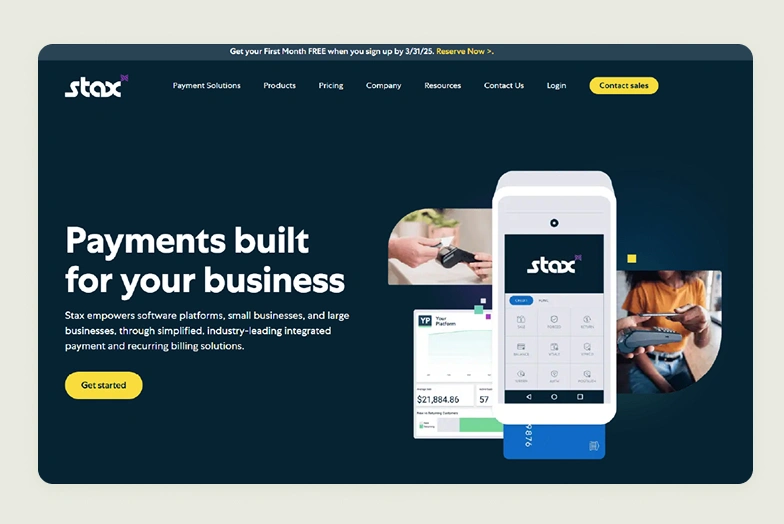
Stax is a business payment services provider that operates on a membership model, charging businesses a monthly subscription fee between $99 and $199. In addition to this fee, businesses pay interchange fees and a per-transaction fee ranging from 8¢ to 15¢.
Key features
- Round-the-clock customer support for continuous assistance
- Advanced Point of Sale (POS) systems to streamline transactions
- Secure physical credit card terminals
- Complimentary virtual terminal for online transactions
- Versatile payment gateways for various payment methods
- Options for same-day funding to improve cash flow
- Ensured PCI compliance for transaction security
- Fully integrated merchant accounts for seamless operation
Pros
Stax’s key advantages include 24/7 customer service and same-day deposit options. PCI compliance ensures secure transactions. The interchange-plus pricing structure, which avoids additional percentage-based processing fees, can be particularly cost-effective for businesses with high transaction volumes. Additionally, Stax does not require long-term contracts, offering businesses flexibility.
Cons
The flat-rate monthly subscription fee of $99 to $199 may not be economical for businesses with low transaction volumes. Moreover, Stax does not cater to high-risk merchants, limiting its applicability to some business types.
5. Stripe
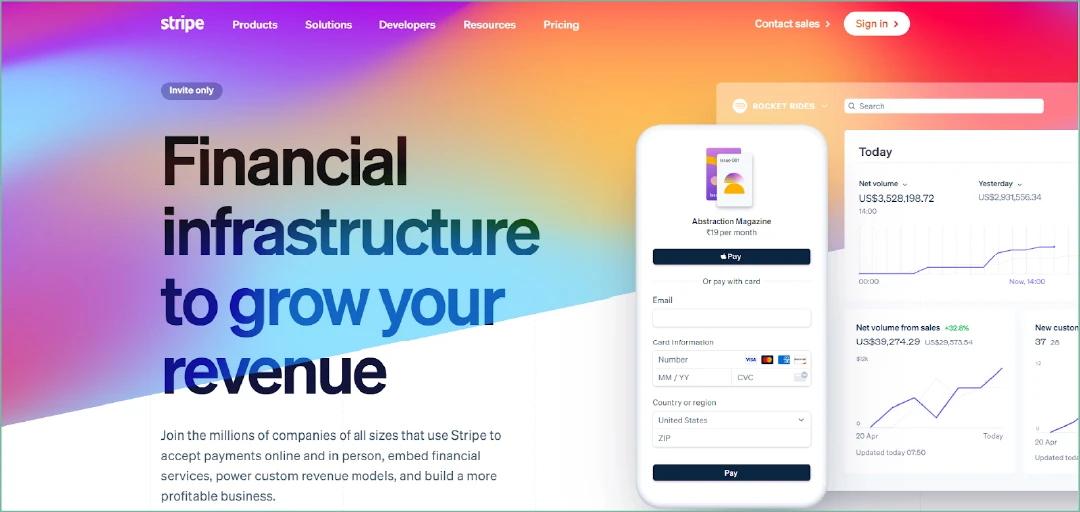
Stripe is a credit card processing company and payment business services that uses a flat-rate pricing model, charging 2.9% plus 5¢ for online payments and 2.5% plus 30¢ for in-person transactions.
Key features
- Offers a virtual terminal for online payments.
- Provides a physical terminal for in-person transactions.
- Includes a vast library of platforms and extensions.
- Supports international payments in over 135 currencies.
- Provides 24/7 customer service.
- Integrates billing and invoicing capabilities.
Pros
Stripe doesn’t charge monthly subscriptions or set-up fees and provides 24/7 customer service. It supports payments in 135 different currencies and offers various extensions for sales analytics, inventory management, customer management, and tax calculation. Additionally, Stripe includes invoicing and billing functions within its platform.
Cons
Stripe isn’t suitable for high-risk merchants. Moreover, its application programming interface (API) requires more software development skills than many competitor platforms.
6. Helcim
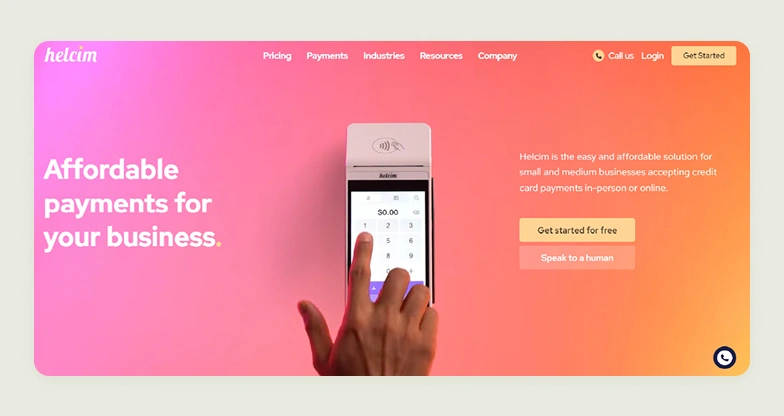
If you are looking for a business payment services provider, consider Helcim. They charge interchange fees plus 0.3% of your total transaction cost and 8¢ per transaction for in-person payments. For keyed transactions, interchange fees plus 0.05% of the total transaction cost and 25¢.
Key features
- Ensures PCI compliance to keep your transactions secure.
- No monthly fees, ensuring cost-effectiveness.
- Provides integrated merchant accounts for seamless processing.
- Offers a virtual terminal for convenient online transactions.
- Includes a POS system for in-store payments.
- Allows processing through mobile devices for flexibility on the go.
Pros
Helcim doesn’t charge a monthly subscription, set-up, PCI compliance, or cancellation fees. Plus, if your business processes more than $25,000 in transactions a month, you get discounts.
Cons
They don’t support high-risk merchants or provide 24/7 support. Also, their volume discounts suit high-volume businesses better than low-volume ones.
7. HubSpot Payments
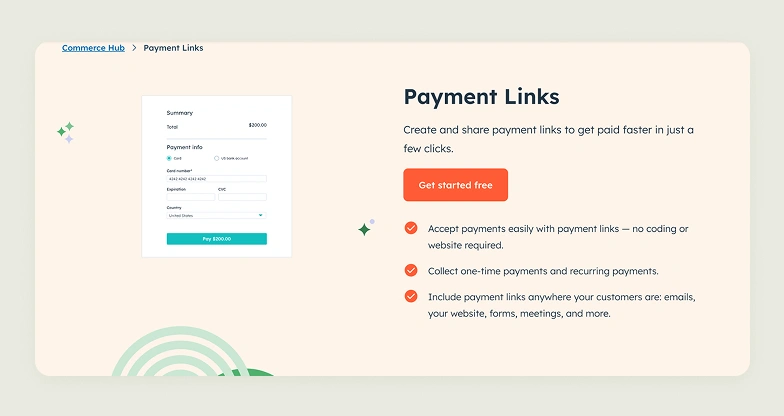
HubSpot Payments is designed for businesses already using HubSpot’s CRM and sales tools. It charges 2.9% plus 30¢ for online transactions and integrates seamlessly with HubSpot’s ecosystem for streamlined sales and payment management.
Key features
- Native integration with HubSpot CRM and sales tools
- Automated payment tracking within customer records
- Sales pipeline integration for payment status
- Built-in invoicing and quote-to-payment workflows
- Reporting that combines sales and payment data
- Payment links for easy customer transactions
- Recurring payment capabilities for subscriptions
Pros
HubSpot Payments offers seamless integration with one of the most popular CRM systems, making it ideal for sales-focused businesses. The platform automatically tracks all payment activities within customer records, provides unified reporting across sales and payments, and simplifies the quote-to-payment process.
Cons
HubSpot Payments is US-only and requires a paid HubSpot subscription. Each account supports only one payment setup across all brands. It’s designed for digital goods (software, services, courses) and doesn’t calculate taxes or shipping for physical products. Sandbox accounts aren’t supported.
8. Payment Depot
Payment Depot operates on a membership model with monthly fees ranging from $79 to $199, plus interchange fees. This wholesale pricing approach can be cost-effective for businesses processing high transaction volumes by eliminating markup on interchange rates.
Key features
- True interchange-plus pricing with no markup
- Monthly membership model ($59-$199)
- Transparent wholesale rate structure
- Next-day funding available
- PCI compliance support
- Virtual terminal for phone/mail orders
Pros
Payment Depot’s wholesale pricing saves money for high-volume businesses by charging actual interchange rates plus a fixed monthly fee with no markup. Transparent pricing with no hidden fees, dedicated account managers, and strong integration options.
Cons
Monthly fees make it unsuitable for low-volume businesses. Requires $10,000+ monthly processing to justify costs. More complex setup and requires understanding of interchange rates compared to simple flat-rate processors.
Also read: B2B Best Payment Platforms & Solutions for 2026
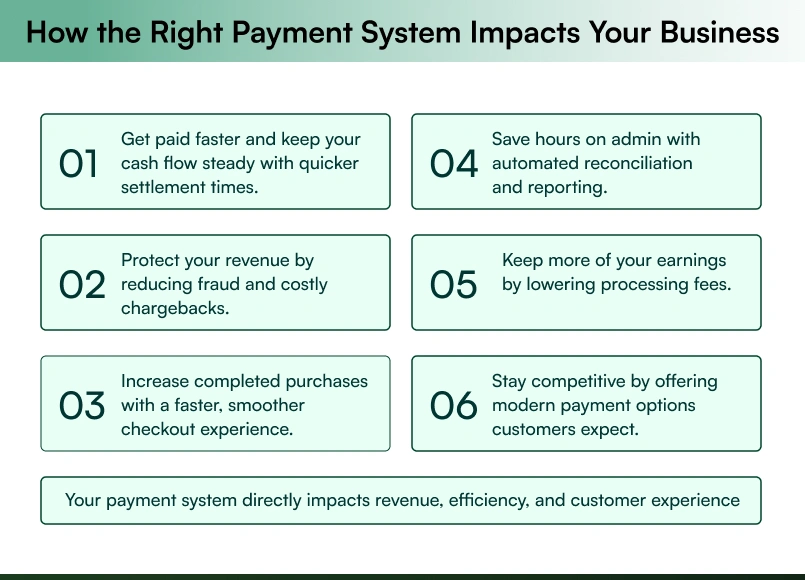
Avoid these payment processor red flags
Choosing the wrong payment processor can cost your business thousands. Watch for these critical warning signs:
Unrealistic pricing promises: If it sounds too good to be true, it probably is. Always ask for the complete fee structure, including monthly charges and setup costs.
Poor customer service: Slow responses and unhelpful sales teams indicate even worse post-sale support. Look for 24/7 support with real humans.
No integration options: Modern payment processors should connect with your accounting software, CRM, and inventory systems. No integration means wasted hours on manual work.
Lengthy contracts: 2-3 year contracts with hefty termination fees trap growing businesses. Choose month-to-month or short-term agreements instead.
No transparent fee structure: Vague pricing like “competitive rates” without specifics usually means hidden fees. Every cost should be clearly explained upfront.
Limited payment methods: Customers expect credit card transactions, digital wallets like Apple Pay and Google Pay, ACH transfers, and mobile payments. Basic credit-only processors limit your growth.

Choose WizPay for Superior Small Business Payment Processing
While many payment processors handle basic transactions, a B2B payment solution like WizPay by WizCommerce is specifically engineered for modern B2B commerce with features most competitors lack.
Here’s what sets WizPay apart:
- Competitive low fees designed for B2B transaction volumes
- Advanced B2B features like Net 30/50 terms and bulk processing that most payment processors don’t offer
- AI-powered insights that increase average order values by 25%
- Complete ecosystem integration with WizOrder (our sales rep order management platform) and WizShop (our customer-facing B2B ecommerce portal) for seamless omnichannel operations
- Level 3 credit card processing for additional savings on large B2B transactions
Ready to transform your payment processing? Book a free demo and join the 1,000+ businesses that trust WizCommerce for their payment needs.
Frequently Asked Questions About Small Business Payment Options
Which payment processor has the lowest fees for small businesses?
The payment processor with the lowest fees depends on your business model. For B2B operations, WizPay by WizCommerce stands out among the best payment processors for small businesses in 2026, offering industry-lowest transaction fees designed for wholesale and bulk transaction volumes. Helcim and Payment Depot also offer competitive interchange-plus pricing at higher monthly volumes.
What are the fastest payment options for small businesses?
The fastest small business payment options are digital wallets like Apple Pay and Google Pay, processing transactions in one to three seconds. For fund settlement, same-day funding offered by processors like WizPay and Stax ensures money reaches your business bank account faster than standard one to three business day processing timelines.
Are there all-in-one payment solutions for small businesses?
Yes, all-in-one small business payment solutions handle online, in-person, and mobile transactions from a single platform. WizPay by WizCommerce combines payment processing, Net 30/50 terms, ACH transfers, and seamless QuickBooks and Xero integration into one unified system built specifically for B2B commerce operations and omnichannel businesses.
Which payment systems are most secure for small businesses?
The most secure and best payment processing software for small businesses carries PCI-DSS compliance, end-to-end encryption, tokenization, and fraud detection as standard features. WizPay by WizCommerce provides enterprise-grade security with AI-powered fraud detection and an automated account updater that reduces payment declines, protecting both business revenue and customer data consistently.
How do you take payments for a small business?
Small businesses can accept payments via credit and debit cards through POS systems, ACH bank transfers, digital wallets, and invoicing software for B2B transactions. Finding the best payment system for a small business means choosing a processor like WizPay that consolidates all these methods into one platform, simplifying operations and reducing administrative workload significantly.
What are the 5 modes of payment?
The five main payment modes for small businesses are credit and debit cards, ACH bank transfers, digital wallets, cash, and checks. When evaluating the best small business payment options, ACH transfers offer the lowest cost for large transactions, while digital wallets deliver the fastest checkout experience for customers both online and in-store.
Do I need separate systems for online and in-person payments?
No, you do not need separate systems for online and in-person payments. Look for omnichannel solutions that sync online and offline transactions into one unified system. WizPay excels here by integrating online payments, in-person processing, and mobile transactions while connecting with your existing business tools for complete operational visibility.