 Skip to content


Here’s a look at everything new this month across the WizCommerce platform. This release includes updates across WizOrder, WizShop, AI Order Entry Assistant (Ella), and WizStudio.
This month’s updates:
1. Attribute Level Product Segments
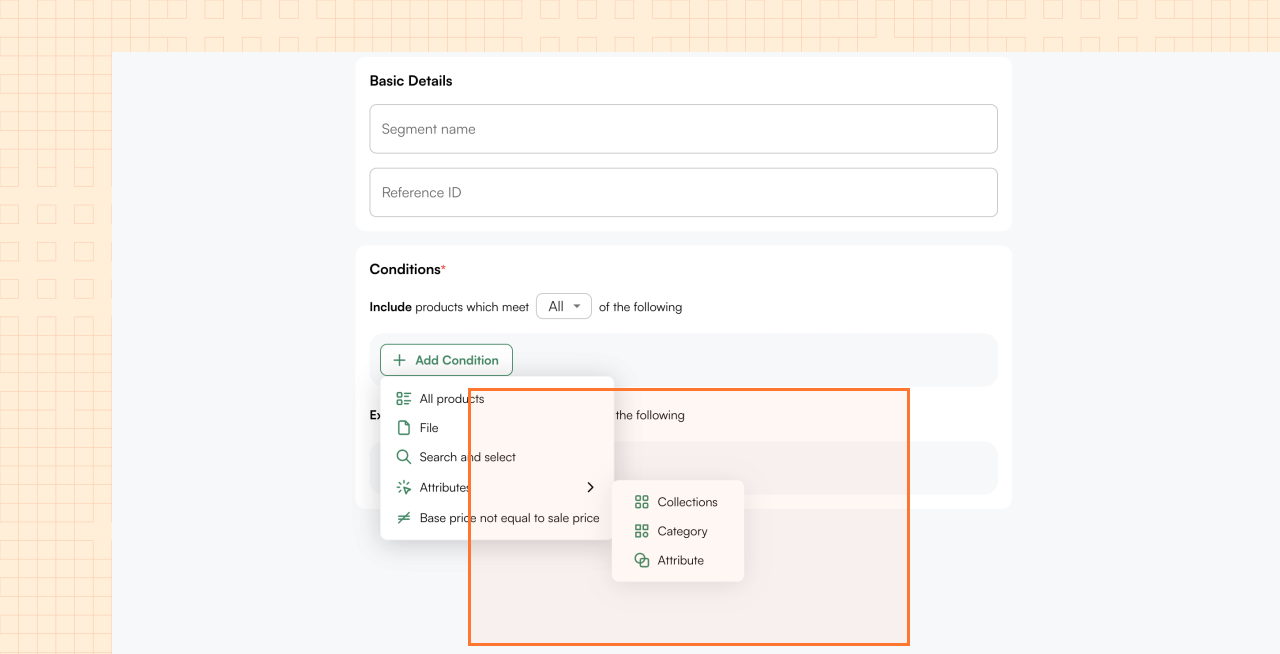
When building a discount or promotion, you often need to target a very specific slice of your catalog. Until now, you could only define product segments by collection or category — which is too broad for many use cases.
Now you can filter by any product attribute in your PIM. Say you want to run a promotion on all blue sofas under a certain size, or exclude all products that ship from a specific warehouse. You can now do that.
You can stack multiple attribute conditions and apply the same logic to exclude products too.
The result: far more precise segments for teams with complex, varied catalogs.
Available for accounts with the Discount Engine enabled. Contact your CSM to turn it on.
2. Order Eligibility Criteria for Cart Discounts
Cart discounts in WizCommerce let you offer a percentage or dollar discount on the total cart.
But sometimes you only want that discount to apply under specific order conditions — not every time a qualifying customer checks out.
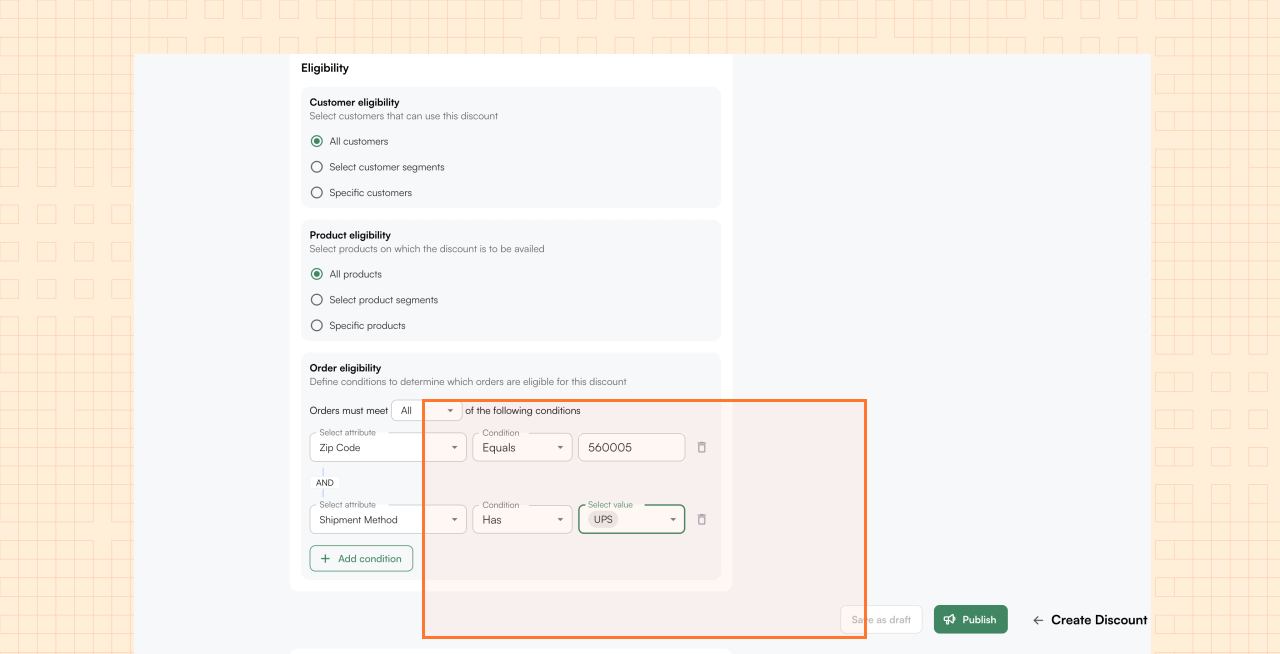
For example: you might want to offer a 10% discount only on orders shipping to certain zip codes, because it saves you freight costs and you’re passing the savings on.
Previously, there was no way to set that condition — the discount would show up for every qualifying cart. Now, you can add order-level eligibility rules.
When those conditions are met, the cart gets routed to the Drafts section so a rep can review it and take action, rather than the discount appearing automatically on the cart. For all other carts, behavior stays exactly the same.
This gives your team far more control over when and how discounts are applied at the order level.
Available for accounts with the Discount Engine enabled. Contact your CSM to turn it on.
3. Reference ID for Discounts
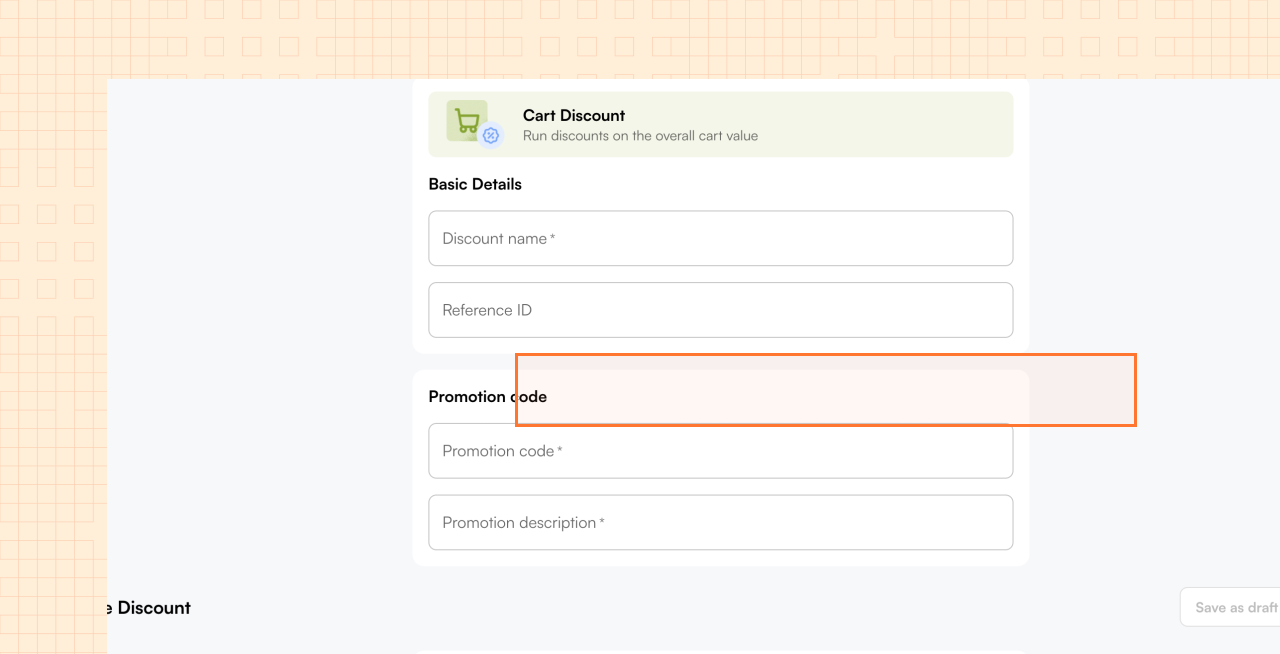
Every discount you create in WizCommerce can now have a custom Reference ID attached to it.
This is an optional field — alphanumeric, special characters supported — that you define yourself. Think of it like a tag that connects your WizCommerce records to your ERP or internal systems.
For example, if your ERP tracks a promotional campaign under the code “SUMMER26-EAST”, you can add that same ID to the corresponding discount in WizCommerce. When you pull a report or export data later, you’ll know exactly which discount maps to which campaign — no guesswork.
It’s especially useful for operations teams managing a large number of discounts and segments across different systems.
Available for accounts with the Discount Engine enabled.
4. Contract Pricing
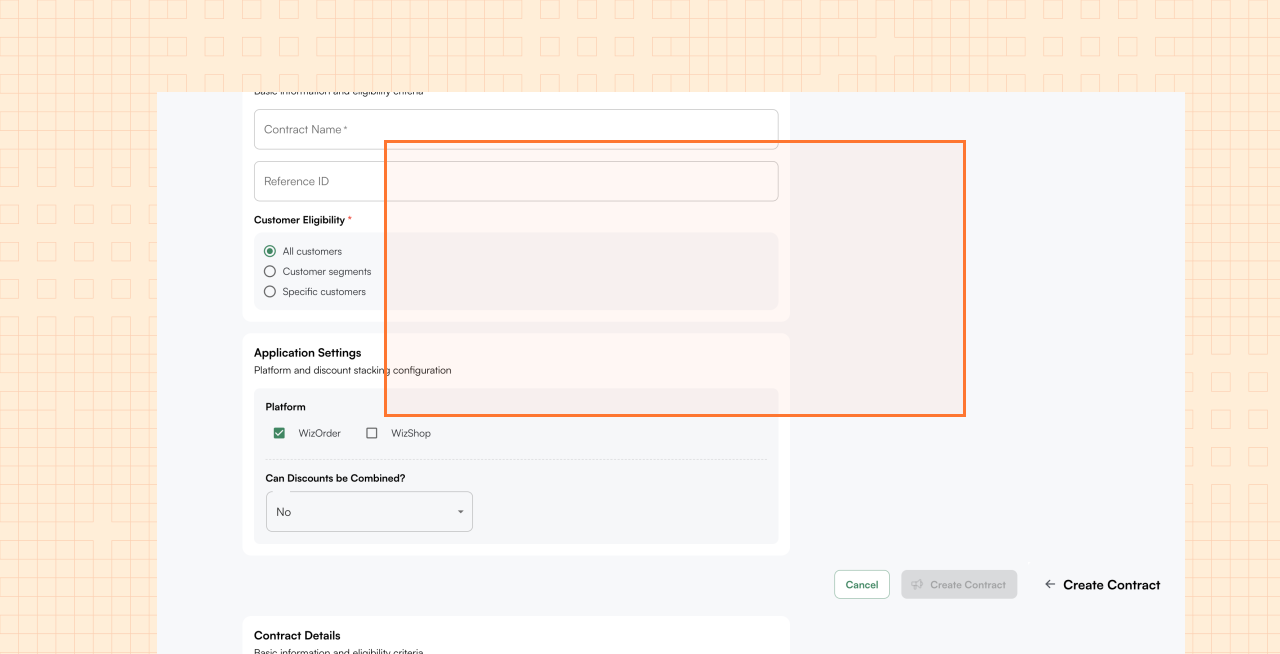
In wholesale, it’s common to have negotiated pricing with specific buyers — a customer who buys in volume gets $80 on a product you normally sell at $100. Managing that today often means reps manually overriding prices on every order, which is error-prone and time-consuming.
Contract Pricing automates this. You create a contract in WizCommerce — select the customer or customer segment, add the products, set volume tiers (e.g. 1–20 units at $90, 21+ at $75), and define a validity window.
From that point, whenever that customer places an order, the agreed price is applied automatically — no rep intervention needed. You also control whether additional discounts can stack on top of the contract price, or whether contracted products are fully excluded from discount calculations.
Contracts work across both WizOrder and WizShop, so the right price shows up regardless of how the customer is ordering.
Enabled by your CSM via a feature flag. Once live, admins can manage contracts under Org Settings → Subscriptions.
5. Open Carts
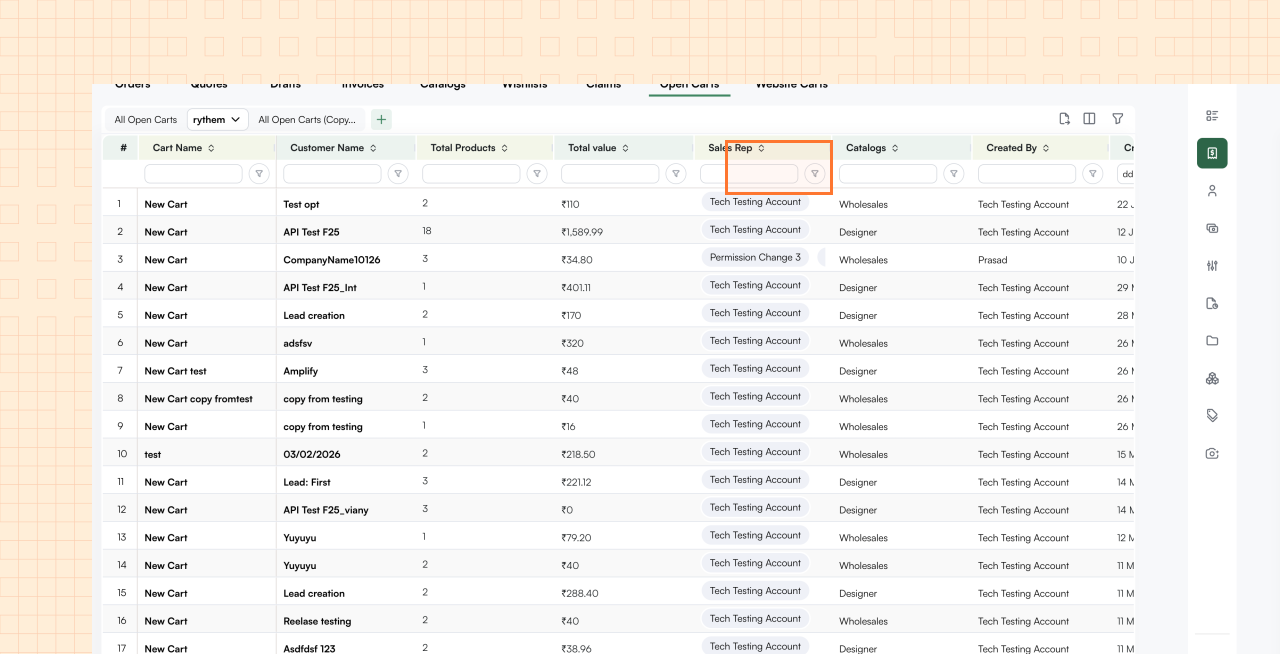
When a buyer logs into your WizShop storefront and adds items to their cart but never checks out, that’s a missed sale. The problem is that until now, there was no easy way for reps to see which customers had open, unfinished carts — they’d have to click into each customer profile individually.
The new Open Carts table under Sales gives you a single view of every active cart across your entire customer base – for both WizShop and Wizorder. You can see the cart name, the customer it belongs to, how many products are in it, the total cart value, and which rep is assigned.
Click the cart to jump directly into it and help the customer complete the order, or click the customer name to open their full profile. The same view is also available from within each individual customer’s profile.
Available on web and mobile, enabled for all accounts by default. No setup required.
6. First & Last Order Columns
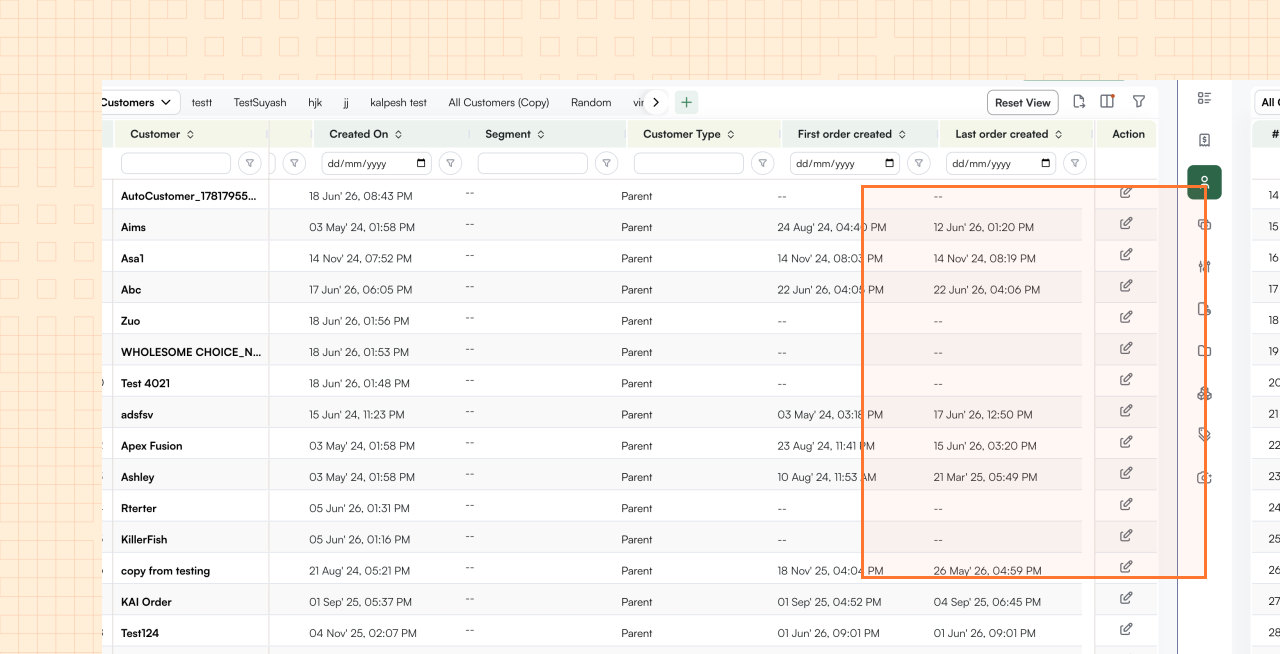
Knowing whether a customer is still actively buying from you — or has gone quiet — is one of the most basic things a sales rep needs to know.
Two new columns — First Order Created and Last Order Created — fix this. First Order Created shows the date of the customer’s very first purchase. Last Order Created shows the most recent one. Both are sortable and filterable, so you can quickly pull up every customer who hasn’t placed an order in the last 60 days, or find your newest buyers.
Importantly, both columns count orders from all channels — whether the order was placed by a rep in WizOrder or by the buyer directly on your WizShop storefront.
No setup required. Both columns are visible by default and can be hidden via the column toggle if needed.
7. Improved Customer Forms
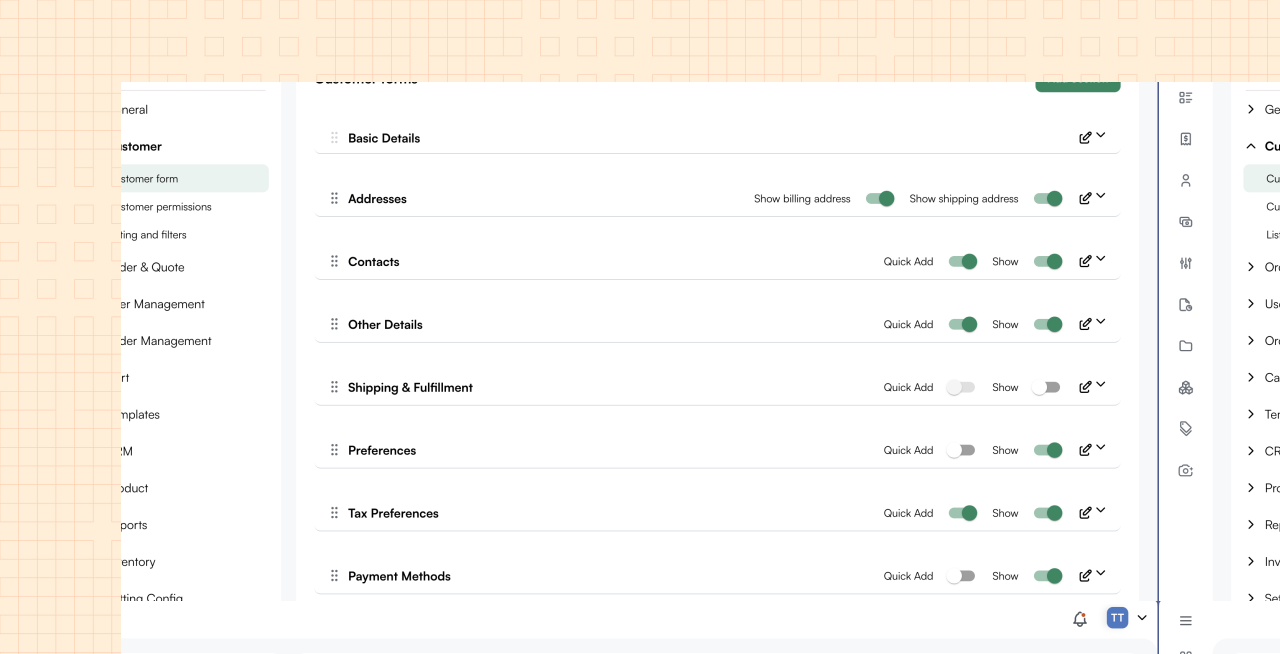
As your team collects more information on customers — tax details, compliance fields, internal account codes, shipping preferences — the customer record can start to feel like a long, overwhelming list of fields. There’s no structure, no grouping, and reps waste time scrolling to find what they need.
Admins can now create named sub-sections inside the Customer form, just like you already could on the Order form.
For example, you could create a “Billing Information” sub-section with your payment-related fields, a “Compliance” sub-section for tax and certification fields, and a “Shipping Preferences” sub-section for logistics details. You control the name, which fields belong to each section, and whether each section is visible. It takes just a few minutes to set up directly in Org Settings — no backend help needed.
Available by default on WizOrder and Offline Mode. WizShop support is coming in a future release.
8. Quick Filters
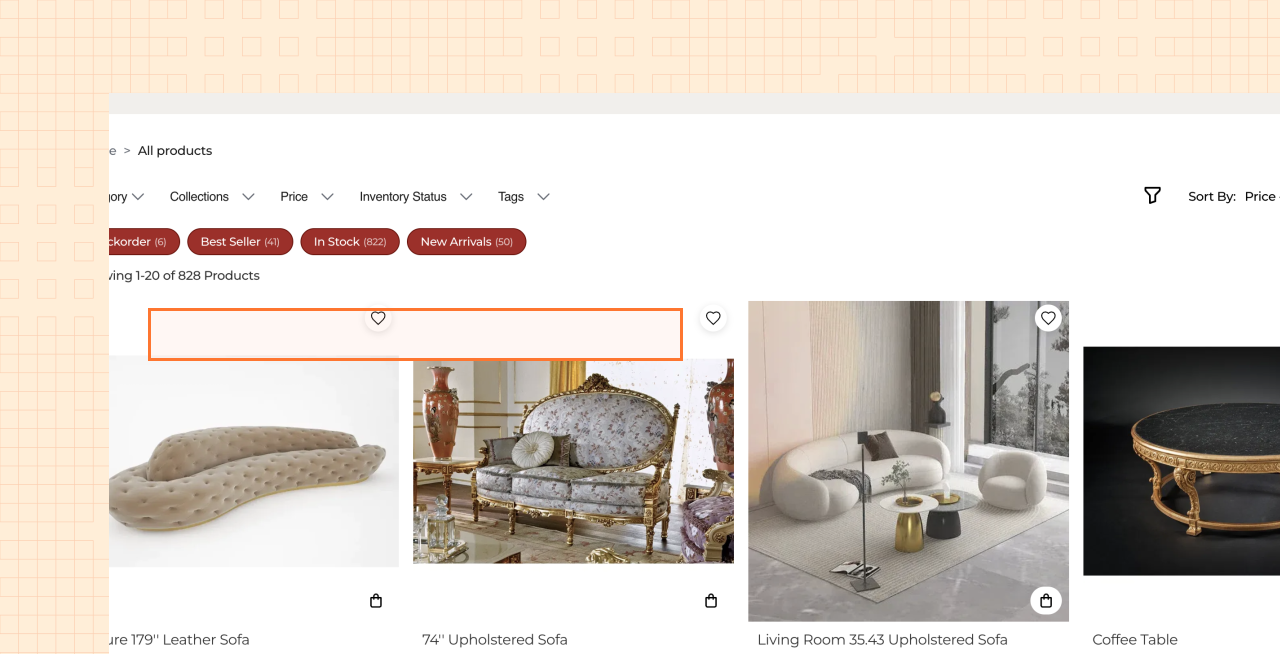
On a B2B storefront running on the WizShop, the B2B e-commerce portal, buyers often come back with a very specific thing in mind – they want to see what’s new, find bestsellers, or filter by a particular brand. Today that means opening the sidebar, finding the right filter, scrolling through options, and ticking a value. It’s friction that adds up across every visit.
Quick Filters let you pin your most useful filters as one-click chip buttons at the top of the product grid. As an admin, you go to the Filter Permission table in WizCommerce platform, find any filter — say “Product Tags” — and toggle it on as a Quick Filter. That filter then appears as a clickable chip above your storefront’s product grid.
The filter logic stays the same as the sidebar — there’s no change to how filtering works, just how quickly buyers cvan access it.
9. Klaviyo Integration

Most wholesale businesses lose revenue to buyers who browse, add to their cart, and disappear — or who placed an order three months ago and haven’t come back. Following up on all of these manually isn’t realistic. That’s exactly what Klaviyo automations are built for.
WizShop now connects directly to Klaviyo, syncing buyer activity in real time. Every meaningful action — viewing a product, adding to cart, starting checkout, placing an order — flows into Klaviyo automatically.
From there, your marketing team can run the flows you’d expect: a cart abandonment email that triggers 30 minutes after a buyer drops off, a post-purchase thank you, a win-back campaign for customers who haven’t ordered in 90 days.
Buyer profiles are built in Klaviyo with email, phone, and account details from WizShop. Each tenant uses their own Klaviyo API key, so accounts stay separate.
Setup is handled by the Implementation team using your Klaviyo API keys. Available on request.
10. Quote & Order Detection — Ella
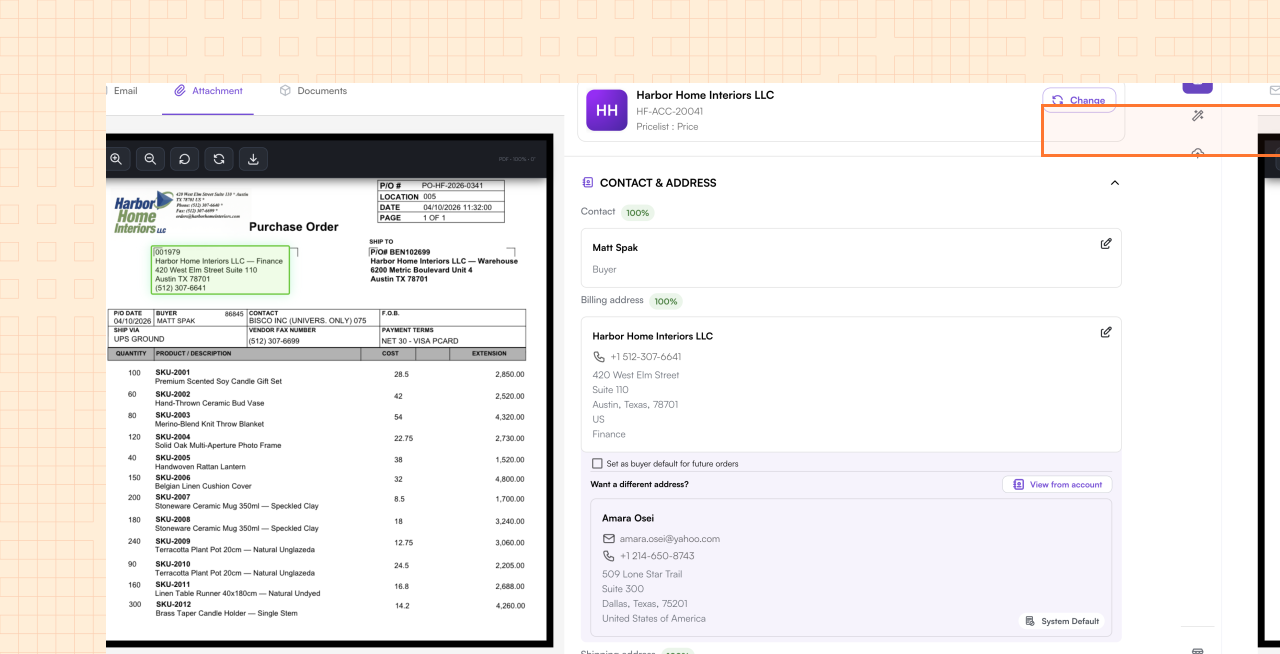
Not every email that lands in your inbox is a purchase order. A meaningful portion are quote requests — a buyer asking for pricing on a list of products before committing to an order. Until now, Ella had no way to handle these. They’d either get misclassified as purchase orders and fail processing, or get manually pulled out of Ella and handled over email.
Ella can now automatically detect whether an incoming email is a purchase order or a quote request. When a quote comes in, Ella routes it into a dedicated quote flow — extracting the line items, quantities, and any pricing the buyer has specified, exactly as it does for orders.
Reps review the extracted data, resolve any pricing gaps using a fallback pricing chain (customer price list → default price list → cost + markup), and submit the quote to the ERP.
If the quote is from a new prospect who doesn’t yet have a customer record, reps can create a Lead directly from the review screen without prematurely adding them to the ERP. Reps can also manually toggle any record between PO and quote mode if Ella gets it wrong.
