Skip to content



Behind every beautifully designed jewelry piece lies a complex operational reality.
In the jewelry business, inventory management is uniquely challenging because you aren’t just tracking finished products. You are managing thousands of tiny, high-value components like gemstones, bindings, and precious metals. The last thing you want is to promise a customer a stunning piece of jewelry only to realize you are missing the necessary materials to build it.
Without a solid jewelry inventory system, the risks are high. Misplacing even a single small item can lead to direct financial waste, while poor tracking causes production blockers and overselling. Effective jewelry inventory management bridges the gap between chaotic production and profitable growth. It ensures you know exactly when to reorder supplies to prevent overstocking, helps you secure your high-value assets, and provides the data you need to predict seasonal demand.

What should you track in jewelry inventory management?
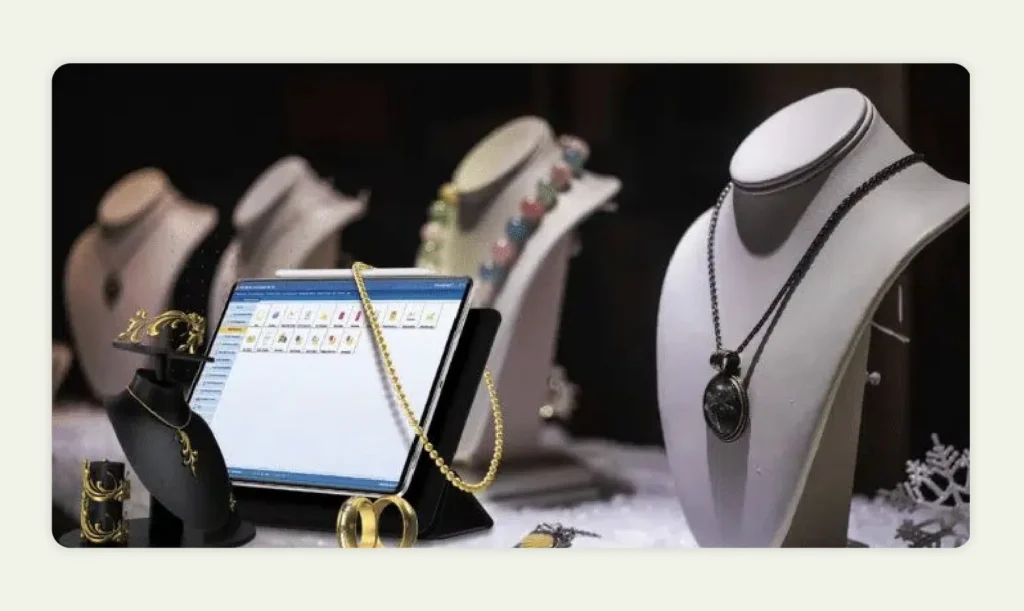
In jewelry inventory management, tracking every component involved in the production process is vital. This includes raw materials, finished products, and supplementary items (like packaging and labels).
1. Raw materials
These are the building blocks of your business. Because they are often small and purchased in bulk, they are the hardest to track but the most critical for production. Common raw materials include:
- Beads: These can be made of glass, wood, metal, or even gemstones.
- Stones: Precious and semi-precious stones range from diamonds to more affordable options like amethyst or turquoise.
- Bindings: Small components that hold your jewelry together, such as clasps, jump rings, and earring hooks.
- Wire: Whether it comes in gold, silver, or copper, wire is essential for stringing beads.
2. Finished products
These are new pieces that are ready to be sold to your customers (such as necklaces, bracelets, rings, earrings, or even sets). They should be cataloged separately from your raw materials. Your log for finished goods needs to include details like the materials used, the quantity available, and any unique features.
Sets should be tracked separately from individual items to avoid confusion. If a necklace and earring set is sold, your inventory must deduct that specific SKU, not just the individual components.
3. Supplementary items
These are often overlooked but affect your bottom line and customer presentation. These include packaging materials like boxes, bags, and labels.
- Samples: Samples are often used for marketing purposes or to show potential buyers your range of products. You should keep track of samples to monitor how many are in circulation and when it might be time to produce more.
- Test Products: Test products are created to see how the design looks and functions. You must keep track of these to refine your designs and prepare for full-scale production.
How to set up jewelry stock management in Excel
Microsoft Excel has been a popular tool for documenting complex operations. With a well-organized spreadsheet, you can monitor your stock and sales, prevent losses, and help your business run smoothly. The beauty of Excel is that you can customize your tracking system to fit your specific needs. You can create formulas to automate calculations, use filters to sort data, and generate reports to analyze your stock levels.
To get started, you need to set up a “Master Inventory” sheet. First, you need to set up a jewelry inventory Excel spreadsheet with the right columns. Each column represents a different aspect of your inventory.
Essential columns to create
- SKU (Stock Keeping Unit): This is a unique code assigned to each item. The SKU helps you quickly identify and track items, especially if you have similar products. Avoid using generic names; use a code like “NECK-GLD-001” for a gold necklace.
- Description: Include a brief description of the item. For jewelry, this might be “Gold Bead, 5mm” or “Silver Chain, 18 inches”.
- Quantity: This column tracks how many units you currently have in stock. Keep this updated so you don’t run out of essential materials.
- Location: If you store materials in different places, note the location (e.g., shelf number or box label). This prevents the “I know we have it, but I can’t find it” scenario.
- Cost: Record the unit cost of each item, including shipping fees, to track expenses and set retail prices of your finished products.
- Date Acquired: Note the date when you purchased or received each item. This helps in managing stock rotation, so older materials are used first.
- Date Used/Sold: Track when an item is used in production or sold. This allows you to monitor inventory turnover and identify popular items.
- Notes: A flexible column where you can add any additional information, such as supplier details, reordering reminders, or special instructions for using the material.
Best practices for your spreadsheet
A well-organized Excel template for jewelry inventory is essential for efficient management.
- Use consistent naming conventions: Stick to a consistent format when naming your items. For example, always use “Gold Bead, 5mm” rather than switching between “5mm Gold Bead” and “Bead, Gold, Small”.
- Highlight important information: Use Excel’s formatting tools to highlight key data. For example, you could use bold text or a different color for items that are running low or are due for reordering.
- Include visual cues: Consider adding color-coded cells to represent different statuses (e.g., green for in-stock, yellow for low stock, red for out-of-stock).
- Keep it simple: Don’t clutter your spreadsheet with unnecessary information. Stick to the essentials and keep your labels concise and to the point.
Also read: 8 Key Jewelry Industry Trends You Must Know in 2026.

How to keep an accurate inventory log
Setting up the sheet is the easy part; maintaining it is where the real work happens. You must keep track of your inventory at the right time and schedule to stay on top of your stock levels and avoid any surprises.
1. Establish a counting schedule
- Daily tracking: If your inventory turns over quickly or you’re dealing with high-value items (like loose diamonds or gold), consider updating your inventory log daily. This minimizes the window for theft or loss to occur unnoticed.
- Monthly tracking: For most businesses, a monthly inventory is enough. This schedule works well if your inventory is relatively stable and you’re looking to keep a steady eye on your stock.
- Quarterly and annual tracking: Larger businesses or those with slower-moving inventory might opt for quarterly or annual checks. This helps you get a broader view of your inventory, assess trends, and make decisions about reordering or discontinuing certain materials.
2. Managing the log effectively
Spreadsheets are a tried-and-true method for managing inventory because they are easy to set up and accessible to everyone on your team. Adding or removing items from your inventory log is as simple as typing in a new number. You can quickly adjust quantities, update prices, and add new materials.
However, accuracy requires discipline. Every time a bead is used in a necklace or a necklace is sold at a fair, the sheet must be updated. Spreadsheets are easily shared across your team, and with cloud storage options like Google Sheets, your inventory log can be accessed from anywhere. Ensure that only authorized team members can edit the “Master” sheet to prevent accidental deletions.
How to use your inventory data
By analyzing trends in your sales and inventory levels, you can determine what products are in demand and what materials you need to keep in stock.
Forecasting and sales analysis
- Identify best sellers: Look at your inventory data to see which jewelry items are selling the most. This tells you where to focus your design efforts.
- Forecast seasonal demand: Jewelry sales often fluctuate with trends like holiday gifts or summer wedding accessories. You can use your inventory data from previous years to predict which materials will be in high demand during specific times of the year.
- Optimize purchasing: Instead of making impulse buys or purchasing materials in bulk without a plan, use your data to buy just what you need, when you need it.
Adjusting production schedules
By keeping a close eye on your stock levels and sales trends, you can adjust your production to meet demand.
- Ramp up: If your data shows that certain items are consistently low in stock, it’s a sign that you need to ramp up production.
- Scale back: If your inventory data reveals that some items are sitting on the shelves for too long, you might want to scale back production.
- Clearance: If certain items are moving slowly, consider discounting them or bundling them with other products to clear them out.
Also read: Proven Strategies for Inventory Management in Manufacturing
Limitations of using Excel for jewelry inventory management in 2026
While Excel is a fantastic starting point, it has severe limitations that become painful as you scale. In 2026, when customers expect instant gratification and omnichannel availability, a static spreadsheet often cannot keep up.
- Human error: Excel relies 100% on manual entry. One “fat finger” typing 100 instead of 10 can throw off your entire valuation and production plan.
- No real-time sync: If you sell a necklace at a trade show and forget to update the sheet until Monday, you might accidentally sell the same necklace online over the weekend. Excel cannot sync your physical sales with your digital channels automatically.
- Lack of visuals: “Gold Chain 18 inch” might describe five different products. Excel is not built to display high-resolution images next to every SKU, making visual identification difficult for new staff.
- Version control nightmares: Even with cloud sharing, having multiple people editing a sheet often leads to broken formulas, overwritten data, and “Conflicted Copy” files.
- Growth caps: As you add thousands of SKUs (raw materials plus finished goods), spreadsheets become slow, laggy, and prone to crashing.
Also read: From Spreadsheets to AI: How Mid-Market Distributors Are Competing with Giants
How jewelry inventory management software does what Excel can’t
While Excel is a good tool, sometimes your business might need something more robust, especially as it grows. That’s where specialized jewelry inventory management software comes into play.
Dedicated software takes jewelry inventory management to the next level: from “logging” data to “managing” it. It allows you to streamline your workflow with tools that integrate product information management, digital catalogs, and sales tracking. Unlike a simple spreadsheet, advanced jewelry inventory management software allows for more automated tracking options while still giving you full control. You can set up automatic updates, generate detailed reports, and even integrate with other systems you use for your business.
Comparison: Excel vs. WizCommerce’s WizOrder
| Feature | Excel Spreadsheet | WizOrder by WizCommerce |
| Real-time sync | No. Must be updated manually. | Yes. Syncs across web, mobile, and B2B channels. |
| Visual catalog | Limited. Images are hard to manage. | High-res digital catalogs with zoom & variations. |
| Automation | Basic formulas only. | Automated low-stock alerts & reorder triggers. |
| Order integration | None. Orders must be typed in. | Direct integration with B2B orders & ERPs. |
| Complexity | Becomes unmanageable with scale. | Built to handle 500+ SKUs and complex variants. |
| Barcode scanning | Requires a complex workaround. | Native support for barcode scanning. |
Also read: How to Use B2B Wholesale Inventory Management Software
Why WizOrder?
WizOrder, a B2B order taking app offers features designed specifically for B2B businesses, making it easier to manage complex inventory systems.
- Digital catalogs: Instead of a text list, your inventory becomes a shoppable, visual catalog that your sales reps can show clients on a tablet.
- Automated sync: When an order is placed on WizOrder, inventory is deducted instantly. No manual subtraction required.
- B2B specialization: It handles the nuances of wholesale, such as bulk pricing, customer-specific discounts, and pre-orders, which Excel struggles to calculate efficiently.
Conclusion
A well-organized system, particularly one built using a tool as accessible as Excel, can make all the difference in keeping your operations running smoothly. At the heart of any thriving jewelry business is an effective inventory management system. By knowing exactly what you need and when you need it, you avoid tying up money in excess stock.
However, Excel should be viewed as a stepping stone, not a permanent destination. As your SKUs increase and your sales channels expand, the manual upkeep of a spreadsheet can become a bottleneck that stifles growth. Using professional jewelry inventory management software like WizCommerce offers a suite of tools that go beyond basic tracking, helping you streamline your entire sales process from production to final delivery.
If you are finding that you spend more time managing your spreadsheet than designing jewelry, it is time to upgrade. Ready to see how automation can transform your brand? Book a demo with WizCommerce today to get started.

FAQs
What is the inventory management software for jewelry?
Inventory management software for jewelry is a specialized digital tool designed to track raw materials, work-in-progress, and finished goods in real-time. These systems often include advanced features like barcode scanning, automated reordering, and multi-channel sales integration.
What is the best inventory management software for jewelry stores?
The best inventory management software for jewelry stores often includes specialized platforms like WizCommerce, which are designed to handle complex B2B catalogs and automated stock syncing. Other top-tier options include Katana and JewelsCore, which offer robust tracking for manufacturing and retail needs.
How do jewelers track inventory accurately?
Jewelers track inventory accurately by implementing rigorous SKU naming conventions and using visual cues like color-coding to monitor stock levels. Many professionals also utilize RFID tagging or barcode scanners to eliminate human error during frequent cycle counts.
Why is inventory management important for jewelry businesses?
Inventory management is important for jewelry businesses because it prevents the loss of small, high-value components and ensures that production never stalls due to missing materials. It also helps owners avoid tying up essential capital in slow-moving stock or “dead” inventory.
Can jewelry inventory be managed using software instead of Excel?
Yes, jewelry inventory can be managed using specialized software like WizCommerce, which offers far more automation and security than a standard spreadsheet. Moving to a dedicated jewelry inventory management software solution allows for seamless integration with online sales channels and real-time data updates.
What features should jewelry inventory management software have?
Jewelry inventory management software should have features such as raw material tracking by weight, automated low-stock alerts, and detailed reporting for sales trends. It is also essential for the system to support image attachments for each SKU and integrate directly with your POS or ecommerce platform.
How to manage jewelry inventory?
Knowing how to manage jewelry inventory requires assigning unique stock-keeping units (SKUs) based on materials, tracking metal weights, and categorizing loose gemstones separately. While smaller boutiques use spreadsheets for basic tracking, growing brands upgrade to automated jewelry inventory management software to prevent costly human errors and streamline real-time stock counts across multiple sales channels.
Where can I find a free jewelry inventory Excel template?
You can find a free jewelry inventory Excel template on small business resource blogs, template hubs like Vertex42, or official Microsoft Excel repository pages. These downloadable spreadsheets give you a foundation for basic ledger tracking, but expanding wholesale brands eventually need specialized software like WizCommerce to handle complex B2B bulk orders.
How to maintain jewellery stock in Excel?
To maintain jewellery stock in Excel, you must build columns for SKU numbers, product names, metal types, weights, cost of goods, and active quantities. Using conditional formatting alerts you when stock hits reorder thresholds, providing a basic framework for jewellery inventory management excel systems before transitioning to a dedicated digital platform.