 Skip to content



Here’s a look at everything new this month across the WizCommerce platform. This release includes updates across WizOrder, WizShop, AI Order Entry and WizStudio.
This month’s updates:
- Product Tags
- Rich Product Media – Videos
- Recently Viewed Products
- Auto Save on WizShop
- Multiple Purchase Orders in a Single Email
- WizStudio Product Swap
- WizStudio Variant Builder
1. Product Tags

Admins can now create custom product tags with their own name, color, and channel visibility — and assign them to any product in the catalog. Tags appear as colored badges on product cards in the product listing page, making it easy for buyers and sales reps to identify highlighted products at a glance. Up to two tags are displayed per product on the listing page, and tags are also available as filters to help buyers and reps find what they’re looking for faster.
Read the full article → Creating and Managing Product Tags
2. Rich Product Media – Videos
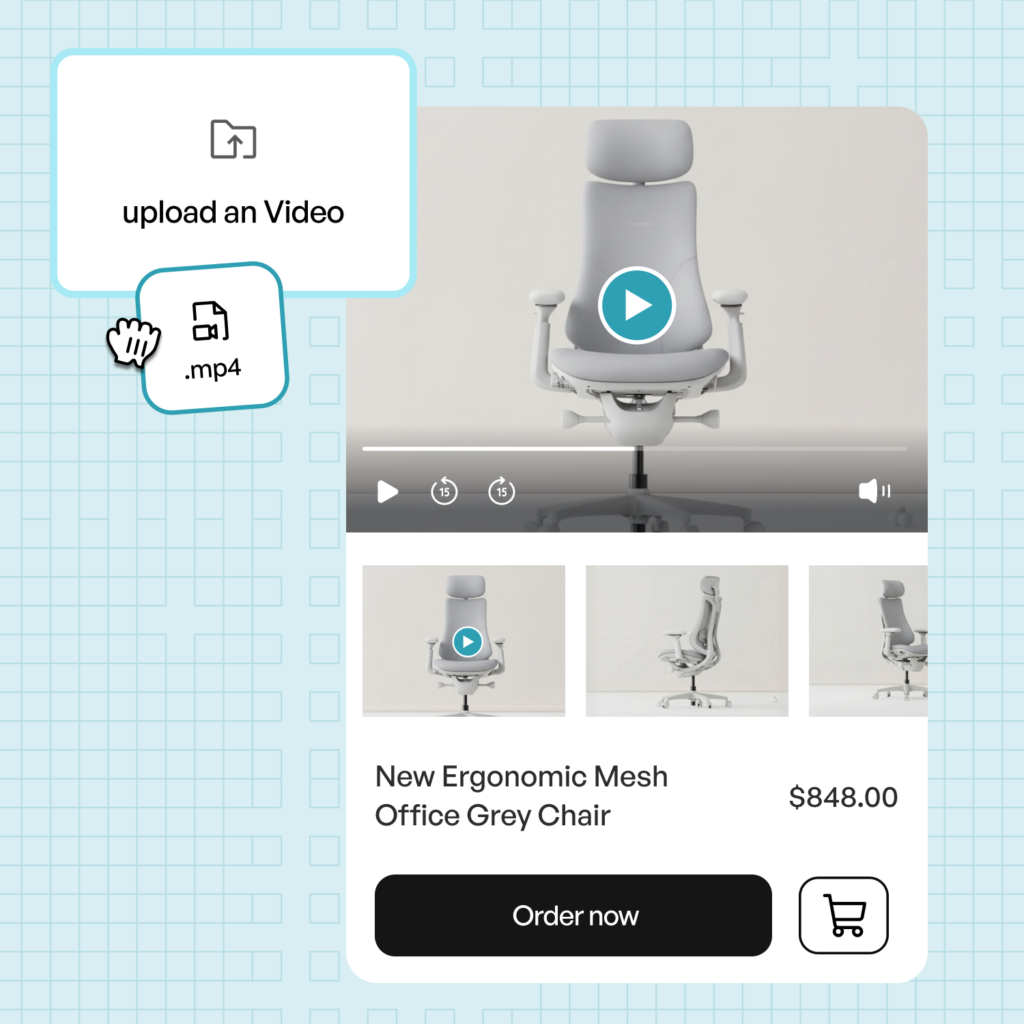
You can now add a product video to any product page alongside existing images, giving buyers richer context at the point of decision. Videos can be uploaded manually in WizOrder or synced automatically via your ERP or third-party PIM integrations. The product image continues to load by default for fast page performance, with the video accessible on demand — with autoplay and an expand option when opened.
Read the full article → Rich Product Media
3. Recently Viewed Products
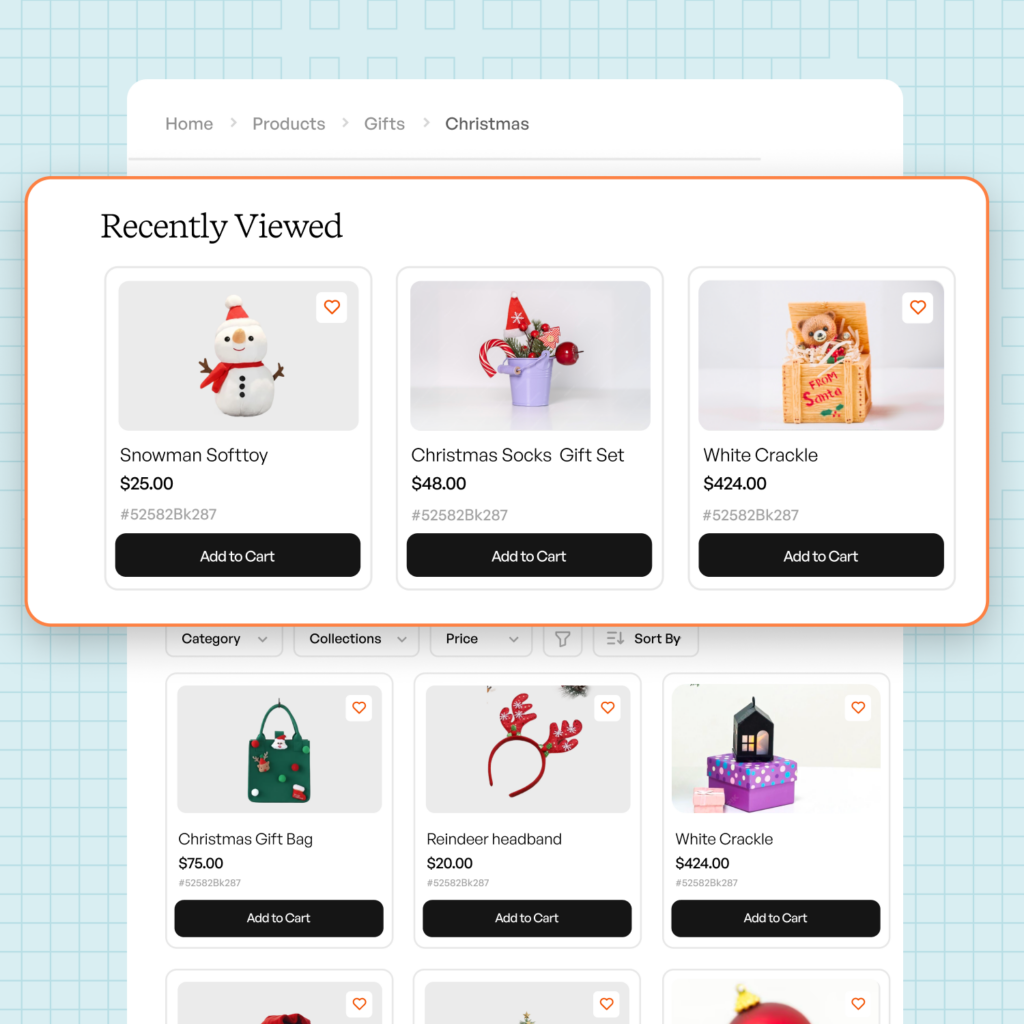
The product listing page now includes a Recently Viewed section that surfaces products you’ve browsed in your current and recent sessions, ordered by what you viewed last. The section persists across your last five sessions, making it easy to pick up where you left off without searching from scratch.
Read more about navigating the storefront interface
4. Auto Save on Draft Order Screen

In the Draft Order Stage – you can now automatically save your progress as you work, so you don’t lose your place if you navigate away or close a session mid-order. This update removes the need to manually save at each step, keeping the buying flow smoother and reducing the risk of lost work.
5. Multiple Purchase Orders in a Single Email – AI Order Entry

The AI Order Entry Assistant (Ella) can now detect and process multiple purchase orders arriving in a single email — whether they arrive as separate file attachments or as multiple pages within a single PDF. Previously, only the first order would be picked up. All orders from the same email are now grouped together in a refreshed review page that supports filtering, sorting, saved custom views, in-order navigation, and bulk actions on line items.
Read the full article → Managing Multiple Purchase Orders in a Single Email
6. Product Swap – WizStudio
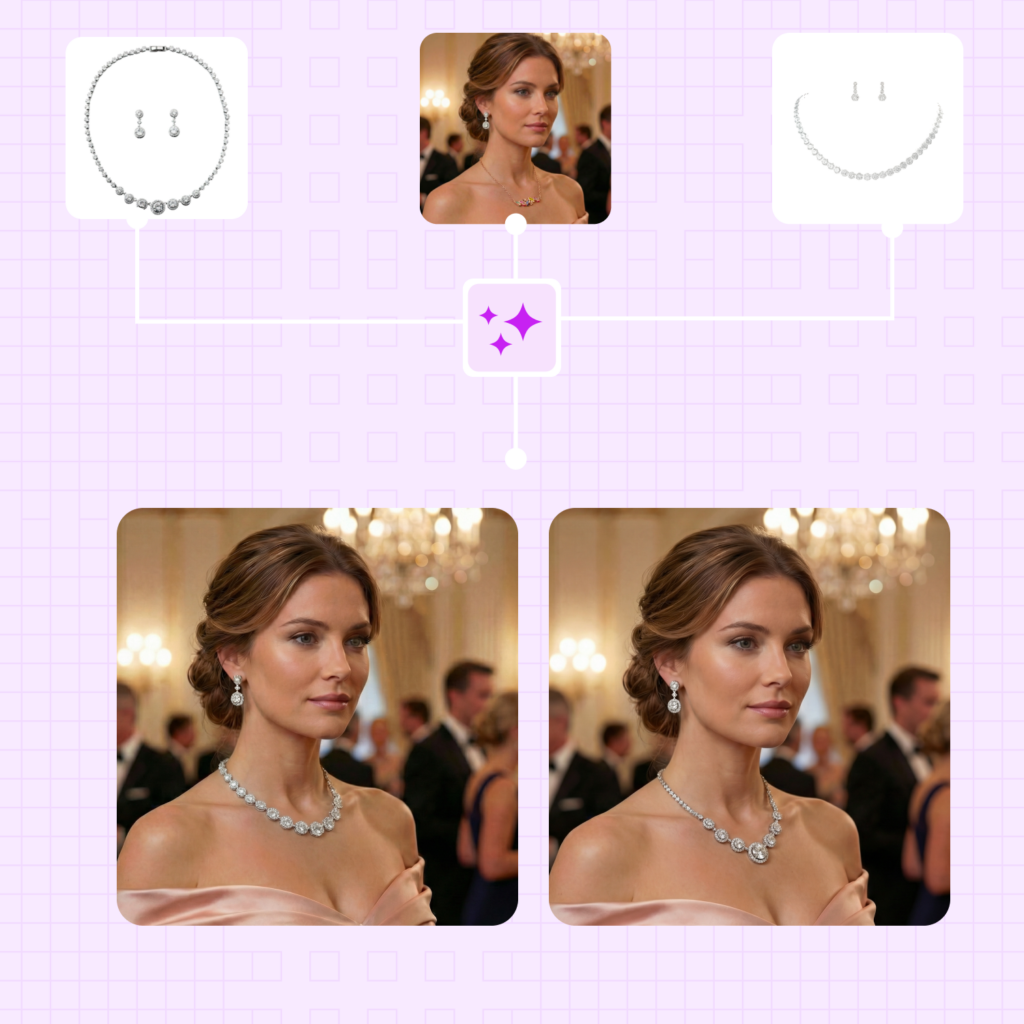
Product Swap lets you reuse an existing background, model, or visual scene across multiple products — so you can build a consistent lifestyle image catalog without recreating setups from scratch. Reference any image directly or search for one in the built-in library, then choose between placing your product into the exact scene or using it as style inspiration for a newly composed image. You can also save any generated image as a reusable theme and apply it to future products with a single prompt.
Read the full article → Product Swap in WizStudio
7. Variant Builder – WizStudio
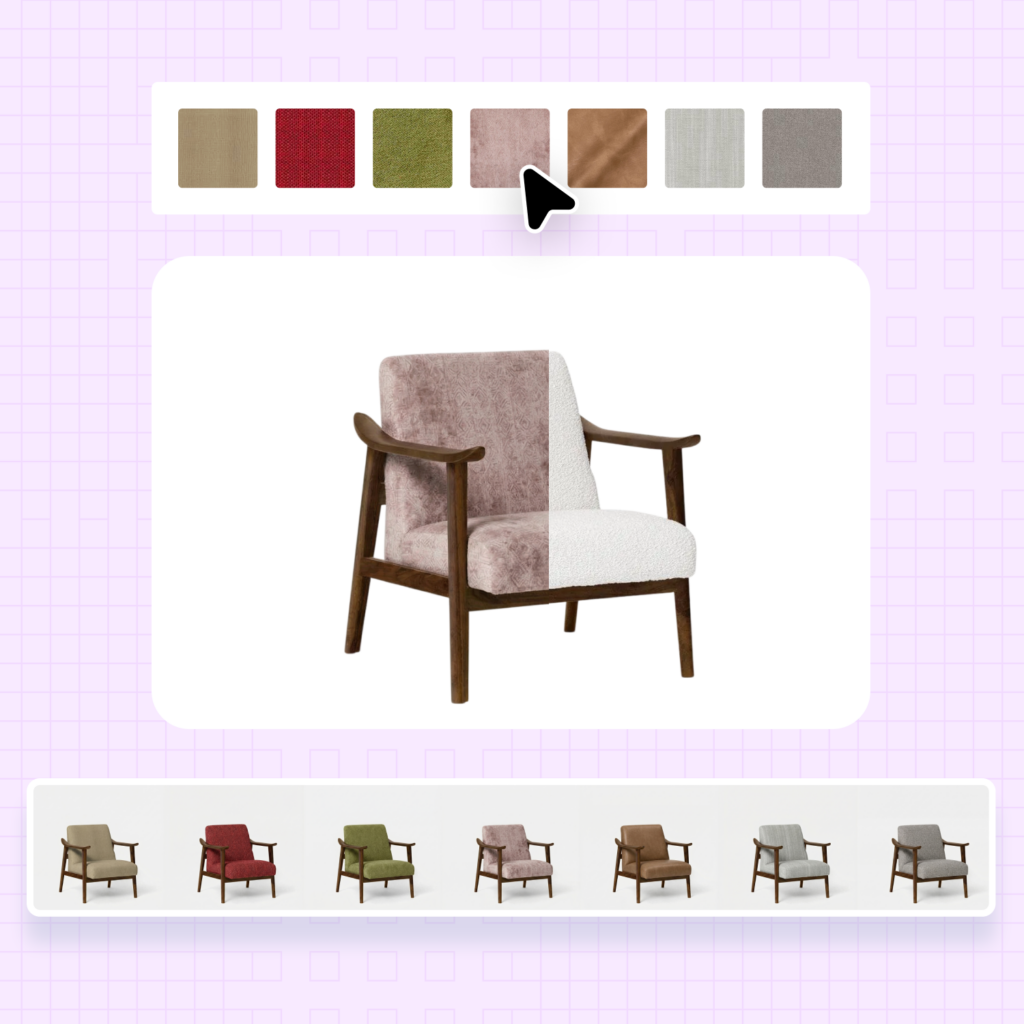
Variant Builder lets you generate multiple product variations — across different fabrics, finishes, colors, or materials — from a single base image, without a traditional photo shoot. Upload your product image, add fabric swatches or pick a Pantone shade, and describe how the swatches should apply. WizStudio generates three images per swatch, which you can refine individually with a prompt or download in bulk at 1K, 2K, or 4K resolution.
Read the full article → WizStudio Variant Builder
Note
We’re building fast — and shipping every month.
Follow this space to stay up to date with the latest features, improvements, and AI-powered upgrades across the WizCommerce platform.
