 Skip to content


Here’s a look at everything new this month across the WizCommerce platform. This release includes updates across WizOrder, WizShop, AI Order Entry Assistant (Ella), and WizStudio.
This month’s updates:
- 1. Bulk Media Upload
- 2. Invoices in WizShop
- 3. Claims & Returns For Web Users
- 4. Quote Publishing For Web Users
- 5. Find Your Sales Rep
- 6. Item Level Order History
- 7. Category & Collection Management
- 8. Sharing Wishlists
- 9. Website User Export
- 10. Parent-Child Rollup Analytics
- 11. My Profile/Account Revamp
- 12. Product-Specific Customer Permissions
- 13. Download Product Media
1. Bulk Media Upload
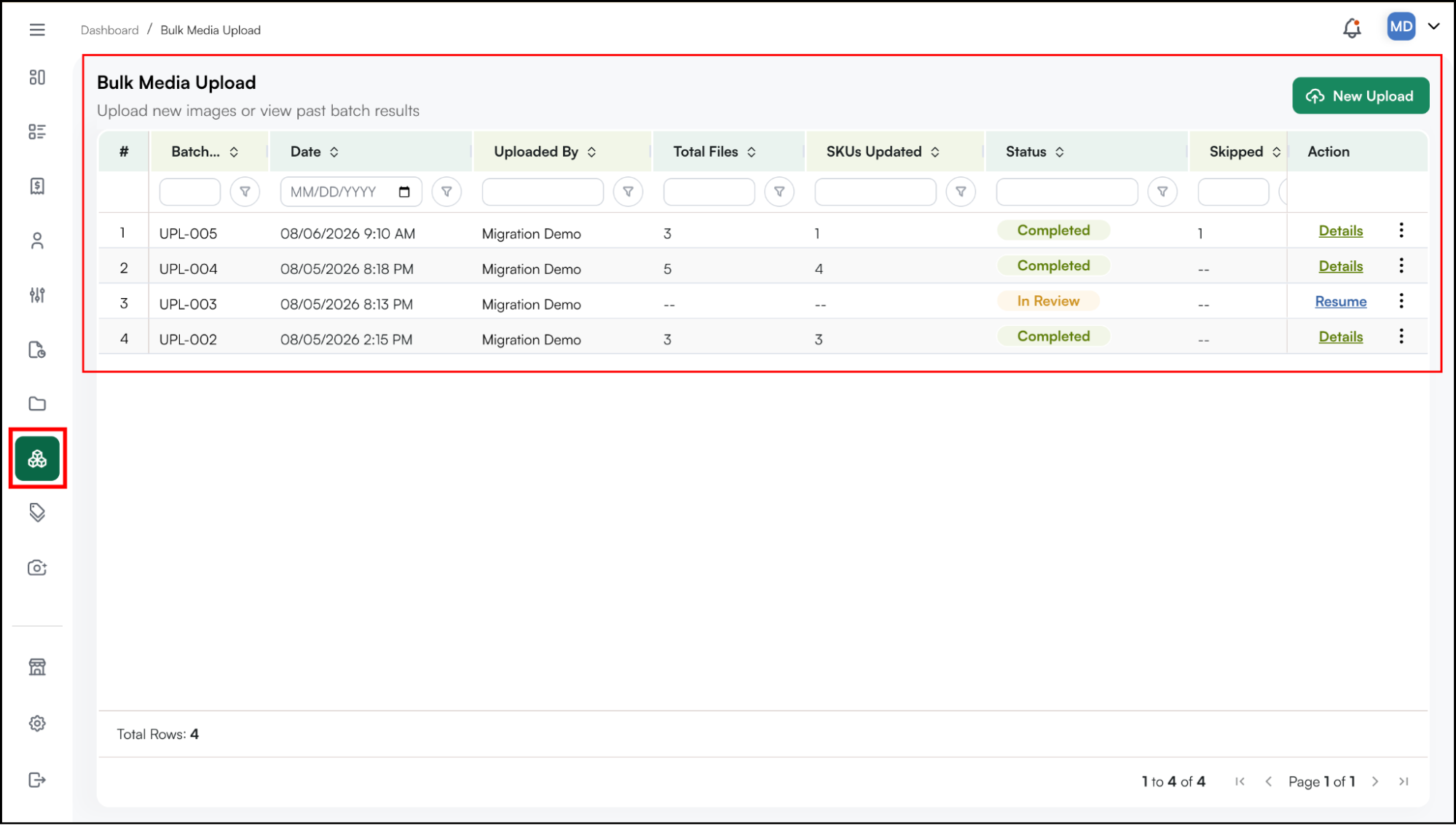
Uploading product images one at a time doesn’t scale once you are managing hundreds of SKUs. Bulk Media Upload lets you drop an entire batch of image files at once.
AI reads the filenames, groups them by product, and matches each group to the right SKU in your catalog automatically.
You review the AI-matched groups (Matched, Unmatched, or Unrecognized), fix any mismatches, choose whether to Replace or Append existing images, and push everything live in a single submission.
In-progress batches are saved automatically, so you can pick up right where you left off.
Read more: https://knowledge.wizcommerce.com/bulk-image-upload
2. Invoices in WizShop
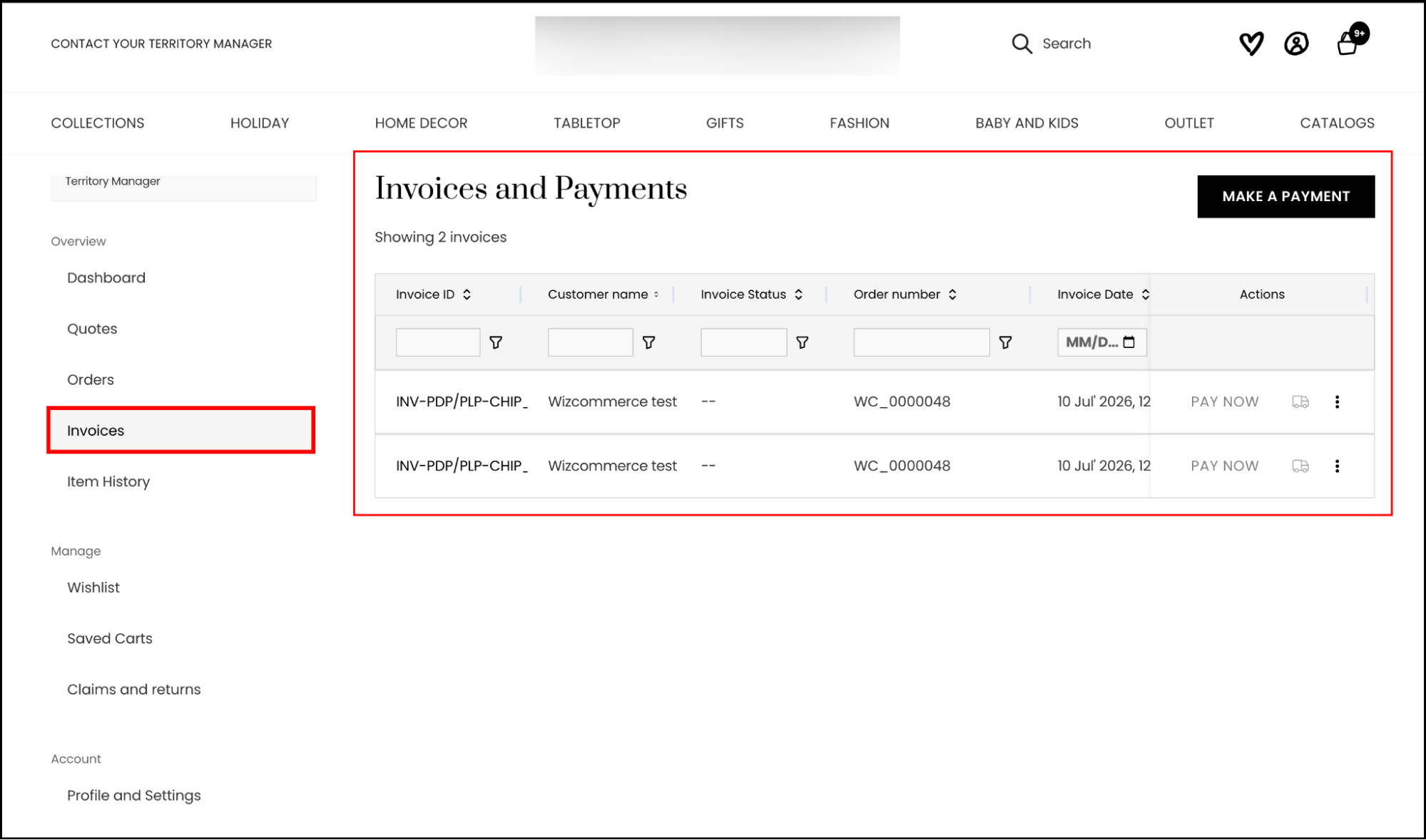
Buyers can now see every invoice billed to their account directly on the WizShop storefront, without asking a rep.
From My Account → Invoices, buyers can sort and filter their invoice list, view or download any invoice, track shipments, and pay directly using Pay Now or Make a Payment.
The same View, Download, and Raise Claim actions available to reps in WizOrder are available to buyers here, so the experience stays consistent no matter who opens the invoice.
Read more: https://knowledge.wizcommerce.com/track-and-manage-invoices#Section-e
3. Claims & Returns for web users
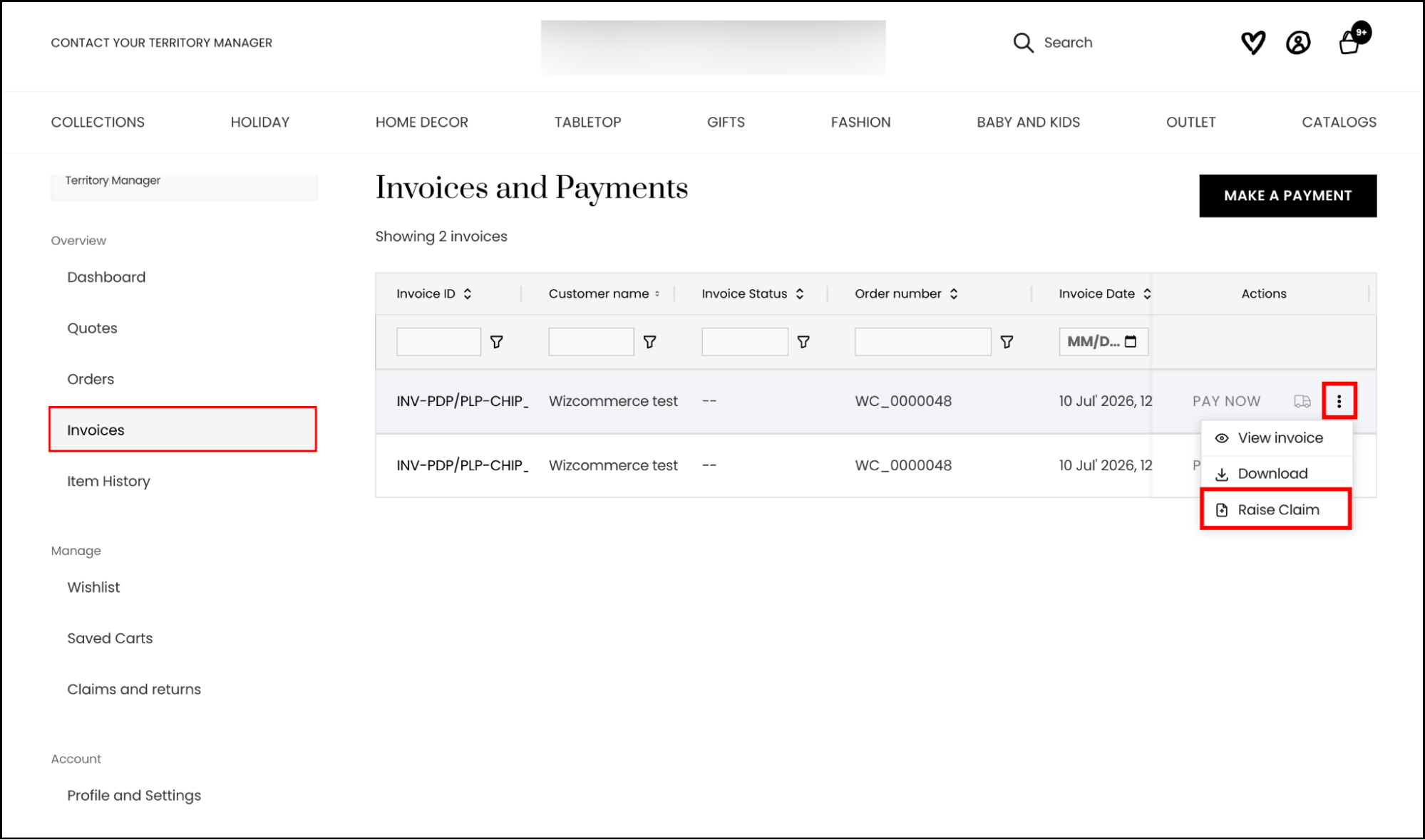
Buyers can now file a claim directly from WizShop, on its own or tied to a specific order or invoice, without contacting their rep or support.
A claim documents a credit owed for a return, damage, shortage, or wrong product, and generates a Credit Claim PDF the customer can keep and track.
Claims filed from an order or invoice stay attached to that record, and buyers can view the status of every claim they’ve raised from My Account → Claims.
Read more: https://knowledge.wizcommerce.com/claims-for-admins-reps-buyers
4. Quote Publishing For Web Users
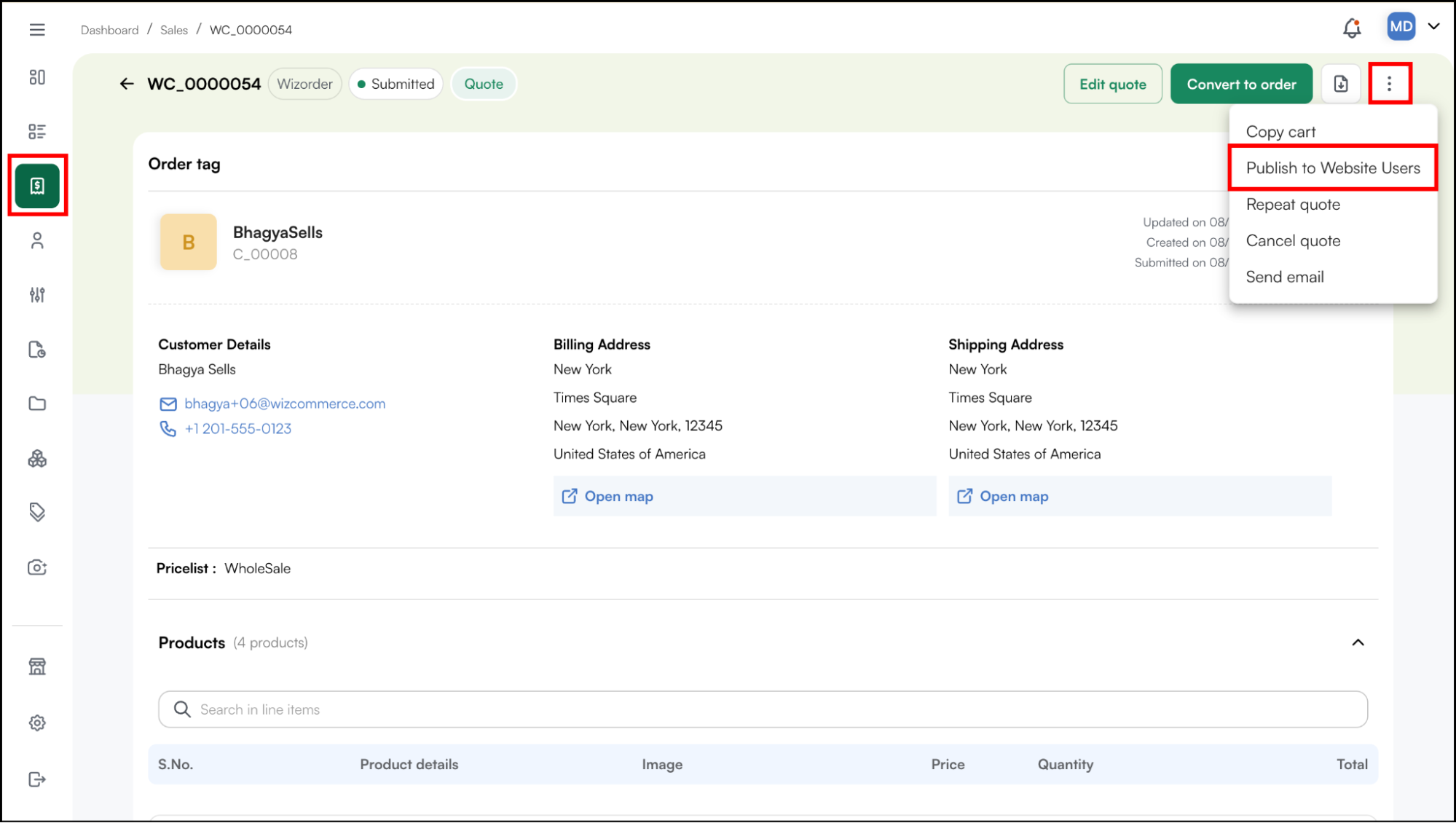
Sales reps can now publish a quote from WizOrder directly to a customer’s WizShop account, instead of only emailing it.
The buyer can then view the quote, edit products or quantities, and convert it into an order themselves, with pricing and quantities carrying over automatically.
This gives buyers a self-serve path to act on a quote, and both sides can track its status in real time as it moves from Submitted to Order in Progress to a completed order.
Read more: https://knowledge.wizcommerce.com/publish-a-quote-and-convert-it-to-an-order
5. Find Your Sales Rep
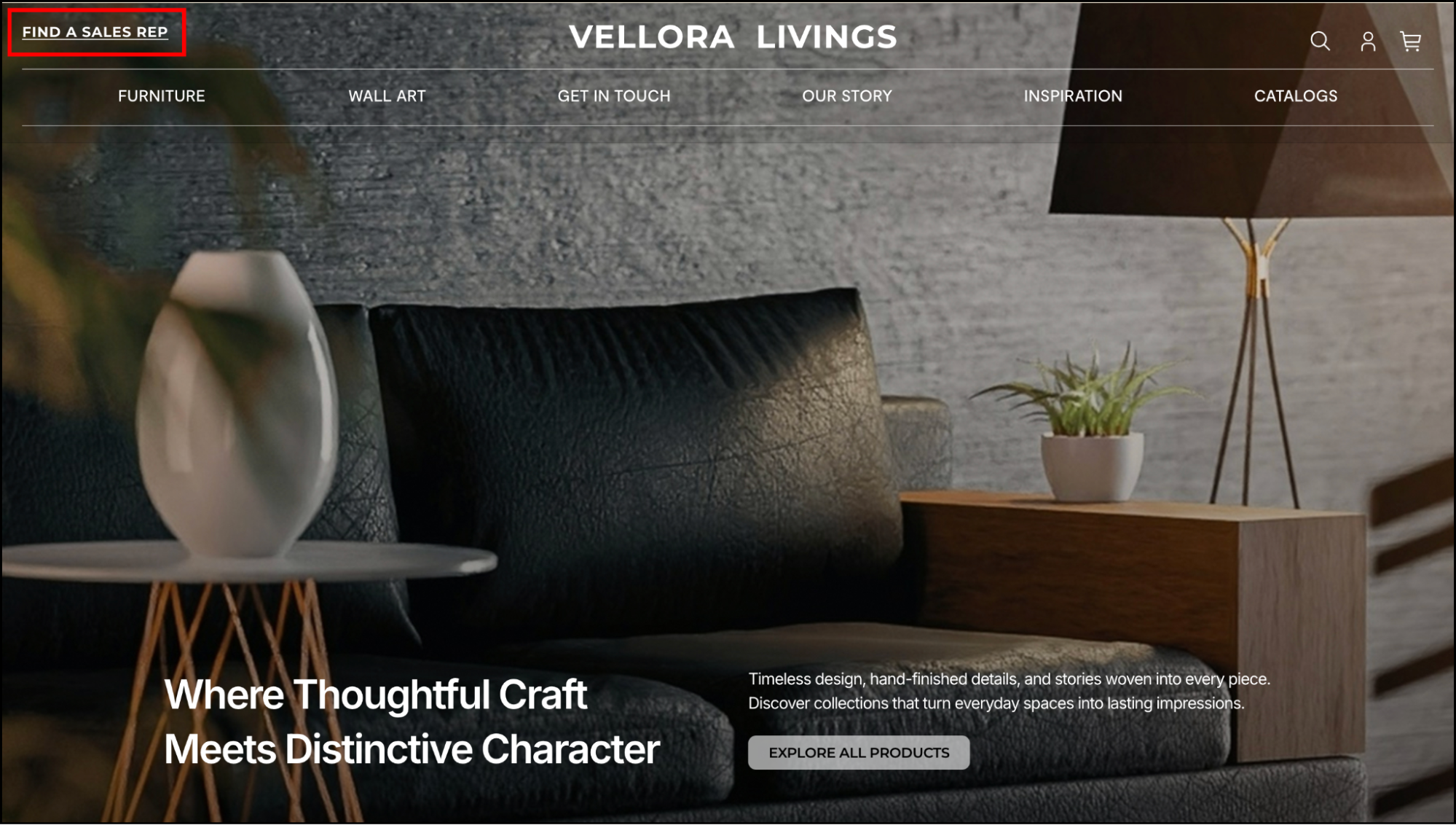
Website visitors can now look up their local sales rep by ZIP code before even signing up, and logged-in buyers see their assigned rep’s profile automatically, no search required. Matching reps appear as profile cards with email, phone number, and a short description, and clicking an email address opens a pre-filled message.
This is a web-only feature, enabled on request, and depends on your account’s ZIP-to-territory-to-rep mapping being set up.
Read more: https://knowledge.wizcommerce.com/find-your-sales-rep
6. Item Level Order History
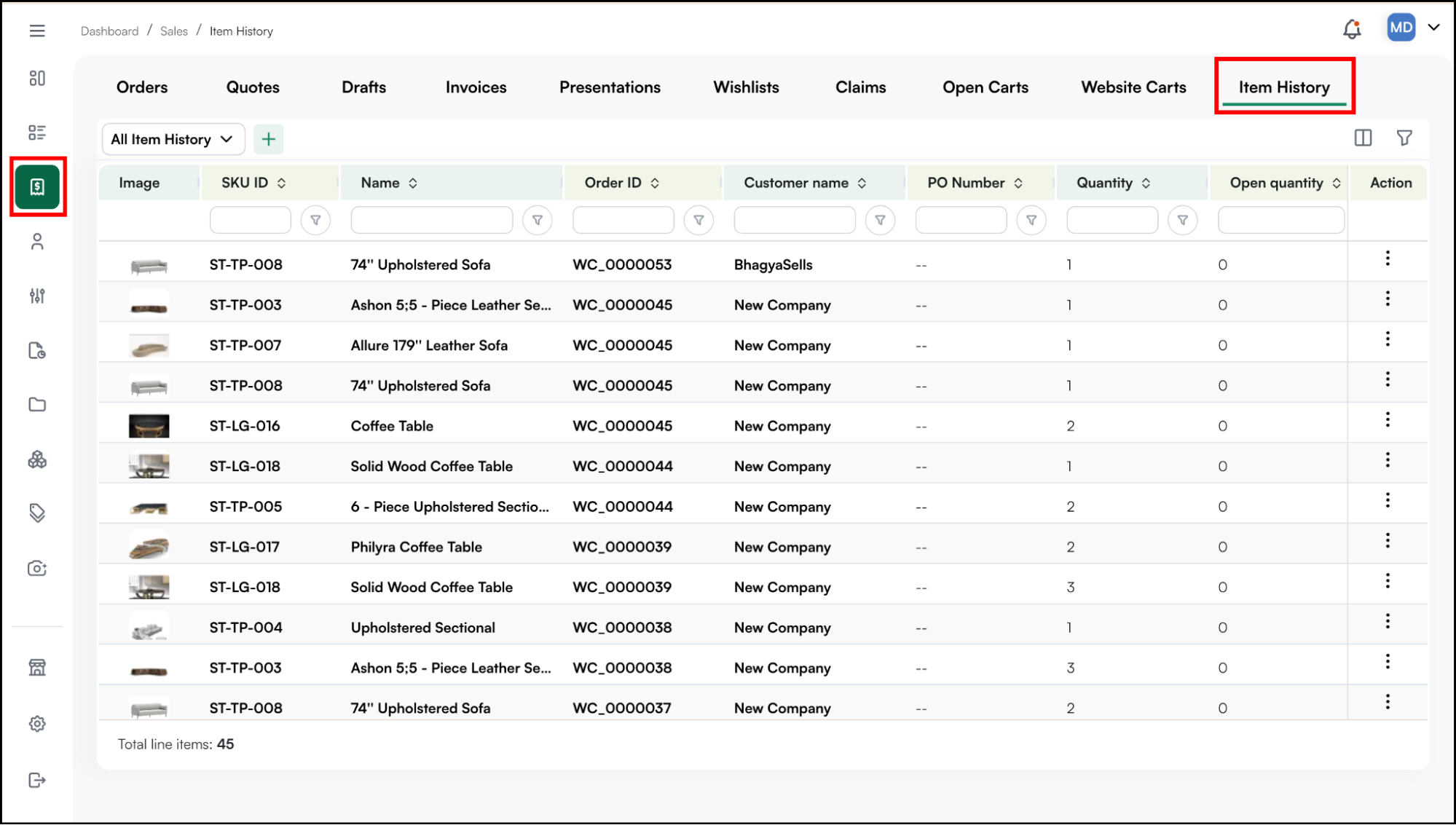
Item History gives you a single, SKU-level view of everything an account has ordered across every past order, so you can spot repeat purchases, see what a customer bought and when, and understand demand at the item level, instead of digging through individual orders, quotes, and invoices.
It’s available on the Sales tab in WizOrder and under My Account in WizShop, and supports questions like how many orders a SKU has appeared in, how many customers have bought it, and who’s reordering it.
Read more: https://knowledge.wizcommerce.com/track-your-item-history
7. Category & Collection Management
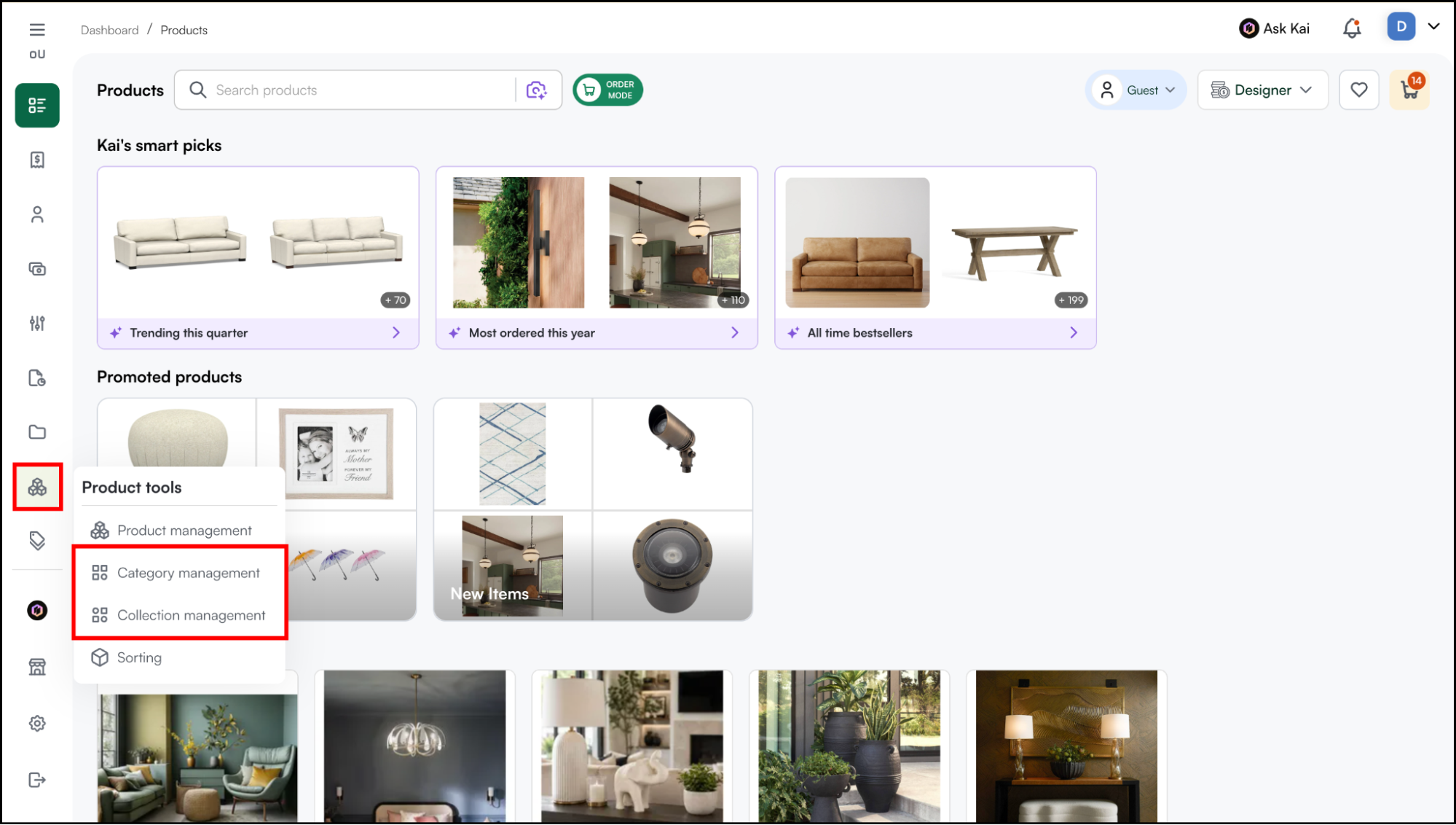
Categories and collections is now fully self-serve.
Categories give your catalog a permanent, three-level (L1 → L2 → L3) navigation structure, while collections are flexible, single-layer merchandising groups for seasonal or promotional use.
Admins can create and edit both directly in WizOrder, control display order with priority settings, and manage SEO (meta title, meta description, keywords, and redirects) in one place. If your account previously relied on Elementor/WordPress for categories, collections, or SEO, that data has already been migrated in, so page-builder access is no longer needed.
A category or collection only appears on the Product Listing Page once at least one product has been assigned to it.
Read more: https://knowledge.wizcommerce.com/manage-categories-and-collections
8. Sharing Wishlists
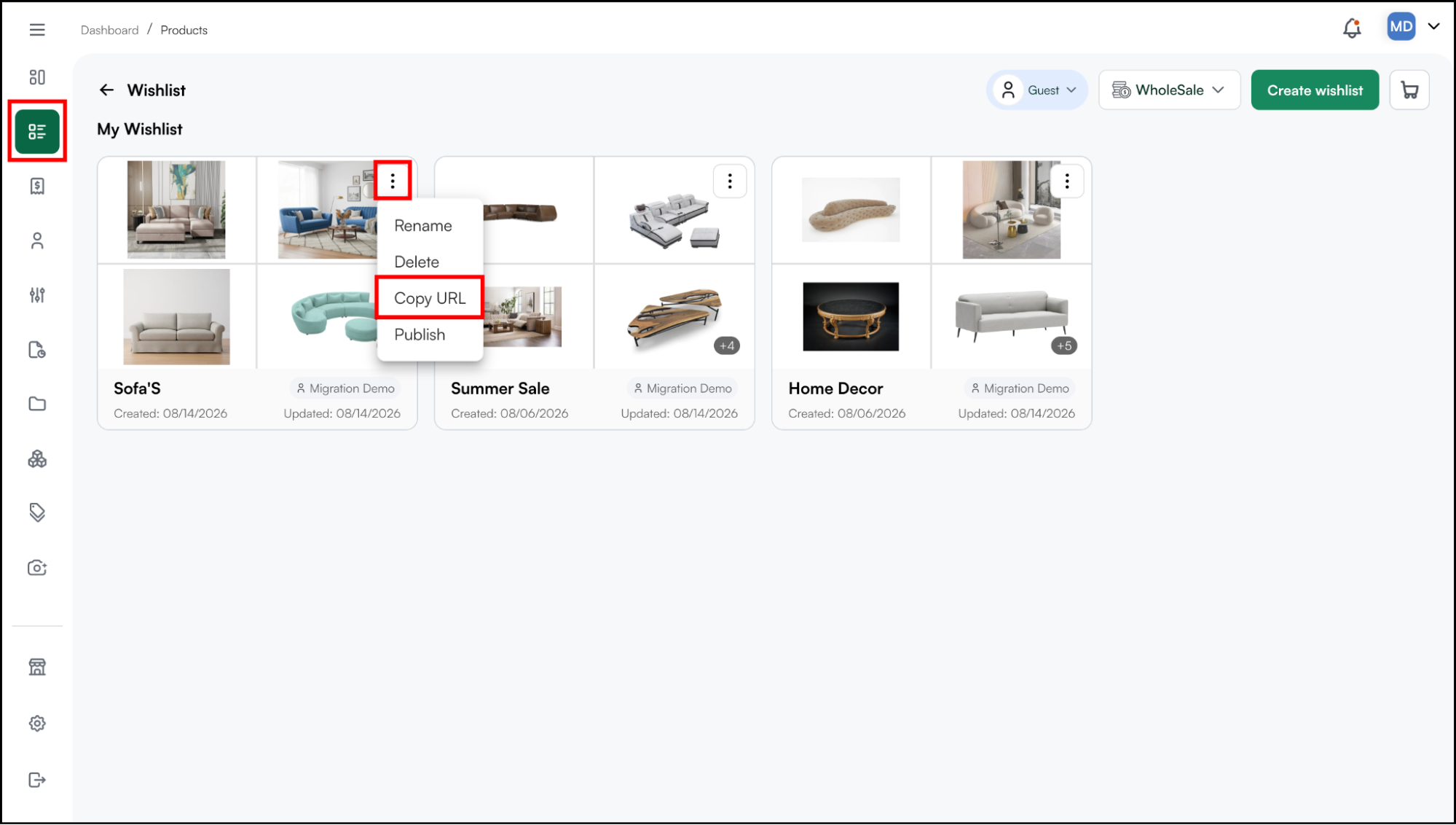
You can now copy a shareable link straight to any wishlist you have built in WizOrder, instead of only publishing it as a promoted collection. From the Wishlist page, open the three-dot menu on any wishlist and click Copy URL to grab a link you can send directly to a customer.
This is available only in Guest Mode, and only on the web version of WizOrder. The option isn’t available in the mobile app. Wishlists created under a specific customer’s name are scoped to that customer and can’t be promoted or shared this way; only wishlists created in Guest Mode (under My Wishlist) support Copy URL.
Read more: https://knowledge.wizcommerce.com/create-and-promote-a-wishlist#section_c
9. Website User Export
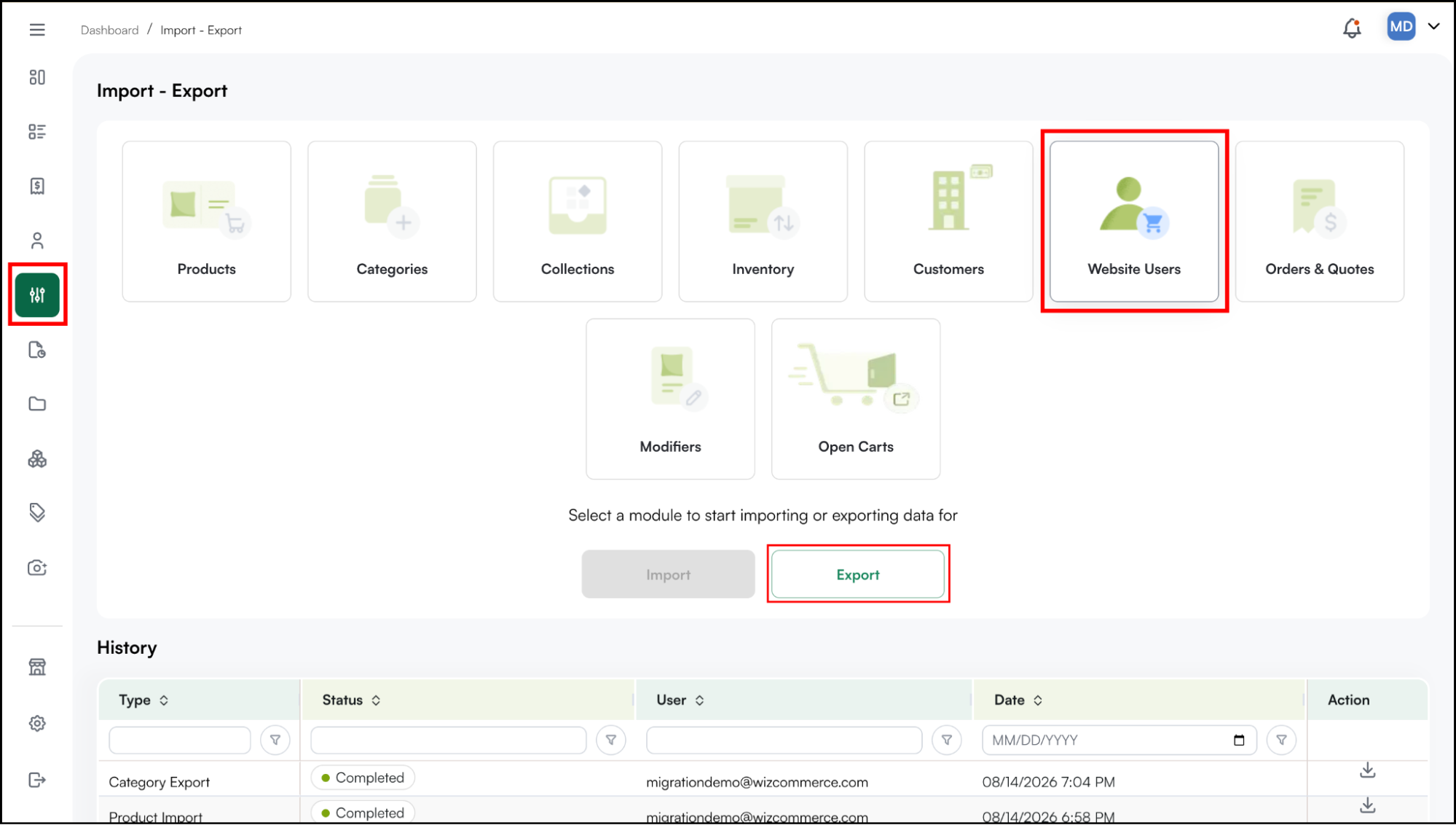
Website (WizShop) users can now be exported as their own dedicated entity from Import/Export, instead of being bundled in with customer exports.
This gives you a complete list of individual user accounts, including User System ID, Company/Customer ID, name, email, country code, and any sales rep or territory manager assignment, for auditing, reporting, or bulk review outside the platform.
This tab is export-only; website user accounts are created automatically as users sign up, so there’s no corresponding import option.
Read more: https://knowledge.wizcommerce.com/export-website-users
10. Parent-Child Rollup Analytics
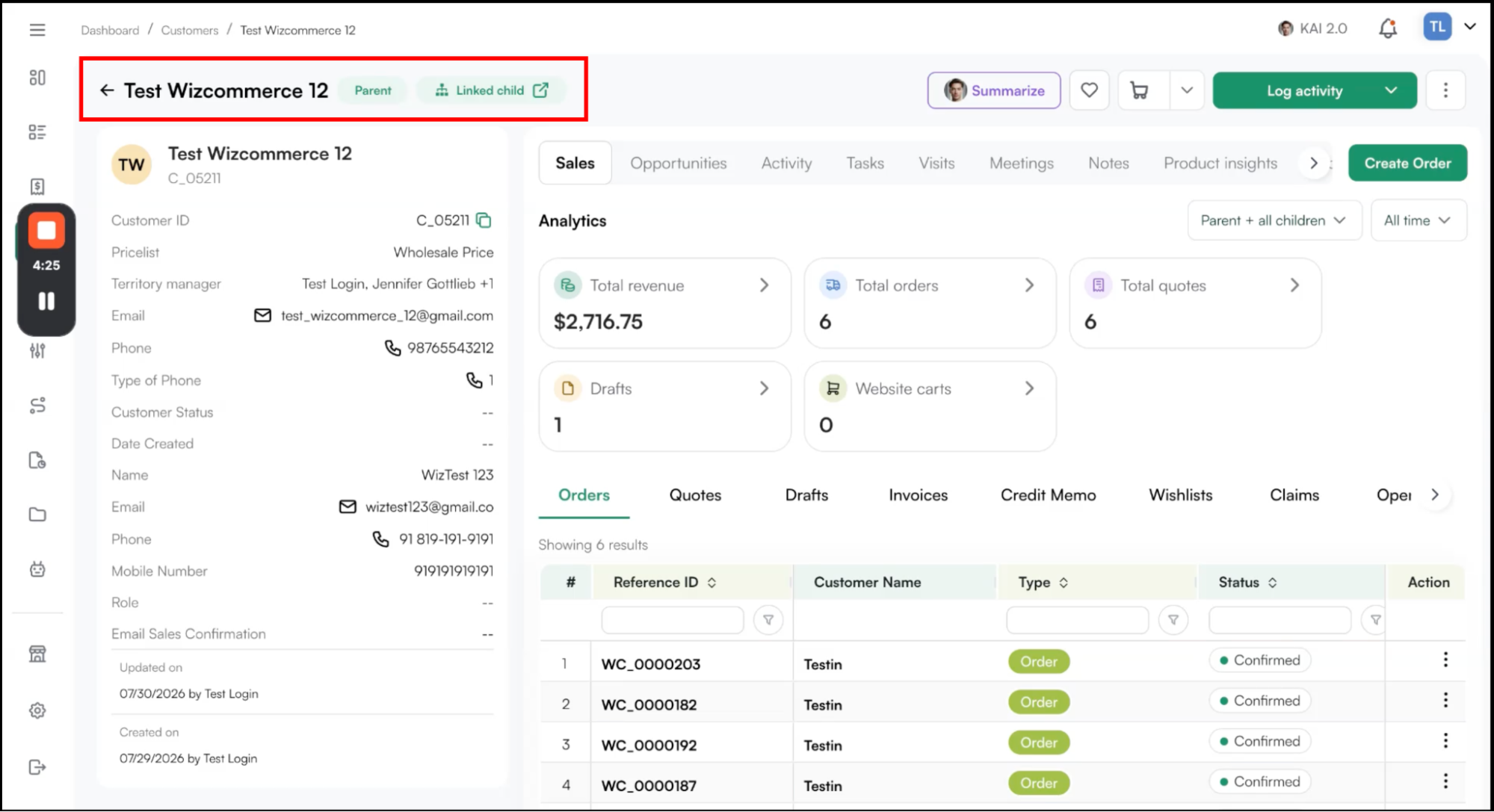
Linked Accounts brings a parent company and all of its child locations into one connected view, instead of tracking each one separately.
Orders, invoices, carts, wishlists, and claims for a parent account now roll up for viewing across WizOrder, Analytics, and WizShop, with a storefront switcher for buyers who manage multiple linked accounts.
Analytics can be filtered by parent, a specific child, or the combined roll-up across the full account family, while each child account still keeps its own isolated cart. This requires Implementation to enable Linked Accounts on your tenant and an admin to map which users can access each child account.
11. My Profile/Account Revamp
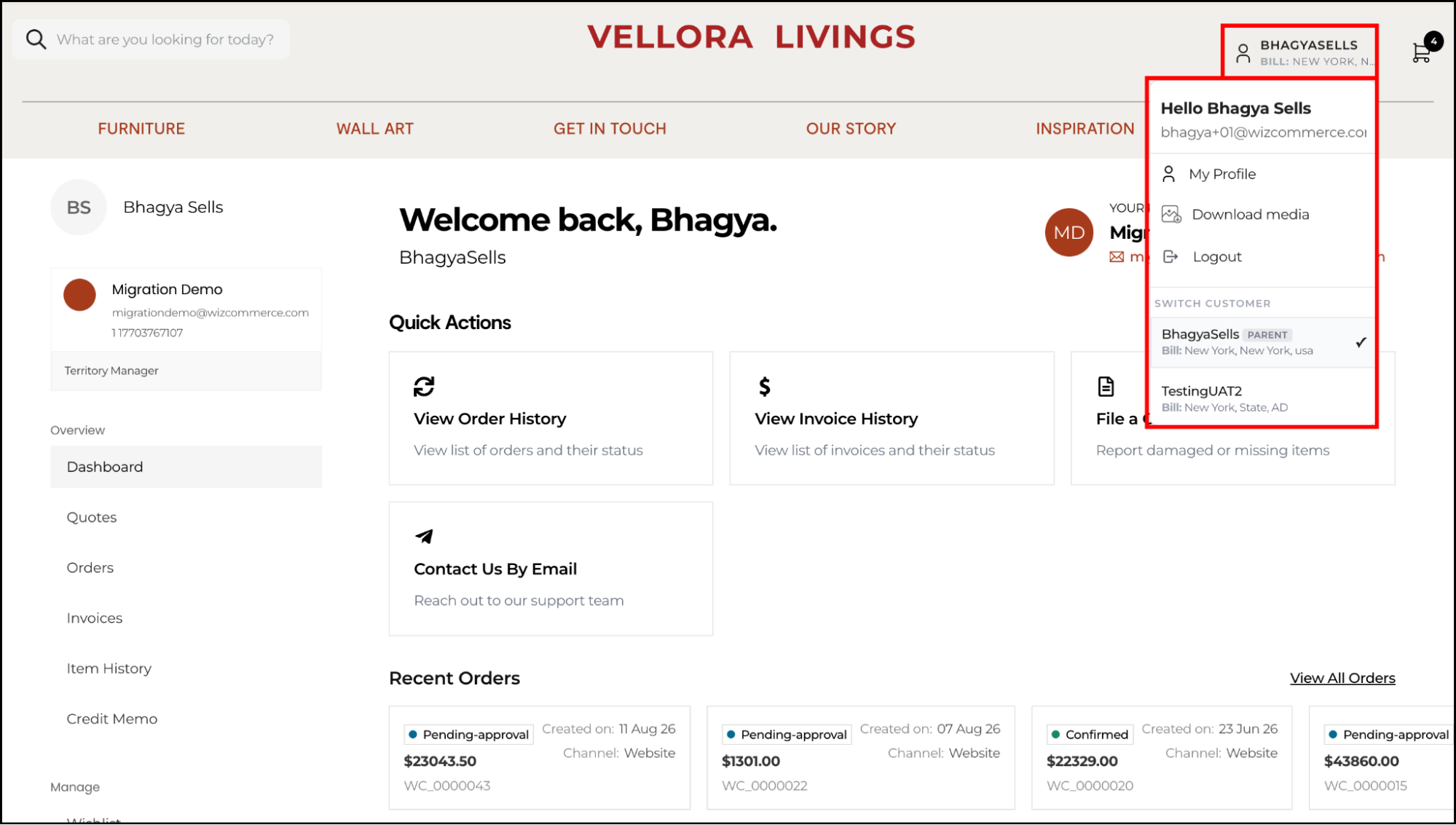
Linked Accounts brings a parent company and all of its child locations into one connected view, instead of tracking each one separately.
Orders, invoices, carts, wishlists, and claims for a parent account now roll up for viewing across WizOrder, Analytics, and WizShop, with a storefront switcher for buyers who manage multiple linked accounts.
Analytics can be filtered by parent, a specific child, or the combined roll-up across the full account family, while each child account still keeps its own isolated cart. This requires Implementation to enable Linked Accounts on your tenant and an admin to map which users can access each child account.
12. Product-Specific Customer Permissions
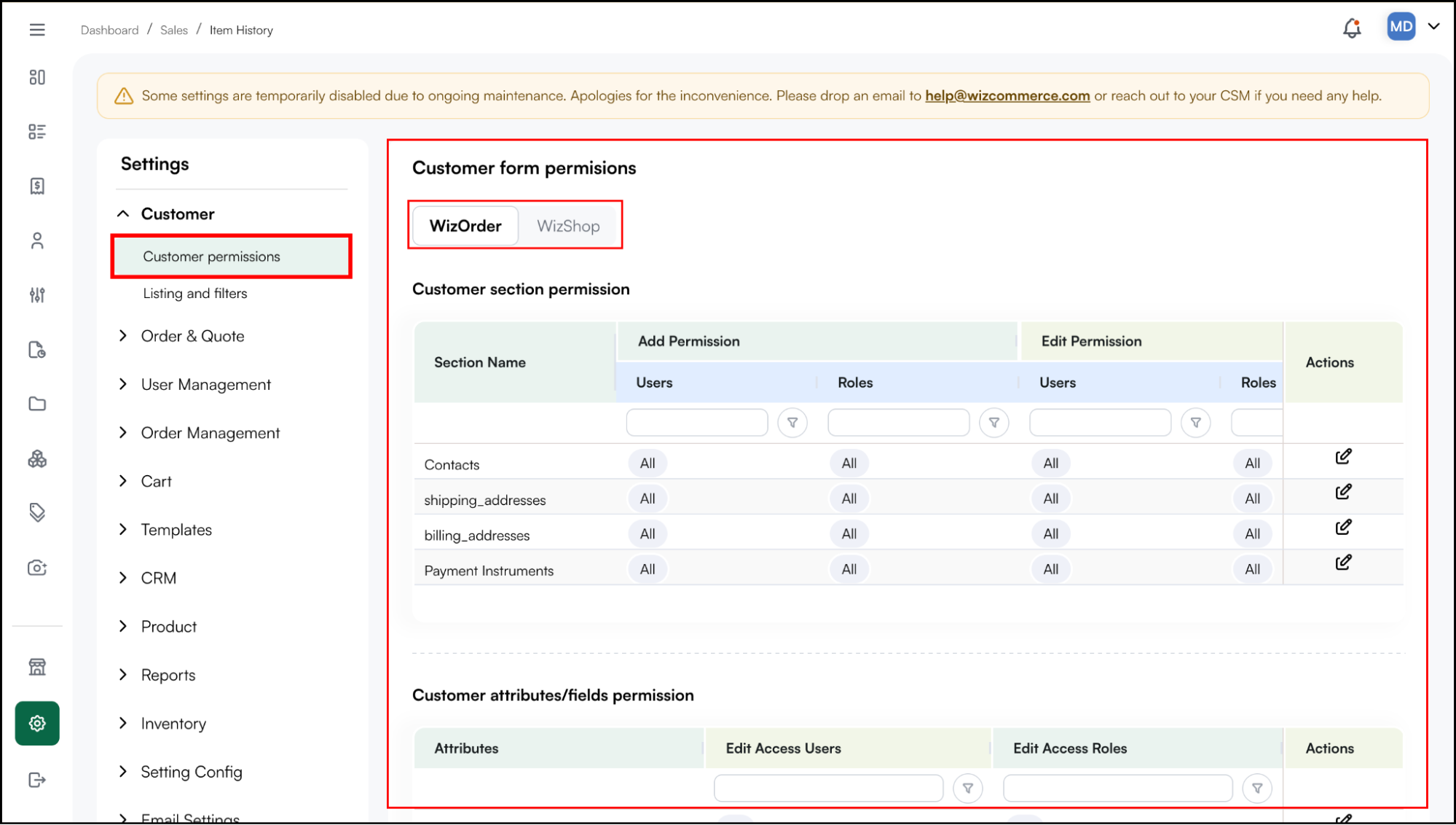
Customer section and attribute permissions are now split into two dedicated tabs, WizOrder and WizShop, instead of one shared table that only reflected the WizOrder side. Each tab shows its own Customer Section Permissions and Attribute Field Permissions, so admins always know exactly which side of the product a change affects.
Every permission row supports simple all-or-none logic: grant a permission to every role at once, assign it to specific users, or remove it entirely, and the same independent, per-action control (Add, Edit, Delete) applies consistently across both tabs.
Read more: https://knowledge.wizcommerce.com/manage-customer-permissions
13. Download Product Media
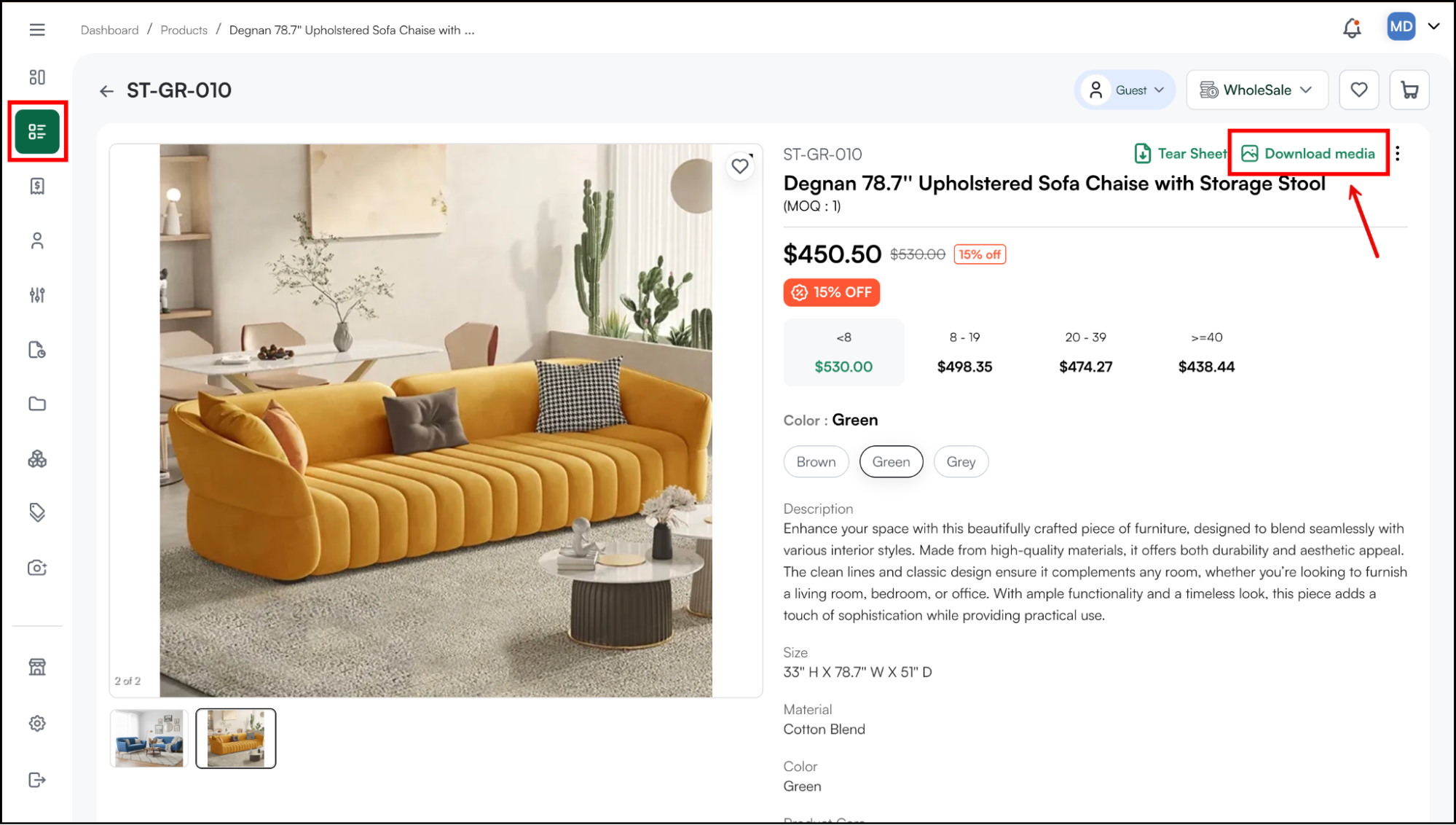
You can now download product images and videos directly from Product Detail Pages, Orders, and Invoices, no more screenshots or manual requests. Choose from three options: just the main image, all images, or the full media package including videos.
On WizShop, downloads are prepared in the background with a progress card and are saved for 30 days so you can re-access them anytime from Media Downloads in your profile. On WizOrder, files download directly through the browser using the existing download flow.
Read more: https://knowledge.wizcommerce.com/download-media-wizorder-wizshop
