Skip to content



Retailers reject product listings that show overall height when their submission rules also require seat height or interior drawer depth. Most wholesale suppliers still add those measurements by hand, one photo at a time, so catalog updates run past trade show deadlines and a measurement that changes in the inventory system stays wrong on the published image.
The best AI tools for adding dimensions to product images remove that manual step. They place the measurement labels automatically, using figures the supplier already holds, and the strongest of them do it across a full product list rather than one photo at a time. WizStudio by WizCommerce reports results of up to 20x cheaper and 10x faster than traditional photography, with 33 percent higher conversion from better product images.
This guide covers the 11 best AI tools for adding dimensions to product photos in 2026, with side-by-side comparisons of features, pricing, and ideal use cases. Each entry also states where the measurement comes from and whether the tool can process a full product list.
Direct-to-consumer sellers needing one accurate diagram and wholesalers labelling thousands of products before a trade show will both find a fit below.
How this guide selected the best AI tools for adding measurements to product images
This comparison evaluated all 11 tools against the six criteria below. The order reflects how often each criterion decides a wholesale purchase.
1. Measurement accuracy & input control
None of these tools measures a physical product. In every case the user types the figure, and the software draws the line and prints the label. The tools differ in how they decide where to put that line. One group finds the outline of the product in the photo and fixes each end of the line to the product’s edge, so the same photo always produces the same result. The other group passes the figure to an AI image generator, which chooses the position itself, so the same photo can produce a different result each time and every image has to be checked before it is published.
2. Bulk output & catalog scale
Two tools in this comparison advertise a bulk feature. In both cases bulk means saving one finished image at several different sizes, one size for each website the seller lists on. It does not mean labelling more than one product. Catalog work needs the opposite: a spreadsheet of product codes and their measurements goes in, and one labelled image for each product comes back. A tool without that spreadsheet option leaves a person to open, label, and save 500 separate files for a 500-product catalog.
3. Custom & derived measurements
Overall height, width, and depth describes a shipping box rather than most wholesale products. Furniture catalogs publish seat height and arm height. Lighting catalogs publish the distance from the bottom of the shade to the top of the fitting. Cabinet makers publish interior drawer depth. Most tools reviewed here handle only the standard three figures.
4. Spec sheet & print quality
These images are used in two places, and each place needs a different kind of file. A marketplace listing needs a small compressed file at the exact pixel size the marketplace asks for, and almost every tool here produces one. A dealer spec sheet is different, because it is the page of measurements a supplier sends to retailers and it gets printed on paper. Print needs either a file the printer can enlarge without the lines turning blurry, or an image saved at 300 dots per inch. None of the five third-party dimension tools reviewed here produces either kind of file.
5. Ecommerce & catalog integrations
The finished image still has to reach the website, and most delay happens at that handover rather than during generation. Each tool was checked for a direct connection to an online store, for automatic return of finished images to the product photo gallery, and for the ability to read measurements from the system that already holds them. Tools that only add labels also leave the supplier paying separately for background removal.
6. Consistency across catalogs
Line thickness, arrow style, font, and unit format have to match across every product, because retailer submission systems review the whole set rather than one image. Suppliers receiving photos from many manufacturers already hold inconsistent images, and tools without saved style settings add to that problem with every batch. Credit went to tools that store a style once and reuse it.

Top 11 AI tools for adding dimensions to product images in 2026
Comparison of the best AI tools for adding dimensions to product photos
| Tool | Best For | Features | Starting Price |
|---|---|---|---|
| WizStudio | Wholesalers labelling a full catalog | Lines drawn from stored product data, silo generation, derived measurements, batch styling | See pricing page |
| SizeMarker | Precise control on single images | Ten labelling tools, edge attachment, dual units, 70+ styles, Shopify app | Free; Pro $19.90/mo |
| Blend | Sellers already using Blend for photos | AI line placement, automatic product detection, marketplace sizing, mobile apps | PRO ₹1,499/mo |
| Ecomtent | Thousands of marketplace listings | Catalog-wide output, brand enforcement, marketplace publishing, compliance labels | $599/mo for 25 products |
| Showcase Dimension Tool | One free furniture image | Manual lines, corner detection, seat measurements, browser-only processing | Free; platform €50/mo |
| Goglo AI | One low-cost measurement diagram | Six labels per image, dual units, tapered product fields, capacity fields | Free; Basic $10/mo |
| Adobe Illustrator | Print-quality technical drawings | True dimension tool, live measurements, scale control, vector output | $22.99/mo |
| Adobe Photoshop | Print-quality labels on main photos | Shape and text layers, ruler, guides, 300 dpi print output | $22.99/mo |
| Canva | On-brand labels without a designer | Line elements, brand kit, position boxes, Bulk Create | Free; Pro $18/mo |
| Photopea | Free Photoshop-style labels | Photoshop file support, line and text tools, guides, browser-based | Free; Premium $5/mo |
| Figma | Teams reviewing label positions | Pixel measurement tool, property notes, components, commenting | Free; Professional $16/mo |
1. WizStudio by WizCommerce
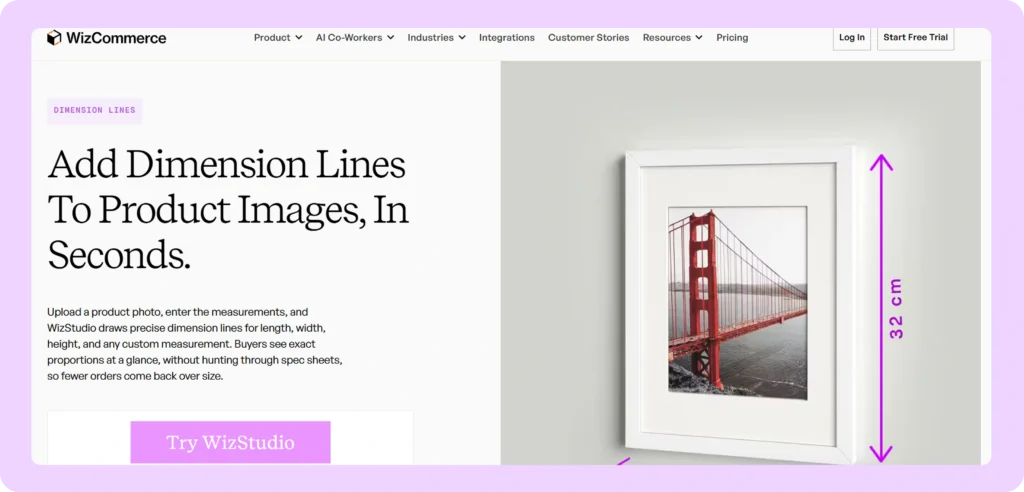
Best for: Wholesalers and distributors labelling an entire catalog to meet retailer submission requirements.
Key features:
- Stored-data measurements: Lines are drawn from the figures already held in a supplier’s product records, so each published number is one the team has checked.
- Silo generation: The platform creates plain-background product photos as a separate feature, used before the labelling step, through its silo product image generator.
- Product list processing: Work runs from a list of products rather than one photo at a time, which is what separates catalog tools from single-image tools.
- Derived measurements: Seat heights, arm heights, interior drawer depths, and lamp drops are supported alongside overall height, width, and depth.
- Batch styling: Line thickness, font, and unit format hold identical across every product in a run, which is what retailer submission systems check.
Pricing: WizStudio publishes its plans, image credit packs, and trial terms on the WizStudio pricing page. A dedicated dimension lines generator page covers the measurement feature on its own.
2. SizeMarker

Best for: Individual marketplace sellers and small teams working on a limited number of important product photos.
Key features:
- Edge attachment: The ends of each measurement line attach to the edges of the product detected in the photo, so the same photo returns the same result every time.
- Ten labelling tools: Every plan includes measurements, angles, area, product outlines, text labels, and marketing callouts.
- Dual units: Millimetres, centimetres, and inches are supported, with two units displayed at once for suppliers selling into both metric and imperial markets.
- Style library: More than 70 ready-made label styles ship with the tool, and the Pro plan stores a custom brand style.
- Shopify app: An add-on reads product photos from a store and returns the labelled versions to the product gallery.
Pricing: The free plan never expires and includes 30 image credits, but prints the SizeMarker name across every image and caps images at about 2,000 pixels wide. Pro costs $19.90 per month, or $9.90 per month paid yearly, and includes 1,500 credits. Enterprise costs $29.90 per person per month. The Shopify listing shows $9.99 per month with a free level capped at five images, which does not match the figures on the SizeMarker website.
Where SizeMarker falls short
- Bulk export on the Pro plan only saves one finished image at several sizes, so it does not label multiple products.
- No spreadsheet upload and no automatic data connection are published, leaving a 2,000-product catalog to be labelled one photo at a time.
- Files save as JPG, PNG, and WebP only, all screen formats, so there is no print-quality option for a dealer spec sheet.
How WizStudio is better than SizeMarker
WizStudio runs from a product list rather than a single photo, turning several weeks of repeated manual work into one batch. Because the figures come from stored product records rather than being retyped per image, the transcription error SizeMarker cannot catch is removed. WizStudio also generates the plain-background photo and supports measurements beyond the standard three.
3. Blend
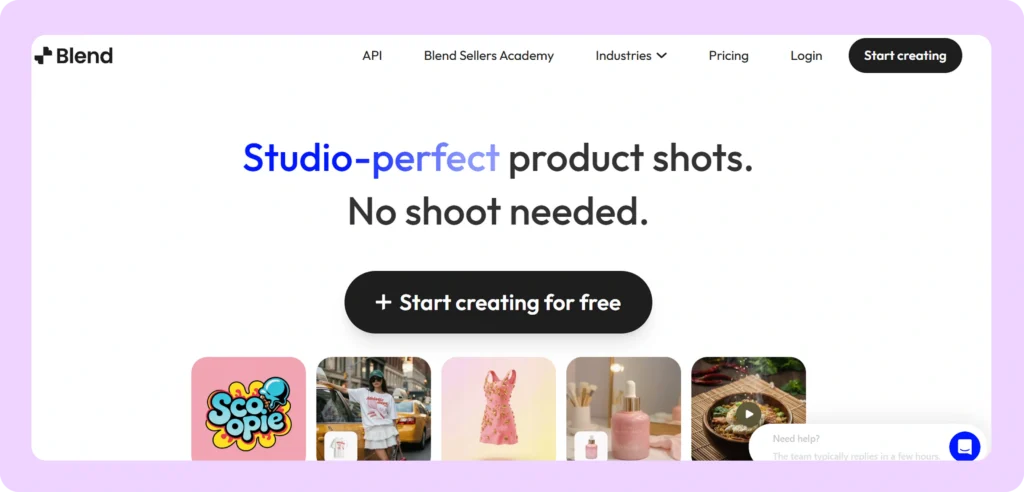
Best for: Sellers on Amazon, Shopify, and Etsy already using Blend for AI product photography.
Key features:
- AI line placement: Blend writes the instruction for its own image generator from the typed figures, and the generator positions the lines without manual alignment.
- Automatic product detection: No background removal or photo preparation is needed before the measurement step.
- Category recommendations: Alongside height, width, depth, and weight, the tool suggests category-specific figures such as seat height for furniture and strap drop for bags.
- Marketplace sizing: Output is sized for the secondary photo slots on Amazon, Shopify, Etsy, and Flipkart listings.
- Wider toolkit: Measurement work sits beside Blend’s AI model, studio shot, and room-setting photo tools, on web plus iPhone and Android apps.
Pricing: PRO costs 1,499 Indian rupees per month, roughly 18 dollars, and includes 1,000 image credits. MAX costs 2,999 rupees per month, roughly 36 dollars, with about three times the credits. Blend publishes no dollar pricing and shows no free plan on its pricing page.
Where Blend falls short
- Because an AI generator decides the position, results vary between runs, and no guarantee is published that line ends attach to the product edge.
- Every image needs a human review before publication, which restores the manual work the automation was meant to remove.
- Bulk processing and a developer connection are advertised at platform level, but neither is documented as working for the measurement tool, and no spreadsheet upload exists.
How WizStudio is better than Blend
WizStudio treats the supplied figure as a fixed value to draw rather than an instruction to interpret, which removes the review pass that variable placement makes necessary. The route for labelling many products is documented for the measurement feature itself, so a product list is the unit of work. Output is also sized for wholesale spec sheets rather than marketplace photo slots.
4. Ecomtent
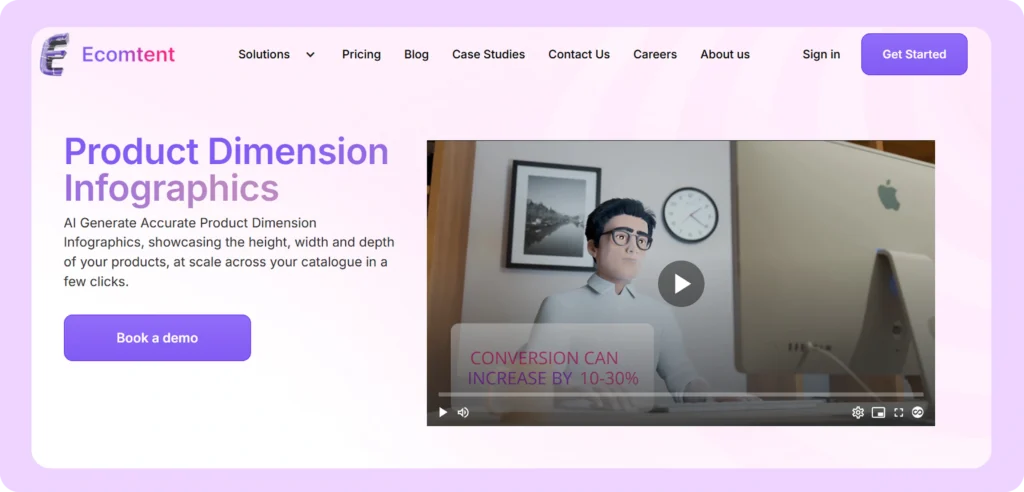
Best for: Large brands, agencies, and multi-brand groups labelling hundreds or thousands of marketplace listings.
Key features:
- Catalog-wide output: Measurement images are produced across a whole catalog at once, with plans priced by monthly product count from 25 up past 1,000.
- Brand enforcement: Colours, logo, and fonts are applied automatically across everything the tool produces.
- Marketplace publishing: One-click delivery reaches Amazon Seller Central and Vendor Central, plus Walmart and eBay.
- AI search text: Listing copy is written to surface in AI shopping assistants including Amazon Rufus and Google Gemini.
- Compliance labelling: Required marks such as the European Union USB-C label are added automatically, with output available in several languages.
Pricing: The Seller and Vendor plan costs $599 per month for 25 products, or $450 per month paid yearly. Agency costs $1,599 per month for 100 products, and Retailer costs $5,999 per month for 1,000 products. Yearly billing saves 25 percent. There is no free trial, so access requires a sales call.
Where Ecomtent falls short
- The company never publishes how the measurement reaches the image, so accuracy cannot be assessed before a sales call.
- Only height, width, and depth are named, which rules out seat height and other derived figures, and no file formats or image sizes are published.
- The product is shaped for marketplace listings rather than wholesale, so it produces no dealer spec sheets or wholesale catalog pages.
How WizStudio is better than Ecomtent
WizStudio states where every measurement comes from, which is the one question Ecomtent leaves unanswered and the one that determines whether published figures can be trusted. Output targets wholesale deliverables including retailer spec sheets rather than marketplace secondary images. WizStudio also supports derived measurements and can be assessed on a self-serve trial rather than only through a sales call.
5. Showcase Dimension Tool
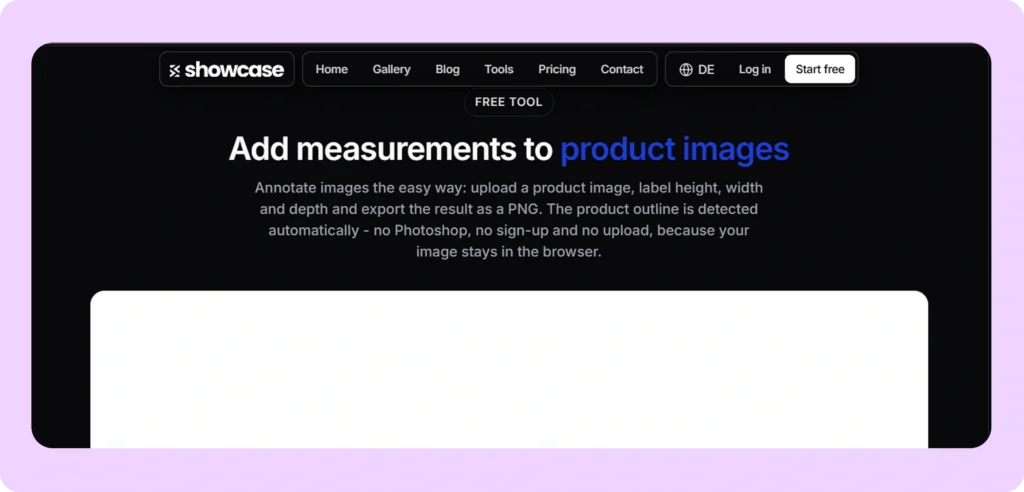
Best for: A furniture or homeware seller needing one measurement image immediately, free, without creating an account.
Key features:
- Browser-only processing: Everything runs locally, so the product photo is never uploaded to the company’s servers.
- No account or cap: The tool needs no registration and sets no limit on how many images are produced.
- Corner detection: Lines are drawn manually between two points, with optional corner and edge detection to position the ends accurately.
- Furniture measurements: Seat height, seat width, and seat depth are supported specifically, which most general tools cannot express.
- Style controls: Line colour, thickness, arrow style, and font size are adjustable, and a logo can be placed on the image.
Pricing: The measurement tool is free and needs no registration. The paid Showcase platform costs 50 euros per month plus sales tax for 200 image credits, with an individually priced Enterprise tier that adds an automatic data connection. The platform includes 40 free credits for testing.
Where the Showcase Dimension Tool falls short
- Every line is drawn by a person, with no spreadsheet option and no data connection, so the free tool cannot serve catalog work.
- Output is PNG only at the size of the original photo, so a low-resolution photo produces a low-resolution measurement image with no print path.
- The tool does not create the plain-background photo, and the automatic version that draws lines from stored product data sits behind the paid platform.
How WizStudio is better than the Showcase Dimension Tool
WizStudio positions the lines automatically instead of asking a person to draw each one, which changes the work from minutes per product to a single batch. It also generates the plain-background photo, so no separately sourced cutout is needed first. Output is sized for retailer spec sheets rather than one PNG at whatever size the original photo happened to be.
6. Goglo AI
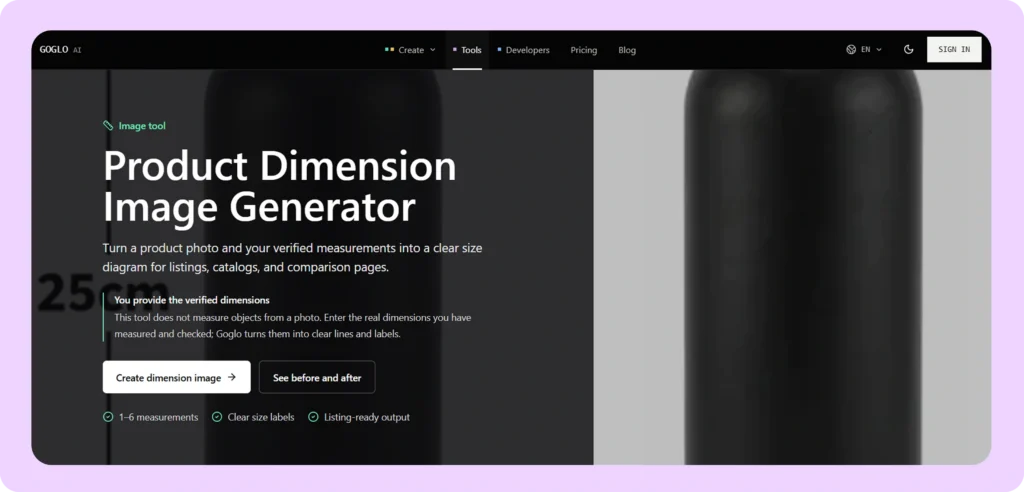
Best for: A small seller or freelancer needing one inexpensive measurement diagram quickly.
Key features:
- Six labels per image: Between one and six measurements can be shown, with the user choosing where each label sits.
- Dual unit display: Two units appear at once, in three layouts using bullets, slashes, or brackets.
- Tapered product fields: Separate top width and bottom width inputs handle vases and shades that are wider at one end.
- Non-measurement fields: Shipping weight, product weight, and capacity can be shown alongside the dimensions.
- Style matching: Background and style settings bring the diagram in line with a seller’s other product images.
Pricing: The free plan includes starter credits but stores images for only 15 days and does not permit commercial use. Basic costs $10 per month for 1,000 credits, stores images permanently, permits commercial use, and adds a developer connection. Pro costs $20 per month for 2,000 credits and Max costs $50 per month for 5,000 credits. The credit cost of one measurement image is not published.
Where Goglo AI falls short
- No route for labelling many products is published, and nothing states that the measurement tool works through the developer connection on paid plans.
- The cap of six labels per image, drawn from a fixed list of fields, excludes measurements outside that list.
- The free plan does not permit commercial use, so any image made while testing cannot be published without moving to the $10 Basic plan.
How WizStudio is better than Goglo AI
WizStudio sets no cap on measurements per image and supports category-specific figures rather than a fixed six-field list. Labelling many products is central to the platform, so measurements arrive from product records instead of being typed per image. WizStudio also produces the plain-background photo, and commercial use does not require changing plan after a trial.
7. Adobe Illustrator
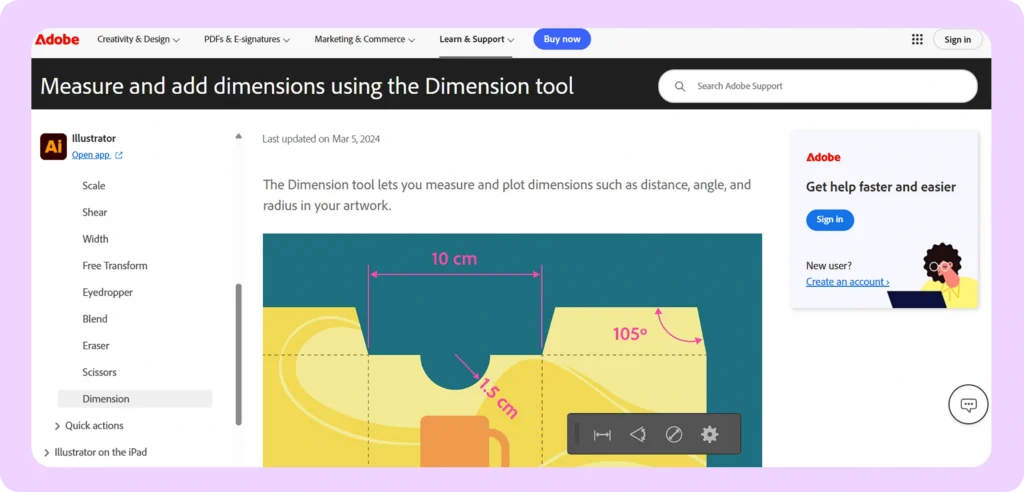
Best for: Technical and packaging designers producing print-quality spec sheets and engineering-style measurement drawings.
Key features:
- True dimension tool: Since the 2024 release, distance, angle, and radius measurements are calculated from drawn shapes rather than typed by hand.
- Live measurements: Figures stay connected to the artwork, so enlarging a drawing updates the measurement automatically.
- Automatic snapping: The tool finds corner points and edges on hover and previews the line before it is committed.
- Precision control: Units, decimal places, and a custom scale ratio are all adjustable, with styling saved as the default.
- Vector output: Files enlarge without blurring, feeding a printed spec sheet, a wholesale price list, and a catalog page from one source.
Pricing: Illustrator on its own costs $22.99 per month on a yearly plan billed monthly. Creative Cloud Pro costs $69.99 per month, currently offered at $34.99 per month for the first year. Creative Cloud Pro for teams costs $99.99 per month per person. There is no free plan, only a seven-day trial.
Where Adobe Illustrator falls short
- The Dimension tool measures drawn shapes, not the product in a photograph, so a designer must trace the outline or set a scale figure and rely on their own calculation.
- Figures are calculated from the drawing and cannot be filled from a spreadsheet, so 500 products requires custom scripting.
- Changing the scale setting later forces a redraw of existing measurements, and the tool demands more design skill than anything else on this list.
How WizStudio is better than Adobe Illustrator
WizStudio labels the photograph directly using figures from product records, so there is no tracing step and no scale calculation to trust. Because the values are data-driven rather than geometry-derived, a product list runs as a batch instead of requiring code. The workflow needs no design skill and no agency engagement for each catalog refresh.
8. Adobe Photoshop
Best for: In-house photo studios and retouchers already shooting the company’s product photography.
Key features:
- Shape and text layers: Lines with adjustable thickness, dashes, and arrow ends sit on vector layers that stay sharp at any size.
- Ruler tool: Distances can be checked on screen, and a crooked product photo straightened before labelling begins.
- Guides and snapping: Labels land in the same position across a set of images, which keeps a batch visually consistent.
- Reusable templates: Saved layer effects and linked copies apply one finished label design to the next product.
- Print output: True 300 dots per inch output with printing colour control supports wholesale price lists and spec sheets.
Pricing: Photoshop on its own costs $22.99 per month on a yearly plan billed monthly. The Photography plan including Lightroom costs $19.99 per month. Photoshop for teams starts at $37.99 per month per person. There is no free plan for the desktop application, only a seven-day trial.
Where Adobe Photoshop falls short
- Every label is drawn and typed per product, so a 3,000-product catalog remains 3,000 separate jobs.
- Nothing links the figure to product records, so an out-of-date measurement reaches the website with nothing to catch it.
- The batch routes that exist, using recorded actions or spreadsheet-driven templates, export files needing a second save pass and hold label positions fixed regardless of product shape.
How WizStudio is better than Adobe Photoshop
WizStudio links the published measurement to the product record instead of leaving it as loose text a retoucher typed, which closes the silent error route Photoshop leaves open. Batch work needs no scripting knowledge, no multi-day template build, and no second save pass. Output stays consistent regardless of who ran the job.
9. Canva
Best for: Small wholesale and direct-to-consumer teams with no designer on staff.
Key features:
- Line elements: Arrow ends, thickness, dash style, and colour are all selectable from the line style menu.
- Brand kit: Paid plans hold label styling consistent across every product image a team produces.
- Position boxes: Numeric position, width, and height fields allow a line to be placed in the same spot repeatedly.
- Background tools: Background removal and Magic Eraser on paid plans clean the product outline before labelling.
- Bulk Create: Paid plans connect template placeholders to a spreadsheet or Canva Sheets file.
Pricing: The free plan costs nothing. Canva Pro costs $18 per month, or $144 per year. Canva Teams costs $25 per person per month, or $250 per person per year. Enterprise is priced individually.
Where Canva falls short
- Canva has no measurement primitive at all, so a line element and a separate text box do the work, and nothing verifies the typed figure against the photo.
- Bulk Create holds label positions fixed in the template, so it only lands correctly on products of near-identical shape photographed at the same size.
- Print-quality formats are restricted to paid plans, and Bulk Create is excluded from the free plan entirely.
How WizStudio is better than Canva
WizStudio positions labels against each product’s own outline rather than at fixed template coordinates, so one batch works across products of differing shapes. No library of per-category templates has to be built and maintained as a catalog grows. Measurements arrive from product records rather than a designer retyping them into text boxes.
10. Photopea
Best for: Cost-conscious wholesalers, sales representatives, and outside contractors without an Adobe licence.
Key features:
- Photoshop file support: Photoshop files open and save unchanged, so an existing label template works without rebuilding.
- Wide format range: Illustrator, PDF, SVG, InDesign, Figma, CorelDRAW, and camera raw files all open in the same editor.
- Drawing and text tools: Line, shape, and pen tools plus a full type engine and layer effects build the callouts.
- Alignment aids: Rulers, guides, a grid, and snapping support repeatable line placement across a set.
- Universal access: The editor runs in any browser on any operating system, including older or restricted office machines.
Pricing: The tool is free and shows advertisements. Premium is listed inside the account at $5 per month. Photopea publishes no public pricing page, so current terms need checking in the account itself.
Where Photopea falls short
- There is no measurement tool and not even an on-screen distance readout, so accuracy rests entirely on an operator judging a photo by eye.
- No equivalent exists for Photoshop’s spreadsheet-driven templates or recorded actions, so the only automation route is custom code written by a developer.
- Printing colour control is limited, which makes the output suitable for screens rather than a commercial printer.
How WizStudio is better than Photopea
WizStudio removes the manual drawing step, which is the step that makes Photopea the least accurate option in this comparison. Batch work requires no developer and no browser-bound scripting. The measurement traces to a product record instead of an operator’s judgement, and output is sized for retailer deliverables.
11. Figma
Best for: Brand and marketplace teams wanting one shared page where merchandising and design agree label positions before production.
Key features:
- Measurement tool: Spacing and size between elements are calculated automatically and stay visible to everyone on the team.
- Property notes: Annotations bind to element properties, so they remain correct when the design changes.
- Components and variables: One label style propagates across every product frame in the file.
- Add-on library: Plugins built for this exact task include Measure, Redlines, and DesignDoc.
- Live commenting: The strongest simultaneous review of any tool here, so a merchandiser can mark up figures in place.
Pricing: The Starter plan is free. A Professional licence for someone editing files costs $16 per month paid yearly, or $20 paid monthly, with developer licences at $12 and comment-only licences at $3 on yearly billing. Organization costs $55 per month per editing licence and Enterprise costs $90, both yearly only.
Where Figma falls short
- The Measurement tool reports pixel distances between design elements, so real product figures are still typed per product with nothing verifying them.
- Output is screen-based with no control over print resolution or printing colour, which rules out printed dealer spec sheets entirely.
- Batch work requires a custom plugin, and the Measurement tool is available only on paid plans, so the feature that makes Figma interesting is missing from the free tier.
How WizStudio is better than Figma
WizStudio works from product records rather than pixel distances in a design file, so the published figure and the printed figure are the same number. Output is sized for retailer spec sheets rather than locked to screen resolution. Batch work needs no commissioned plugin, and no licence upgrade gates the core measurement feature.
How to choose the best AI software for adding dimensions to product images
Four questions decide this, and none of them is about software features. The answers point to a different shortlist each time.
- Number of SKUs in the catalog: Under roughly 100 products, a per-image tool such as SizeMarker or Goglo AI is enough. Between 100 and 500, manual labelling starts running past deadlines. Above 500, only WizStudio and Ecomtent accept a product list, and every other tool needs a person opening, labelling and saving each file.
- Type of products in the range: Cartons and flat goods need only height, width and depth, which every tool on this list supports. Furniture, lighting and casegoods need seat height, lamp drop and interior drawer depth, which narrows the field to WizStudio, Adobe Illustrator and the free Showcase tool.
- How often new products enter inventory: A supplier adding a handful of products each month absorbs manual labelling without much cost. A supplier adding 100 to 500 every quarter around the trade show calendar cannot, and needs a tool that runs from the product list rather than one photo at a time.
- Who receives the image, and how many measurements they ask for: Marketplace buyers accept one overall size on a compressed file, so most tools qualify. Retailers and design trade portals ask for several measurements on a spec sheet that gets printed, which leaves WizStudio for catalog volume and Adobe Illustrator for individual drawings.

How WizStudio improves the product dimension image workflow
- Figures come from product data: WizStudio prints the measurements a supplier already holds and checked, rather than estimating a size from the photograph.
- Product lists replace single images: A quarterly refresh of 100 to 500 products becomes one run rather than a project spread across three months.
- Background removal is included: Plain-background photos and measurement labelling are two separate features in one platform, removing the handover to a photographer or retouching service.
- Derived measurements are supported: Seat heights, arm heights, interior drawer depths, and lamp drops all appear alongside overall dimensions.
- One style holds across a batch: Line thickness, arrow style, font, and unit format stay identical from the first product to the four thousandth.
WizStudio does not stop at measurement lines. It sits inside a wider wholesale platform that also runs the online store, the orders written by sales representatives, and the payments, so a figure corrected once is correct everywhere it appears. Teams wanting the imagery tools alone can begin with the AI product image generator and add the rest later, and the same toolkit covers AI furniture product photography and background work through the product background remover.
Conclusion
AI has settled the question of whether software can draw an accurate measurement line onto a product photo. What it has not settled is whether a tool can do that across a full catalog, to a retailer’s requirements, using figures a team already trusts. Every tool in this comparison takes the measurement from the user rather than from the product.
For wholesalers and distributors, WizStudio by WizCommerce is the most integrated choice, and the only tool on this list built around the product list rather than the single image. It draws dimension lines from stored product data, generates the plain-background photo as a separate step in the same platform, supports the derived measurements that furniture and lighting catalogs publish, and holds one line style across an entire run. The same approach to catalog imagery is covered further in this guide to the best AI tools for product photography.
Smaller operations have cheaper options. SizeMarker and Goglo AI cover marketplace listings at low volume, and the free Showcase Dimension Tool handles a genuine one-off. Ecomtent and Blend process higher marketplace volumes, provided their output is reviewed before publication. For a single print-exact technical drawing, Adobe Illustrator remains the only real option.
Suppliers looking to scale dimension images across a catalog can do it without adding headcount. With results of up to 20x cheaper, 10x faster, and 33 percent higher conversion on websites and marketplaces from better product images, WizStudio is the only AI product image generator that ties catalog visuals directly to order workflows.
FAQs on the best AI tools for adding dimensions to product images
1. What is the best AI software for adding dimensions to product images?
The answer depends on catalog size. WizStudio suits wholesalers labelling a full catalog, because it works from a product list and draws figures from stored product records rather than from a person typing them per image. SizeMarker is the better choice for a single marketplace image needing precise control, since it attaches each line end to the edge of the detected product. Adobe Illustrator remains the strongest option for one print-exact technical drawing.
2. Which AI tool can add dimensions across an entire product catalog?
WizStudio and Ecomtent are the only two built for whole catalogs rather than single images. WizStudio processes a product list using measurements held in product data. Ecomtent prices by monthly product count, starting at $599 for 25 products, and uses spreadsheet files to exchange data with product information systems, although it does not publish how the measurement reaches the image. Every other tool in this comparison handles one image at a time.
3. Do these AI tools measure the product from the photo?
No. None of the 11 tools states that it can measure a physical product from a photograph, and all of them require figures the user has already measured and checked. Goglo AI says so directly in its own help pages, instructing users to verify every measurement and unit before publishing. Accuracy in this category is therefore a question of product data quality rather than software choice.
4. Is there a free tool for adding dimensions to product photos?
Three are worth knowing. The Showcase Dimension Tool is free with no registration and no image cap, though every line is drawn manually and output is PNG only. SizeMarker’s free plan includes all ten labelling tools and 30 image credits but prints its name across every image. Goglo AI offers a free plan that does not permit commercial use, so publishing requires the $10 Basic plan.
5. Can Canva, Photoshop, or Figma add dimension lines to product photos?
All three can, and none has an AI feature that calculates or positions a measurement. Canva has no measurement primitive, so a line element and a text box do the work. Photoshop’s Ruler tool reports a distance on screen only and never appears in the saved file, so labels are built from line and text layers. Figma’s Measurement tool reports pixel distances between design elements rather than physical size. Adobe Illustrator is the exception, calculating figures from drawn shapes.
6. Which dimension tool works best for furniture and lighting spec sheets?
WizStudio, because it meets all three requirements the category sets: derived measurements such as seat height and lamp drop, output sized for retailer spec sheets, and whole-catalog volume.
7. How much do AI dimension tools cost?
Free plans exist from SizeMarker, Goglo AI, Showcase, Canva, Photopea, and Figma, while paid plans run from $10 per month for Goglo Basic up to $5,999 per month for Ecomtent’s largest tier.
8. Can dimension images be produced for printed dealer catalogs?
Only through Adobe Illustrator, Adobe Photoshop, or WizStudio, because none of the five third-party dimension tools reviewed here publishes a print-quality file format.