Skip to content



Manual order entry slows down your sales team, creates data silos, and increases the risk of mistakes from wrong quantities to delayed shipments. Over time, those errors ripple through your supply chain, affecting inventory levels, customer orders, and delivery timelines. That’s lost revenue, frustrated buyers, and a clogged sales cycle.
The best sales rep order entry software replaces these manual tasks with a fast order entry system that captures orders in real time, syncs data across sales channels, and connects directly with your CRM, ERP system, and inventory control tools. Instead of chasing paperwork, your team can focus on selling, upselling, and building stronger customer relationships.
In this guide, we’ll break down the best sales rep order entry software for 2026, what features matter most, how order entry works in each tool, and how the right sales rep order entry software can improve order accuracy and streamline your sales process.
What is sales rep order entry software?
Sales rep order entry software is a digital system that enables field sales teams to place orders quickly and accurately without relying on paperwork or back-office support. Instead of writing down quantities or calling customer service, reps can enter customer orders directly into an order-entry system software that syncs data in real time.
This type of B2B order management software connects key parts of the order management process, including inventory levels, pricing, product catalogs, and customer information, so reps always know what’s in stock and what’s available across different sales channels. That means fewer delays, fewer errors, and faster order placement.
Because it integrates with tools like CRM platforms and ERP systems, it eliminates data silos and reduces manual tasks. Everyone from warehouse management teams to other team members in operations can see the same updated information. The result is better order accuracy and a smoother operation.
Why do sales teams need sales rep order entry software?
When reps rely on emails, spreadsheets, or handwritten notes, mistakes are inevitable. Orders get duplicated, pricing gets missed, and products go out of stock without warning. A centralized order entry system gives sales reps real-time visibility into inventory control, customer history, and market trends, helping them make smarter decisions and improve sales performance.
It also frees reps to spend more time selling and less time chasing paperwork, improving productivity across the entire sales organization.
Core features of sales rep order entry software
The main purpose of a sales rep order entry software is to simplify the order management process and remove the friction caused by manual tasks. Instead of juggling paperwork, spreadsheets, and back-and-forth communication, reps get a single order entry system that speeds up order placement, improves accuracy, and supports real-time decision-making across the supply chain.
By automating key steps and connecting critical business systems, this kind of software turns the order management process into a streamlined, reliable workflow. Here are the core features that make that possible:
1. Order entry automation
Order entry automation is a game-changer for sales operations. By eliminating manual data entry, the software significantly reduces human errors. This automation ensures that orders are captured accurately and processed quickly, leading to higher efficiency and fewer mistakes. The result is a smoother sales process, which enhances overall productivity and customer satisfaction.
2. Real-time order tracking
Real-time order tracking is another crucial feature that elevates sales rep order entry software. It provides sales teams with up-to-the-minute information on order statuses, allowing them to keep customers informed and manage expectations better.
This transparency not only improves customer trust but also enables sales reps to proactively address any issues that might arise during the order fulfillment process.
3. Seamless integration with CRM, ERP, and inventory management
Integration with CRM, ERP, and inventory management systems is essential for a holistic sales and order management approach. Businesses can ensure seamless data flow across different departments by connecting these systems.
For instance, integrating with a CRM system allows sales reps to access customer data easily. At the same time, ERP integration helps in synchronizing order processing with inventory and logistics, ensuring that orders are fulfilled accurately and on time.
This interconnectedness streamlines operations and provides a unified view of the business, enhancing decision-making and efficiency.
4. Automatic payment tracking and invoice generation
Automated invoicing and payment tracking are vital for maintaining a streamlined financial process. Sales rep order entry software can automatically generate invoices as orders are processed, track payments in real-time, and send reminders for outstanding payments.
This automation reduces the administrative burden on the sales team and ensures that the financial transactions are handled promptly and accurately. Consequently, businesses can improve their cash flow management and reduce the likelihood of payment delays.
Incorporating these core features into your sales rep order entry software can lead to a more efficient, error-free, and integrated sales process, ultimately driving business growth and customer satisfaction.
Also read: Optimizing and Managing Your Sales Order Process
Benefits of sales rep order entry software
A modern order entry system does more than replace paperwork; it removes the operational friction that slows down sales performance and disrupts the order management process. Automating repetitive steps and giving reps real-time visibility into customer orders creates a faster, more accurate workflow across the entire supply chain.
1. Reduces time spent on manual order processing
Manual tasks such as typing orders, checking product details, and tracking changes consume valuable selling time. With automated order placement, reps can enter orders in a few clicks instead of re-entering data across multiple systems.
Less admin work means faster order turnaround, shorter sales cycles, and more time spent on field sales and customer conversations. This alone can unlock meaningful productivity gains for growing teams.
2. Improves accuracy and efficiency
Human error is one of the biggest risks in manual order entry: wrong quantities, outdated pricing, or incorrect product variants can lead to returns, delays, and frustrated buyers.
With a digital AI order entry system, software data syncs in real time, pricing and inventory levels stay current, and orders flow through the system accurately. This reduces costly mistakes and keeps the order management system running smoothly from quote to delivery.
3. Provides clear visibility across the sales cycle
A single source of truth eliminates guesswork. When sales reps, warehouse management teams, and customer service have access to the same real-time information, everyone can track order status without digging through emails or spreadsheets.
This visibility supports better forecasting, faster issue resolution, improves decision-making based on live data, and also reduces the data silos that often slow communication between departments.
4. Enhances customer experience
Customers want speed, accuracy, and transparency. When reps can place orders quickly, check stock instantly, and share real-time updates, it builds trust and strengthens long-term customer relationships. Benefits of this include fewer delays, clear expectations, and higher repeat-order potential. In competitive markets, this level of reliability becomes a differentiator across your sales channels.
5. Supports better inventory and operations management
Because sales data feeds directly into your inventory control and ERP system, teams get a more accurate view of demand and stock levels. That helps prevent stockouts, over-ordering, and fulfillment bottlenecks across the supply chain management process.
The result is smoother coordination between sales, warehouse operations, and finance without constant manual updates.
When these benefits come together, businesses gain a faster, more connected sales rep order entry process that strengthens sales performance, improves order accuracy, shortens fulfillment timelines, and reduces operational costs. Instead of reacting to problems, teams can operate proactively with real-time insights and streamlined workflows.

Sales rep order entry software at a glance: which tool fits your team
| Tool | Best for | Catalog search & scan | Offline entry | Customer pricing | ERP push |
| WizOrder by WizCommerce | Wholesale teams with complex catalogs | AI text & image search, badge & barcode scan | Yes | Price tiers and contract rates applied automatically | Direct, real time |
| Pepperi | Enterprise field sales and route accounting | Barcode scan, quick-order lists, CSV import | Yes | Pricing matrix: contracts, volume, price lists | Via own integration layer |
| RepZio | Rep agencies and showrooms | Barcode & badge scan, visual catalog | Yes | Not detailed on site | File exports (CSV, XML, EDI) |
| MarketTime | Multi-line rep agencies | Show scanning, shoppable catalogs | Yes | Not detailed on site | APIs: QuickBooks, NetSuite, Sage, SAP, Xero |
| Perenso | Field sales and trade show ordering | Order screen with deals & sales history | Yes | Customer pricing + auto-calculated deals | SAP, NetSuite, Microsoft integrations |
| inSitu Sales | Distributors and DSD teams | Barcode scan, catalog lookup | No | Assigned price list per customer | QuickBooks, NetSuite, SAP B1, Xero |
6 best sales rep order entry software: how each one gets orders into your ERP
Choosing the right sales rep entry software can make a significant difference in your sales operations.
Here’s a look at the top 6 options available, highlighting their key features, pros and cons, and pricing.
1. WizOrder by WizCommerce
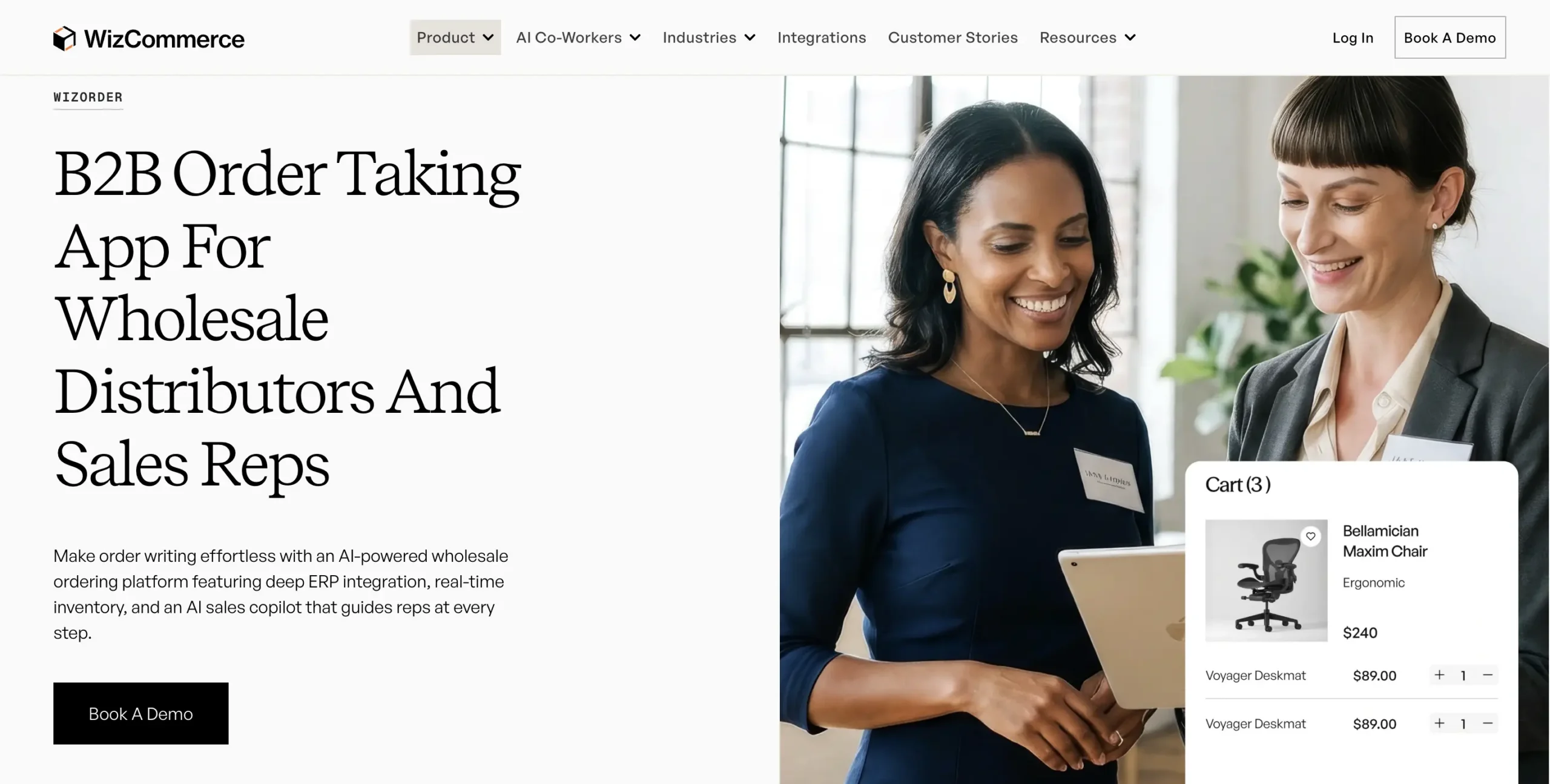
WizOrder is a purpose-built sales rep order entry software by WizCommerce designed for field sales teams and internal order management. It streamlines the entire order entry process from placing orders in the field to syncing with inventory levels and ERP systems while reducing manual tasks and errors. Its real-time order tracking and AI-powered product recommendations make it ideal for businesses that need accurate, fast, and flexible order management.
How order entry works in it:
The rep opens the customer account and starts a cart. Items go into the cart through AI text search (“gold table lamp under $40”), AI image search from a quick photo, or a barcode or badge scan, and the customer’s price tier and any promotions apply to each line the moment it lands. Quantities check against live inventory as the cart builds. When the cart is done, the rep submits it and the order is pushed into the ERP in real time as a clean sales order, with confirmations emailed to the customer and back office immediately. There is no export step and no re-entry anywhere in the flow.
Key features:
- Single-screen view of all product variants, pricing tiers, and promotions
- Typo-tolerant search and customizable filters to quickly find SKUs
- One-click conversion of quotes to orders, supporting bulk order entry
- Integration with major ERPs, CRM systems, and ecommerce platforms
- AI text search for plain descriptions and AI image search from a photo, with close-match suggestions
- Barcode and badge scanning for trade show and showroom order writing
- Direct, real-time sales order creation inside the ERP
Pros: Zero order entry errors, with every line validated against live inventory and the customer’s price tier as the cart builds; real-time ERP push the moment the cart is submitted; AI text and image search for fast product discovery in large catalogs.
Cons: Pricing details are not explicitly provided on the site, and may require some training to utilize all features effectively
Why it stands out:
WizOrder closes the gap between the conversation and the system of record. The order that gets discussed at the table is the order that lands in the ERP, priced correctly, checked against stock, and confirmed before the rep reaches the parking lot. For teams managing high-volume orders or complex product catalogs, that removes both the evening data-entry shift and the errors that come with it.
Best for: Mid-to-large businesses with complex product lines and field sales operations.
2. Pepperi
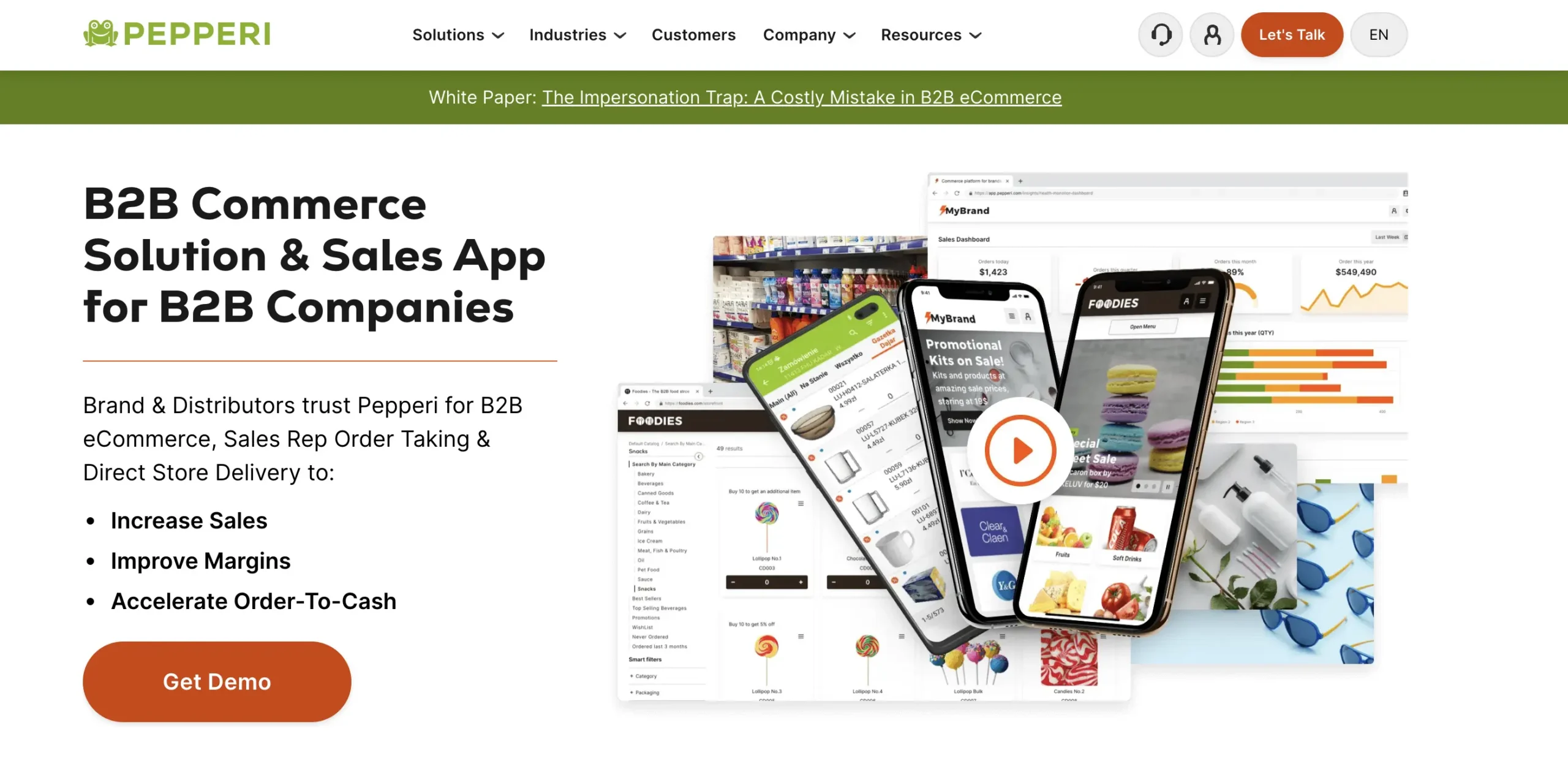
Pepperi is an enterprise B2B sales platform with a rep app at its core, common in CPG and route-accounting operations. It suits teams that need order entry alongside van sales and merchandising workflows. If your reps run delivery routes and merchandising calls in the same day, this is the profile Pepperi was built for.
How order entry works in it:
The rep opens the account and builds the order from the catalog, by barcode scan from a product page or the device camera, through quick-order and predefined order lists, or by CSV import for big repeat orders. Pepperi’s pricing matrix applies negotiated contracts, volume pricing, and the right price list per customer type to each line. Orders built offline auto-sync when the connection returns, and reach the back office through Pepperi’s own integration layer rather than a direct real-time ERP write.
Key features:
- Barcode scanning from product pages or the device camera
- Quick-order screens, predefined order lists, and CSV order import for repeat business
- Pricing matrix with negotiated contracts, volume pricing, and multiple price lists per customer type
- Full offline functionality with automatic sync
- Route accounting and DSD support: van sales, invoice printing, payments, and proof of delivery
Pros: Deep route-accounting support, mature offline behavior, and strong customer-specific pricing controls.
Cons: Enterprise-grade setup takes time, and smaller teams often find the platform heavier than the job requires.
Best for: Larger CPG and distribution teams running field sales plus delivery routes.
3. RepZio
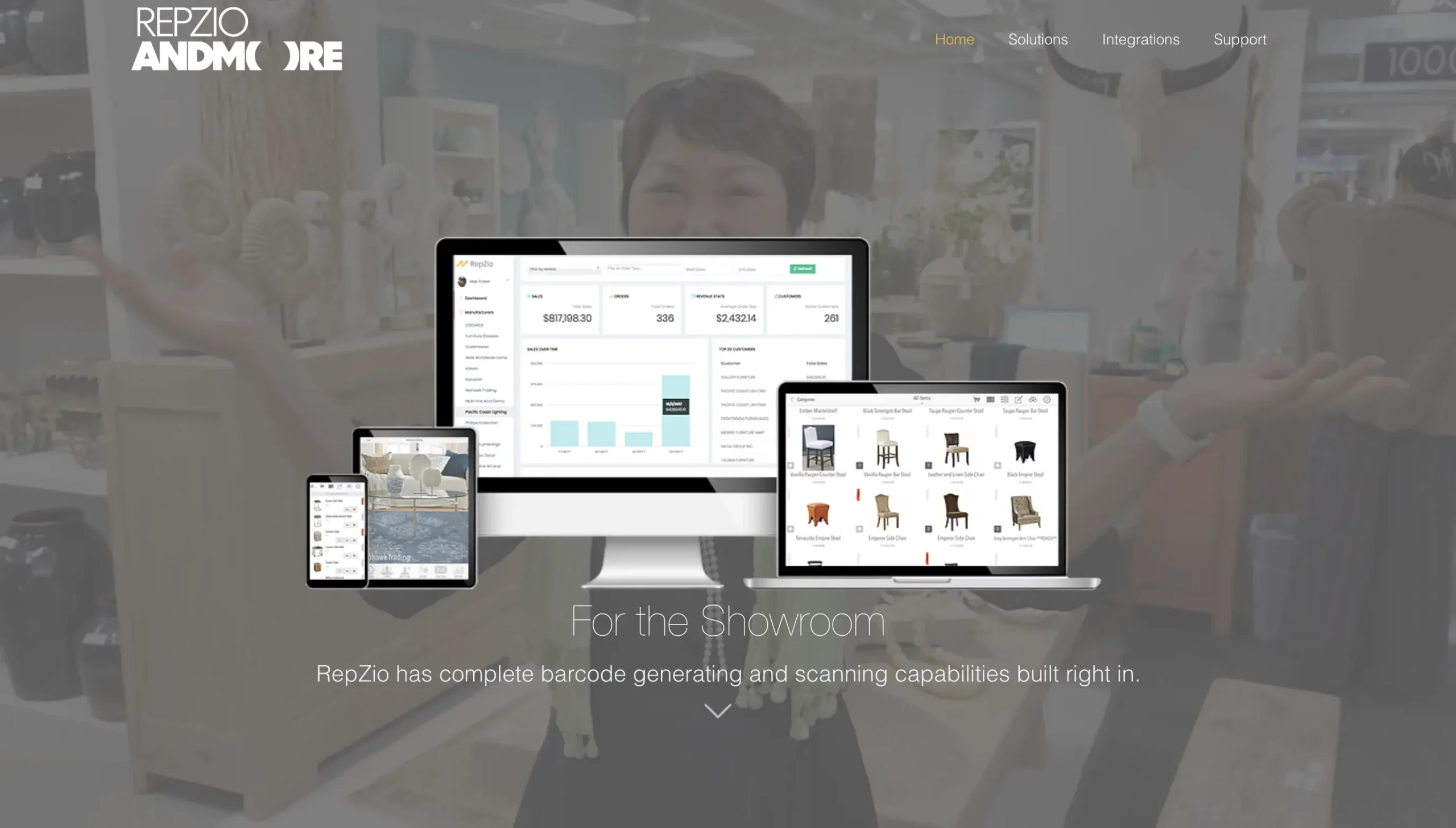
RepZio is a favorite among rep agencies and showroom sellers, particularly in gift and home décor. It is built around visual selling, with large product imagery and quick scanning replacing the handwritten order pad. If your selling happens in temporary showroom booths, its no-signal reliability will matter to you within the first hour.
How order entry works in it:
The rep scans items in with a Bluetooth scanner or the device camera, or taps through the visual catalog with live inventory showing, and builds the order in minutes. The cart keeps building with no signal, which is why RepZio shows up in so many showroom booths, and it supports badge scanning at the Atlanta and Las Vegas markets. Completed orders leave as exports (CSV, XML, EDI, and QuickBooks formats) rather than a direct ERP write.
Key features:
- Barcode generation and scanning via Bluetooth scanner or device camera
- Visual catalog with live inventory visibility
- Works fully online and offline
- Badge scanning support at major wholesale markets
- Order exports in CSV, XML, EDI, and QuickBooks formats
Pros: Very fast scan-to-line entry, comfortable for reps who sell across multiple vendor lines, easy for seasonal staff to learn.
Cons: Back-office depth is thinner than platform tools, so complex validation happens after the order leaves the app.
Best for: Small to medium-sized teams seeking an affordable, integrated order entry and CRM solution.
4. Markettime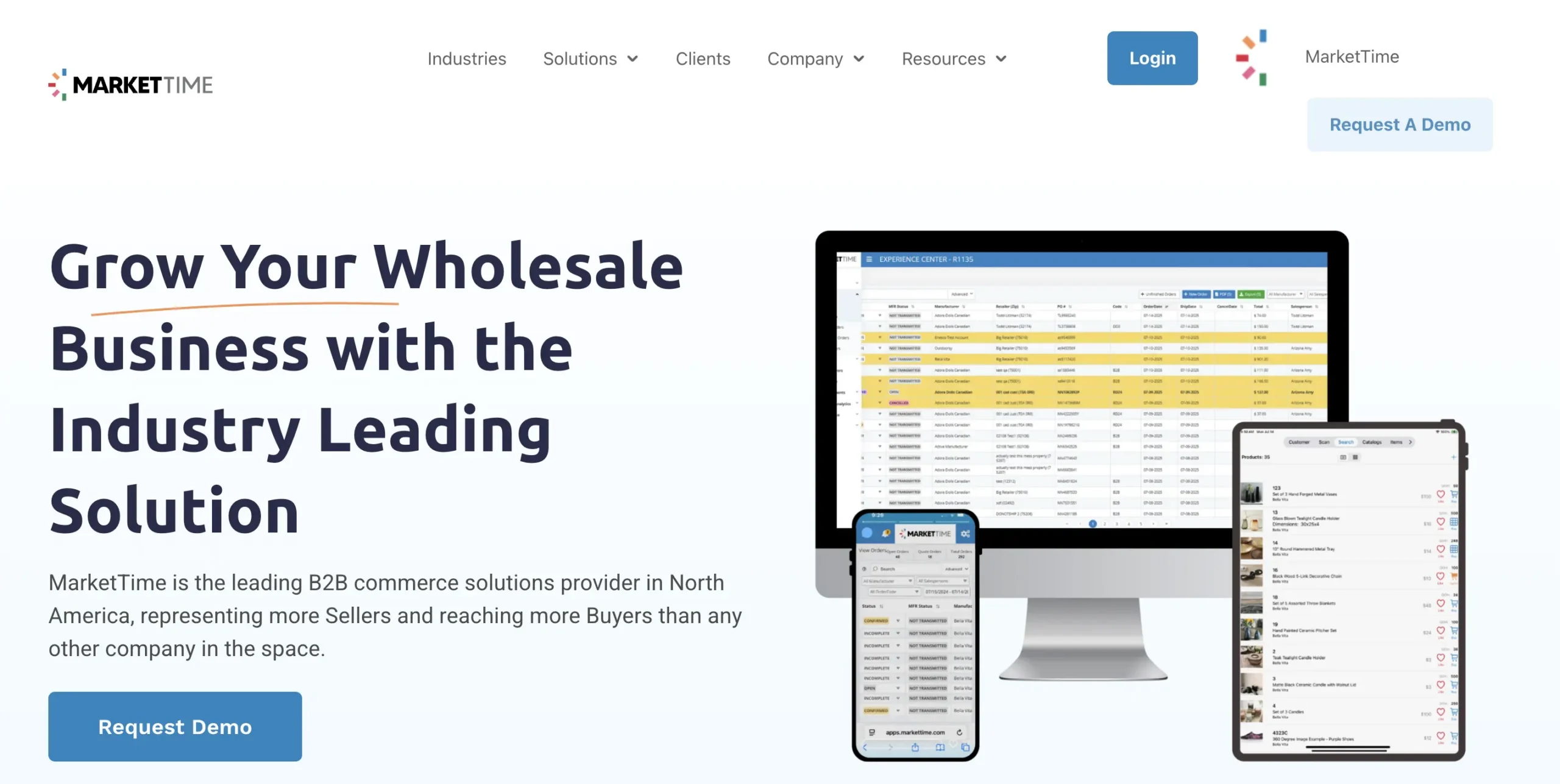
MarketTime serves multi-line rep agencies that write orders for many vendors at once, and it pairs the order writing with the agency back office: commission tracking and invoice management live in the same platform. If your reps sell twelve brands from one bag, you will feel the difference at your first market.
How order entry works in it:
The rep builds one order per vendor per retailer from shoppable digital catalogs, scanning barcodes at shows or tapping hotspots on PDF catalogs, without switching apps. Reordering pulls from past orders, and the mobile app keeps writing offline. Each submitted order routes back to its supplier’s system, with prebuilt APIs into QuickBooks, NetSuite, Sage, SAP, and Xero on the brand side.
Key features:
- One order per vendor per retailer, written from a single cross-vendor catalog
- Barcode scanning at shows and hotspot ordering on PDF catalogs
- Simple reordering from order history
- Offline order writing on the mobile app
- Commission tracking and invoice management for the agency back office
- Prebuilt APIs to QuickBooks, NetSuite, Sage, SAP, and Xero
Pros: The strongest multi-vendor order writing in this list, wide adoption at wholesale markets, show-ready scanning.
Cons: Brands running their own dedicated sales team get less value from the agency-centric model.
Best for: small businesses or sales teams that prioritize ease of use and pipeline visibility.
5. Perenso

Perenso focuses on field sales and trade show ordering, and it is one of the few tools that treats the show floor as a first-class workflow. Its deal screens are built for negotiated, promotion-heavy selling. If your revenue concentrates into a few show weeks a year, that focus pays for itself quickly.
How order entry works in it:
The rep works a customizable order screen showing pricing, sales history, and auto-calculated deals per account, searching by ID, description, brand, or category. Orders can split across delivery dates and toggle between warehouses, and the whole flow runs offline with automatic cloud sync. At shows, the same ordering runs pre-show, at-show, and post-show, with negotiated deals and product kits applied as lines are added; submitted orders sync onward through ERP and accounting integrations (SAP, NetSuite, and Microsoft among the named ones).
Key features:
- Customizable order screen with pricing, sales history, and auto-calculated deals
- Search by product ID, description, brand, or category
- Split delivery dates and multi-warehouse ordering
- Full offline ordering with automatic cloud sync
- Trade show ordering across pre-show, at-show, and post-show, with deals and product kits
- ERP and accounting integrations including SAP, NetSuite, and Microsoft
Pros: Genuine trade show tooling, strong promotion and deal handling, solid offline entry.
Cons: The catalog experience is more functional than visual, which matters in image-led categories.
Best for: Teams whose calendar revolves around shows and negotiated deals.
6. inSitu Sales
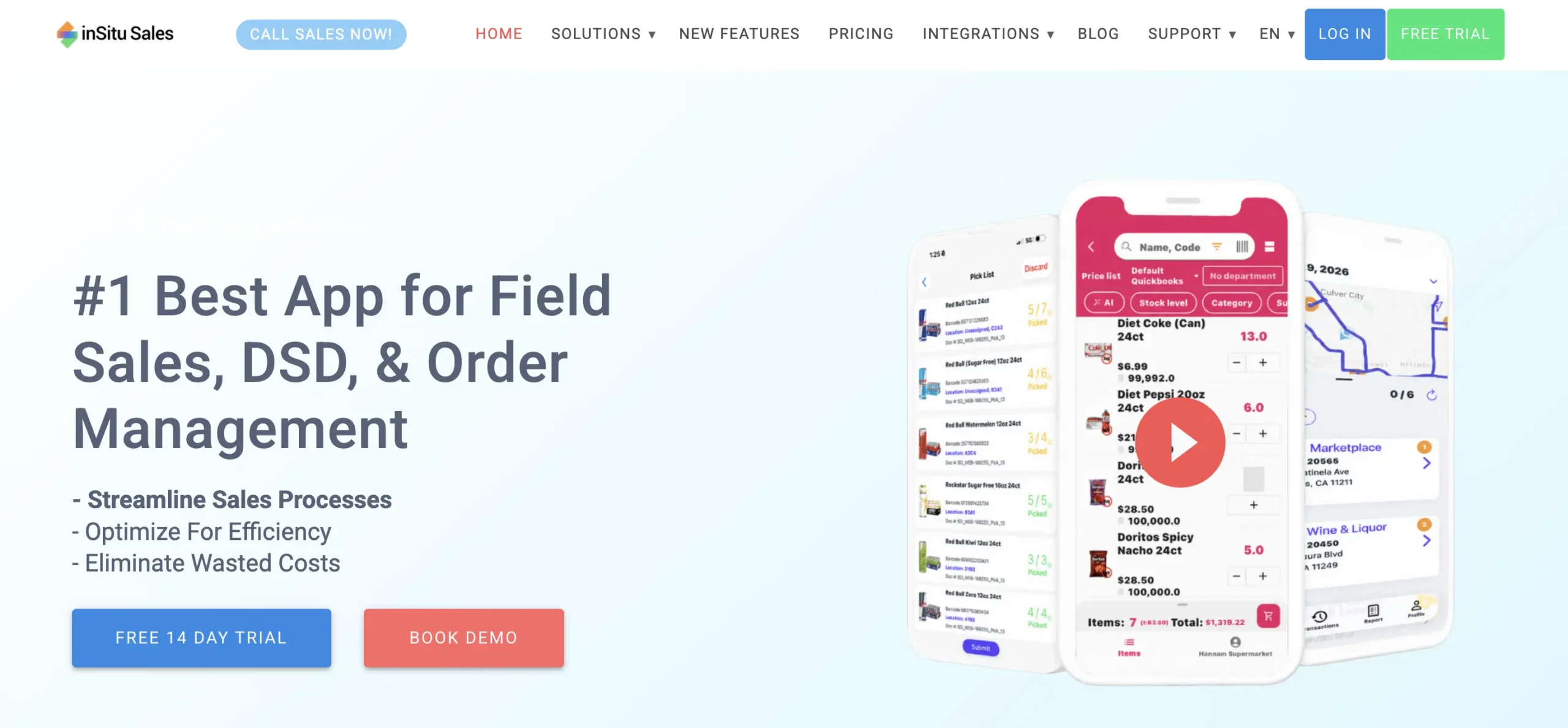
inSitu Sales is mobile order entry for distributors and DSD teams, and it has been a fixture in delivery-route selling for years. It combines rep order entry with invoicing and a buyer portal, so if your reps close the whole transaction at the door, it deserves a look.
How order entry works in it:
The rep selects the customer and adds items by barcode scan or catalog lookup, with real-time inventory and that customer’s assigned price list on every line. If the visit ends in a sale, the same order becomes an invoice on the spot, printable over Bluetooth, which suits distributors who close the whole transaction at the door. Orders flow onward to the warehouse picker and delivery driver apps, and sync to QuickBooks, NetSuite, SAP B1, Xero, Fishbowl, and others.
Key features:
- Barcode scanning and catalog lookup with real-time inventory
- Customer-assigned price lists applied per line
- On-the-spot invoicing with Bluetooth printing
- Connected warehouse picker and delivery driver apps
- Syncs with QuickBooks, NetSuite, SAP B1, Xero, Fishbowl, and more
Pros: Straightforward published pricing, field invoicing in the same app, good fit for delivery-route selling.
Cons: Catalog and validation depth are lighter than wholesale-platform tools, which shows on large, variant-heavy orders. Our inSitu Sales alternative guide has the details.
Best for: Distributors and DSD operations that order, invoice, and collect in one visit.

How sales rep order entry software works: from handshake to ERP in six steps
The tools differ, but a good entry flow runs the same six steps everywhere. Whichever sales rep order entry software you evaluate, walk a real order through these steps in the trial and time it.
Step 1: Pull up the customer
The order starts with the account, not the product. The app loads the customer’s price tier, net terms, ship-to addresses, and order history before the first line is added, because every line that follows depends on them. A rep who can see the last three orders opens the conversation with a reorder suggestion instead of a blank screen.
Step 2: Find products fast
Catalog speed decides whether the order gets written during the visit or after it. Good tools offer several ways in: search that tolerates typos and partial names, catalog browsing with images for the customer to react to, and barcode or badge scanning for shows. The newest tools add AI search on top, so a rep can describe a product in plain words or search with a photo when the customer points at something and asks “do you have this?”
Step 3: Add lines with live pricing
Each line lands with the quantity checked against live inventory and the customer’s pricing applied automatically. Contract rates, tier pricing, and running promotions calculate on the spot, so the number the customer hears is the number on the invoice. This step is where manual order entry produces most of its errors, and where the software earns its keep.
Step 4: Keep working when the signal dies
Cell signal dies the moment you walk onto a concrete show floor, and delivery routes are no kinder. A sales rep order taking app has to build the full order locally and sync it when the connection returns, without losing lines or double-submitting. Offline entry is the feature reps stop noticing until the one day it is missing.
Step 5: Review and submit to the ERP
Before submission, one screen shows every line, discount, and ship date for a final check with the customer. Submitting writes a clean sales order into the ERP, with required fields, defaults, and order rules already satisfied. There is no export step and no email to the back office; the order simply exists where fulfillment needs it.
Step 6: Confirmation before the parking lot
The customer and the back office both get the confirmation while the rep walks to the car. That closes the loop that paper never could: the order exists in the system of record minutes after the handshake, and fulfillment starts the same day. The rep’s evening belongs to the next day’s route, not to data entry.
Choosing the best sales rep order entry software
Selecting the right sales rep order entry software is critical to streamlining your order management process, improving order accuracy, and enhancing customer satisfaction. A well-chosen system reduces manual tasks, connects sales channels, and ensures your team can focus on selling instead of chasing paperwork.
Here’s how to evaluate and choose the best software for your business.
1. Identify your business-specific needs
Before evaluating software options, pinpoint the specific challenges in your current order management process:
- Are your sales reps struggling with manual order entry that creates data silos?
- Do you need real-time inventory visibility to avoid stockouts or delays?
- How complex are your pricing tiers, promotions, and product variants?
- What size is your sales team, and do field sales reps need mobile access?
Understanding your unique requirements ensures that the software you choose aligns with your supply chain management, ERP system, and overall operational goals. For instance, teams processing high-volume customer orders benefit from robust automation features and real-time order tracking.
2. Evaluate integration capabilities with existing business systems
A top sales rep order entry system should seamlessly integrate with your existing tools, including:
- CRM systems to access customer history and track interactions
- ERP platforms for accurate inventory control and financial processing
- Ecommerce platforms for multi-channel order management
- Inventory management systems to provide real-time stock updates
Integration prevents duplicate entries, reduces errors, and creates a centralized hub for order placement and fulfillment. It also ensures that team members across sales, warehouse management, and finance have a unified view of customer orders.
For example, integrating with a CRM system can help your sales reps access customer data effortlessly, while ERP integration synchronizes order processing with inventory and logistics, ensuring timely fulfillment.
3. Consider key factors impacting operations
Effective software should enhance critical aspects of your business operations:
- Customer service efficiency: By providing real-time updates and tracking information, the software should help your sales reps keep customers informed about their order status, thereby improving customer satisfaction.
- Inventory management: The software should offer real-time inventory visibility, helping you maintain optimal stock levels and prevent issues like overstocking or stockouts.
- Financial processing: Automated invoicing and payment tracking features can streamline your financial processes, ensuring accurate and timely transactions. Look for software that integrates well with your accounting systems for seamless financial management.
Look for tools that support multi-channel sales, mobile order placement for field sales, and reporting dashboards to track sales performance, customer orders, and market trends.
4. Factor in usability, scalability, and support
When choosing software, consider:
- User-friendliness: Ensure that the software is intuitive and easy to use for your sales team. A steep learning curve can hinder productivity and slow down adoption.
- Scalability: Choose software that can grow with your business. As your sales operations expand, the software should be able to handle increased order volumes and additional users without compromising performance.
- Customer support: Reliable customer support is essential for addressing any technical issues that may arise. Check the availability and responsiveness of the software provider’s support team.
A system that balances ease of use, robust functionality, and excellent support will maximize efficiency and adoption across your sales team.
5. Ask the right questions
Before committing, ask software vendors:
- Can the system handle your order volumes and product complexity?
- Does it provide real-time integration with ERP, CRM, and inventory systems?
- How does it reduce manual tasks and improve order accuracy?
- Can it support mobile access for field sales reps?
- What reporting and analytics tools are included to monitor sales and customer orders?
These questions help ensure that your investment directly improves order management processes, boosts efficiency, and supports long-term business growth.

Conclusion
Manual order entry and disconnected systems slow your sales team, create errors, and disrupt your order management process. Sales order processing automation for wholesale closes those gaps. The right sales rep order entry software automates tedious tasks, provides real-time order tracking, and integrates seamlessly with your CRM, ERP, and inventory systems.
By streamlining order placement, reducing manual tasks, and giving full visibility into inventory levels and customer orders, your team can focus on what really matters: closing deals, building customer relationships, and scaling operations.
With a robust solution like WizCommerce, you can unify your sales channels, eliminate data silos, and empower field sales reps to place orders accurately and efficiently from anywhere. The result is a smoother sales cycle, fewer errors, and a stronger, more reliable supply chain.
Ready to see the transformation in action?
Book a demo and discover how your sales team can operate faster, smarter, and with complete confidence in every order.
FAQs
What apps to use for sales?
Most sales teams rely on a mix of CRM, order entry, quoting, and communication tools because no single app covers every part of the workflow well. What actually matters is how smoothly these tools talk to one another. A unified tool like WizCommerce helps because it pulls quoting, ordering, and customer info into one screen, so reps stop juggling five tabs before completing a simple task.
What software do sales representatives use?
Sales representatives use software that helps them manage the full customer lifecycle: CRM systems for contacts and deals, email and meeting tools for communication, quoting/order entry apps for building proposals and sales orders, and analytics dashboards to track performance and pipeline.
What software is used for sales orders?
Sales orders are usually handled in ERP systems, dedicated order management platforms, or B2B sales/order-taking apps that sync with your accounting and inventory, such as rep-focused solutions like WizOrder that turn accepted quotes into structured orders.
Can sales orders be automated?
Sales orders can be automated by linking your B2B ordering portal or B2B order taking app directly to your ERP or order management system, using rules and workflows so online orders and rep-entered orders flow straight through with minimal manual rekeying.
How is sales rep order entry software different from a CRM?
A CRM tracks relationships and deal stages; it does not carry your catalog, your stock, or what each customer pays for a case of anything. Sales rep order entry software carries all three and produces an ERP-ready sales order, not a note that an order happened. Many teams run both, connected, with the CRM owning the pipeline and the order entry app owning the transaction.
Can sales reps enter orders offline?
Yes, most sales rep order entry tools build the order locally on the device and sync it to the ERP when a connection returns. This matters on trade show floors and delivery routes where reception is unreliable. Test it during a trial by finishing an order in airplane mode.
How much does sales rep order entry software cost?
Most tools price per rep per month, ranging from published per-user plans for small field teams to quote-based annual contracts for enterprise platforms. Among the tools in this list, only inSitu Sales publishes pricing; the rest are demo-based. Always price against your real rep count and order volume.