Announcing our $8M fundraise to bring AI to wholesale. Read our manifesto

Native QuickBooks Online Ecommerce Integration For Modern Wholesale Operations

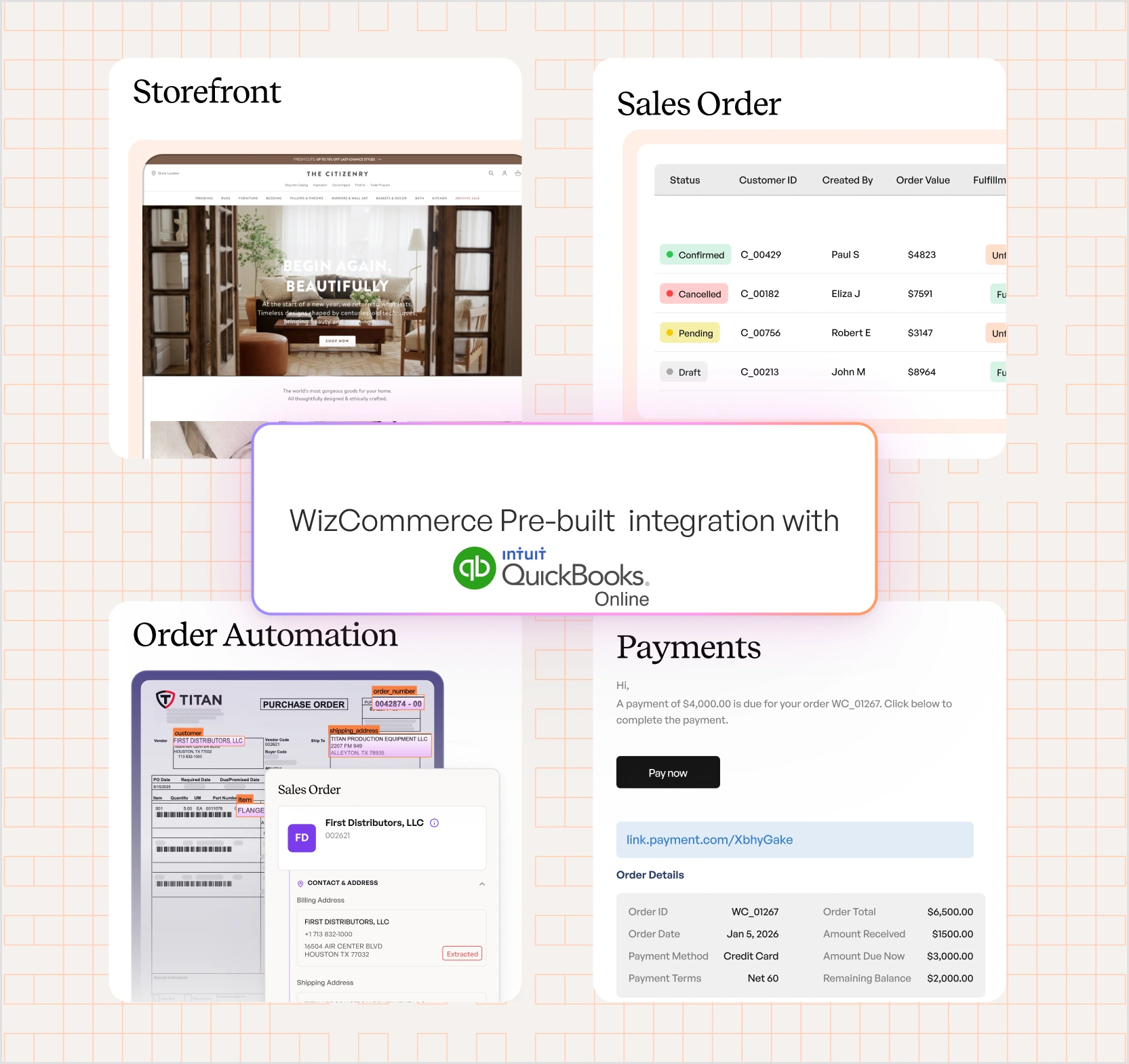
Sync products, orders, inventory, pricing, customers, and payments between QuickBooks Online and WizCommerce’s B2B order management software in near real time – with custom API support for all entities.

Quickbook-Online-Hero

Why WizCommerce Is the Best B2B Commerce Platform to Integrate With QuickBooks Online

Wholesale distributors on QuickBooks Online manage products, customers, and invoices in QBO — but selling B2B online means re-keying orders, updating pricing manually across price lists, and watching inventory go out of sync. WizCommerce changes that. Unlike generic B2B ecommerce tools, WizCommerce sits cleanly on top of QuickBooks Online and adds the selling capabilities QBO was never built to provide:

  • B2B ecommerce storefronts for wholesale buyers
  • Sales rep order-taking and assisted selling
  • AI-powered workflows to automate manual processes
  • Payment portals connected directly to QuickBooks Online data


All while keeping QuickBooks Online as the single source of truth.

Quickbook-Online-Integration

A QuickBooks Online Ecommerce Integration For Real ERP Environments

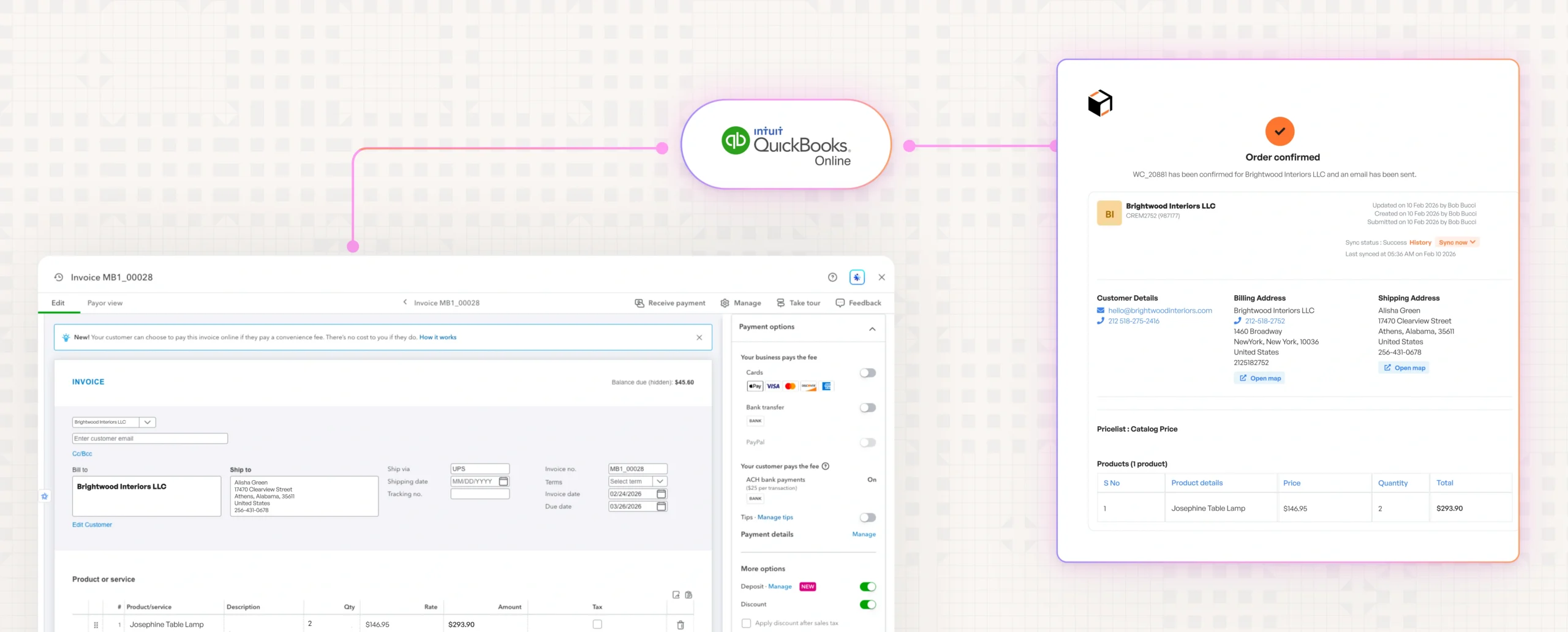
WizCommerce connects to QuickBooks Online via a dedicated WizCommerce app added directly to your QBO account. No middleware. No brittle connectors. And when generic APIs don’t expose what you need, WizCommerce supports custom APIs from your team for all entities.

HOW WIZCOMMERCE CONNECTS TO QUICKBOOKS ONLINE

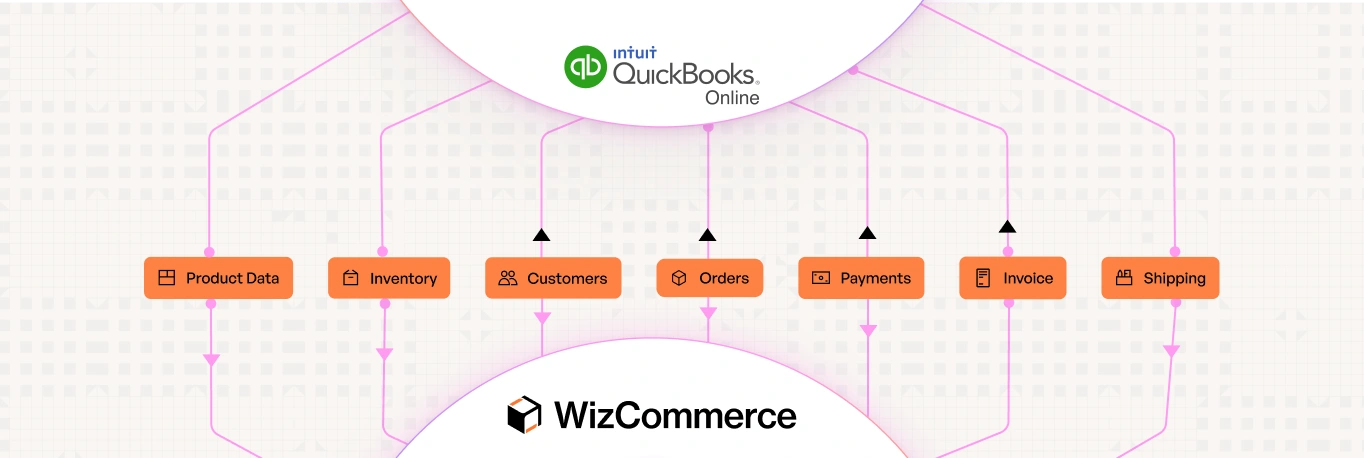
WHAT THE INTEGRATION SUPPORTS IN QUICKBOOKS ONLINE

No brittle middleware. No black-box connectors.

Just a clean, controlled integration that keeps QuickBooks Online in charge.

"We believe information is power. WizCommerce seamlessly integrated with our existing tools, helping us create a unified sales ecosystem where data flows freely to and from systems."

QuickBooks Online and WizCommerce Integration Workflow and Touchpoints

WizCommerce maintains a bi-directional sync with QuickBooks Online, ensuring that all critical wholesale data stays accurate, consistent, and up to date across systems.

Quickbook-Online-Workflow

How WizCommerce Handles Complex QuickBooks Online Environments With Ease

WizCommerce is designed to absorb ERP complexity so your teams don't have to manage it day to day. Instead of forcing rigid workflows, the platform adapts to how QuickBooks Online is already configured.

Handles complex B2B pricing structures natively

Multiple price lists, customer-specific pricing tiers, and order-level discounts all sync from QBO without custom code or manual workarounds.

ERP-first design philosophy

QuickBooks Online remains the system of record at all times. WizCommerce extends it without duplicating logic or data — your ERP stays clean.

Orders sync as invoices — matching how you already work

WizCommerce orders push to QBO as invoices with full line-item detail, discounts, and customer references — matching how wholesale businesses actually use QuickBooks Online.

Bi-directional sync without data conflicts

Records created in either system stay in sync automatically. No duplicates, no lost updates, no manual reconciliation between QBO and WizCommerce.

Incremental and change-safe updates

New fields, workflows, or rules can be added over time without downtime or re-implementation. The integration evolves with your business.

Go Live On QuickBooks Online In As Few As 30 Days

A structured, ERP-safe implementation designed to minimize internal effort and get your wholesale operations live quickly.

Week 1

Discovery & scoping:

Align on data entities, workflows, and security requirements

Week 2

Mapping & configuration:

Map fields, sync rules, & workflows without ERP rework

Week 3

Build & testing:

Connect to QuickBooks Online, validate data sync, and run UAT

Week 4

Go-live & hypercare:

Production launch with monitoring & stabilization

Enterprise-grade security & compliance

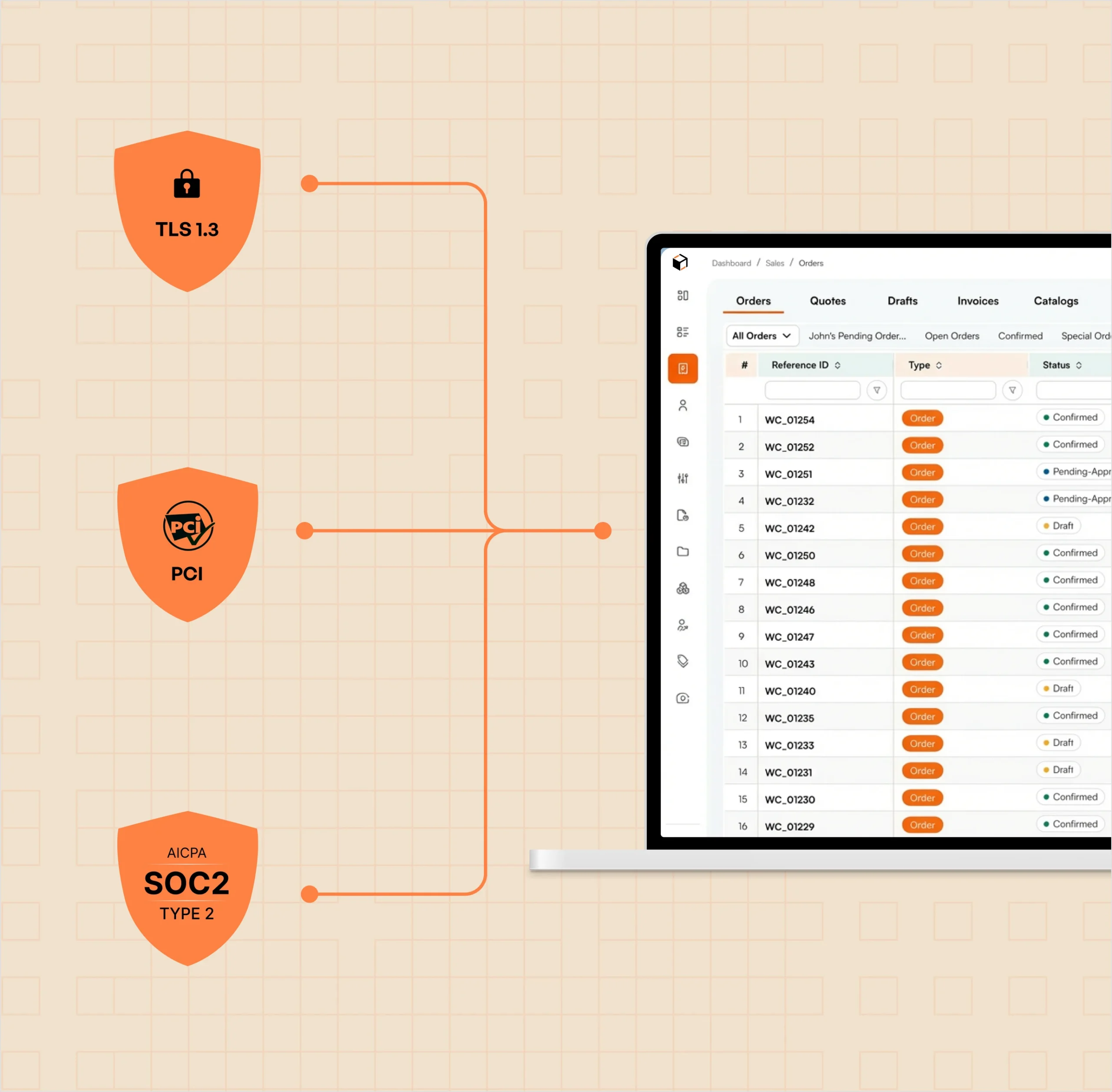
Our ecommerce integration is equipped with security controls that meet the standards of Dynamics-centric enterprises

1. TLS 1.3 encrypted data transfer
2. Encrypted storage of API credentials
3. Role-based access controls
4. Audit logs for integration activity
5. PCI-compliant payment handling (tokenized)
6. SOC 2 best-practice infrastructure

QuickBooks Online integration made for reliability

QuickBooks Online integrations run at the core of day-to-day operations, where failures mean missed orders, inventory mismatches, and manual firefighting. WizCommerce is designed to prevent that by actively monitoring, correcting, and controlling every sync.

  • Continuous monitoring of all integration jobs
  • Automatic retries for temporary failures
  • Detailed, actionable error logs with “Ask AI” analysis
  • Manual & scheduled sync controls
  • Proactive alerts for sync issues

Frequently Asked Questions

No. WizCommerce is designed to fit around your existing workflows, not replace them. Your ERP stays your system of record. Your sales reps keep their current process. The integration runs in the background — syncing data automatically so your team doesn’t have to double-enter orders or manually update inventory between systems.
Orders placed in WizCommerce push directly to QuickBooks Online as invoices with full line-item detail, customer references, discounts, and pricing. As soon as an order is confirmed in WizCommerce, it appears in QBO as an invoice in open state — matching how most wholesale businesses already use QuickBooks.
WizCommerce integrates with all major ERPs — including NetSuite, Microsoft Dynamics 365, SAP, Sage, and more. If you switch ERPs down the line, the integration can be re-mapped to your new system. Your WizCommerce storefront, customer data, and sales workflows don’t need to be rebuilt from scratch.
For QuickBooks Online integrations, no dedicated development effort is required on your side. You’ll typically need someone who understands your QBO workflows and can provide access credentials. WizCommerce handles the integration build, testing, and deployment.
Yes. WizCommerce supports testing with demo accounts, user acceptance testing (UAT), and staged rollouts. You can validate workflows, data sync, and edge cases before moving to production.
WizCommerce is built to evolve with your business. New fields, custom attributes, and mapping changes can be added without disrupting existing integrations. And because generic APIs often don’t expose everything you need, WizCommerce supports custom APIs from clients for all entities — you provide the endpoints for your specific data requirements, and we map them directly into the integration.
QuickBooks Online remains the system of record. WizCommerce reads from and writes to QBO based on configured rules, ensuring no data duplication or ownership conflicts.

Integrations

Connected to your Tech Stack from day one

With 1,000+ pre-built connectors, WizCommerce creates Order Entry Assistant creates orders directly inside your ERP—no middleware, no custom builds, no manual entry.

Vector
Vector (1)
Vector (7)
Vector-1
Group
Vector
Vector (9)
Vector (10)
Vector
Vector (1)
Vector (7)
Vector-1
Group
Vector
Vector (9)
Vector (10)
vcbcv
xbvb
cvnvnbv
Group
authorize.net logo
fbdfb
Vector (7)
Ebizcharge logo
vcbcv
dfvnb
xbvb
cvnvnbv
Group
fbdfb
Vector (7)

Get in touch

Modernize Your Wholesale Business