 Skip to content

B2B E-Commerce Replatforming Checklist
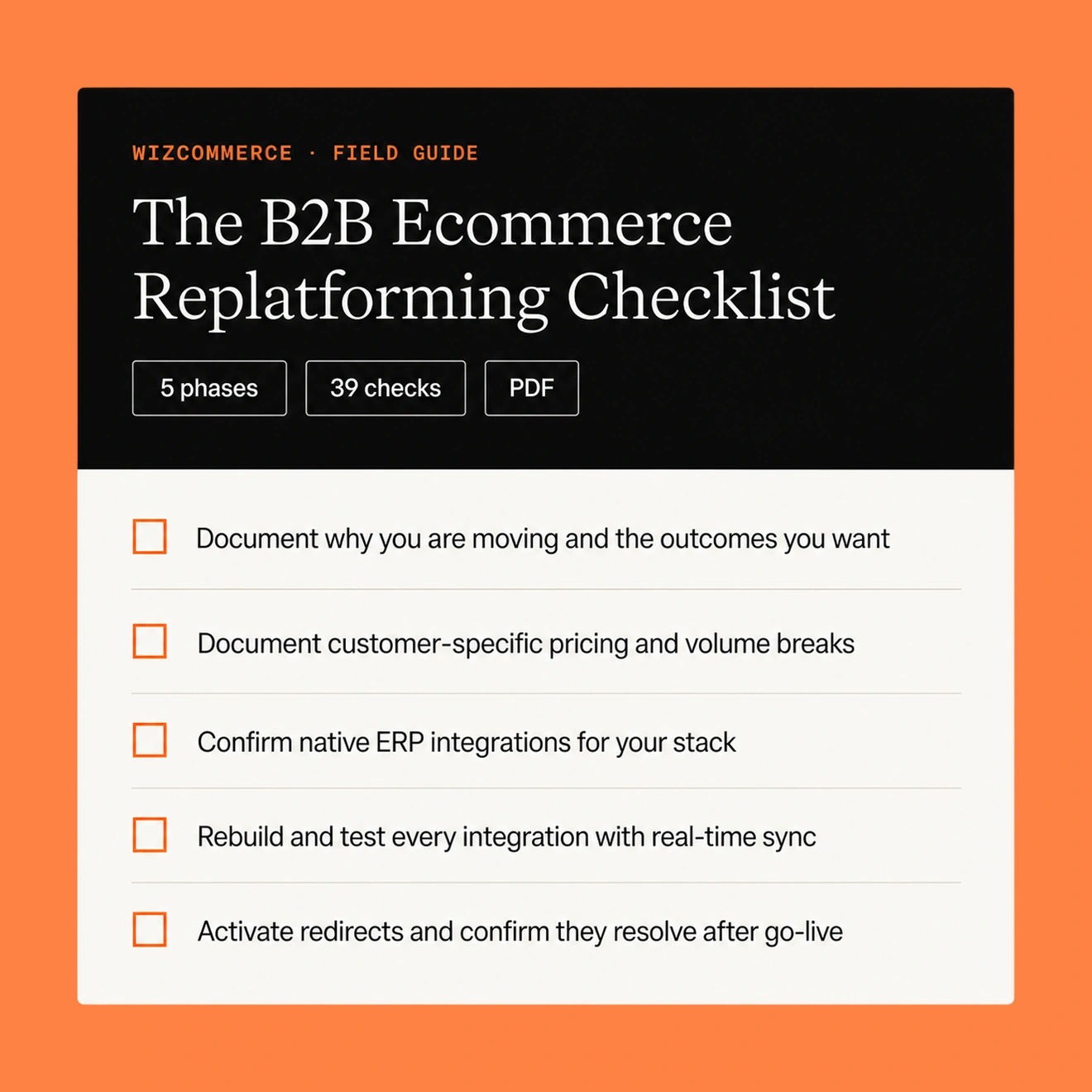
The B2B E-Commerce Replatforming Checklist
A phase-by-phase plan for moving your wholesale store to a new platform. It covers the B2B details most checklists skip: customer pricing, ERP sync, and sales-rep ordering.
For wholesale, distribution & manufacturing
Every step from building the case to launch and adoption, grouped into five clear phases.
The B2B-specific steps for customer pricing, ERP sync, and rep ordering, tagged for extra attention.
The five details that decide whether your move keeps orders, pricing, and search traffic intact.
Get the PDF you can tick in your viewer or print as a project tracker.
No spam. Just the checklist and the occasional wholesale playbook.
What you can do with this checklist
Replatforming goes smoothly when every phase builds on the one before it. This checklist takes you from the first decision to lasting adoption, with the wholesale specifics built in at each step.
Build the case and align the team
Document why you are moving, name an owner, define success metrics, and agree on what launch-ready means — so scope stays clear from day one.
Map what you actually run today
Take stock of your catalog, customer pricing, integrations, and every order path — from self-serve buyers to reps, EDI, phone, and email.
Evaluate and choose your platform
Shortlist against your real B2B requirements, then pressure-test each option with scripted demos built on your own scenarios.
Migrate, build, and validate
Move your data, rebuild your integrations, and test every path a buyer or rep can take — all before anyone goes live.
Launch and optimize
Go live in a controlled way, watch the early days closely, and turn launch into adoption with short guides and a 30-60-90 day review.
Run it as your project tracker
Tick items in your PDF viewer as you complete them, or print the whole thing and run it as a shared tracker across teams.
Where B2B replatforming projects win time
Most of the risk in a wholesale move sits in five places. Get these right and the rest of the project follows.
01
Real-time ERP and inventory sync
Keep prices and stock accurate, so orders are right the first time.
02
Protected search visibility
Use a complete redirect map and preserved metadata, so traffic stays steady.
03
Clean, validated data
Check it before launch so buyers see the right pricing, stock, and catalog.
04
A plan for your reps
Not just self-serve buyers, so every order path keeps working from day one.
05
One clear owner
And one definition of done, so decisions stay quick and scope stays steady.
Who this checklist is for
Replatforming touches every team that runs your wholesale business. This checklist gives each of them a clear view of their part in the move.
Operations & fulfillment
Protect order paths, account structures, and shipping rules through the move.
Finance & customer service
Confirm credit limits, terms, and the buyer experience before launch.
Founders & executive sponsors
Set the why, the budget, and the definition of done that keeps decisions quick.
Ecommerce & digital leads
Own the project plan, the timeline, and launch readiness across teams.
IT & ERP owners
Validate integrations and confirm real-time pricing and inventory sync.
Sales leaders & reps
Keep rep ordering and mobile order entry working from day one.
Work top to bottom, one phase at a time
Finish the audit before you shop
Each phase builds on the one before it, so a complete audit keeps your evaluation honest and your timeline realistic.
Give every B2B-tagged item extra attention
Items marked B2B are the wholesale-specific steps — customer pricing, ERP sync, and rep ordering — that most generic checklists miss.
Tick as you go, or print and track
Tick items in your PDF viewer as you complete them, or print the whole thing and run it as your shared project tracker.
Top benefits of this checklist
Cut through generic advice and run a structured, wholesale-ready move — so your final platform keeps revenue, rankings, and customer trust intact.
Nothing slips through the cracks
WizCommerce Handles Setup, Mapping & Configuration
Every critical B2B commerce detail is built in
Orders, Pricing & Inventory Synced Instantly
Revenue and rankings stay protected
Proactive alerting and resolution, fully managed
One owner, one definition of done
Cloud, On-Premise, Legacy & Custom ERPs Connected





- Nitesh Chaudhary
- Director of Innovation, Jaipur Living
"Switching to WizCommerce has drastically improved efficiency for us, thanks to seamless ERP integration and AI tools that eliminate manual work, giving our reps more time to sell."
10%
increase in revenue
2-5
hours saved per rep daily

- Luis Ruesga
- CEO, Zuo Modern
"WizCommerce represents the change and the future of technology. It's a platform that keeps getting better, always pushing out new features. It’s helps us save time and increase sales."
40+
hours saved every week
2x
faster Quote & Catalog Generation
30%
increase in revenue

- Michael Novak
- head of marketing & product, PD Home
"Our reps can process orders faster, access real-time data on orders, customers, and inventory, and even keep working when they’re offline. It’s made their jobs easier & helped them close more sales."
25%
decrease in order entry time
30~
day seamless implementation

- Samuel Leiaghat
- CEO, Pom Pom at home
"Achieving NetSuite integration in just 30 days was beyond expectations. Now our reps have full visibility into order, customer, and inventory data, making their jobs much easier."
30~
day Netsuite integration
20%
lift in revenue
4+
rep hours saved weekly
Why wholesalers replatform to WizCommerce
WizCommerce is the AI commerce platform built for wholesalers, distributors, and manufacturers. It’s designed around the way wholesale actually sells — across reps, online buyers, EDI, and marketplaces — so a move forward is a move toward less manual work, not more.
Native ERP integrations
Keep pricing and inventory in sync in real time with NetSuite, SAP Business One, Sage 100, Epicor Prophet 21, QuickBooks, and more.
Fast rep ordering
WizOrder lets reps write orders quickly, online or offline, so no order path is left behind.
Modernize wholesale order intake workflows
Sales Rep App
Turn online buying into a wholesale sales channel
B2B Online Storefront
Create catalog-ready imagery without photoshoots
AI Catalog Imagery
Manage payments as part of the sales workflow
B2B Payments
Make your move the smooth one
Download the checklist to plan your replatforming, then book a demo to see how WizCommerce keeps pricing, inventory, and every order path in sync.
Frequently Asked Questions
What is B2B e-commerce replatforming?
B2B e-commerce replatforming is the process of moving your wholesale store from one platform to another, along with its catalog, customer-specific pricing, order history, and ERP and CRM integrations, usually onto a B2B e-commerce platform built for wholesale.It is a strategic reset that improves performance, simplifies your stack, and gives your business room to grow.
When should you replatform your B2B e-commerce site?
Consider replatforming when your current platform slows you down: pages load slowly, adding products takes too long, integrations are hard to maintain, or the buyer and rep experience feels dated. If your platform limits growth or cannot support customer-specific pricing and real-time ERP sync, a move is worth planning.
How long does a B2B e-commerce replatforming project take?
A B2B e-commerce replatforming project often runs from a few weeks to a few months, depending on your catalog size, number of integrations, and data volume. Clean data, a clear scope, and native ERP integrations shorten the timeline. Use a phased plan so each stage finishes before the next one begins.
