Skip to content



TL;DR
|
Trade shows remain one of the highest-ROI sales channels for wholesale businesses. A single show can open dozens of new retail accounts. The ability to write and process orders on the floor, accurately and without paper, directly determines how much of that potential is converted into revenue.
Shopify POS is the tool many wholesale sellers already have in their hands when they walk onto a trade show floor. It powers their online store, manages their retail locations, and sits on the same admin as their B2B catalog. The question is whether it is built well enough for the specific demands of wholesale order-taking in a live show environment.
This guide covers what Shopify POS can do for wholesale sellers at trade shows in 2026 and where its architecture creates friction. We will also cover what a purpose-built alternative, such as WizCommerce, looks like for operators who need a reliable solution.
What is Shopify POS?
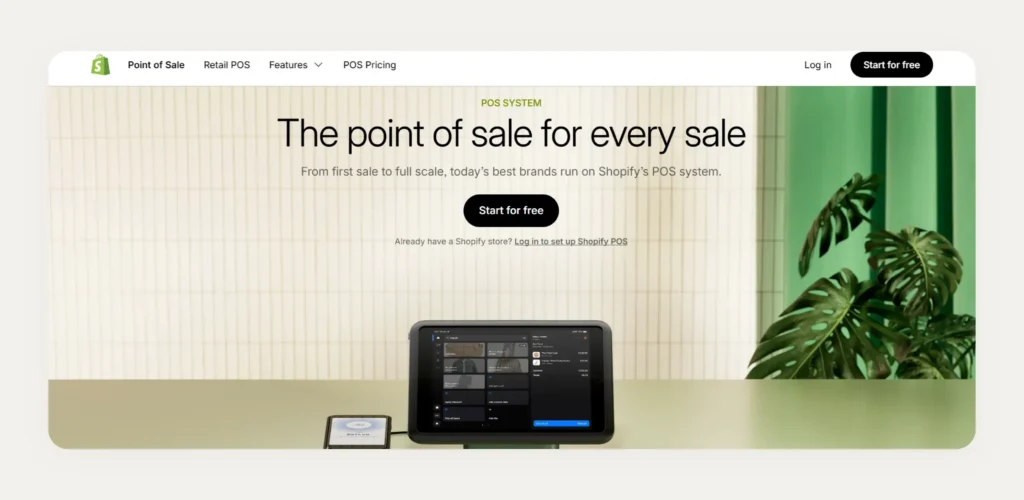
Shopify POS is a point-of-sale system that allows merchants to process in-person sales alongside their online store from a single backend. It syncs inventory, customer data, and order data across digital and physical channels in real time. This gives merchants a unified view of their business regardless of where a sale originates. While it is a powerful tool for retail, many users find they need specialized wholesale apps for Shopify to handle complex B2B pricing.
Shopify POS runs on iOS and Android devices through the dedicated app. This makes it accessible for merchants who want to implement Shopify POS across multiple locations or mobile selling environments, including outdoor markets and trade shows.
- Users can choose from two plans:
- Shopify POS Lite is included with all Shopify subscriptions.
- Shopify POS Pro costs $89 per month per location and unlocks advanced permissions and reporting.
- Shopify POS app runs on iOS and Android devices, giving reps flexibility in their choice of mobile hardware at any location.
- It supports card readers, barcode scanners, receipt printers, and the new POS hardware Hub that provides wired peripheral connections for reliable setups.
- Based on the setup and location, payments are processed through Shopify Payments, third-party gateways, credit card payments, cash payments, and debit card payments.
How does Shopify POS work at a trade show booth?

Most wholesale sellers who arrive at a trade show with Shopify POS use it in stripped-down retail mode rather than a wholesale-native mode. Understanding how this plays out in practice helps operators set realistic expectations before the show opens.
Setting up your booth hardware
The right POS hardware setup reduces friction from the first buyer conversation onward.
- An iPad or Android tablet running the Shopify POS app serves as the primary ordering and browsing interface for every rep at your booth.
- A card reader connects to your tablet for processing credit card payments and card payments from buyers who want to pay on the spot.
- Barcode scanners connect via Bluetooth for fast product lookups across a large product catalog without typing product names manually during busy floor hours.
- A mobile hotspot provides a safety net against connectivity issues when venue Wi-Fi drops, which is standard at large convention centers during peak hours.
- Shopify POS Hardware Hub provides wired peripheral connections that reduce Bluetooth pairing failures and provide greater business continuity during high-volume periods.
Taking wholesale orders through draft orders
Using Shopify POS for managing wholesale orders relies on the draft order workflow inside the Shopify admin.
- Reps open the Shopify admin on their device and create a new draft order for each buyer they are writing for during the event.
- They search for the buyer by company name and manually apply the correct account pricing before adding any products to the order.
- Products are added line by line with quantities and prices adjusted per item, which requires the rep to know each buyer’s negotiated pricing tier in advance.
- Draft is sent as an invoice to collect payment on net terms later, since most wholesale accounts do not pay upfront at the point of sale.
Collecting buyer information and leads
Lead capture at a trade show is a core activity alongside order writing. Shopify POS handles this through workarounds rather than native tools.
- Reps use QR codes at the booth. This opens a pre-built form that new buyers can use to enter their store name, buyer name, and email address without assistance.
- Badge scanning is not native to Shopify POS. It requires a third-party app or a separate lead capture tool running on a different device alongside the POS system.
- Customer profiles are created in Shopify POS. They sync back to the Shopify admin and become available for post-show follow-up campaigns and account setup workflows.
How do you set up Shopify POS for a trade show step by step?
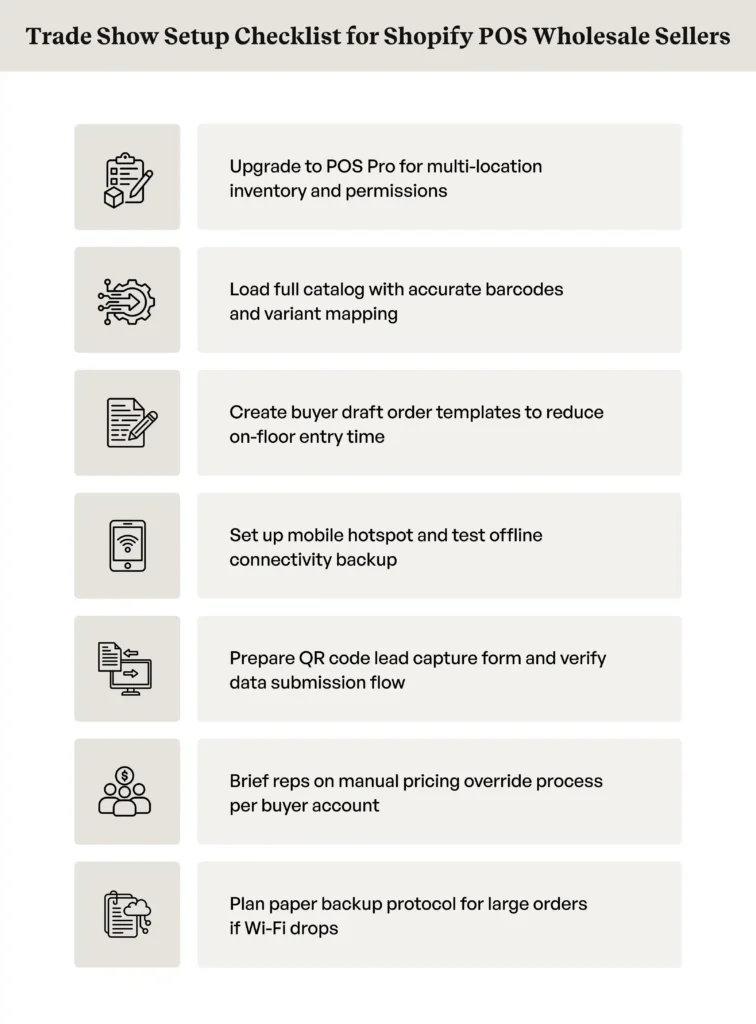
Setting up Shopify for wholesale trade shows properly before the event prevents problems that are far harder to fix on a live show floor. A thorough pre-show checklist makes the difference between a smooth day of order writing and hours of friction across your team.
Before the show
- Upgrading to POS Pro gives your operation access to multi-location inventory management, advanced staff permissions, and detailed sales data reporting across your booth team.
- Load your complete product catalog with accurate barcodes and ensure all variants are correctly mapped. This ensures barcode scanners work without manual fallbacks during busy periods.
- Create draft order templates for your most frequent wholesale buyers. This will reduce line-item entry time and pricing lookup during back-to-back buyer conversations on the floor.
- Set up a mobile hotspot and test internet connectivity in a similar environment before the event. This ensures your team has peace of mind about offline sales capability if venue Wi-Fi fails.
- Prepare a lead capture form via QR code and test the full submission flow. New buyer data collects cleanly into your Shopify Admin, with no gaps in customer data.
During the show
- Use draft orders for all wholesale transactions, applying buyer-specific pricing manually per account for every order written on the floor.
- Write a paper backup for large orders in case internet connectivity fails and offline transactions cannot capture accurate account-level details.
- Collect payments via invoice and net terms rather than card-present credit card transactions for wholesale accounts. Most buyers prefer paying on terms after the show.
- Log all new buyer contacts immediately into the Shopify admin before moving to the next conversation, and note the tradeshow giveaways that contact took, so the lead entry shows afterwards whether the handout actually produced accounts worth chasing. So, no customer data falls through the gaps during busy floor periods.
After the show
- Export all draft orders and reconcile them manually with your ERP or inventory management system. This is crucial, since there is no native post-show data transfer available.
- Send invoices to all open accounts with clear payment term reminders. So, buyers know exactly what they owe and when payment is due on their wholesale orders.
- Tag new buyers in the Shopify admin for segmented follow-up campaigns. This ensures post-show outreach reaches the right accounts with the correct messaging at the precise time.
- Review which products generated the most buyer interest. Update the product catalog prioritization for the next event based on your sales data showing demand.
A comprehensive understanding of Shopify POS capabilities and limitations before the show lets reps work within those constraints rather than discovering them at the worst possible moment.
Is Shopify POS good enough for wholesale trade show selling?
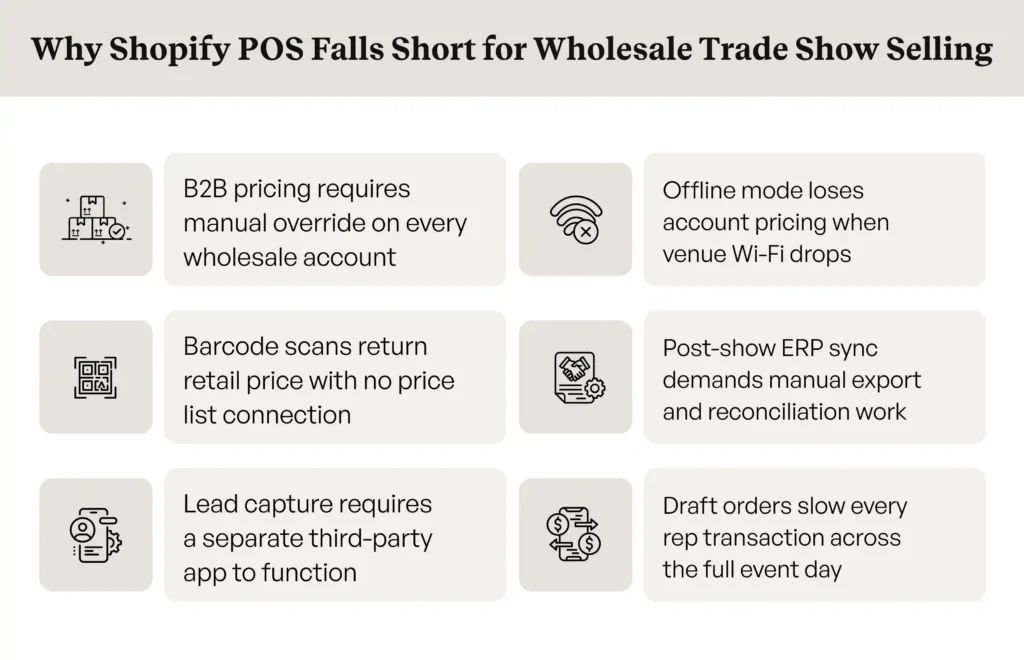
While Shopify POS for trade shows works within manageable limits for simple retail selling, it often creates significant friction for complex B2B wholesale operations. When determining whether Shopify is good for wholesale in a high-pressure trade show environment, operators must realize that the current gaps are structural, not simple configuration issues that pre-show preparation can fully resolve.
B2B pricing does not carry through to Shopify POS
Reps writing wholesale orders must manually select and apply the correct pricing tier to each account at every point-of-sale transaction. Even if you are using the advanced features of Shopify Plus B2B, these features do not natively carry through to the Shopify POS checkout. Reps must still manually override prices, which slows order writing and introduces pricing errors at exactly the moment when speed and accuracy matter most.
For a wholesale operation with dozens of buyers across multiple pricing tiers, this manual step adds hours of friction over a two-day show.
Offline mode is limited for wholesale complexity
Shopify POS supports offline transactions for simple cash sales and basic card payments, and its offline mode reliably handles basic retail transactions. However, offline mode cannot access customer-specific pricing, company account data, or custom catalog assignments.
When venue Wi-Fi drops, which is standard at large convention centers, wholesale sellers lose access to the account-level pricing information they need to write accurate orders. This removes the safety net that offline capability is supposed to provide.
No native barcode-to-wholesale-order workflow
Shopify POS supports barcode scanners for product lookup in retail contexts, but it does not natively connect a scanned barcode to a wholesale price list for a specific buyer account.
Each product scan returns the standard retail price, requiring a manual override for each line item on every wholesale order. At a busy trade show booth, this adds significant friction to every transaction across the full event.
Post-show ERP sync requires manual steps
Orders captured through Shopify POS or draft orders do not automatically flow into ERP systems after the show. Offline sales data and draft orders require manual export from the Shopify admin before they can enter your ERP or inventory management system.
This adds hours of administrative reconciliation work after each event that a purpose-built wholesale tool would handle automatically.
Also read: Best Shopify B2B Alternatives for Wholesalers in 2026
How does Shopify POS compare to dedicated trade show POS tools for wholesale?
The gap between Shopify POS and tools built specifically for wholesale order-taking becomes clear when mapped against the requirements of a live trade show environment.
Here are the major categories where Shopify POS for wholesale trade and dedicated wholesale tools diverge in practical operation.
| Capability | Shopify POS | Dedicated wholesale trade show tool |
| B2B pricing at point of sale | Manual override required per account | Applied automatically per buyer account |
| Offline order writing | Limited with no account-level pricing | Full offline mode with complete catalog access |
| Barcode to wholesale order | Retail price only, no price list connection | Connects directly to buyer-specific price list |
| ERP sync post-show | Manual export required each time | Automatic real-time sync after connectivity |
| Lead capture | Third-party app required separately | Native badge scanning and lead capture forms |
| Multi-rep support | Limited without dedicated rep management | Purpose-built for team selling across all reps |
Compare how these gaps differ in our Shopify Plus vs Native B2B Ecommerce Platform breakdown.
How does WizCommerce make trade show order-taking work natively for wholesale?
Shopify POS can be made to work at a trade show with the right preparation and workarounds in place. The honest assessment is that it was designed for retail, and every wholesale adaptation requires an extra step. It costs time in a selling environment where time is the scarcest resource.
WizCommerce built the B2B order-taking app – WizOrder specifically for this problem. Not as a workaround and not as a bolt-on app. WizOrder is a trade show POS platform built from the ground up for wholesale sellers, distributors, and manufacturers who need to write accurate orders at speed, with or without internet access.
Here is what that looks like in practice on a show floor:
- Customer-specific pricing applied automatically: When a rep opens a buyer account in WizOrder, the pricing associated with that company is applied instantly to every product they add to the order. There is no manual override, no pricing selection, and no risk of quoting the wrong tier to a key account during a busy conversation on the floor.

- Full offline catalog access: WizOrder operates entirely offline. Reps can browse the complete product catalog, check inventory levels, apply account-specific pricing, and write complete orders without an active internet connection. Everything syncs automatically when connectivity returns, removing the paper backup problem entirely.
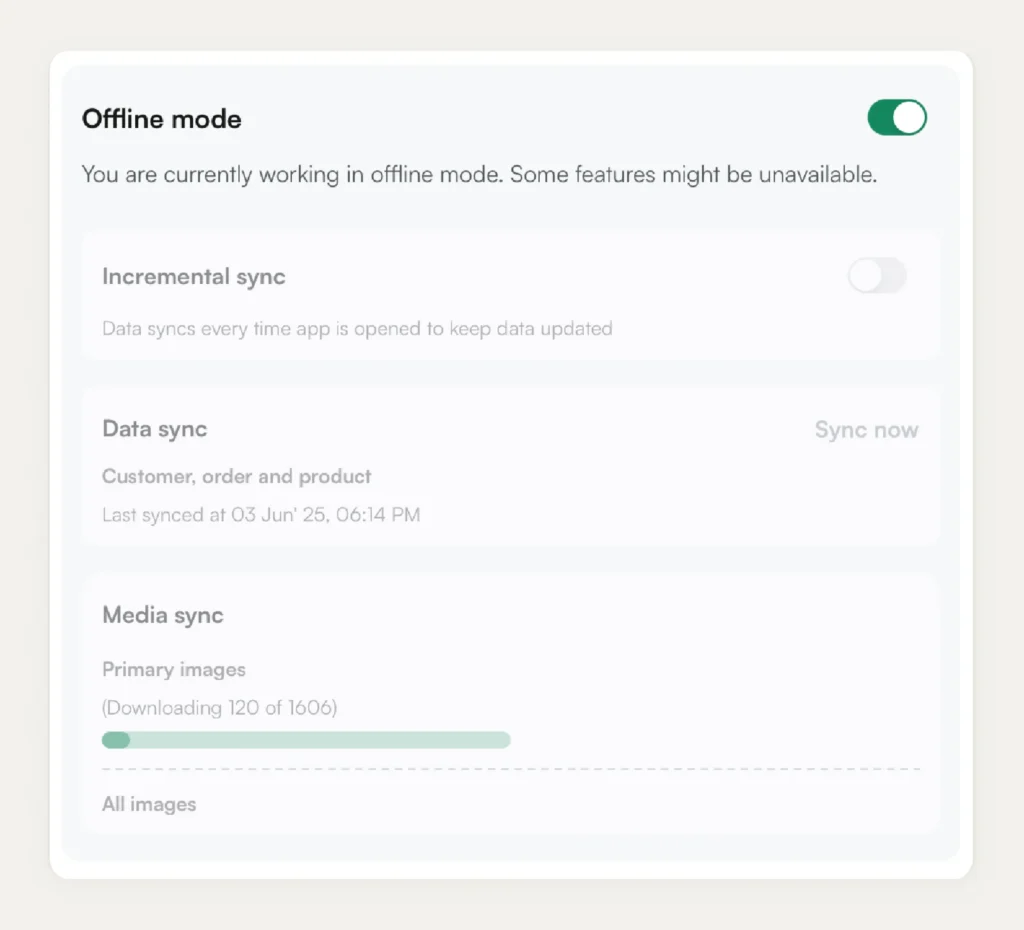
- Barcode scanning to wholesale order: Reps scan a product barcode, and WizOrder immediately connects it to the buyer’s account, pulling the correct price, applicable volume discounts, and case-pack rules. What takes three manual steps in Shopify POS happens in one scan, every time.

- Lead capture built in: WizOrder includes badge scanning and lead capture forms as native features. New buyers are logged during the conversation without a separate app or QR-code workaround, and their contact data flows directly into the WizCommerce CRM for post-show follow-up and B2B email sequences.
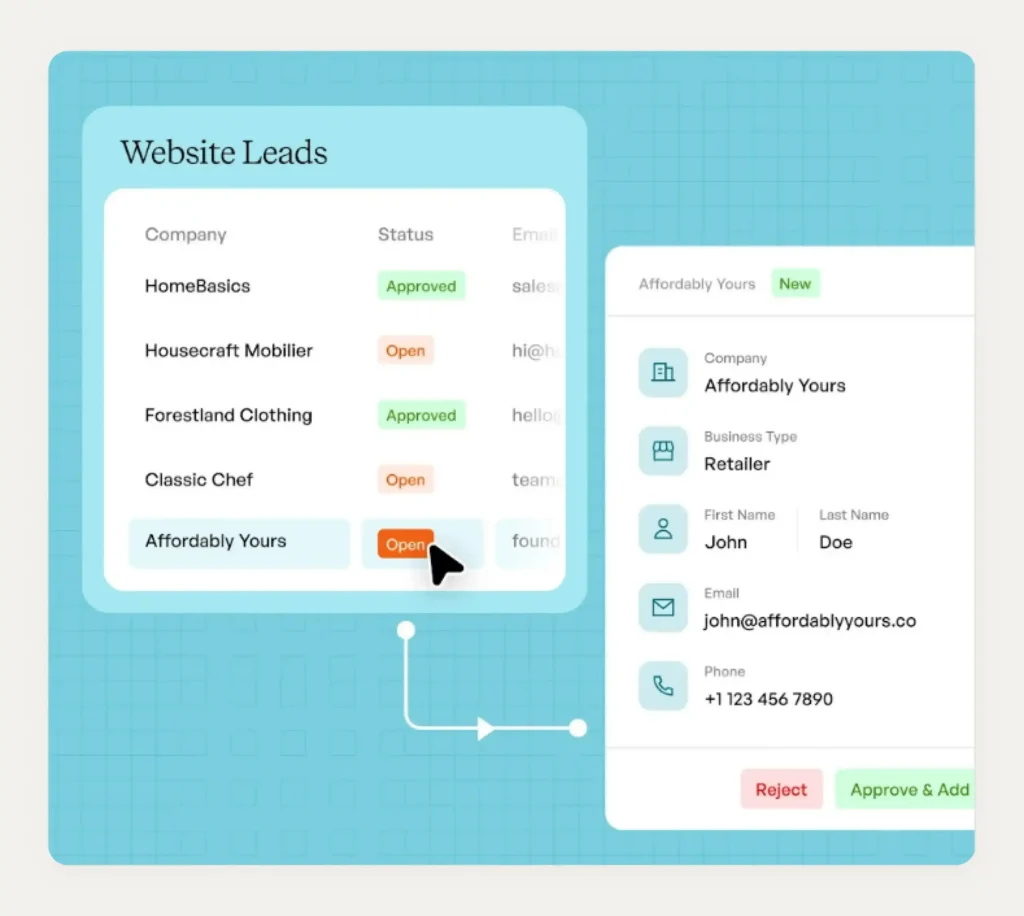
- Multi-rep support across the booth: WizOrder supports multiple sales reps working simultaneously, each with their own device and order queue. Orders are linked to the correct rep for commission tracking and account attribution, with no additional setup or configuration required.
WizOrder has been designed for all such scenarios that Shopify POS cannot fully handle. If your team relies on draft orders and manual pricing today, our trade show order management guide shows what that transition looks like in practice for wholesale sellers at live events.
Book a demo today to see WizOrder in action before your next trade show.
Frequently asked questions
Does Shopify POS work offline at trade shows?
Shopify POS offline mode handles basic cash sales and card payments through offline transactions when an internet connection is unavailable. However, it cannot access customer-specific pricing, company account data, or catalog assignments without an active internet connection. For wholesale sellers where buyer-specific pricing drives every transaction, this offline operations limitation creates significant risk on trade show floors.
What is the best POS system for wholesale trade shows?
The best trade show POS for wholesale sellers applies customer-specific pricing automatically, operates fully offline, syncs to your ERP without manual steps, and supports lead capture natively without additional apps. WizOrder by WizCommerce was built specifically to meet these requirements for wholesale distributors, manufacturers, and sellers operating at live events where internet connectivity is unreliable. You can see it alongside the other options at CHAMPS trade show 2026.
How do wholesalers take orders at trade shows?
Most wholesale sellers use a combination of Shopify POS, draft orders, paper forms, and post-show manual data entry. Sellers using purpose-built tools like WizOrder take orders on a tablet with their full product catalog available offline, buyer pricing applied automatically, and all orders syncing to their ERP immediately after the show closes without any reconciliation backlog.
What is the difference between Shopify and Shopify POS?
Shopify is the core ecommerce platform managing your online store, catalog, and customer accounts. Shopify POS is the in-person POS system that connects to the same backend, allowing merchants to process card payments and cash payments at physical locations or events. The two share sales data and customer data, though B2B pricing configured in your Shopify store does not automatically apply inside the Shopify POS checkout for wholesale accounts.
What hardware do I need for a trade show booth?
A functional booth setup using Shopify POS requires an iPad or Android tablet, a card reader for credit card payments, a Bluetooth barcode scanner for fast product lookup, and a mobile hotspot as a connectivity backup when venue Wi-Fi is unreliable. The POS hardware Hub provides wired peripheral connections that reduce Bluetooth failures. For sellers using WizOrder, the same tablet hardware applies, with badge scanning built directly into the app for lead capture. Food and beverage exhibitors typically need to plan beyond POS gear too — these food booth ideas cover sampling setups and refrigeration needs specific to that category.
How does the pricing structure for Shopify POS work for temporary events like trade shows?
The pricing structure for Shopify POS for temporary events primarily depends on your existing subscription. POS Lite is included with all plans, but for trade shows, you may need the $89/month POS Pro add-on per location to unlock advanced features like exchange processing and professional reporting. For more details, see our breakdown of Shopify B2B costs in 2026.