Announcing our $8M fundraise to bring AI to wholesale. Read our manifesto

Epicor Prophet 21 Ecommerce Integration For Modern Wholesale Operations

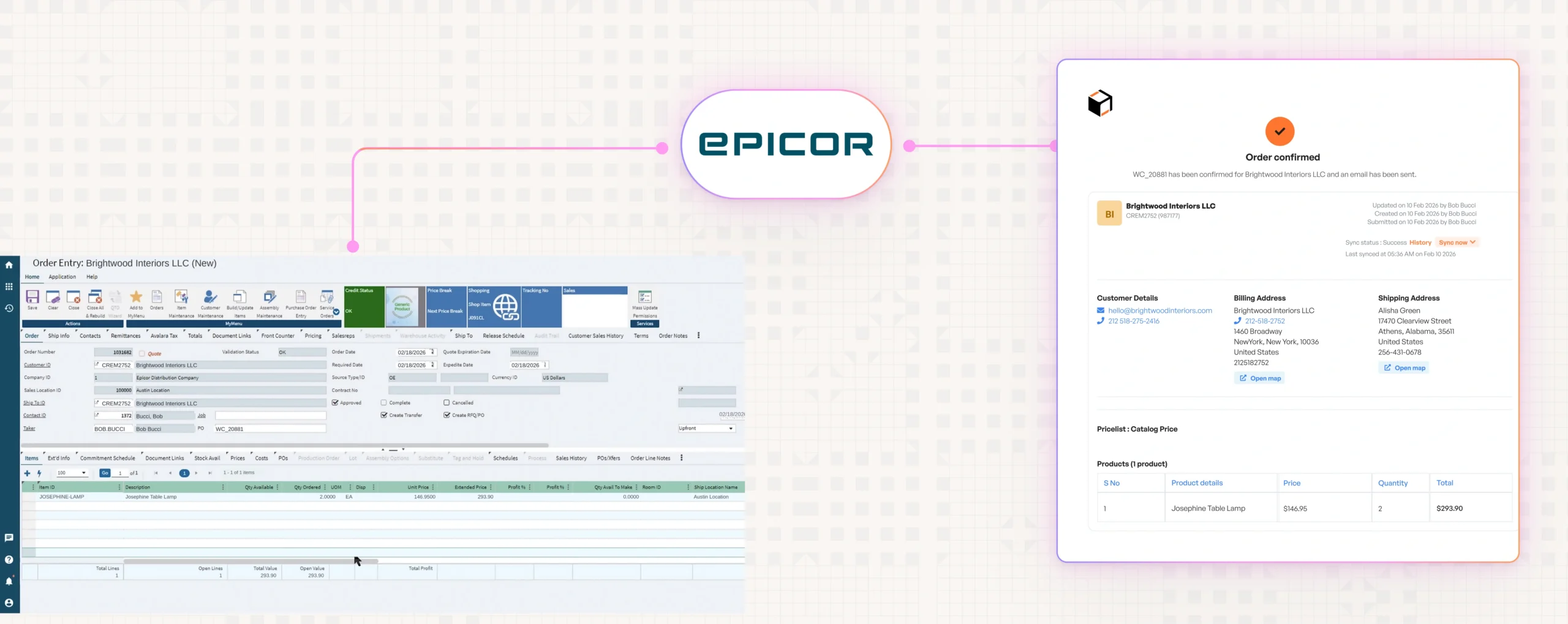
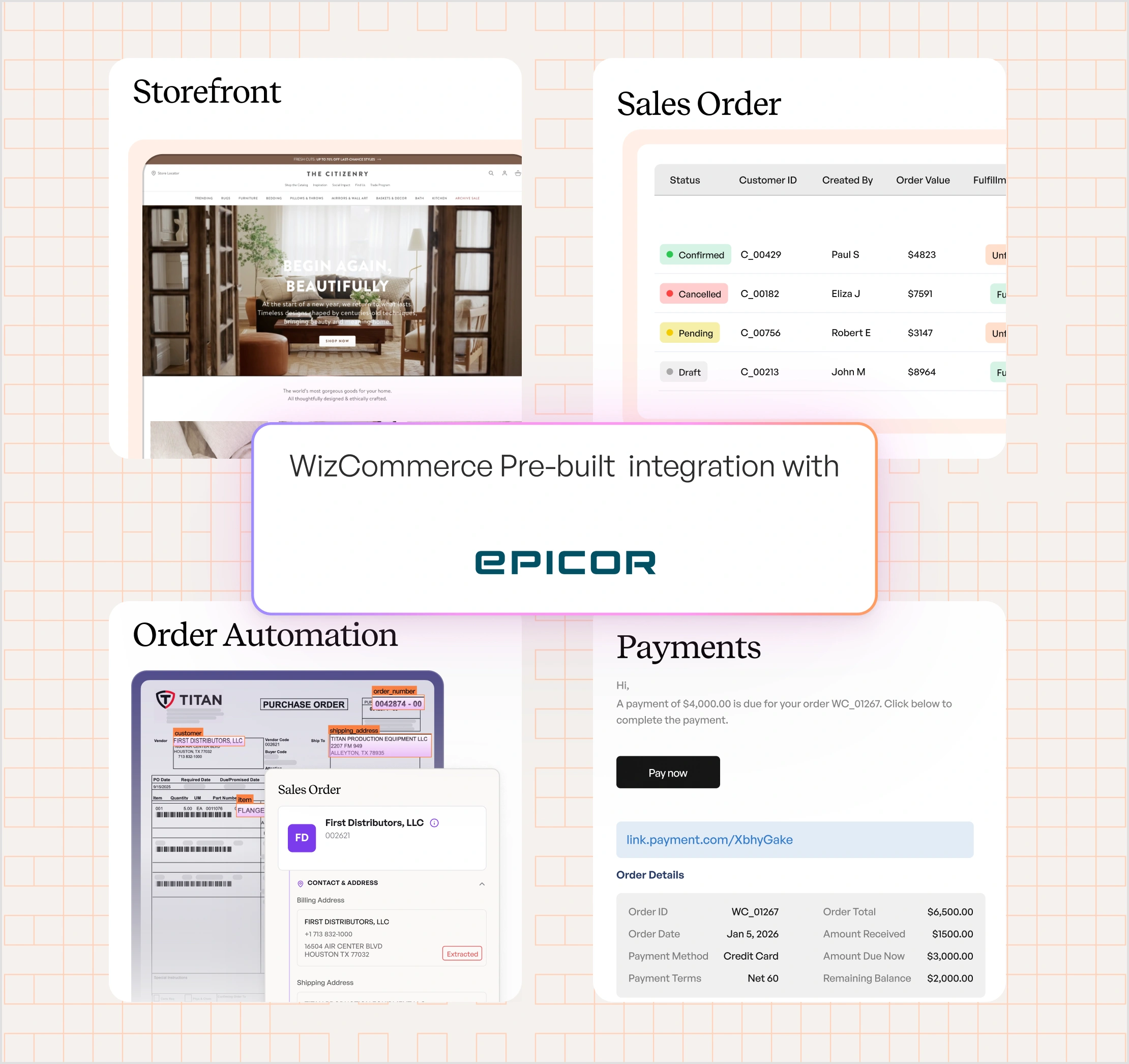
Connect Epicor Prophet 21 with WizCommerce to sync customers and orders bi-directionally, and pull invoices and shipments from P21 — through the WizCommerce API, orchestrated by your integration platform. Live in production with wholesale distributors today.


Epicore-Hero

Why WizCommerce Is The Right B2B Commerce Platform For Prophet 21 Distributors

Prophet 21 is the most-used ERP in wholesale distribution. It runs pricing, inventory, customers, orders, and invoices for thousands of distributors who built their business on it. Adding B2B ecommerce on top doesn't have to mean rebuilding any of that. WizCommerce exposes an open API that your integration platform — whether in-house or a trusted partner — uses to connect P21. P21 stays the system of record. Your integration team keeps full control of how the connection runs:

  1. B2B ecommerce storefronts for wholesale buyers, connected to P21 data
  2. Sales rep order taking that pushes orders straight into P21
  3. A self-serve buyer portal with live invoice and shipment status
  4. Open API that fits how your IT team or integration partner already works

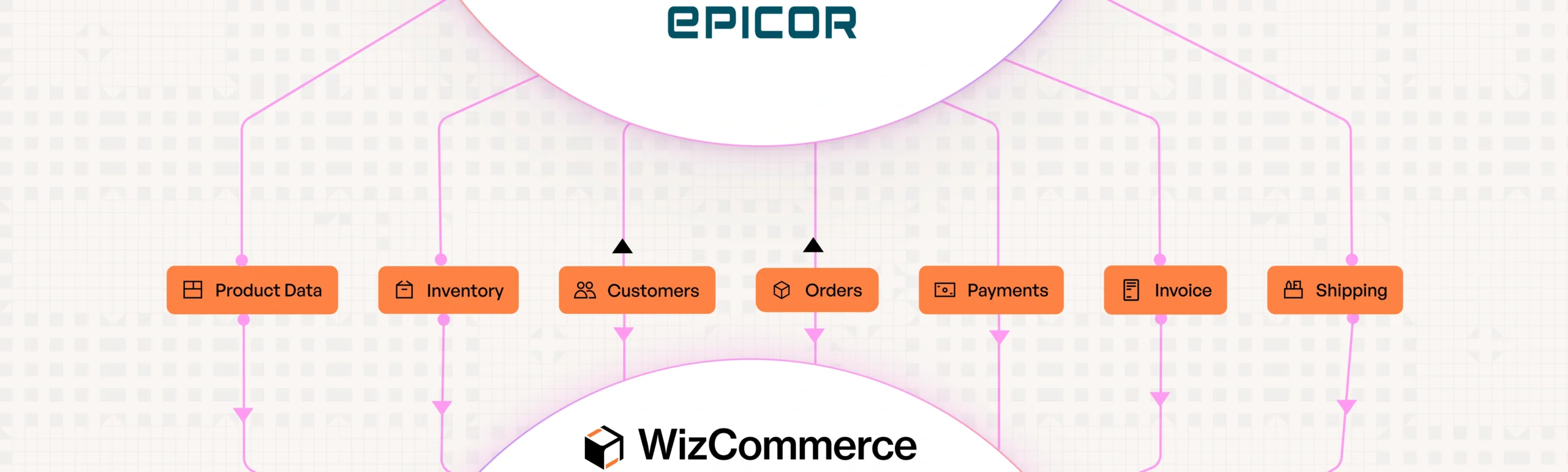
Customers and orders sync bi-directionally. Invoices and shipments flow from P21 to WizCommerce. Your team stays in control.

Epicore-Integration

A Prophet 21 Ecommerce Integration
Built On Open APIs

WizCommerce connects directly to Prophet 21 Inventory via API-based integration. Orders push in real time. Inventory, products, and customers sync on configurable schedules. No middleware. No CSV uploads. No manual data entry.

How WizCommerce Connects To Prophet 21

What The Integration Supports With Prophet 21

No brittle middleware. No black-box connectors.

JUST A CLEAN API THAT FITS HOW YOUR TEAM ALREADY WORKS WITH PROPHET 21.

"We believe information is power. WizCommerce seamlessly integrated with our existing tools, helping us create a unified sales ecosystem where data flows freely to and from systems."

Prophet 21 And WizCommerce
Integration Workflow And Touchpoints

Customers and orders sync bi-directionally between Prophet 21 and WizCommerce. Invoices and shipment tracking pull from P21 on a schedule managed by your integration platform. The flow runs through the WizCommerce API — connected and orchestrated on your side.

Epicore-workflow

How The WizCommerce API Connects To Prophet 21

Every P21 environment is different — different deployments, different in-house tooling, different integration partners. Instead of building a one-size-fits-all connector that fights all of that, WizCommerce takes the opposite approach: a clean, open API your team can build against. Connect Prophet 21 your way, on your schedule, with full control over how data flows.

Open, well-documented WizCommerce API

Customer, order, invoice, and shipment endpoints are clearly documented and stable. Your IT team or integration partner builds the P21 connection against these endpoints once — and the connection stays in your control going forward.

Prophet 21-first design philosophy

P21 stays the system of record at all times. WizCommerce doesn't duplicate logic, override P21 data, or impose its own pricing rules. Your ERP stays clean and authoritative.

Orders sync as native P21 sales orders

Orders placed in WizCommerce flow through the API into P21 as native sales orders, with full line items and customer references — matching how your team already processes orders.

Sync scheduling managed on your platform

WizCommerce exposes the API. Your integration platform handles the scheduler — every 15 minutes, every hour, every 4 hours, or whatever cadence suits your business. We don't impose a fixed sync window; your side stays in control of when data flows.

Production-proven with wholesale distributors

The WizCommerce API for Prophet 21 is already live in production with wholesale distributors. Real customers, real volume, real P21 data flowing every day.

A Flexible Path To Go-Live With Prophet 21

Timelines vary based on your P21 environment and integration approach — but the WizCommerce side is consistent. Here's how the four phases typically play out.

Week 1

Discovery & scoping:

WizCommerce walks your IT team or integration partner through the API. Align on entities, fields, and sync expectations.

Week 2

Mapping & configuration:

Your team maps P21 fields to WizCommerce API endpoints. Sync schedules and validation rules are configured on your integration platform.

Week 3

Build & testing:

Your integration team builds against the API and validates end-to-end flows in a staging environment before going to production.

Week 4

Go-live & hypercare:

Production rollout with WizCommerce API support and active monitoring on the WizCommerce side.

Enterprise-grade security & compliance

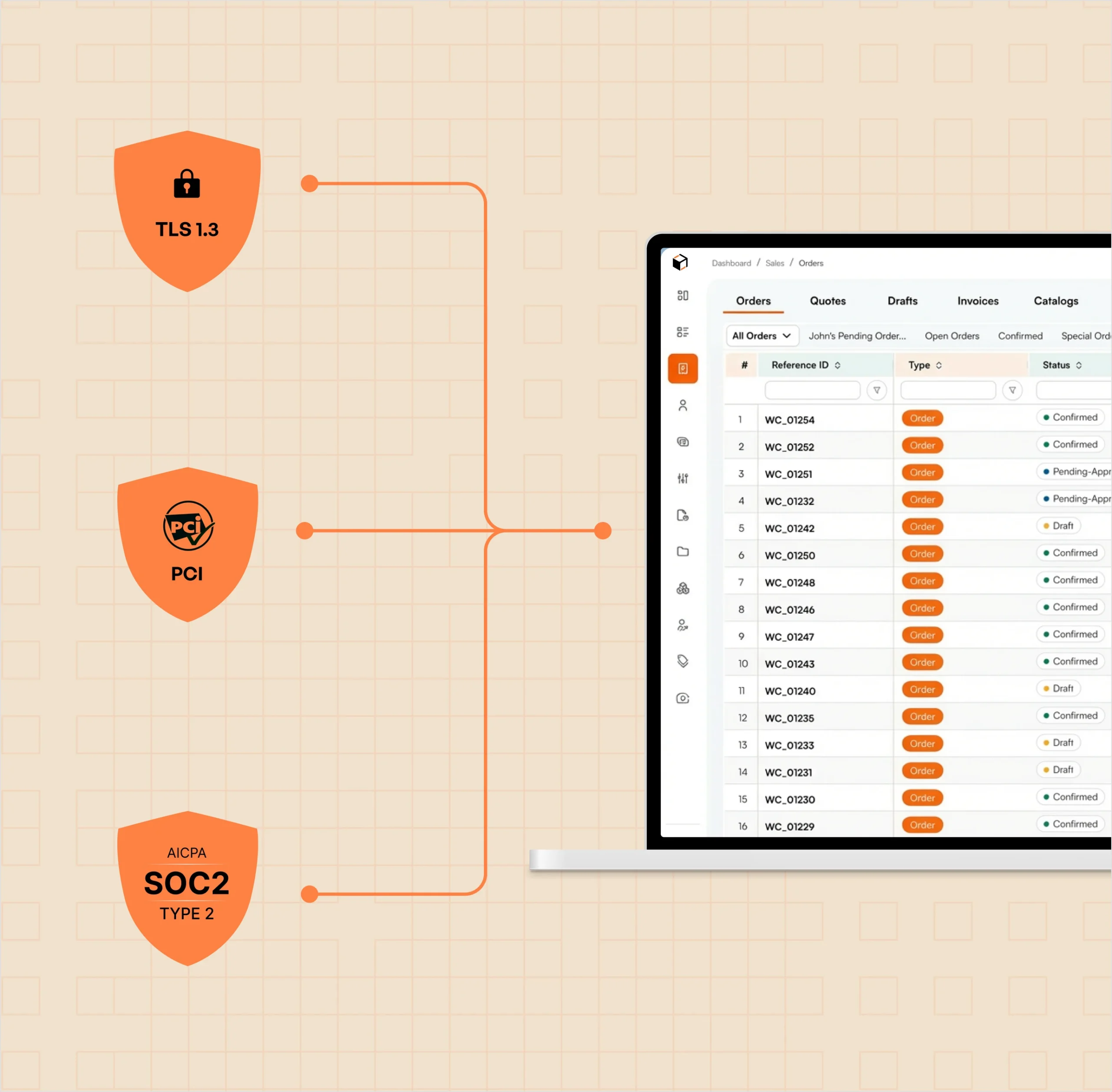
The WizCommerce API for Prophet 21 is built with security controls that meet the standards of wholesale distributors managing sensitive customer, order, and financial data.

1. TLS 1.3 encryption for all API traffic
2. Token-based authentication with rotation support
3. Role-based access controls for API consumers
4. Audit logs for every API request and integration activity
5. PCI-compliant payment handling (tokenized)
6. SOC 2 best-practice infrastructure

A Prophet 21 Integration Built For Flexibility

API-led integrations win when they give your team real control. The WizCommerce API is designed for integration teams who want visibility into every sync, the ability to configure cadence per entity, and confidence that the system will behave the same way in production as it did in staging.

  • Independent endpoints per entity — each one syncs without blocking others
  • Sync cadence managed by your integration platform — WizCommerce stays out of the scheduler
  • Detailed error responses with actionable context for fast debugging
  • Stable, versioned API surface that won’t break your integration on our deploys
  • Full visibility into every API request through logs and monitoring
  • Support from the WizCommerce team for your integration build

Frequently Asked Questions

WizCommerce exposes an open, well-documented API. Your IT team or integration partner builds the P21 side of the connection against that API — giving you control over field mapping, sync cadence, and validation logic. The integration is already live in production with wholesale distributors on Prophet 21.
 
Four entities: customers and orders sync bi-directionally between the two systems. Invoices and shipment tracking pull from P21 into WizCommerce. The sync schedule is managed on your integration platform.
Because the P21 side of the connection is built by your integration team against the WizCommerce API, version compatibility depends on what your team or partner builds — not on a pre-built connector that locks you to a specific P21 release. Talk to our team about your specific Prophet 21 environment.
Yes — either an in-house IT team or a trusted integration partner builds the P21 side of the connection against the WizCommerce API. Many wholesale distributors already work with integration partners they trust for P21 work, and the WizCommerce API is built to fit that workflow rather than replace it.
Your integration platform does. WizCommerce exposes the API, and the scheduler that decides when each sync runs — real-time, every 15 minutes, hourly, or a different cadence per entity — lives on your platform. We don’t impose a fixed sync window from our side.
Orders pushed from WizCommerce’s B2B sales order management platform  to P21 land as native sales orders with full line items, customer references, and any additional fields your integration team maps. Your team sees them in P21 exactly like any other sales order.
You do. Prophet 21 remains the system of record. WizCommerce reads from and writes to P21 through the API your team configures — it doesn’t replace or duplicate the source of truth.

Integrations

Connected to your Tech Stack from day one

With 1,000+ pre-built connectors, WizCommerce creates Order Entry Assistant creates orders directly inside your ERP—no middleware, no custom builds, no manual entry.

Vector
Vector (1)
Vector (7)
Vector-1
Group
Vector
Vector (9)
Vector (10)
Vector
Vector (1)
Vector (7)
Vector-1
Group
Vector
Vector (9)
Vector (10)
vcbcv
xbvb
cvnvnbv
Group
authorize.net logo
fbdfb
Vector (7)
Ebizcharge logo
vcbcv
dfvnb
xbvb
cvnvnbv
Group
fbdfb
Vector (7)

Get in touch

Modernize Your Wholesale Business