





Contents
- 1 Benefits of integrating B2B order management and inventory with QuickBooks
- 2 What are the critical features of B2B order management in QuickBooks Online?
- 3 Top 3 B2B order management solutions for QuickBooks
- 4 Setting up B2B order management with QuickBooks
- 5 Challenges and solutions
- 6 Conclusion
- 7 FAQs about B2B order management for QuickBooks
- 7.1 Can QuickBooks be used for order management?
- 7.2 Is QuickBooks an order management system?
- 7.3 Does QuickBooks have a purchase order module?
- 7.4 How to set up purchase orders in QuickBooks?
- 7.5 Can you import purchase orders into QuickBooks?
- 7.6 What’s the difference between a purchase order and a bill in QuickBooks?
- 7.7 What are the benefits of using purchase orders in QuickBooks?
Are you running your wholesale business with QuickBooks Online? Then you’ve probably felt the strain of trying to manage orders and inventory all in one place. You’re not alone. Nearly 70% of small businesses rely on QuickBooks for accounting, according to Intuit, but it wasn’t built to handle the complexity of wholesale order management or multi-location inventory tracking.
Wholesale distributors and manufacturers require systems that can handle large order volumes, track inventory in real-time, and automatically sync financial data. That’s where a dedicated B2B order management system that integrates with QuickBooks changes everything.
Integrating B2B order management and inventory tracking with QuickBooks Online through an order entry software for QuickBooks can significantly transform how your team processes orders, manages inventory, serves customers, and improve overall business performance.
In this guide, you’ll learn how B2B order management and inventory with QuickBooks works, what features to look for, and which solutions can help you scale faster. Whether you’re running a wholesale operation, managing distributors, or manufacturing in-house, this is how you bring efficiency and profitability together.
Benefits of integrating B2B order management and inventory with QuickBooks
Integrating B2B order management and inventory with QuickBooks can transform how your business runs. It eliminates manual errors, provides real-time visibility into inventory and finances, and helps you scale without adding extra staff or overhead.
Here’s why it matters. Nearly 43% of small businesses don’t track their inventory or still use manual processes to track it, resulting in up to 11% of annual revenue lost to inefficiencies. In contrast, companies that automate their B2B order processing through QuickBooks see faster operations, higher accuracy, and improved customer satisfaction.
And with 89% of B2B buyers researching online before making a purchase, efficient, data-synced systems aren’t optional; they’re the foundation of competitiveness.
Let’s look at the key benefits driving that impact.
1. Streamlined order processing
Integrating B2B order management with QuickBooks Online streamlines order handling and eliminates errors. Automation replaces manual entry, so orders move from placement to fulfillment without delays or retyping data.
Once connected, QuickBooks automatically generates invoices, updates customer records, and tracks revenue in real time. Your team gets up-to-date numbers, faster processing, and fewer mistakes.
Why it matters:
- Speed and accuracy: Orders processed in minutes, not hours, with fewer data errors.
- Less manual work: Automation removes duplicate data entry, freeing up time for growth-focused tasks.
- Increased efficiency: Faster fulfillment boosts customer satisfaction, repeat orders, and cash flow.
- Real-time visibility: Managers can track orders, monitor performance, and resolve issues before they affect customers.
2. Improved inventory management
Accurate inventory management is what separates efficient wholesalers from those constantly juggling stockouts and excess inventory. Integrating B2B order management with QuickBooks Online gives you real-time visibility across every warehouse, channel, and product variant, so you always know what’s in stock, what’s selling fast, and what needs restocking.
When an order comes in, whether through your portal, sales reps, or EDI, you receive inventory updates instantly across your system. No delays, no guesswork.
Managing multi-location inventory in QuickBooks becomes simple. You can track stock across warehouses or third-party logistics partners from one dashboard, even by lot, serial number, or expiration date. This level of accuracy helps prevent compliance issues, waste, and costly surprises.
Why it matters:
- Real-time Update: Get instant updates on your inventory status. Always see current stock levels across every location.
- Fewer stock issues: Prevent stockouts and overstocking with accurate tracking.
- Simplified tracking: Move, monitor, and adjust inventory from a single view.
- Strategic planning: Utilize data to forecast demand and strike a balance between supply and cash flow.
3. Enhanced financial reporting
Integrating your B2B order management system with QuickBooks Online provides real-time financial visibility, eliminating the need to wait for month-end reports. You see exactly what’s selling, who your most profitable customers are, and how inventory impacts cash flow.
Because orders, inventory, and accounting data sync automatically, your reports are always accurate and up to date. You can make confident decisions backed by live data, not guesswork.
Why it matters:
- Actionable insights: Get up-to-date reports on sales, margins, and cash flow in a few clicks.
- Better decision-making: Real-time visibility supports faster, data-driven decisions on growth and strategy.
- Effortless accuracy: Automatic data sync eliminates reconciliation errors and duplicate work.
- Audit-ready compliance: Clean, consistent records simplify audits, tax filing, and financial reviews.
Learn More: Efficiency at Every Click: B2B Sales Automation for Time Optimization
What are the critical features of B2B order management in QuickBooks Online?
Not all B2B Order Management with QuickBooks are created equal. The right one goes beyond basic order entry to handle the complex needs of growing wholesale and distribution businesses.
Tons of seamless features distinguish a B2B order management system when integrated with QuickBooks Online. Let’s look at the key features:
1. Order entry and processing
QuickBooks Online makes order entry and processing a breeze. You can create, modify, and track orders effortlessly. Integration with B2B order management tools automates the process, captures orders from every channel: phone, email, EDI, customer portals, and sales rep apps, and routes them automatically to the proper queue for processing.

- Easy order creation: Quickly create and manage orders with user-friendly order entry software for QuickBooks.
- Automated processing: Reduce manual errors with automation, streamlining B2B sales order entry for QuickBooks.
- Order tracking: Track orders from entry to fulfillment to ensure seamless QuickBooks Online wholesale order management.
2. Inventory management and tracking
Maintaining accurate inventory is one of the most challenging aspects of running a business. With a B2B order management system synced to QuickBooks Online, you see stock levels update in real time across every warehouse, channel, and product line, and set reorder points to avoid stockouts.

Key capabilities:
- Warehouse management: Monitor stock across multiple locations with ease.
- Automated reordering: Set alerts to restock inventory before it runs out, ensuring efficient QuickBooks Online wholesale order management.
- Strategic planning: Leverage sales data to forecast demand and prevent excess inventory accurately.
3. Customer management
A B2B customer portal integrated with QuickBooks Online keeps every part of your business connected. When your system connects with your CRM, every account’s story becomes clear: their purchase history, preferences, payment terms, and potential. Sales reps no longer guess what a customer might need; they already know. That’s how conversations turn into long-term loyalty and higher retention.

Key capabilities:
- Unified customer profiles: View contact details, payment terms, shipping addresses, and pricing in one synced dashboard.
- Self-service access: Let customers order, check inventory, and track deliveries 24/7.
Behavior insights: Spot trends, seasonal spikes, and upsell opportunities through purchase data.
4. Integration with other tools
Your B2B order management system for QuickBooks Online delivers the best results when everything works together. Seamless integration with CRM, ERP, and ecommerce platforms ensures data flows automatically between systems, keeping your sales, finance, and operations perfectly aligned.
Instead of juggling disconnected tools, you get a unified view of your business from customer relationships to inventory and fulfillment. This connected setup reduces errors, accelerates order cycles, and provides every team with the real-time data needed to make informed decisions.

Key integrations:
- CRM integration: Connect QuickBooks with your CRM to sync customer profiles, order history, and payment terms. Sales reps gain complete account visibility, making your sales rep ordering app for QuickBooks faster and more accurate.
- ERP integration: Link with your ERP system to coordinate production, purchasing, and inventory. Every order, stock adjustment, or shipment update reflects instantly in QuickBooks.
- Unified operations view: See your entire workflow from sales to fulfillment in one place. That transparency improves collaboration, eliminates double entry, and enhances efficiency across departments.
Learn more: Should you integrate ShipStation for your B2B Manufacturing business?
Top 3 B2B order management solutions for QuickBooks
Choosing the right B2B order management for QuickBooks Online can mean the difference between a smooth, scalable operation and one that constantly needs manual fixes. The market offers numerous tools promising seamless integration, but only a few deliver on speed, automation, and B2B flexibility.
We reviewed leading B2B order management with QuickBooks integration options based on feature depth, QuickBooks integration quality, scalability, ease of use, and customer satisfaction to help you find the right fit. To highlight platforms that maintain seamless accounting synchronization and address the unique challenges of wholesale distribution.
Each of the solutions below is built to handle real-world complexities: customer-specific pricing, EDI connections, minimum order quantities, multi-location fulfillment, and detailed inventory visibility.
Let’s look at the top three B2B order management systems that consistently stand out for wholesalers, distributors, and manufacturers using QuickBooks Online in 2025.
1. WizCommerce

WizCommerce stands out as an all-in-one B2B order management solution that integrates seamlessly with QuickBooks Online, built for wholesalers, distributors, and manufacturers who want better automation and multi-channel compatibility.
Top features
- End-to-end support for both QuickBooks Online and Desktop, so you can keep your current edition and still integrate deeply.
- Two-way, real-time data sync for the core objects you care about—customers, products, inventory, orders, invoices, and payments—to keep accounting and sales in lockstep.
- “WizSync” manual sync button as a fallback when QuickBooks is temporarily unavailable, so ops aren’t blocked.
- Duplicate-prevention for customers (real-time checks before creation) to keep your QuickBooks customer list clean.
- One-to-one field mapping (e.g., customer details, assigned sales rep, inventory counts) to minimize manual entry and keep records consistent across systems.
- Direct flow of quotes/orders into QuickBooks (notably for Desktop), reducing re-keying and speeding quote-to-cash.
- Accounting-friendly sync for reconciliation—automated, real-time updates of sales and payment data to cut mismatches during month-end.
Best for: Wholesalers, distributors, and manufacturers managing multiple sales channels who want comprehensive B2B order management with QuickBooks through AI-powered automation and native integration.

2. Acctivate

Acctivate fills the gap for manufacturers, distributors, and wholesalers who’ve outgrown QuickBooks’ native inventory capabilities. It connects deeply with both QBO and QBDT, providing robust B2B order management with QBDT via enterprise-grade order and inventory control without the ERP price tag or complexity.
Top features
- Advanced inventory tracking: Manage stock across warehouses with whole lot, serial, bin, and expiration tracking for total accuracy. This real-time visibility reduces stockouts, overstocking, and costly errors.
- Bill of materials management: Build, track, and cost out finished goods and subassemblies, something QuickBooks alone can’t handle.
- Quote-to-order conversion: Turn quotes into orders instantly while keeping all pricing, discounts, and item details intact.
- Automated purchasing: Trigger purchase orders based on real-time stock levels, lead times, and demand forecasts.
- Multi-location fulfillment: Automatically ship from the nearest or most cost-effective warehouse.
- EDI-ready: Exchange digital documents with retail and distribution partners that require EDI compliance.
- Actionable reporting: Get clear insights into stock valuation, product profitability, and customer buying trends.
- Two-way QuickBooks sync: Advanced inventory and order management keep accounting and inventory data perfectly aligned with the existing QuickBooks setup, eliminating manual entry.
Best for: Small to mid-sized manufacturers, distributors, and wholesalers who need more control than QuickBooks alone can provide.
3. Fishbowl
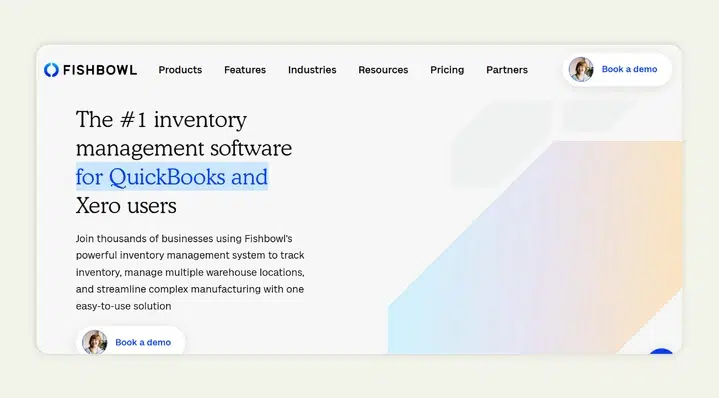
Fishbowl integrates seamlessly with QuickBooks Online and Desktop to provide enterprise-level inventory and manufacturing management without requiring a complete ERP migration. It’s built for large-scale distributors, wholesalers, and manufacturers who need robust control over production, warehousing, and purchasing workflows.
Top features:
- Comprehensive inventory control: Manage thousands of SKUs across multiple warehouses with real-time tracking of lots, serials, and reorder points. Ideal for companies managing extensive inventories, multiple warehouses, and complex assemblies.
- Manufacturing management: Build and track assemblies, work orders, and multi-level bills of materials to support complex production cycles.
Also read: Top 10 Work Order Software Integrations with QuickBooks Online 2025 - Purchase order automation: Automatically generate POs based on demand forecasts and reorder levels to maintain optimal inventory balance while minimizing stock discrepancies and manual reconciliation.
- Shipping and fulfillment tools: Integrate with major carriers for label creation, rate comparison, and shipment tracking.
- Barcode and mobile tools: Use barcode scanners and mobile apps to enhance receiving, picking, and packing accuracy.
- Two-way QuickBooks sync: Syncs inventory, orders, and financial data directly with QuickBooks to maintain a single source of truth. It also extends QuickBooks by adding ERP-grade features, such as manufacturing and warehouse management, while keeping QuickBooks at the financial core.
Best for: Mid to large-scale manufacturers, wholesalers, and distributors that require advanced manufacturing, warehouse, and purchasing control without moving to a complete ERP.
While platforms like Fishbowl excel in backend complexity and manufacturing control, WizCommerce unites inventory and order management with AI-powered selling tools, customer-specific pricing, and a modern B2B buying experience, something traditional systems like Fishbowl and Acctivate lack.
Learn more: Optimizing and Managing Your Sales Order Process.
Comparison of features and benefits
Each B2B order management with QuickBooks solution serves different business needs, but finding the right one for QuickBooks goes beyond syncing data. You want a platform that fits your workflow, supports your sales model, and scales as your business grows.
WizCommerce, Acctivate, and Fishbowl all integrate seamlessly with QuickBooks Online, but they’re built for different strengths. Each platform helps you manage orders and inventory more efficiently, but the right one depends on what you value most: automation, scalability, or control.
Below is a quick side-by-side comparison across five key areas that matter most for wholesalers, distributors, and manufacturers.
| Features | WizCommerce | Acctivate | Fishbowl |
| Best for |
|
|
|
| Global reach & sales channel integration |
|
|
|
| Inventory & order management |
|
|
|
| Pricing |
|
|
|
| QuickBooks integration quality |
|
|
|
| Customer support & training |
|
|
|
Choosing between Wizcommerce, Acctivate, and Fishbowl depends on your business needs. However, when evaluating B2B order management with QuickBooks, these key considerations below should be non-negotiable for wholesale distributors and manufacturers:
- How the system handles inventory levels across locations
- Whether it provides order time inventory visibility
- If it supports specific needs for light manufacturers or heavy distributors
- Access to advanced features without prohibitive costs
- Availability of a free trial to test with real data
- Integration with top-tiered web carts if selling online.
- Quality of data information in reporting.
- And whether it integrates with your existing critical tools.

Setting up B2B order management with QuickBooks
Implementing B2B order management and inventory integration with QuickBooks Online requires a strategic approach. Here’s a detailed guide to help you through the process, ensuring a smooth transition and optimal use of the new system.

1. Assess your business needs
Before selecting a B2B order management platform or beginning implementation, assess your current business position and identify what’s holding you back.
- Pinpoint your pain points: Are orders getting lost between sales and accounting? Is inventory accuracy an issue? Identifying these bottlenecks helps you target what the integration should fix.
- Define measurable goals: Know exactly what success looks like, faster order fulfillment, fewer manual entries, real-time stock visibility, or reduced backorders.
- Get input from key teams: Sales, accounting, and operations all rely on the same data. Involve them early to ensure the system you choose aligns with real-world workflows.
2. Selecting the right integration
The integration you choose will determine how smoothly your operations run and how well the system scales as your business grows. Focus on solutions that not only check your feature boxes but also align with how your team actually works.
- Compare top platforms: Evaluate trusted options like WizCommerce and Acctivate, designed to extend QuickBooks Online for B2B operations. Look for the one that best supports your sales volume, workflow complexity, and growth plans.
- Think scalability first: Choose a platform that can handle increasing order volumes, more users, and additional warehouses without performance issues or major reconfigurations
- Prioritize usability: The best system won’t help if your team struggles to use it. Look for intuitive dashboards, clear workflows, and minimal training time
- Check for reliable support: Responsive customer support, onboarding help, and documentation can make the difference between a smooth setup and months of frustration
Choosing the best integration is about more than just features; it’s about finding a long-term partner that grows with your business and keeps your QuickBooks data connected and accurate.
3. Setting up and configuring the system
After choosing your integration, it’s time to tailor it to your operations. A smooth setup ensures your team runs smoothly without data hiccups or workflow disruptions.
- Migrate data carefully: Move your existing customer, product, and inventory data into the new system accurately. Clean your data first; removing duplicates or outdated records prevents syncing issues later.
- Customize system settings: Configure order workflows, tax rules, inventory tracking preferences, and notifications to match how your business operates day-to-day.
- Test integrations thoroughly: Before going live, test orders to confirm QuickBooks syncs correctly with connected tools like your CRM, ERP, or ecommerce platform.
- Set user permissions: Assign roles based on responsibility; sales reps, warehouse staff, and finance teams should only access what they need. It keeps data secure and operations organized.
Proper setup doesn’t just get your system running; it builds the foundation for reliable automation and clean data flow across every department.
4. Training and support
Even the best system won’t deliver results if your team doesn’t know how to use it confidently. Proper training and consistent support make the transition smoother and adoption faster.
- Begin with onboarding: Run interactive sessions to guide your team through core features: placing orders, managing inventory, and syncing data with QuickBooks.
- Offer deeper training: Once they’re comfortable with the basics, introduce advanced sessions focused on reporting, automation, and troubleshooting.
- Create accessible resources: Provide user guides, quick video tutorials, and a central help hub your team can reference anytime.
- Keep support ongoing: Ensure there’s a dedicated channel or help desk for quick issue resolution and updates as new features roll out.
- Collect feedback regularly: Encourage users to share what’s working and what’s not. Their input helps refine workflows and improve efficiency over time.
When your team feels supported, the system becomes more than software; it becomes a reliable part of your daily operations. A thoughtful training and support plan ensures your B2B order management QuickBooks integration delivers the efficiency it’s meant to.
Learn more: Embracing Sales Order Automation for Enhanced Customer Experience
What effective B2B order management software requires?
The right B2B order management solution must address these realities of wholesale distribution in the United States and beyond:
Operational excellence: Maintain sufficient stock levels across fulfillment locations while preventing excess inventory. Track inventory movements in real-time with lot numbers for traceability. Ensure dependable operation even during unprecedented moments of high demand or supply chain disruption.
Customer experience: Customers expect modern ordering experiences with self-service portals. Enable your customer service team with complete visibility into inventory info and order status. Assign a customer success manager for implementation support, ensuring your team is in good hands during transition.
Data management: Ensure data accuracy across systems with real-time synchronization. Maintain a holistic view of business operations from order capture through fulfillment, and process ecommerce orders alongside traditional B2B orders in one unified system.
Compliance & security: Your system should protect sensitive data with similar rigor, providing peace of mind about security.
Challenges and solutions
Integrating B2B order management and inventory with QuickBooks brings significant efficiency gains, but requires addressing disconnected systems, manual processes, and limited customer visibility that slow down wholesale operations. Knowing the common challenges and how to address them upfront keeps your implementation smooth and your operations on track.
| Challenge | Solutions | Best practices |
| Data synchronization issues |
|
|
| User adoption resistance |
|
|
| Integration complexity |
|
|
| Inventory accuracy problems |
|
|
| Customer portal adoption |
|
|
Conclusion
Integrating B2B order management and inventory with QuickBooks isn’t just an upgrade; it’s a competitive necessity.
As B2B ecommerce surges, expected to account for 80% of all B2B transactions by the end of 2025, wholesale distributors and manufacturers that rely on manual systems are being left behind. Automation is now the key to scaling efficiently, rather than constantly playing catch-up.
Looking ahead, technologies such as AI-driven demand forecasting, blockchain-backed supply chain visibility, and automated personalization will continue to reshape how B2B brands operate. The effectiveness of a platform’s inventory management processes often determines which businesses thrive versus struggle. Choose a solution that provides powerful integrations, detailed customer management, and the advanced features your operation demands, all while maintaining seamless synchronization with QuickBooks as your financial foundation.
If you’re ready to modernize your B2B operations, WizCommerce offers the complete solution: AI-powered automation, seamless QuickBooks integration, and 24/7 expert support trusted by leading wholesale distributors.
See what WizCommerce can do for your business. Book a demo today to speak with one of our experts.
FAQs about B2B order management for QuickBooks
Can QuickBooks be used for order management?
Yes. QuickBooks can handle basic order management, such as creating sales orders and invoices, and tracking payments, but it falls short for complex B2B operations. If you manage multiple channels, large orders, or extensive inventory, pairing QuickBooks with WizCommerce gives you advanced order tracking, automation, and real-time accounting sync for smoother, more efficient operations.
Is QuickBooks an order management system?
QuickBooks isn’t a full order management system; it’s primarily for accounting. It handles sales orders and invoices but lacks advanced tools for inventory, fulfillment, and multi-channel sales. Pairing it with WizCommerce fills those gaps, giving wholesalers a complete, automated inventory system that works seamlessly with QuickBooks.
Does QuickBooks have a purchase order module?
Yes, QuickBooks has a purchase order module that lets you create, send, and track POs, then convert them into bills when items are received. But for businesses with complex purchasing needs, it’s limited. Pairing QuickBooks with a B2B order management system adds automation, smart reordering, and deeper inventory visibility.
How to set up purchase orders in QuickBooks?
Setting up purchase orders in QuickBooks is simple. In QuickBooks Online, turn on “Use purchase orders” under Expenses in Settings, customize your PO template, and add vendors.
Can you import purchase orders into QuickBooks?
Yes, but not directly in QuickBooks Online, you’ll need an integration or third-party tool. QuickBooks Desktop allows IIF or Excel imports, but most businesses skip the hassle by using systems like WizCommerce that automatically sync purchase orders into QuickBooks in real time.
What’s the difference between a purchase order and a bill in QuickBooks?
A purchase order (PO) is a promise to buy; no money moves yet. A bill is what you owe after receiving goods or services, and it immediately hits your books. With tools like WizCommerce, this process syncs automatically– POs turn into bills the moment items are received, no manual work needed.
What are the benefits of using purchase orders in QuickBooks?
Using purchase orders in QuickBooks accounting keeps your spending organized, helps you track orders accurately, and makes vendor management easier. It also simplifies billing since received POs turn into bills automatically. Paired with WizCommerce, you get even more control with auto-reorders and real-time updates across inventory and finances.