Skip to content




Most order mistakes do not happen because people are careless. They happen because businesses still depend on scattered emails, handwritten notes, WhatsApp messages, and spreadsheets to capture critical order information. When teams spend hours re-entering data and chasing missing details, they get overwhelmed quickly, especially when order volume grows. Mistakes are inevitable in such situations.
This is exactly the problem order entry automation is built to solve. It automatically captures, validates, and processes orders from multiple channels in real time. In this article, we will explore the meaning of order entry automation, its role in today’s wholesale and ecommerce operations, and why more businesses are adopting AI-powered automation today.
The order entry automation problem (Why manual entry fails at scale)
Let us understand this problem with an example. Imagine you are a wholesale business that usually receives 10 orders a day through email. But recently, your business has started growing rapidly. You now get 200 orders a day thanks to orders from additional channels. Earlier, one employee copied product SKUs from the email into the ERP system, another verified pricing, while a third checked inventory and shipping details. It was manageable.
But once the order volume surged, the cracks started to show everywhere. In one order, a single typo in the product code led to the dispatch of the wrong item. In another order, missing quantities led to delayed fulfillment.
Apart from these customer-centric issues, there is another major problem with manual order management. Your teams spend hours correcting mistakes, rechecking data, and responding to frustrated customers, time that could be spent on higher-value tasks.
Put simply, when entering order details manually, the entire process becomes heavily dependent on human attention and manual coordination. Even highly experienced teams struggle because the system itself is not built for speed or scale. More importantly, manual order entry does not scale linearly. Doubling order volume often means hiring more staff and leaving more room for human error. Processing slows down during peak seasons, and you lose customer trust.
What is order entry automation, and how does it work?
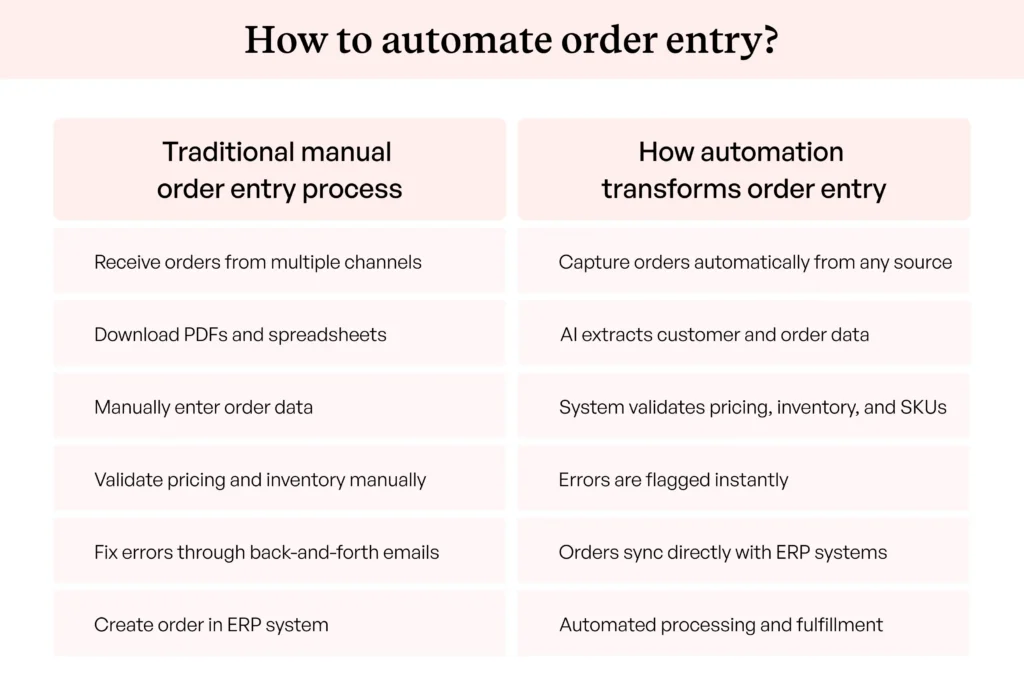
To solve the above challenges of manual order processing, businesses are turning to order entry automation. Order entry automation is the process of automatically capturing, extracting, validating, and processing order information from multiple sources without requiring employees to manually capture, verify, or enter data into ERP or other systems.
Instead of employees opening emails, downloading attachments, reviewing spreadsheets, and typing data line by line, order entry automation handles these repetitive tasks without manual intervention. Modern systems use AI, OCR (Optical Character Recognition), and ERP integrations to process incoming orders much faster and with significantly fewer errors.
If you want the technology layer in depth, from semantic extraction to confidence scoring, read our guide on how AI order entry works.
The order automation workflow: from intake to ERP
Here is the typical order automation workflow, from intake to ERP:
- Order is received through channels like email, PDF attachments, B2B portals, EDI systems, spreadsheets, or scanned documents
- Automation system extracts important details such as customer information, product SKUs, quantities, pricing, shipping instructions, and delivery dates
- Data is validated against business rules, inventory systems, and pricing catalogs
- Data is pushed directly into ERP or backend systems for fulfillment and invoicing.
As you can see, it is a much faster and more scalable workflow where teams spend less time on repetitive administrative work and more time handling exceptions and business growth.
Also read: What Is Order Entry System? And How AI Is Changing It
How to automate order entries from different channels?
Managing disconnected order sources manually is one of the biggest bottlenecks that an order entry automation solves. It addresses this challenge by creating a centralized workflow that can automatically capture, process, and manage orders, regardless of where they originate. Here’s how it works across different order channels:
1. Email order automation
Email order automation uses AI and Machine Learning to identify incoming purchase orders from emails, attachments, and threaded conversations. The system extracts structured data such as SKUs, quantities, pricing, shipping addresses, and delivery dates using email parsing, then maps it to ERP-compatible formats through predefined workflows and validation rules. This minimizes human errors caused by repetitive copy-paste tasks.
Order entry from emails and PDFs is the most error-prone channel to key by hand, which is exactly why it is usually the first one B2B teams automate.
2. PDF order automation
PDF order extraction uses OCR (Optical Character Recognition) and AI-based document parsing to extract order data from scanned PDFs and printed purchase orders. Modern systems can detect tables, handwritten text, line items, and varying document layouts while automatically converting unstructured content into structured order data. Machine learning models continuously improve extraction accuracy over time by learning from corrections and historical order patterns.
3. B2B portal order automation
B2B portal and EDI integrations enable automated order synchronization between customers, suppliers, ERP systems, CRMs, and warehouse platforms using APIs, EDI standards, and middleware connectors. Since these channels already contain structured transactional data, automation platforms can directly validate, map, and push orders into backend systems without manual intervention. This improves processing speed and ensures data consistency across systems.
4. Ecommerce Order Automation
Ecommerce order automation connects your webstore and marketplace channels directly to the ERP, so online orders run through the same validation and creation pipeline as email and PDF orders. To automate ecommerce order processing, sync orders, inventory, and customer data through native integrations or APIs, and let the same rules engine check pricing and stock before anything moves to fulfillment. Ecommerce automation software reduces manual order entry tasks the same way it does for email: the work does not get faster, it stops existing.
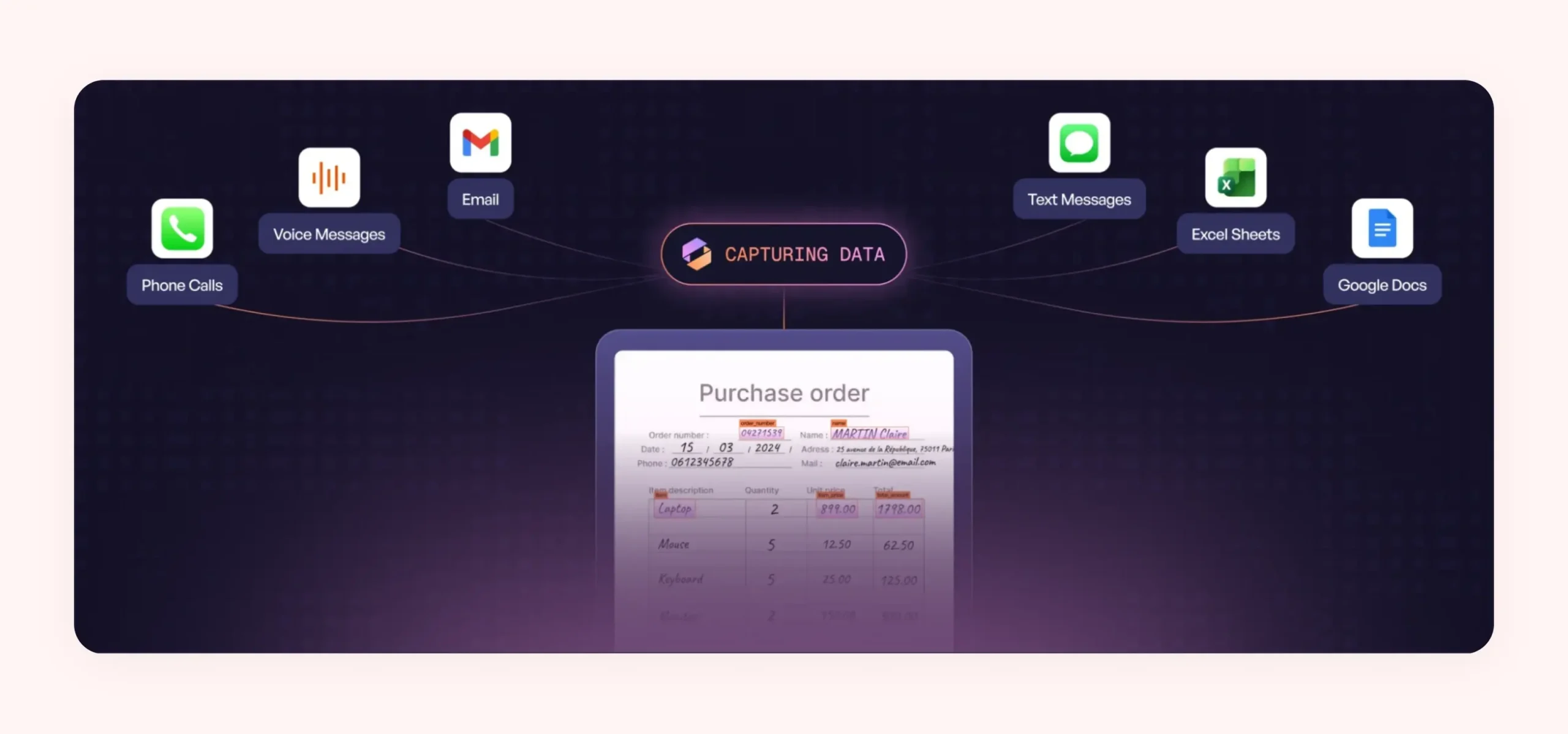
Ella by WizCommerce – an AI order entry software can unify and automate order processing across all these channels within a single platform. Whether your order details arrive through emails, PDF documents, spreadsheets, B2B portals, or any other source, the platform can handle it without manual intervention.
What to automate first with order entry automation?
When you start automating sales order processing, order entry is usually the best place to begin because it is often the most repetitive and error-prone part of the workflow. Our guide to sales order processing automation covers the rest of the cycle. Instead of trying to automate the entire order entry process at once, you should do it one by one. Here are the different areas of order entry that you can automate in a phased manner:
- Data capture: Automate the collection of orders from emails, PDFs, spreadsheets, B2B portals, EDI systems, and other incoming channels. This removes the need for your employees to manually monitor multiple platforms.
- Data extraction: Use systems powered by AI and OCR technologies to automatically extract important order details such as SKUs, quantities, pricing, customer information, and delivery dates. This eliminates repetitive copy-paste work.
- Data validation: Automate the validation of extracted order data against pricing rules, inventory availability, customer records, and product catalogs. This helps identify missing information before the order moves forward. Order validation automation is also what validates SKUs and flags wrong item codes before they reach the warehouse.
- Data syncing to ERP: Integrate automation platforms directly with ERP and B2B order management systems to push validated order data in real time. This reduces manual system entry and ensures consistent data across business applications.
- Approval workflows: Route only the orders that need judgment, like credit holds, price overrides, or first orders from new customers, to a human approver, and let clean orders pass straight through.
- Notifications: Automate internal alerts and customer notifications for order confirmations, exceptions, approval requests, shipment updates, and processing delays. This improves visibility across teams while keeping customers informed throughout the order lifecycle.
The same phased logic applies to quote-to-order workflows. Errors multiply when quotes are re-keyed into orders between tools, so put one system in charge of both steps: extract the request once, validate it once, and carry the same verified data from RFQ to quote to sales order.
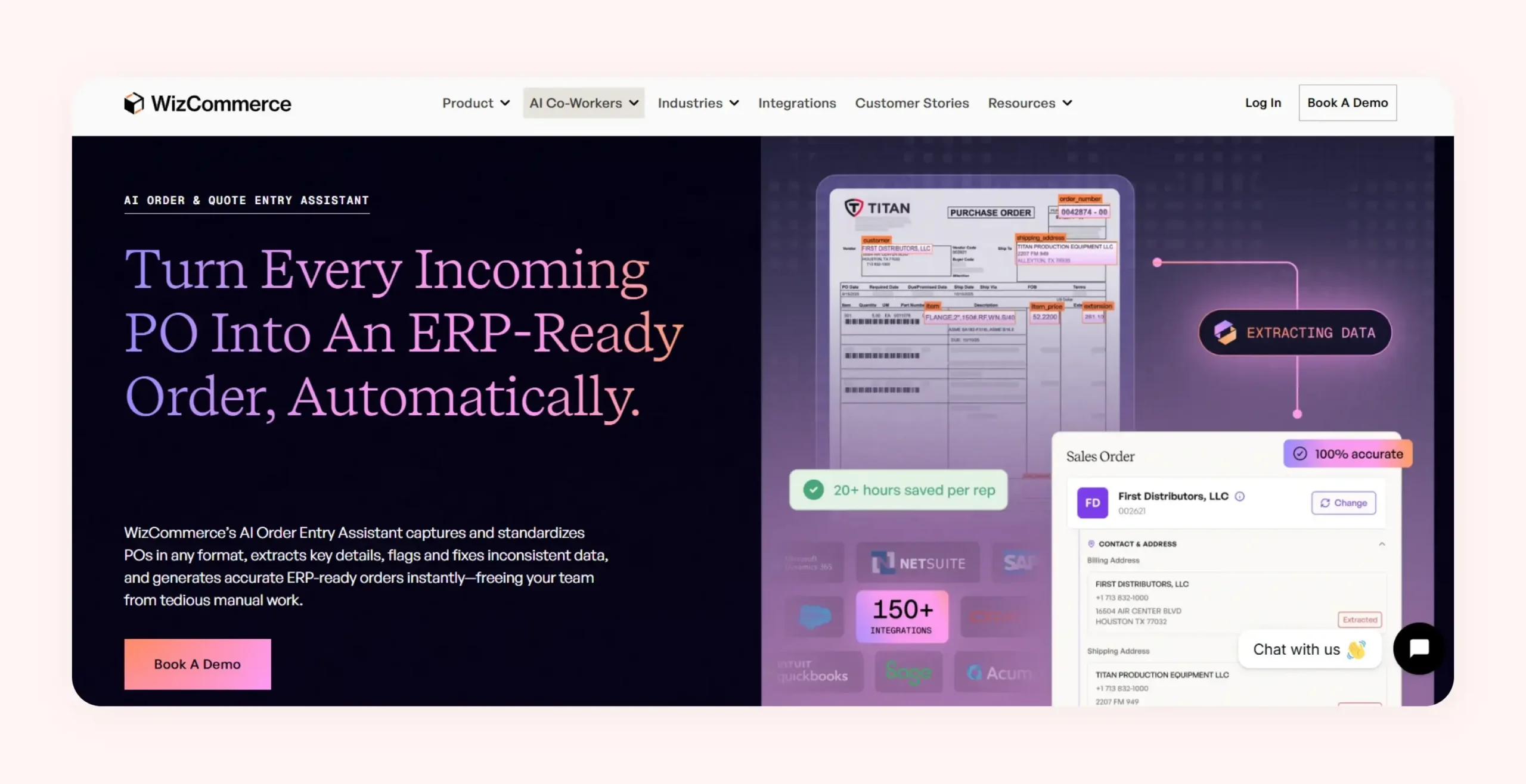
Ella automates your entire order processing workflow end-to-end, within a single platform. It captures orders from multiple sources, automatically extracts and validates order data using AI, and syncs validated information directly with your ERP systems in real time. It also automates notifications and alerts, helping your teams process orders faster and with great accuracy.
How to reduce manual order entry errors with order entry automation?
Ask any operations lead where order errors come from and the answer is rarely carelessness. Errors come from the process itself: re-keying data between systems, reading ambiguous emails late in the day, and pricing from memory because the price list lives in three places. Automated order entry removes those conditions instead of asking people to try harder. Here is how to approach it.
Where order entry errors actually come from
Manual order entry runs on attention, and attention runs out. According to APQC benchmarks, manual order entry carries an error rate of 1% to 3%, which means a team processing 5,000 orders a month ships between 50 and 150 mistakes. The causes of errors in sales orders without automation follow a pattern: SKUs typed from memory or misread from a PDF, price tiers applied to the wrong customer, quantities transposed between the email and the ERP, and part numbers that mean one thing in the customer’s system and another in yours. Manual order entry stays common not because it works but because it fails quietly, one order at a time, without ever showing up as a line item on the P&L.
Validate every order against the ERP before it posts
The single highest-impact fix is validation. Automated order entry checks every extracted line against live ERP data before a sales order is created: it validates SKUs and flags wrong item codes, confirms the price matches the customer’s tier, tests quantities against MOQ and case-pack rules, and holds anything ambiguous in an exception queue instead of letting it reach the warehouse.
Validation is one stage of five in an orders management system, extraction, validation, routing, fulfillment, and invoicing — and automating one without the others just relocates the bottleneck.
An error-reduction checklist for wholesalers and distributors
- Route every order channel into one intake queue, so nothing gets keyed from a phone photo or a forwarded thread.
- Set validation rules that run before the ERP push: SKU match, customer price tier, MOQ, case pack, and ship-to verification.
- Review exceptions only. If your team still touches every order, you have digitized the work without removing it.
- Build a part-number cross-reference so customer codes map to your catalog automatically instead of living in one veteran’s head.
- Track your error rate per 100 orders and review the log weekly. Errors that get measured stop recurring.
Wholesale and distribution teams that work through this list move from the 1-3% manual baseline toward the 99% order accuracy automated teams report, with the remaining exceptions caught before fulfillment rather than after delivery.
What are the benefits of order entry automation for B2B companies?
For B2B companies dealing with high order volumes and multiple sales channels, manual order processing quickly becomes inefficient and difficult to scale. That is the case B2B sales order processing automation is built to solve. AI-powered order entry automation platforms like Ella by WizCommerce offers the following benefits:
Speed: From hours to seconds per order
Customer service and inside sales reps spend most time on manual order handling. Automation drastically reduces the processing time of orders by instantly extracting, validating, and syncing order data across systems. You can move from delayed order processing cycles to near real-time order creation and fulfillment.
Accuracy: Eliminate keying errors
Best Order entry automation software uses validation rules, AI extraction models, and system integrations to ensure cleaner and more standardized order data. This significantly reduces costly order corrections and downstream operational issues.
Scalability: Process more order volume without extra headcount
As your order volumes increase, manual processes usually require you to hire additional operational staff to keep up with demand. Automation removes this dependency by allowing the same team to process significantly more orders with minimal manual intervention. You can easily scale operations during seasonal spikes or growth periods.
Visibility: Improved order tracking
Manual workflows often create visibility gaps where your teams struggle to track order status or respond quickly to customer inquiries. Automated order processing systems provide real-time dashboards, workflow tracking, status updates, and exception alerts across the entire order lifecycle. This helps your teams monitor bottlenecks proactively.
Cost savings: Reduced operational overhead
Order entry automation reduces operational costs by minimizing repetitive manual work, lowering labor dependency, and reducing expenses associated with order errors and rework. Since you can process higher transaction volumes with fewer resources, automation improves operational efficiency while also delivering long-term cost savings across order management and fulfillment processes.
What are the use cases and examples of order entry automation by industry?
Order entry automation is not limited to a single industry. Any B2B business that processes large volumes of orders can benefit from automation. However, the exact use case often depends on the complexity of the industry’s workflows, order formats, customer requirements, and operational scale. Here are the three most common industries that use order entry automation:
Food and beverage distribution
Food and beverage distributors often process hundreds of time-sensitive orders every day from restaurants and suppliers. Orders typically arrive through calls, spreadsheets, and handwritten forms, while delivery timelines remain extremely tight. Order entry automation helps these distributors automatically capture and process incoming orders in real time. This minimizes fulfillment errors and ensures faster order turnaround for perishable inventory.
The pain is sharpest where orders are small and frequent. Convenience store distributors process dozens of low-value orders a day, specialty food distributors work against strict shipping windows, and most of it arrives as emailed spreadsheets that someone re-keys before the cut-off. Automation clears that queue in minutes, which is the difference between making the delivery window and missing it.
Industrial supply
Industrial suppliers typically manage massive product catalogs with complex SKUs, customer-specific pricing agreements, bulk quantities, and technical specifications. Manual order entry increases the risk of incorrect product codes and fulfillment errors. Automation helps validate order data against ERP systems, pricing catalogs, and inventory databases. This improves accuracy while reducing processing time for high-value and highly customized orders.
The same validation logic is how manufacturers reduce order entry errors on spec-heavy orders, and it scales down to small wholesale manufacturers running lean back offices.
Consumer goods wholesale
Consumer goods wholesalers often deal with high transaction volumes across multiple sales channels, including distributors, retail chains, ecommerce platforms, B2B portals, and field sales teams. Managing this volume manually can create order bottlenecks during peak demand periods. Order entry automation enables faster order capture and centralized processing, helping wholesalers scale operations while maintaining consistent order accuracy.

How to compare order automation platforms
Order entry sits inside a wider processing chain, so the best order processing software is judged on what it does after extraction as much as on how well it reads a document. If you are comparing order entry automation platforms for ecommerce and B2B order processing, five criteria separate the contenders faster than any feature list:
| Criterion | What to check |
| Input formats | Reads emails, PDFs, spreadsheets, and portal orders without pre-built templates |
| ERP validation depth | Pricing, MOQ, inventory, and customer rules checked before the order posts, not after |
| SKU matching | Maps customer part numbers to your catalog automatically |
| Exception workflow | Your team reviews only flagged lines, not every order |
| Deployment time | Live in weeks with pre-built ERP connectors, not a quarters-long IT project |
For a scored comparison of the ten leading tools, see our roundup of the best AI order entry automation software.
How does WizCommerce automate order entry for B2B wholesalers?
Ella, WizCommerce’s AI order entry system is designed specifically for B2B wholesalers to eliminate the manual work involved in processing purchase orders. It automatically captures incoming orders from emails, PDFs, spreadsheets, scans, handwritten documents, and other formats, then extracts key details such as SKUs, quantities, pricing, customer information, and shipping details. The system also maps customer-specific part numbers to internal SKUs, validates data against ERP rules, flags missing or inconsistent information, and converts everything into clean, ERP-ready orders without manual re-entry.
With over 1,000 pre-built ERP connectors, orders can flow directly into your existing systems without middleware or additional data cleanup. By automating repetitive order entry tasks, WizCommerce a cloud B2B order management platform, allows your inside sales and operations teams to spend less time processing paperwork and more time focusing on customers, quoting, and revenue growth. Book a demo today to see how WizCommerce can streamline your wholesale order workflows.
FAQs on Order Entry Automation
1. What are the risks of manual order entry?
Manual order entry increases the risk of data errors, incorrect shipments, delayed fulfillment, duplicate entries, and missed customer requirements. As your order volumes grow, your team members will spend more time correcting mistakes and coordinating between systems. This not only slows operations but also affects customer relationships and overall business scalability.
2. How does order entry automation work?
Order entry automation automatically captures incoming orders from emails, PDFs, spreadsheets, EDI systems, and portals. Artificial Intelligence and OCR technologies extract important details like SKUs, inventory levels, pricing, and shipping information. The system then validates the data against business rules and pushes clean and structured order data directly into your Enterprise Resource Planning (ERP) software or backend systems.
3. What tools are used for order entry automation?
Order entry automation workflow typically uses AI, OCR (Optical Character Recognition), Natural Language Processing (NLP), ERP integrations, APIs, workflow automation tools, and machine learning models. These technologies work together to capture, extract, validate, and process order information automatically while improving accuracy and reducing manual administrative work.
4. How to automate manual order entry tasks?
You can automate manual order entry by first identifying repetitive tasks such as data capture, extraction, validation, and ERP entry. You can then implement an AI-powered automation platform like Ella by WizCommerce, that can extract data from emails, PDFs, B2B portals, etc., validate it against rules, and then feed clean data to your ERP system. Starting with one workflow at a time usually makes implementation faster and more manageable.
5. Does order automation save time and cost?
Yes, order automation significantly reduces the time spent on repetitive administrative tasks like data entry, order verification, and corrections. Since you can process more orders with fewer manual resources, operational costs decrease. Automation also reduces expensive fulfillment errors, customer disputes, and delays, resulting in long-term efficiency and cost savings.
6. Why should businesses automate order entry?
You should automate order entry to improve speed, accuracy, scalability, and operational efficiency. Manual processes become difficult to manage as your order volumes increase across multiple channels. Automation helps you process orders faster, allowing your teams to focus on customer service and business growth instead of repetitive tasks.
7. How does automation reduce errors in wholesale orders?
Automation reduces errors by eliminating manual data entry and validating order information against ERP systems, pricing rules, inventory records, and customer data. AI-powered systems can detect missing fields, incorrect SKUs, duplicate entries, and formatting issues before orders are processed. This improves data consistency and reduces costly fulfillment and invoicing mistakes.
8. What Do Customer Service Teams Look For In An AI Order Capture Solution?
Customer service teams recommend AI order capture tools that read orders from any format without templates, validate every line against the ERP so wrong item codes get flagged before fulfillment, and involve humans only for exceptions. The test that matters is a pilot on your own POs: if the tool handles your messiest week of real orders, it will handle the rest.
9. Can AI Help Wholesale Distributors Reduce Order Processing Time And Errors?
Yes. AI reads incoming POs, matches customer part numbers to internal SKUs, applies the right price tier, and posts validated orders to the ERP in minutes. Wholesale teams report processing time falling from hours to minutes per order, and accuracy moving from the 1-3% manual error baseline toward 99%.
10. Does Order Entry Automation Make Sense For Small Businesses?
Yes, often more than for enterprises, because a small team feels every hour lost to re-keying. Start with a single channel, usually email, automate capture and validation first, and expand in phases as volume grows. The goal is processing more orders without hiring, not replacing anyone, and phased rollouts keep the cost proportional to the volume you actually run.