Skip to content



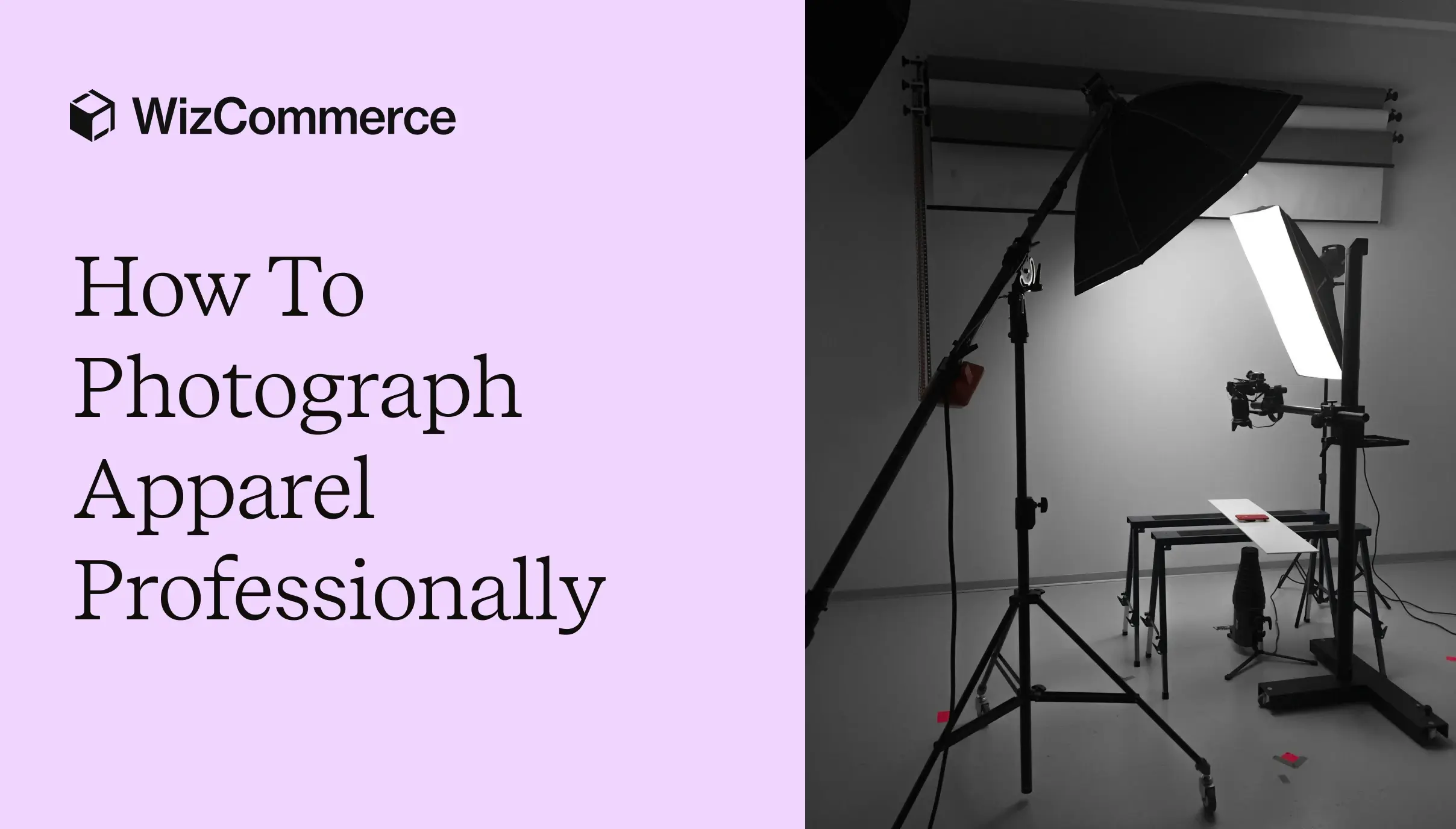
Selling apparel online comes with many challenges, with most of them revolving around the buyer’s inability to touch or experience the product before buying it. They cannot check the softness of the fabric. They cannot inspect the quality of the stitching. They also cannot understand how the outfit actually looks when worn. In other words, your product images have to do all the selling for you. That is exactly why learning how to photograph apparelprofessionally matters so much for ecommerce success. In this guide, we will break down how to photograph apparel professionally, the biggest challenges you will face in traditional photography, expert apparel photography tips, and how AI tools are helping fashion brands create high-quality apparel visuals faster, without compromising on realism.

What is apparel photography?
Apparel photography is a specialized form of product photography focused on presenting clothing and fashion accessories in the most accurate and appealing way possible. Unlike general ecommerce product photography, which mainly highlights the appearance of an item, well-executed apparel photography captures how a garment actually looks, fits, drapes, and moves in real life. It even captures small details such as buttons, zippers, embroidery, collars, cuffs, and accessories like hats, scarves, and belts, presenting them clearly and realistically.
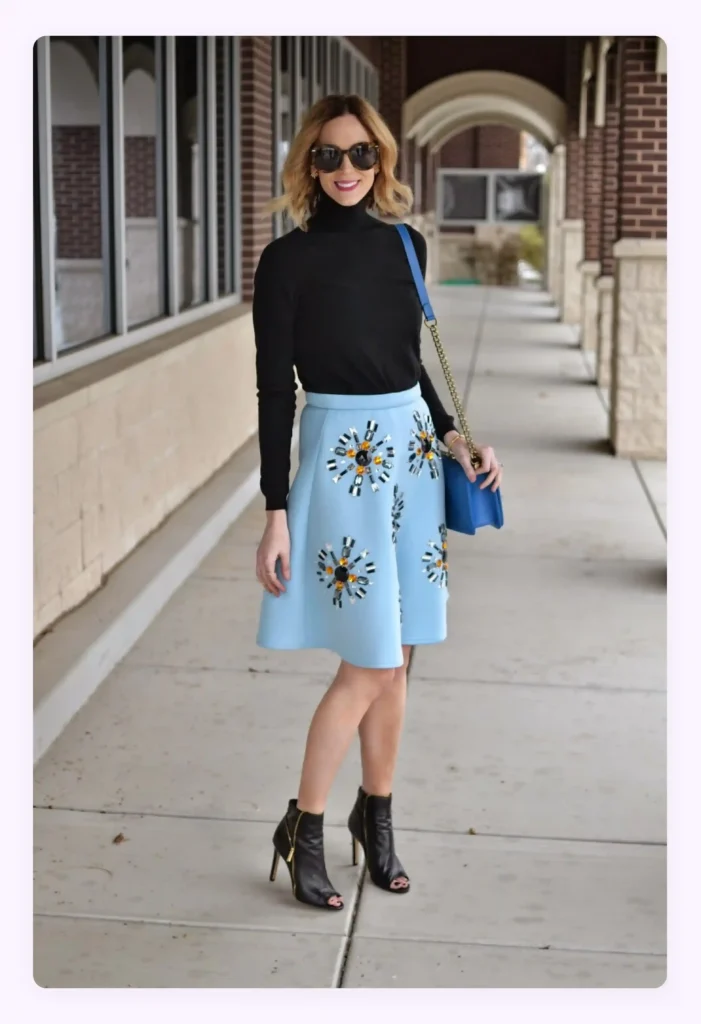
Apparel photography is also particularly challenging when compared to other types of photography. This is mainly because clothing is dynamic. Unlike a static product such as jewelry or furniture, garments behave differently depending on lighting, movement, body shape, styling, and fabric type.
Types of apparel photography
There are several types of apparel photography serving different purposes. They also differ based on factors like angle, background, styling approach, and level of human involvement. Here are 5 major types:
1. Model photography
Model photography features real people wearing the apparel. It helps buyers visualize how your clothing fits and moves on the human body. It adds emotional depth and relatability to your product while giving you an avenue to strengthen your brand identity by using models who closely match your brand voice.
Best for: Fashion campaigns, premium ecommerce brands, social media marketing, and clothing categories where fit and lifestyle appeal significantly influence purchase decisions.
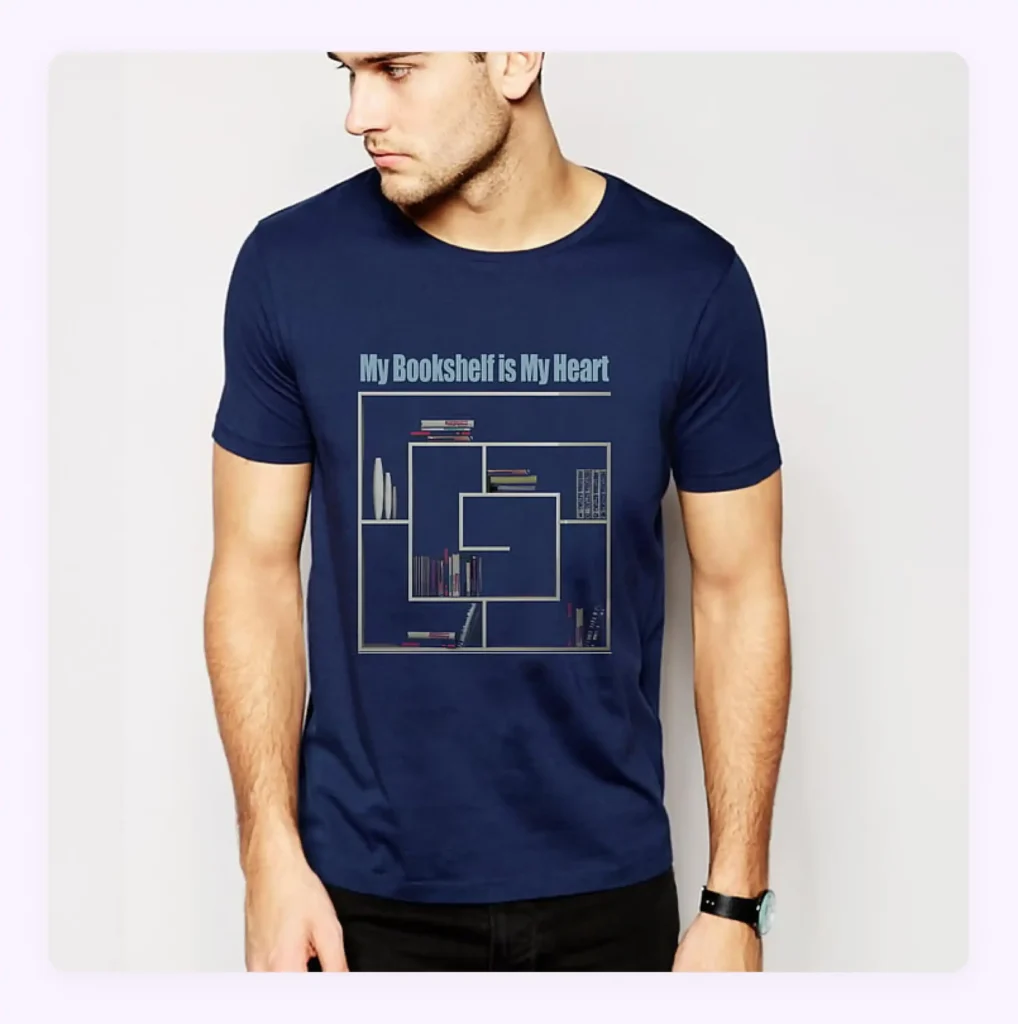
2. Flat lay photography
Flat lay photography involves placing clothing and accessories on a flat surface and photographing them from above. This style is widely used for ecommerce catalogs and lookbook layouts because it is cost-effective and ideal for showcasing complete outfit combinations.
Best for: Casual wear, kidswear, t-shirts, and fashion accessories, where brands want to create a clean and organized presentation of one or more products.
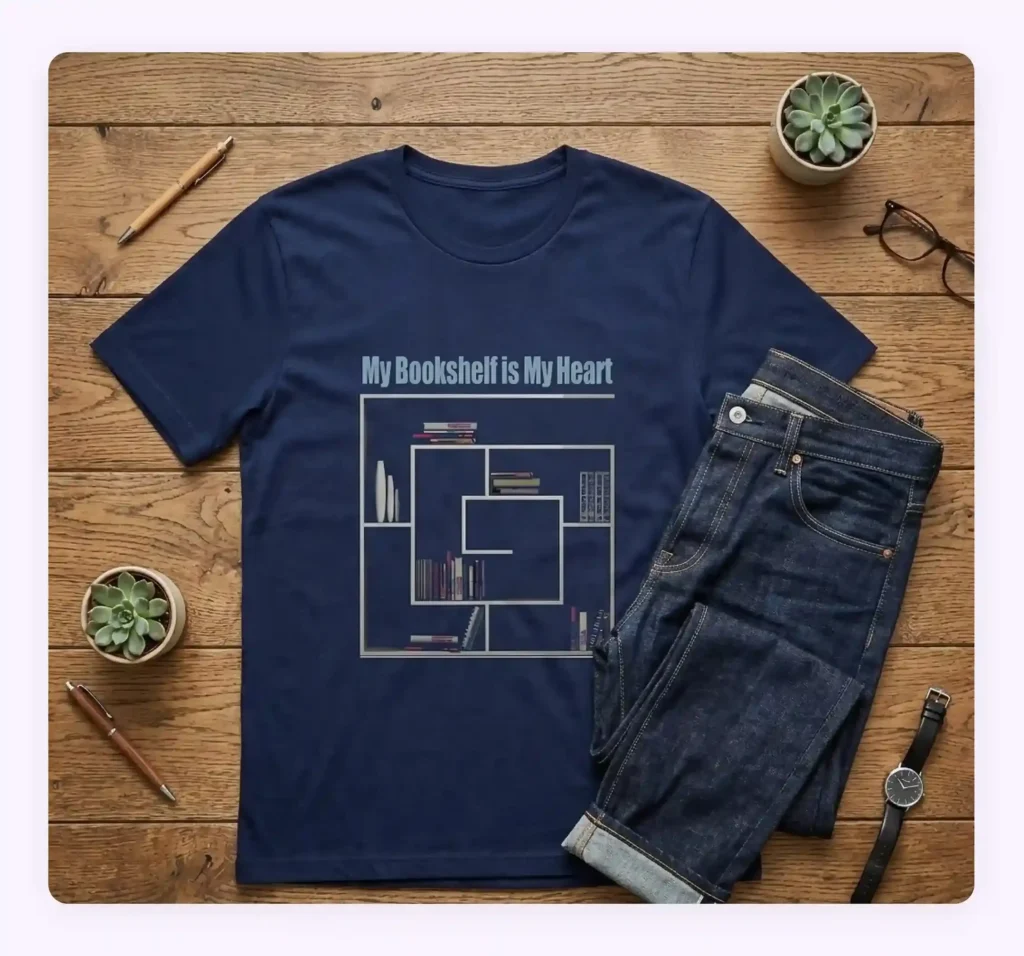
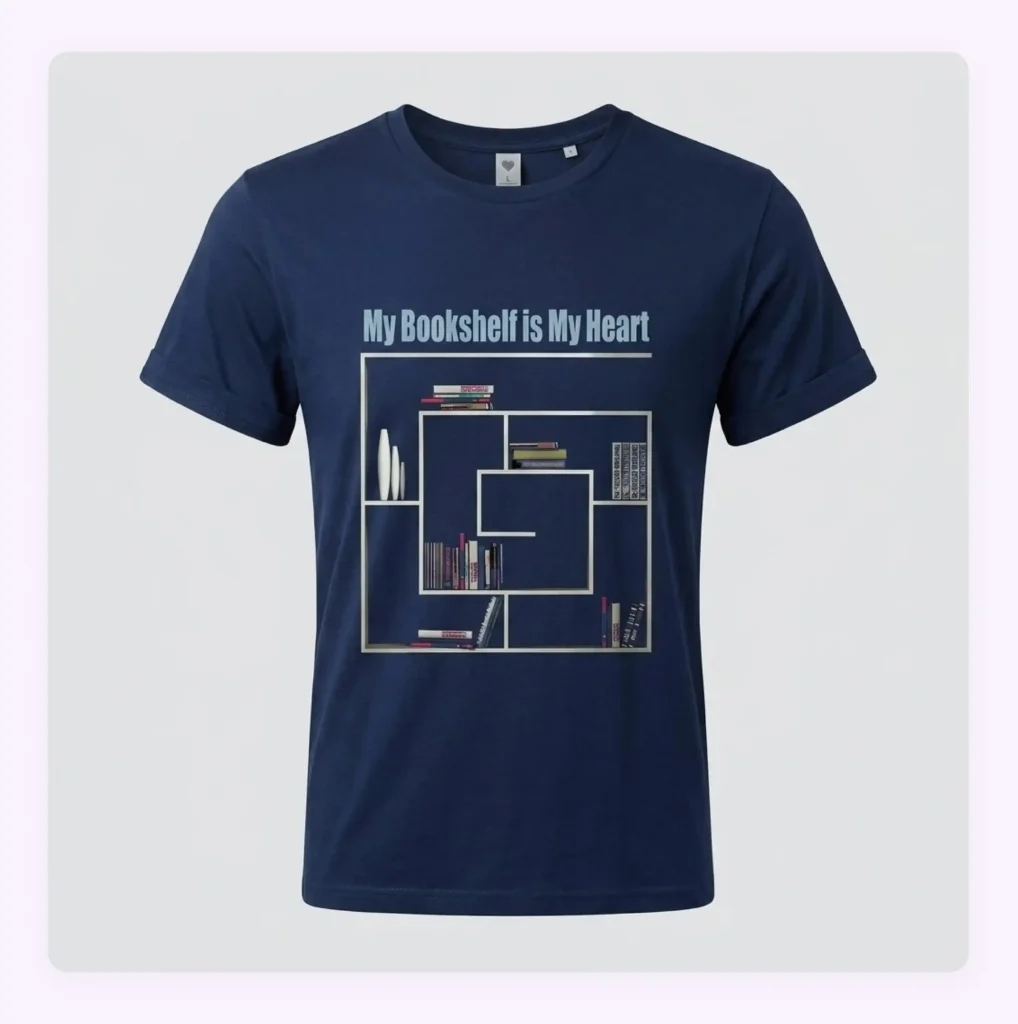
3. Ghost mannequin photography
This type uses a mannequin during the shoot and removes it later during editing to create an invisible mannequin effect. This technique allows the garment to retain its natural shape and structure while keeping the focus entirely on the product.
Best for: Photographing shirts, jackets, dresses, and structured apparel because it helps customers better understand fit and garment construction without the distraction of a visible model.
4. Lifestyle apparel photography
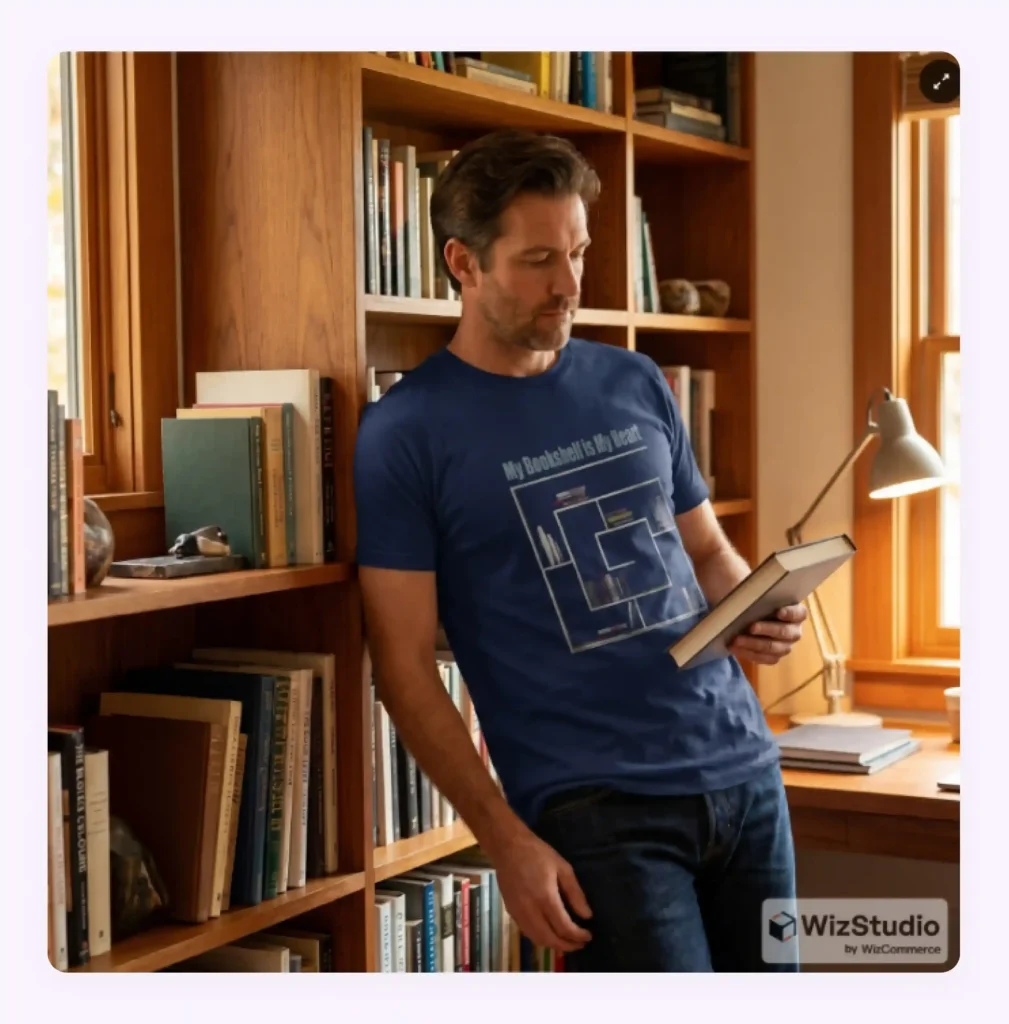
Lifestyle apparel photography places your clothing in real-world settings instead of a traditional studio environment. The goal is to tell a story and create an emotional connection by showing the apparel being worn naturally in everyday situations.
Best for: Apparel businesses focused on branding, social media engagement, advertising campaigns, and aspirational storytelling because it helps buyers imagine the product as part of their own lifestyle.
5. Detail and close-up photography
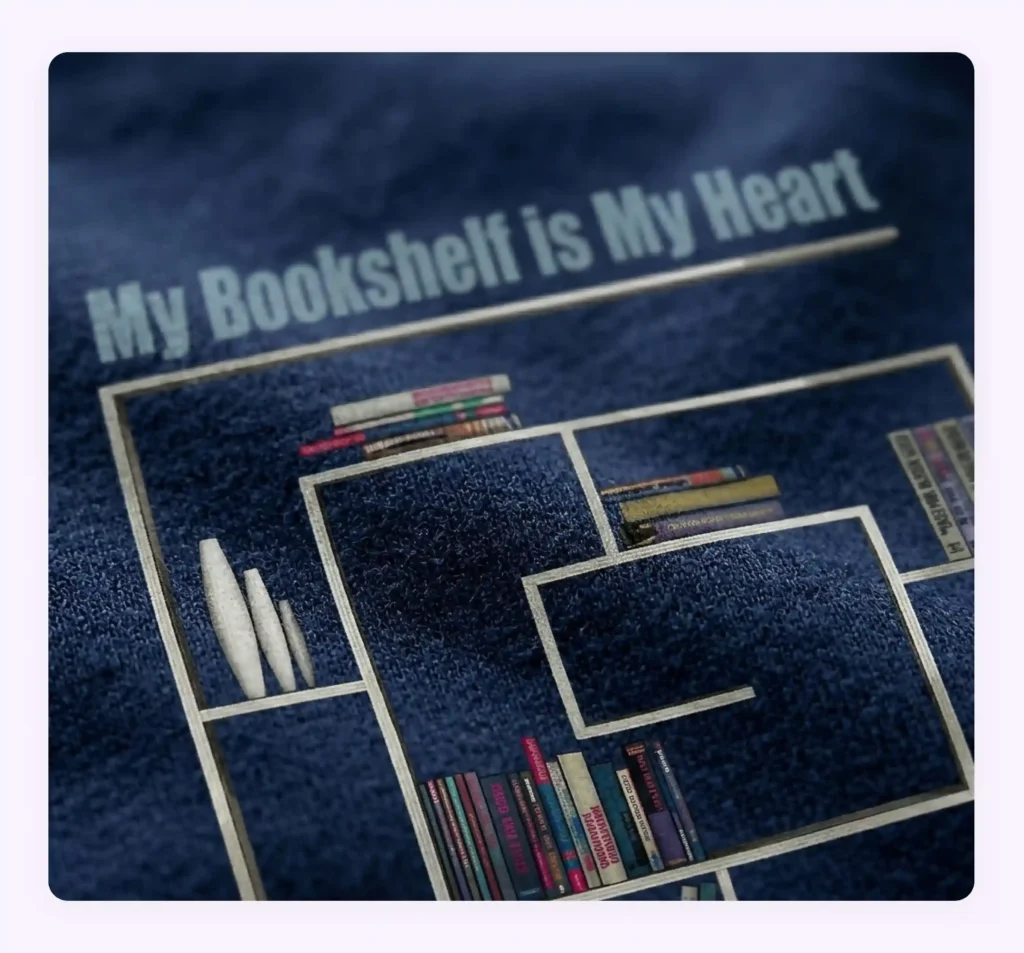
Detail and close-up photography focuses on highlighting specific elements of a garment, such as fabric texture, stitching quality, embroidery, buttons, prints, zippers, and craftsmanship details. These images help build customer trust by showcasing the quality and premium aspects of your product that may not be visible in wider shots.
Best for: Luxury apparel, designer fashion, handcrafted garments, and high-ticket clothing products where fine details strongly impact buying decisions.
Benefits of high-quality apparel photography
High-quality apparel photography not only presents your apparel in an appealing way but also offers an array of selling-focused benefits. Here they are:
- Improves purchase confidence: Clear and professional-looking apparel photos can make your buyers feel more confident about what they are buying, which directly improves your conversion rate.
- Conveys information without the clutter: High-quality photography helps highlight important details like stitching, texture, patterns, fabric softness, buttons, zippers, and overall garment construction. This automatically reduces the dependency on detailed and long product descriptions.
- Reduces product returns: Accurate and detailed visuals ensure buyers get what they see. Hence, they are less likely to return the item later due to mismatched expectations.
- Makes products stand out in a crowded space: Fashion ecommerce is extremely competitive. Visually appealing apparel images immediately draw attention, especially on market places where dozens of similar product compete for the same buyer.
- Strengthens brand identity and fashion appeal: Unique lighting, colors, and presentation help establish a recognizable identity for your brand. For instance, you make your brand feel more stylish and aspirational with the right lifestyle scenes.
- Creates a consistent and premium-looking storefront: Uniform product photography across your website gives your brand a polished and professional appearance. This automatically builds trust for your brand.
How is apparel photographed traditionally?
Traditionally, brands have approached apparel photography in two ways:
- DIY apparel photography: You handle the entire process internally using your own cameras, lighting setups, models, and editing tools. It demands significant time and strong technical expertise to achieve professional-quality results consistently.
- Hiring professional photographers: Third-party photographers manage everything from creative direction and styling to shooting and post-production editing. While product photography services can help in the generation of highly polished visuals without too much effort, it often comes with higher costs, longer turnaround times, scheduling dependencies, and limited flexibility.
In both cases, traditional apparel photography remains a resource-heavy process involving extensive planning, setup, coordination, and manual editing. For the sake of simplicity, we will be covering the typical steps involved in DIY apparel photography below.
Step 1: Choose the right equipment
Traditional apparel photography relies on professional-grade equipment to capture fine fabric textures and color accuracy. Most setups rely on high-resolution DSLR or mirrorless cameras capable of capturing fine fabric textures and color accuracy. In addition to the camera itself, you need multiple lenses for different shot types, sturdy tripods for consistency, softboxes and diffusers for balanced lighting, reflectors to control shadows, background stands, mannequins, and other necessary props.
Step 2: Prepare and steam the clothing
- Before the shoot begins, your garments should be prepared to ensure they look clean and polished. It needs to be steamed or ironed to remove wrinkles. You also need to make sure that loose threads are trimmed, and lint or dust is cleaned off. Even small imperfections can become highly visible in high-resolution ecommerce photography.
Step 3: Select the right model, mannequin, or flat lay setup
You must also decide whether to use models, mannequins, or flat lay setups. Each of them comes with its own logistical and financial challenges. For instance, when you are hiring models, you need to coordinate their schedules, arrange fittings, manage makeup and styling, and often book photographers and studio time around their availability.
Step 4: Choose backgrounds that complement the apparel
Background selection requires careful planning to ensure that your clothing remains the focal point. Simple white backgrounds are common for ecommerce and the easiest to photograph. If capturing products in lifestyle backgrounds, you need to manage location scouting and props, which can add to production complexity.
Step 5: Set up soft and balanced lighting
Lighting setup is another critical aspect of traditional apparel photography. The goal is to achieve soft and balanced lighting without harsh shadows or color inconsistencies. To handle this, you need to arrange softboxes, reflectors, and diffused studio lighting to create a clean and balanced look. Throughout the shoot, you will need to adjust lighting as different fabrics and colors respond differently under the same conditions.
Step 6: Adjust camera settings for sharpness and color accuracy
During the shoot, you must fine-tune camera settings such as ISO, aperture, shutter speed, and white balance to maintain consistency and realism across images. Remember – even small setting errors can lead to inaccurate colors or poor-quality photos that require reshoots and additional editing work.
Step 7: Capture multiple angles and detail shots
Traditional apparel shoots involve photographing garments from multiple angles, including front, back, side, and close-up detail shots. These additional images help customers better understand the fit, shape, stitching, patterns, and overall construction of the clothing before making a purchase decision.
Step 8: Edit and retouch the final images
Once the shoot is complete, the images need to go through post-production editing and retouching. It includes color correction, background cleanup, wrinkle removal, cropping, shadow adjustments, and consistency enhancements. The goal is to produce visually polished images that remain realistic and meet ecommerce and branding standards.
Common challenges in photographing apparel traditionally
From the elaborate steps covered in the previous section, one thing is clear; producing professional apparel images in the traditional way is anything but easy. You will encounter multiple creative and operational challenges, making apparel photography very difficult to scale. Here are some hurdles you might face:
- Difficulty in capturing true fabric colors: Lighting conditions and camera settings can easily alter colors. This often leads to discrepancies between the product image and the actual garment.
- Time-consuming prep activities: Preparing apparel for a shoot often requires extensive steaming, ironing, and styling to achieve a clean and polished look. Doing this for a large catalog is highly laborious and time-consuming.
- Technical challenges with black and white fabrics: Dark garments can lose important details in shadows. White garments can appear overexposed under strong lighting. Shooting such garments requires strong technical expertise.
- Maintaining consistent lighting: Consistency becomes challenging when photographing large product catalogs over multiple sessions. Even slight variations in lighting can create an inconsistent storefront.
- Highlighting texture: Capturing fine details such as stitching, embroidery, buttons, and fabric textures requires specialized lighting and photography techniques.
- Managing difficult fits: Loose-fitting, oversized, or uniquely structured garments can be difficult to display attractively. These items often require additional styling adjustments to accurately showcase their intended fit and silhouette.
- Creating realistic lifestyle scenes: Creating authentic scenes involves location scouting, set design, props, models, and additional production planning. These can be expensive and delay your launch date for the images.
How does AI solve the typical apparel photography challenges?
AI-powered apparel photography is transforming how you create product images. Instead of relying on costly photoshoots and complex editing workflows, you can now generate professional-quality visuals quickly and at a fraction of the cost. Here are some key aspects of AI apparel photography powering this shift:
Background replacement
AI background remover tools can instantly strip cluttered, inconsistent, or poorly lit backgrounds and replace them with professional alternatives that match your brand aesthetic. This eliminates the need for expensive studio setups or physical backdrops. Whether you need a pure white ecommerce background or a premium retail-style setting, AI can generate it in seconds.
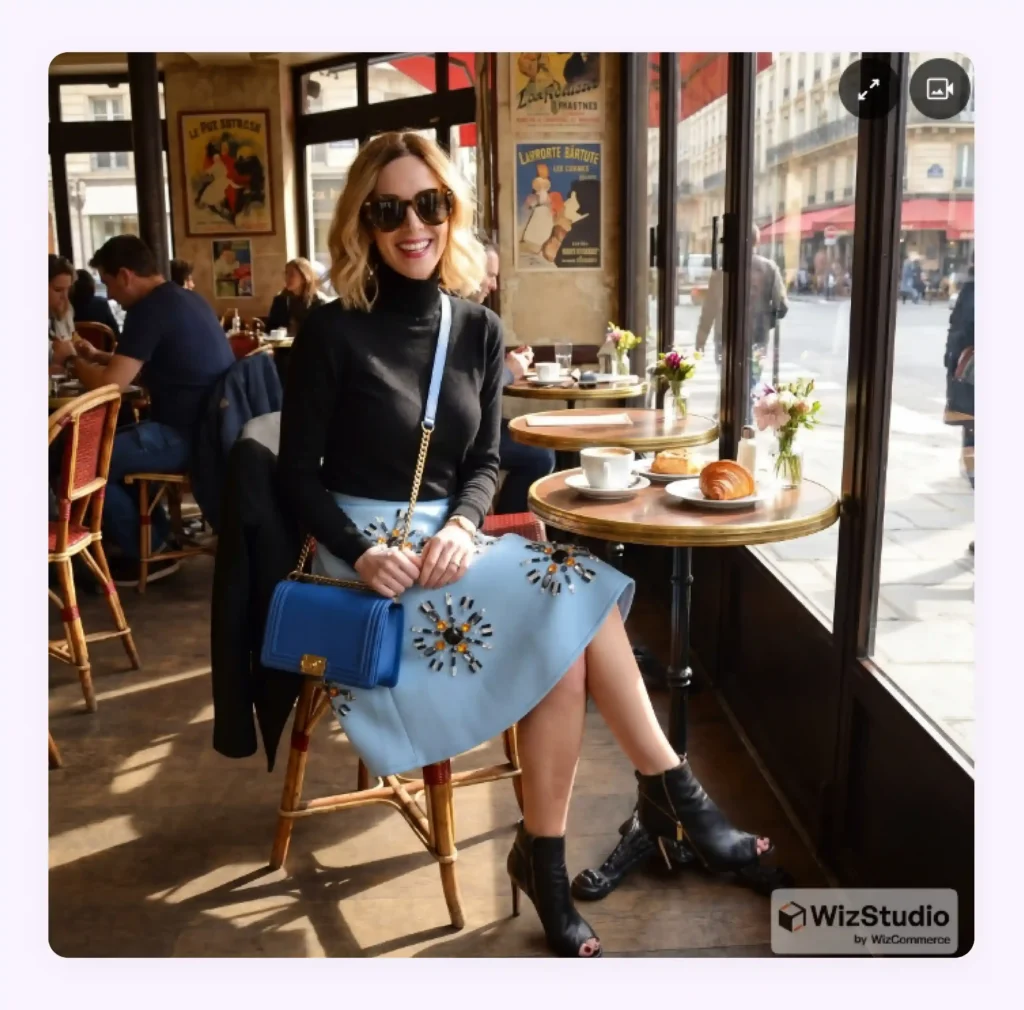
AI model creation
You no longer need to hire expensive models or organize elaborate photoshoots for your SKUs. AI platforms can generate realistic virtual models that accurately showcase garments while reducing production time and costs. AI can also place apparel photographed on a mannequin, hanger, or flat lay onto a realistic human model.
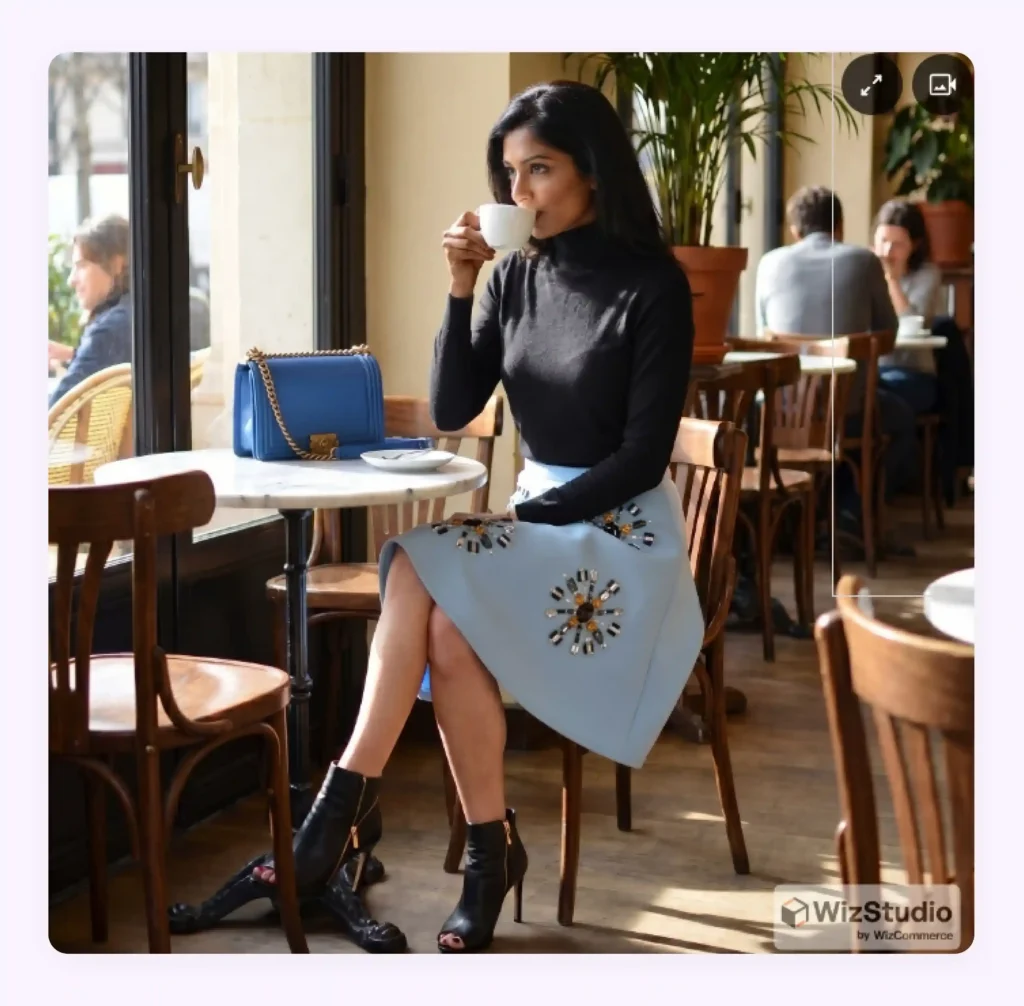
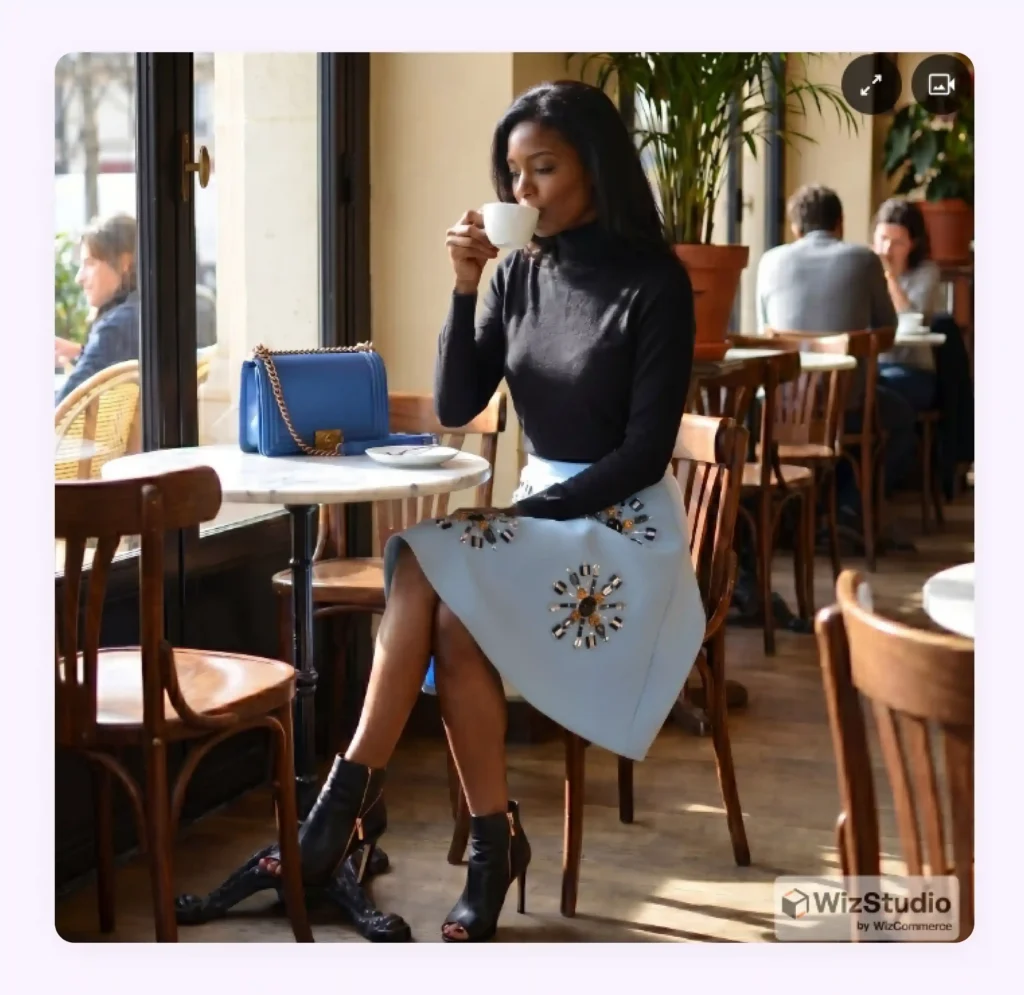
Model swap
When you need inclusive or localized marketing campaigns featuring different ages, genders, body types, or ethnicities, traditional workflows require separate shoots for each. But with AI-powered model swapping, the garment remains unchanged while the model can be replaced instantly.
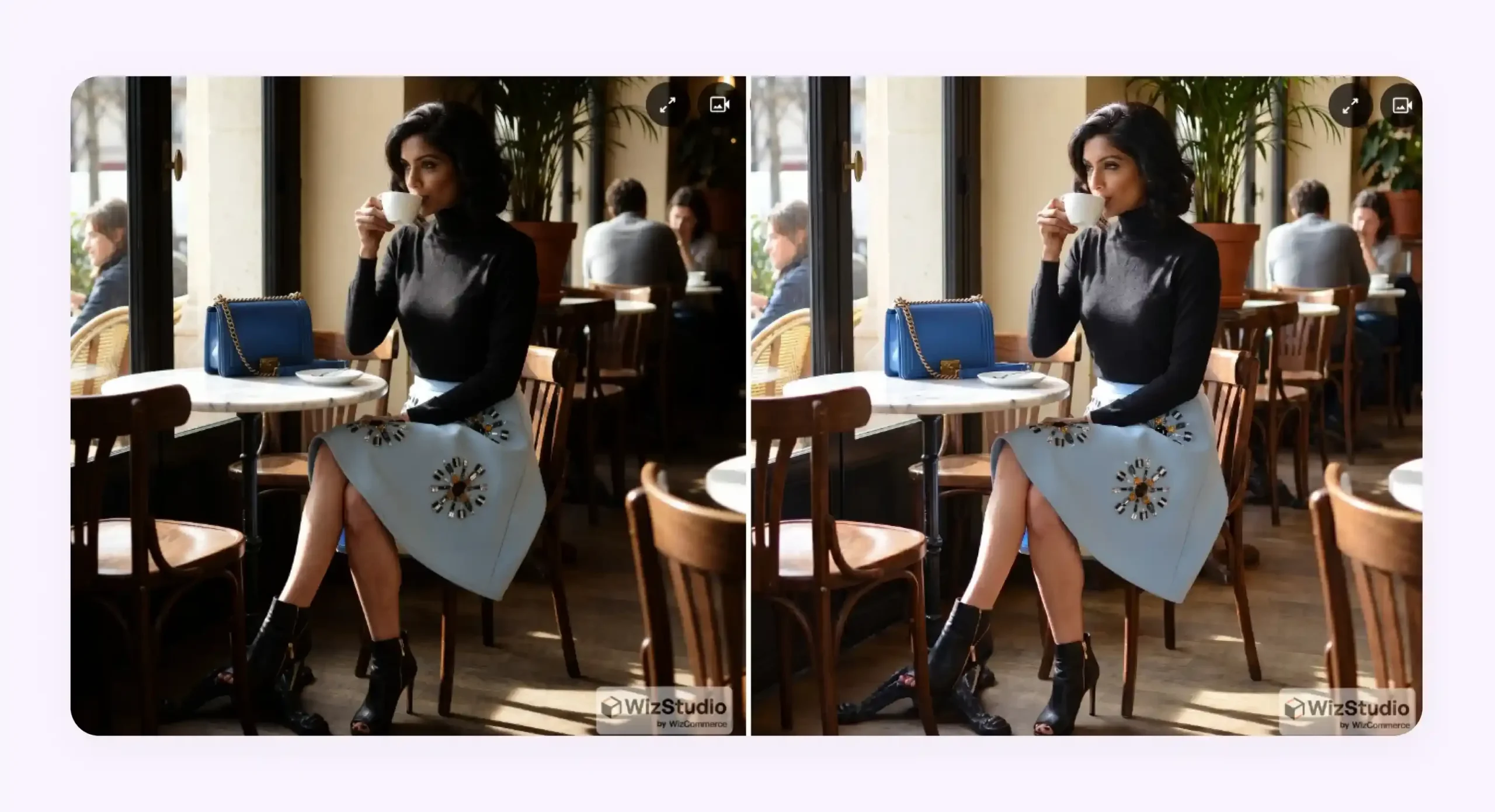
Automatic lighting enhancement
AI tools for product photography can automatically analyze each image and enhance brightness, contrast, sharpness, and color balance to create a more professional appearance. This ensures your garments look vibrant and visually appealing while preserving fabric details and accurate colors.
Automatic shadow correction
AI platforms can intelligently remove distracting shadows, soften overly harsh ones, or generate natural-looking shadows where needed. This creates a more balanced and visually appealing image while helping your garments appear more dimensional and realistic.
Instant lifestyle scene generation
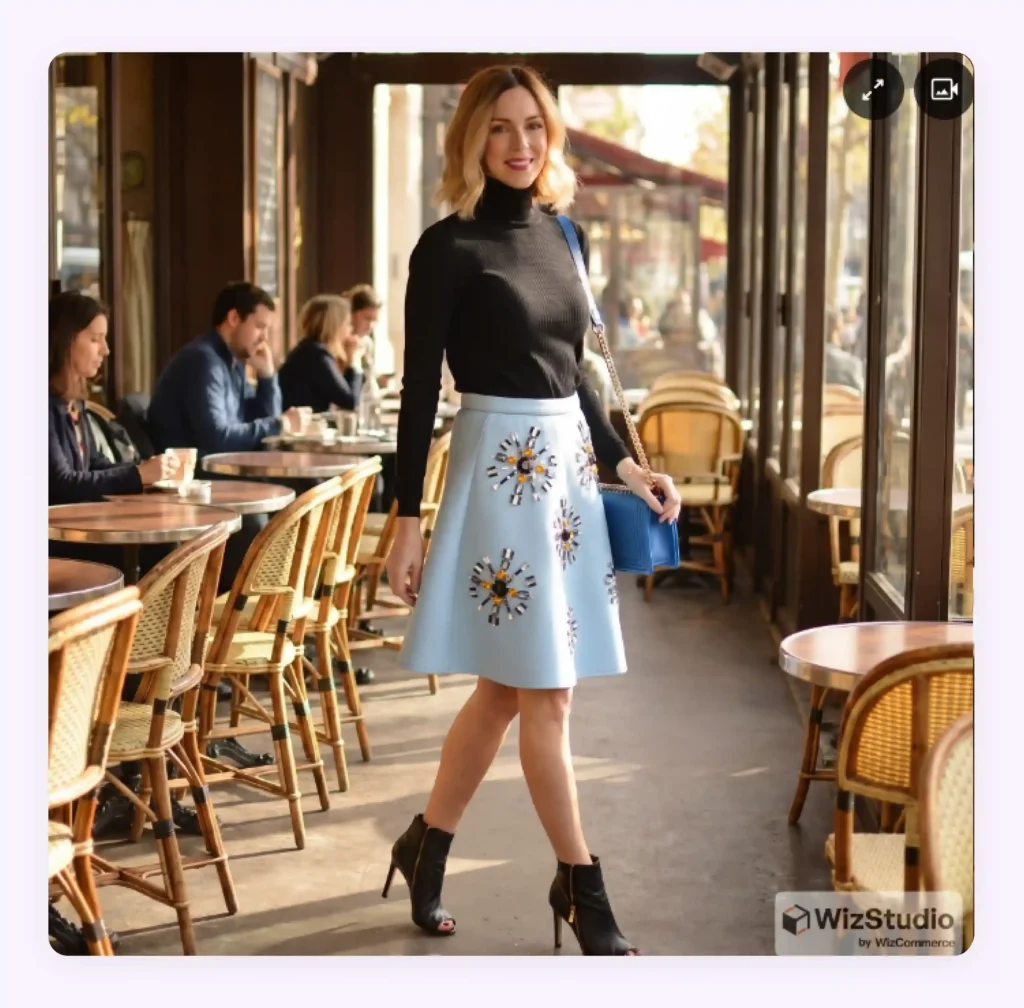
Instead of renting locations or building expensive sets, AI product photography platforms can place your apparel into realistic lifestyle environments. You can create images featuring urban streets, cafés, offices, beaches, or other relevant settings in minutes.
How to generate realistic apparel photos with AI (Step-by-step process)
AI platforms like WizStudio can transform your basic garment photos into professional fashion visuals within minutes. All it takes is a few simple steps to produce ecommerce-ready outputs for your business. Here is a step-by-step walkthrough of how the process unfolds:
Step 1: Prepare your original apparel image
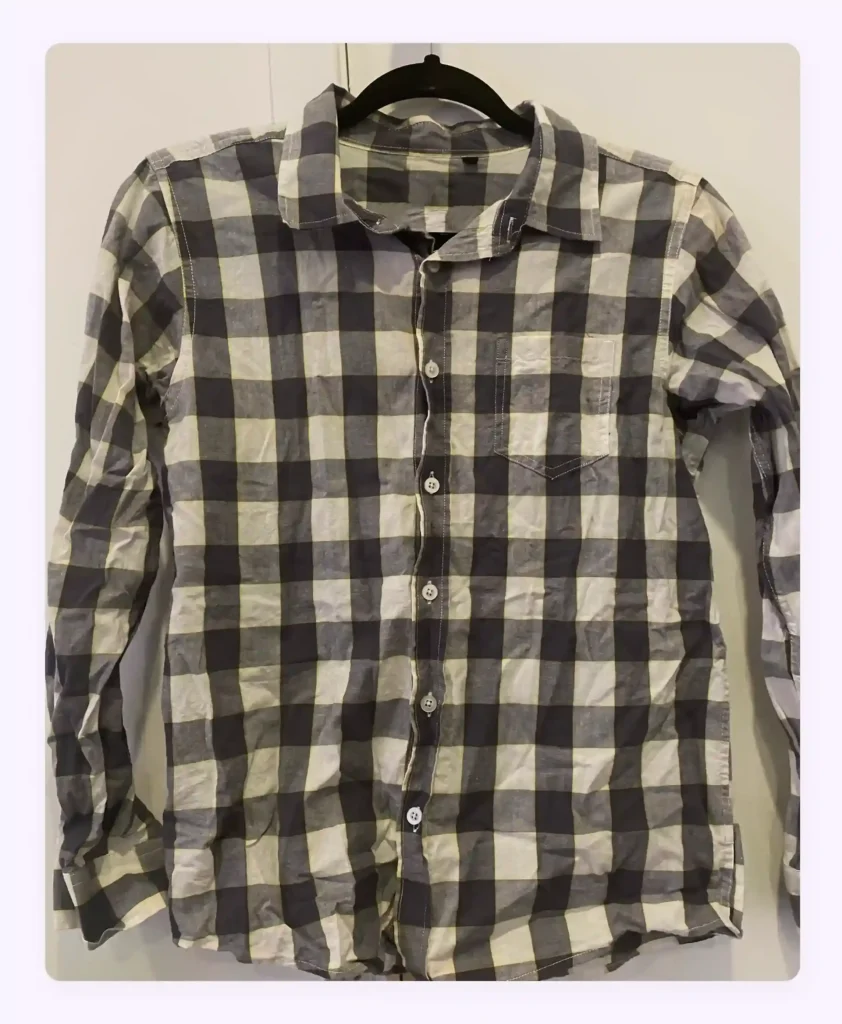
AI apparel photography always starts with a clean garment image. It could be a flat lay photograph, one on a mannequin, or even a hanger shot. A simple product photo taken with a smartphone can also work because powerful AI platforms like WizStudio can significantly enhance and transform your original image and make it suitable for further processing.
When capturing the original photo of the apparel, make sure it is wrinkle-free and properly positioned. Also, avoid cluttered backgrounds and ensure important details such as fabric texture, patterns, stitching, and colors can be seen clearly. Here is a sample apparel image that we will use throughout this section:
Step 2: Upload the product image to the AI platform
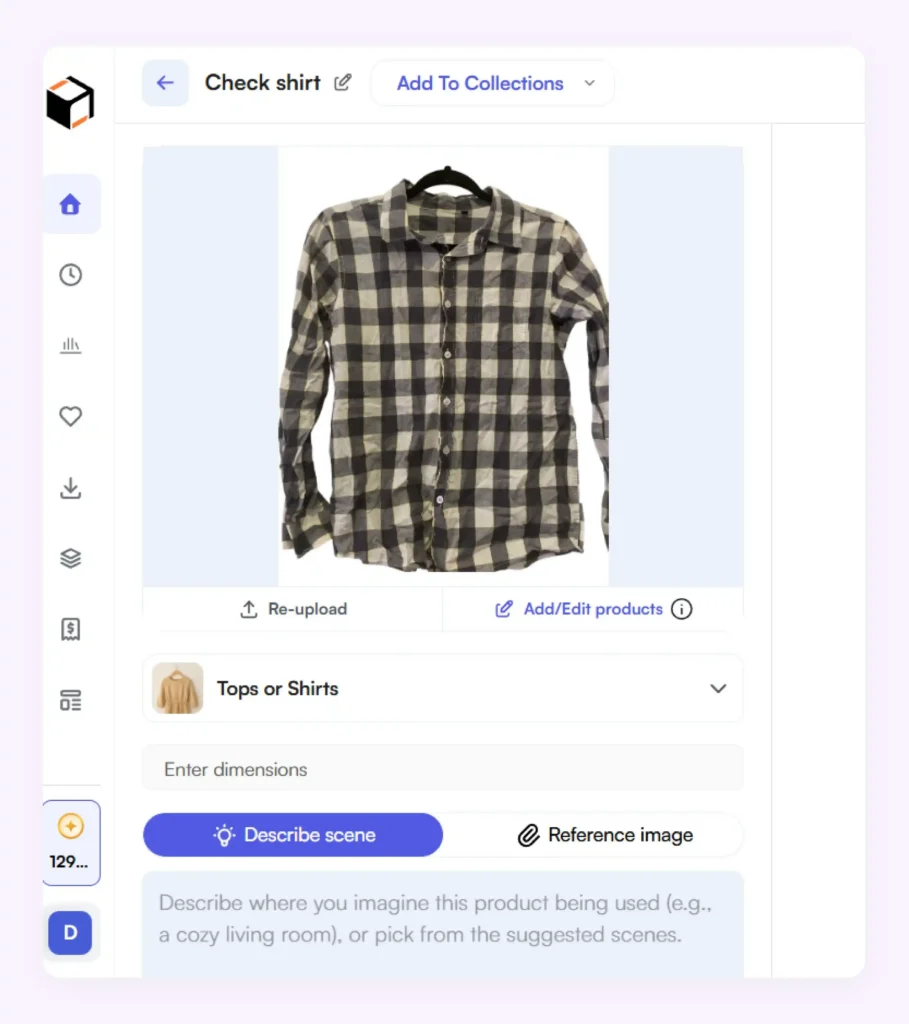
Once your apparel image is ready, upload it to an AI platform like WizStudio. It will automatically analyze the garment and prepare it for AI-powered scene generation. But before uploading, you need to choose from various AI-powered workflows depending on the type of image you wish to generate. For instance, WizStudio’s core tools include the lifestyle image generator, image expansion with AI image expander , image editor and a variant builder that lets you generate image variations. For this example, let us use the lifestyle image generator function of WizStudio.
Step 3: Select background styles and fashion environments
After the upload is complete, you can describe the environment in which you want the apparel to appear with the help of prompts. This is where AI platforms like WizStudio help transform a simple product image into a catalog-ready fashion photograph.
For example, you can instruct WizStudio to create a model wearing your apparel in a modern studio setting, a luxury retail environment, an outdoor lifestyle scene, a city street, a beach setting, or a seasonal fashion backdrop through simple prompts. WizStudio also provides pre-built prompt suggestions that help you quickly generate visuals without worrying about what words to use for the prompt.

Step 4: Adjust lighting and garment shadows
Realistic lighting and shadows play a major role in making AI-generated apparel photography look authentic. WizStudio automatically enhances lighting, balances exposure, and creates natural-looking garment shadows that help your clothing blend seamlessly into the generated environment.
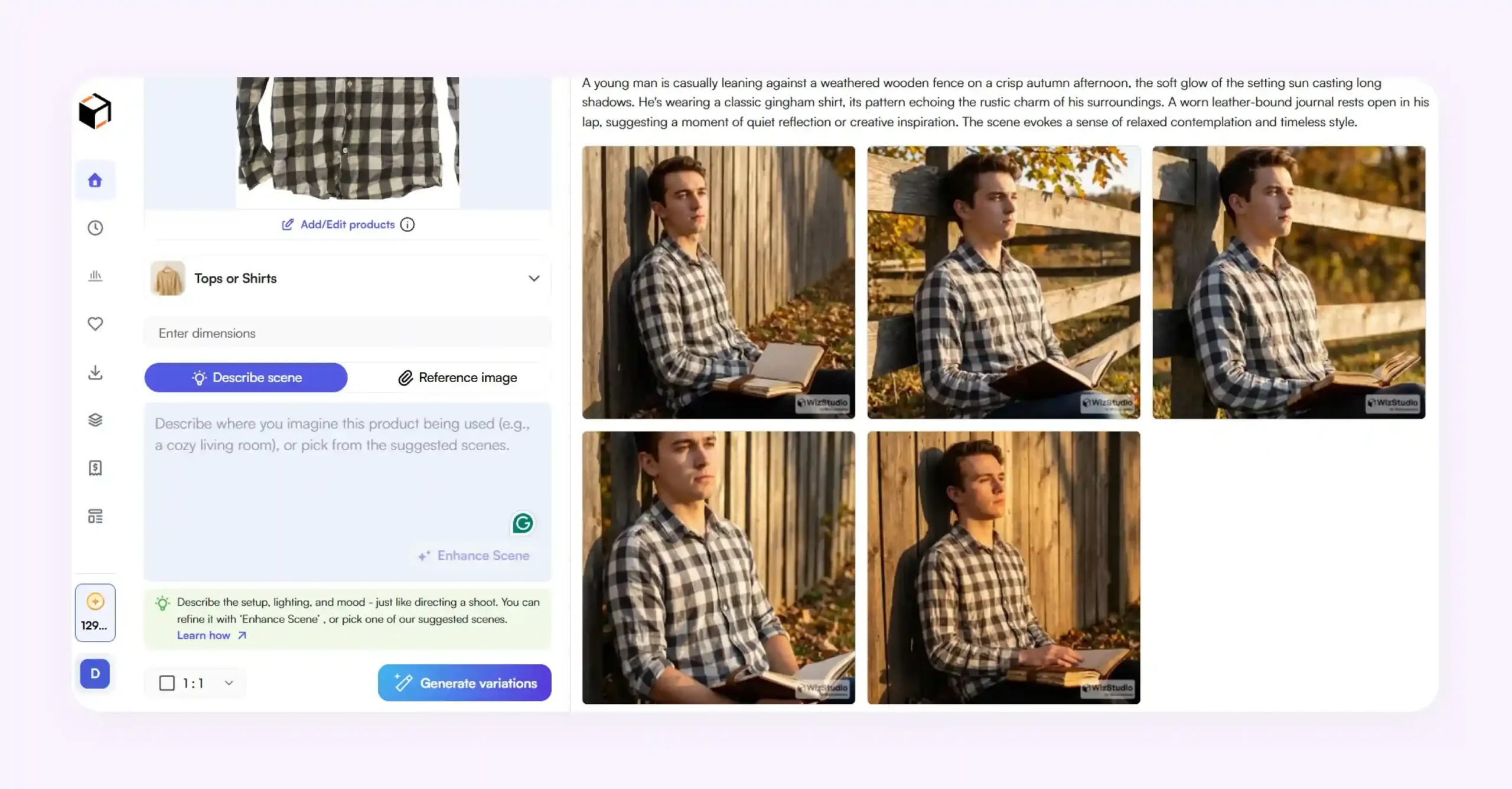
If needed, you can also manually fine-tune various elements of the image. For example, you can adjust brightness, contrast, shadow intensity, color tones, and overall mood to match your brand’s visual style. This gives you complete creative control while still benefiting from AI automation. In the screenshot below, you can see the editing controls available within WizStudio:
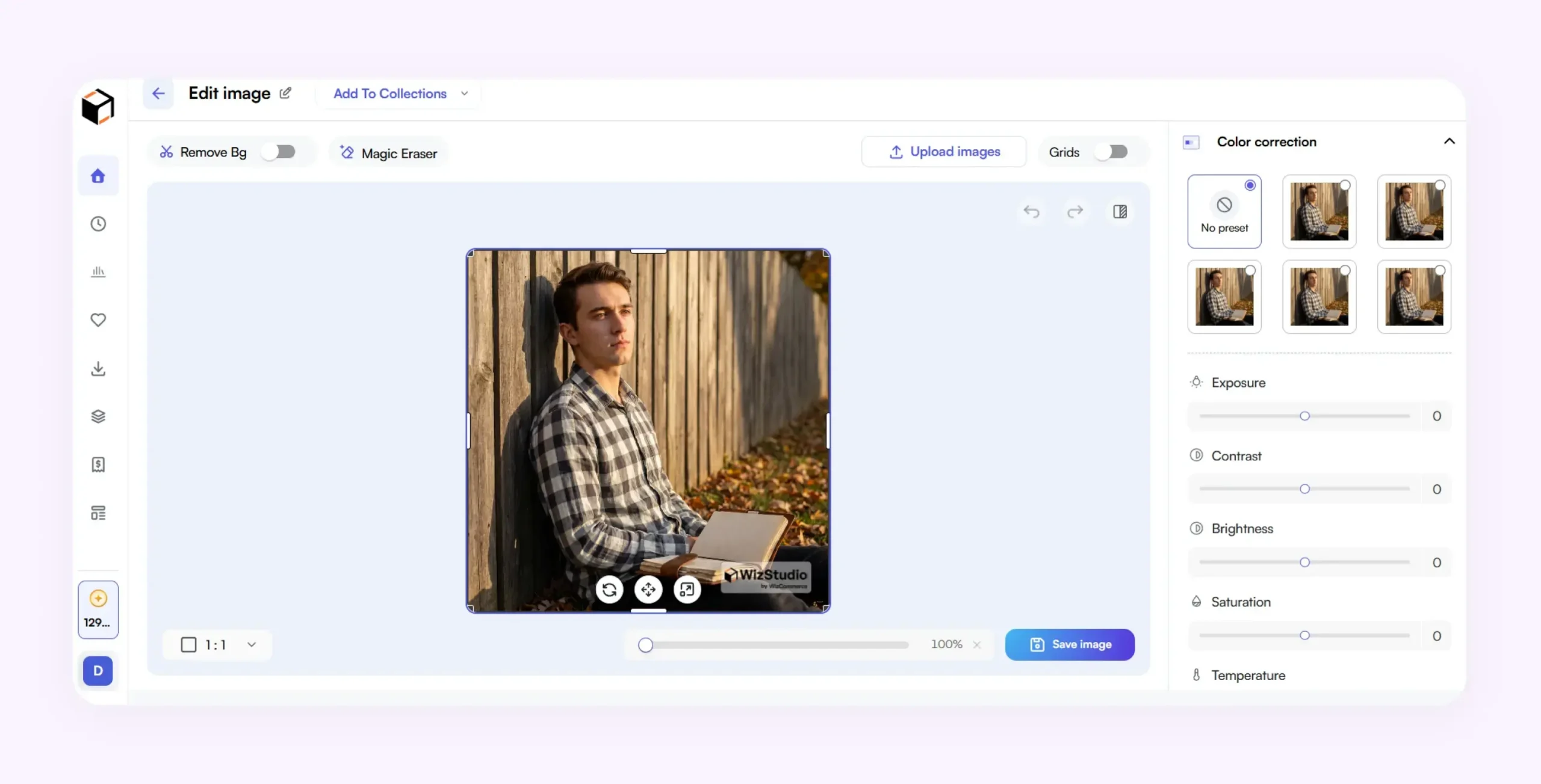
The combination of intelligent lighting enhancement and manual editing tools helps produce apparel photos that look professionally photographed rather than artificially generated.
Step 5: Export high-resolution outputs for ecommerce and ads
Once you are satisfied with the final image, you can export it in the resolution and format that best fits your marketing needs. WizStudio supports multiple output resolutions, including 1K, 2K, 4K, and 8K, making it suitable for everything from ecommerce product pages to large-scale advertising campaigns.

The platform also supports popular file formats such as JPG, PNG, and WEBP, allowing teams to easily use the generated images across websites, marketplaces, social media platforms, digital advertisements, and print materials.
Additional tips for photographing clothes
Now that you know how to take clothing product photos both in the traditional way and through AI, here are some more battle-tested clothing product photo tips for you:
- Use consistent framing: If taking the DIY path, during actual shooting, keep the camera height, distance, and composition consistent throughout your catalog. Uniform framing creates a professional storefront and makes it easier for customers to compare different products.
- Show the garment in motion: Static photos do not always reveal how a garment drapes or flows. Capture subtle movement through walking, twirling, or natural poses to showcase fabric behavior and fit more realistically. Platforms like WizStudio can turn product images to video with AI, capturing that motion without an actual shoot
- Prioritize mobile-friendly composition: Most online shoppers browse on mobile devices. Ensure garments remain clearly visible and recognizable even when images are displayed as small thumbnails on product listings and marketplaces.
- Include scale references where appropriate: Certain apparel items, such as oversized sweaters, scarves, or tote bags, can benefit from images that help customers understand their actual size and proportions.
- Create a standard shot list: Develop a repeatable checklist that includes front view, back view, side view, close-ups, and lifestyle shots. This improves consistency and ensures no important angle is missed.
- Pay attention to garment shape retention: Structured garments such as blazers, jackets, and dresses can lose their intended silhouette during a shoot. Use clips, pins, tissue stuffing, or careful styling to maintain the correct shape without misleading customers.

Generate realistic apparel photography images with WizStudio
WizStudio is an AI product image generator platform designed built for wholesale and retail brands including fashion and apparel who want to create professional-quality catalog images without the cost and complexity of traditional photoshoots. With WizStudio, you can effortlessly convert your flat lays, mannequin shots, ghost mannequins, or hanger images into realistic on-model photos and ecommerce-ready product images in just a few clicks. Functions like AI model generation, background replacement, lighting enhancement, and lifestyle scene creation are all available within WizStudio, helping you automate the entire apparel photography workflow.
Sign up for a free WizStudio trial today to create realistic apparel photography images faster and more affordably .
FAQs on How to photograph apparel for e-commerce
1. How to do clothing photography professionally?
Professional clothing photography requires good lighting, a clean background, proper styling, and high-resolution images that accurately represent colors and fabric details. Many brands use models, mannequins, or flat lays, depending on their goals. Today, AI tools like WizStudio can further enhance apparel photos by improving lighting, backgrounds, and overall presentation.
2. How to take apparel photos flat lay?
To create a flat lay photo, place the garment on a flat surface and carefully arrange it to showcase its shape and design. Use overhead lighting to minimize shadows and shoot directly from above for the most balanced composition. Smooth out wrinkles and ensure sleeves, collars, and other features are positioned neatly.
3. How to make clothes look perfect for photography?
Preparation is key. Steam or iron garments to remove wrinkles, position them carefully, and use lighting that accurately reflects the fabric color. During post-processing, adjust brightness, contrast, and shadows as needed. AI-powered tools like WizStudio can also automatically enhance apparel images and create ecommerce-ready visuals.
4. What are the challenges of fashion photography?
AI fashion photography is transforming high costs associated with models, studio rentals, lighting equipment, and post-production editing. Maintaining consistency across large product catalogs can also be difficult. Additionally, achieving realistic lighting, accurate colors, and appealing backgrounds requires significant expertise, making the process time-consuming for many brands.
5. Can I use my smartphone for clothing photography?
Yes, modern smartphones are capable of capturing high-quality apparel images when used with good lighting and proper composition. Ensure the garment is clearly visible and photographed against a clean background. AI-powered platforms like WizStudio can then enhance the image, improve realism, and generate professional-quality fashion photos suitable for ecommerce and marketing.
6. What is the best way to photograph clothing?
The best approach is to use consistent lighting, keep the garment wrinkle-free, and photograph it against a simple, distraction-free background. Capture multiple angles to highlight important details such as fabric texture, stitching, and fit. You can then use AI tools like WizStudio to improve image quality and create professional-looking visuals.
7. What are some tips for clothing photography?
Some useful clothing photography tips include using consistent lighting, a clean background, and high-resolution images to present your clothing at its best and increase buyer confidence. Apart from this, highlight important details such as fabric texture, stitching, and fit through multiple angles and close-up shots. Keep colors accurate, style garments neatly, and maintain a consistent visual style across all product photos.
8. How to take pictures of clothing to sell online?
To sell clothing in your online store, focus on creating images that build trust and help shoppers visualize how the product looks and fits. Use natural light that accurately represents colors, fit, and fabric details. Include multiple angles, close-ups, and lifestyle shots to answer common buyer questions and increase the likelihood of conversions while minimizing returns.