Skip to content



When your product catalog grows, maintaining consistency in your visuals becomes surprisingly difficult. What starts as a few neat images quickly turns into a mix of mismatched backgrounds and subtle color variations across hundreds of assets. While tools like Pixa (formerly Pixelcut) make it easy to generate images quickly, speed alone does not guarantee success. Ensuring every visual follows the same guidelines across channels is a far more complex challenge, and that is where many entry-level tools fall short. This guide brings together a curated list of Pixa alternatives in 2026 that can help you move beyond one-off outputs and build cohesive branded visuals.
What is Pixa(Formerly Pixelcut)?
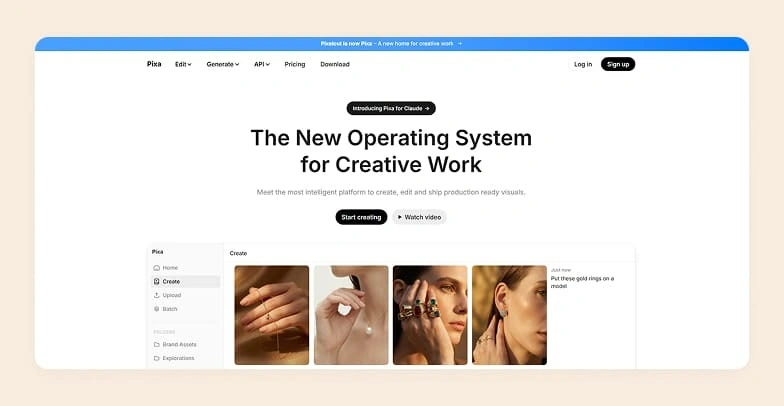
Pixa (formerly Pixelcut) is an AI visual generator that lets users generate and edit visual content through prompt-driven workflows. Users have to describe via text what they want, whether it is removing a background or generating a lifestyle scene. Pixa executes it through AI-powered automation.
It is available both as a web platform and a mobile app. This makes it accessible for creators and businesses that need to generate visuals without getting tied to a device type or operating system. Beyond its core interface, Pixa also offers a developer API. This means users can integrate its image processing capabilities directly into their own systems and workflows.
Why look for Pixa alternatives?
One of the biggest concerns with Pixa is the lack of industry-specific workflows. Pixa is built as a general-purpose design tool. This means ecommerce brands and catalog teams often have to figure things out manually. There are no tailored workflows for tasks like product photography, background standardization, or catalog creation.
Users also miss out on done-for-you services. If you are scaling content or managing large product catalogs, having access to expert-assisted image creation can make a huge difference. Pixa does not offer this, leaving teams to handle everything in-house.
Finally, maintaining consistency across product images becomes difficult at scale. When you are working with hundreds of SKUs, ensuring uniform lighting, angles, backgrounds, and branding is critical. Without built-in systems to standardize outputs, users in Pixa often struggle to keep their visuals consistent, which can impact overall brand perception.
Top 10 Pixa alternatives to try in 2026
If you are one of those considering a shift away from Pixa, there are plenty of capable options for you. To make your evaluation easier, we have put together a list of the top Pixa competitors to explore in 2026. Below is a quick snapshot of 5 of the most noteworthy tools covered in this guide:
| Pixa alternative | Why choose it over Pixa? | Free trial available | G2 Rating |
| WizStudio | The best alternative for ecommerce and wholesale use cases, thanks to powerful features like bulk generation, multiproduct staging, silo shots, etc. | Yes, with unrestricted access to all features | 4.8 |
| Pixelbin | Multi-model image generation | Yes, 10 free credits are offered. | 4.6 |
| Pixlr | Separate tools for basic and advanced editing | Yes, a 7-day trial is available | 4.4 |
| Picsart | Access to a creator community to take inspiration from | Free plan with standard photo editing features | 4.5 |
| Fotor | Gamification elements to engage users | Yes, a free plan is available | 4.2 |
1. WizStudio
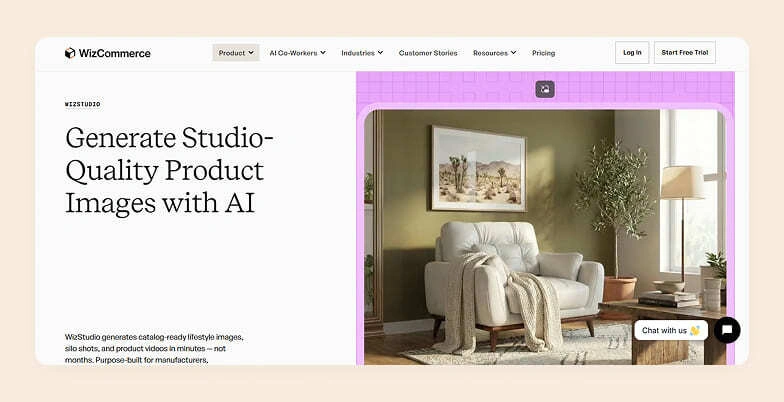
WizStudio is an AI product photography platform powered by a robust AI engine and built specifically for businesses handling large and frequently changing catalogs. It is a popular alternative to generic tools like Pixelcut. Instead of focusing only on quick edits, WizStudio is designed to help manufacturers, wholesalers, and retailers turn basic product images into realistic lifestyle scenes that can convert on-the-edge visitors of their website. You also get built-in enhancement tools for both before and after generation.
WizStudio can standardize backgrounds and lighting across hundreds or thousands of SKUs, which is something general-purpose tools like Pixelcut often struggle with. It also goes beyond DIY editing by combining AI automation with expert-assisted workflows. This “done-for-you” approach allows you to generate visuals without relying on complex prompts or in-house design skills.
Key features
- Multi-product staging: Build scenes that showcase multiple products together in a single frame, making it easier to present collections the way they appear in real retail environments. For instance, place a sofa, coffee table, and floor lamp together in one scene to create a complete living room setup
- Line drawings: Turn product photos into clean and minimal line drawings instantly. For instance, convert a chair image into a clean drawing to include in a product specification sheet.
- Variant generation: Generate image variations of a product from a single image, so you can display different styles without additional photoshoots. For instance, generate 200 variants for a dress in one batch, each in a different shade.
- Silo shot: Generate clean product images with white or transparent backgrounds. The platform will automatically adjust lighting and colors to make them upload-ready.
- Image-to-video: Convert product images to video with AI — short, dynamic clips with generated motion. For instance, transform a handbag image into a short clip with subtle motion, like a rotating view or zoom-in effect.
Along with these, WizStudio includes an array of supporting tools like add shadows, upscale image, remove background, add background, extend image, generative fill, AI object remover, and scene relighting to further refine your outputs.
Pricing
WizStudio offers a range of pricing plans designed to support businesses at different stages:
- Free trial includes 5 credits and gives access to core tools like background removal, AI shadows, dimension lines, and magic eraser, along with limited access to advanced features for evaluation.
- Starter plan ($250 for 2 months) comes with 16 credits and covers essential AI capabilities such as lifestyle image generation, editing, image expansion, relighting, upscaling, and product swaps.
- Pro plan ($500 for 4 months) includes 40 credits and builds on the Starter plan by adding features like multi-product staging.
- Studio plan ($1,125 for 6 months) offers 120 credits and extends functionality further with video capabilities, including lifestyle videos, close-up product videos, and 360-degree views.
- Enterprise plan provides custom pricing and credits, along with full feature access and additional capabilities like bulk generation, variant creation, dimensional drawings, and managed services.
For detailed pricing, check out WizStudio’s pricing page.
2. Pixelbin

Pixelbin is a media transformation platform built to handle both image creation and optimization through prompt-based workflows. Users can choose between different AI models based on their preferred balance of speed and output style. The platform also enhances basic prompts to produce more refined outputs. Pixelbin integrates with design tools like Photoshop and Figma to make sure teams can plug it into their existing design workflows. However, Pixelbin is a generic image editor and lacks advanced image generation capabilities for professional product photography.
Key features
AI background generator, soft shadow generator, add custom backgrounds, AI background remover, AI headshot generator, and AI photoshoot generator.
Pricing
Pixelbin follows a flexible pay-as-you-go model starting at $0.06 per credit, with subscription plans ranging from $9 to $15 per month. It also offers an enterprise plan that includes advanced AI tools and API support for larger teams.
Where Pixelbin falls short
- Outputs may not offer the same level of depth and refinement as specialized platforms.
- The interface is not very intuitive, which can make workflows harder to navigate.
- Has a steep learning curve compared to other visual editors.
Why pick WizStudio over Pixelbin?
WizStudio offers more advanced generation capabilities for product photography. It delivers the level of precision required from a professional platform tailored for ecommerce which Pixelbin lacks. The platform is also far more intuitive and has a gentler learning curve, making it easier for teams to navigate workflows without friction.
3. Pixlr
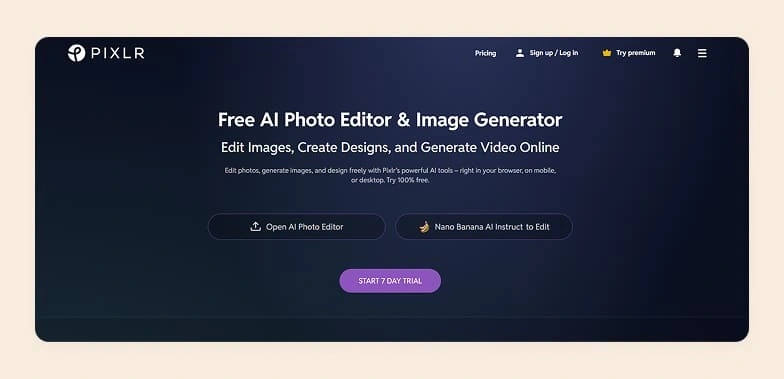
Pixlr is a web-based photo editing platform that brings many of the capabilities of traditional desktop tools into a more accessible environment. It offers many AI-powered features that support quick edits and image generation. It is ideal for creating social media content, thumbnails, blog visuals, and everyday design tasks. The platform offers a suite of specialized tools, including Pixlr Editor for advanced editing, Pixlr Express for quick enhancements, Pixlr Designer for templates and graphics, along with background removal and batch editing tools.
Key features
AI background remover, AI remove object, AI image generator, AI face swap, AI generative fill, and generative expand.
Pricing
Pixlr offers a Plus plan ($2.49/month) with ad-free access, unlimited saves, and 80 AI credits, and a Premium plan ($9.99/month) with 1,000 AI credits, private AI mode, unlimited saves, and full template access. There is also a 7-day free trial.
Where Pixlr falls short
- Limited AI capabilities specifically for product photography.
- Free plan includes ads.
- Lacks team collaboration features like shared dashboards for projects.
Why pick WizStudio over Pixlr?
WizStudio is a stronger choice over Pixlr if you need strong capabilities for product imagery and team workflows. Unlike Pixlr, it offers advanced AI features tailored for product photography, eliminates distractions like ads, and provides better support for collaboration to manage projects.
4. Picsart
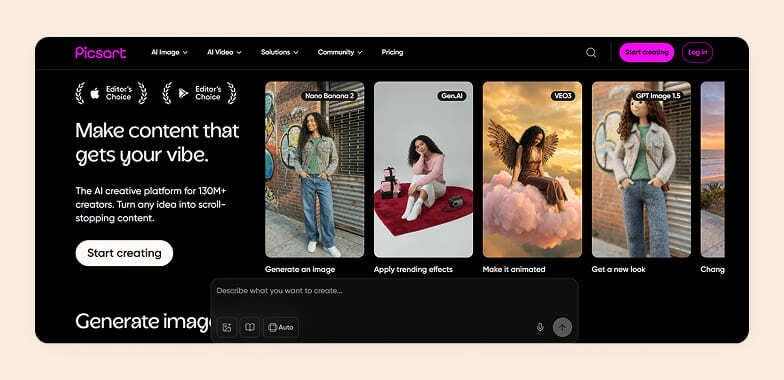
Picsart is a Pixa alternative that began as a mobile-first app known for stickers and meme-style edits. But today it has expanded into a broader creative platform that combines basic editing tools with generative AI features. It now supports tasks such as background removal, image enhancement, text-to-image generation, and simple video creation. While it is a good choice for generating product photos, it is still widely used for creating social media content and for quick design tasks. As a result, it tends to appeal more to casual creators and marketers than ecommerce brands.
Key features
AI photo editor, remove background, change background, AI image generator, AI playground, AI assistant, AI replace, and image to video.
Pricing
Picsart pricing plans include a free tier with access to basic editing tools, limited AI credits, and minimal cloud storage. Paid plans begin at $15/month with more AI credits, advanced features, and higher storage. An Enterprise plan is also available with custom pricing.
Where Picsart falls short
- Lacks depth and precision despite being an all-in-one tool, making it less suitable for advanced or professional use cases like ecommerce product photography.
- Limited support for complex edits and industry-specific workflows, which growing businesses often need.
- Smaller template library compared to competitors, reducing creative flexibility for users.
Why pick WizStudio over Picsart?
While Picsart focuses on ease of use and broad creative features, WizStudio is better suited for brands looking for more advanced AI capabilities, structured workflows, and higher-quality visuals tailored to specific use cases rather than general-purpose content creation.
5. Fotor
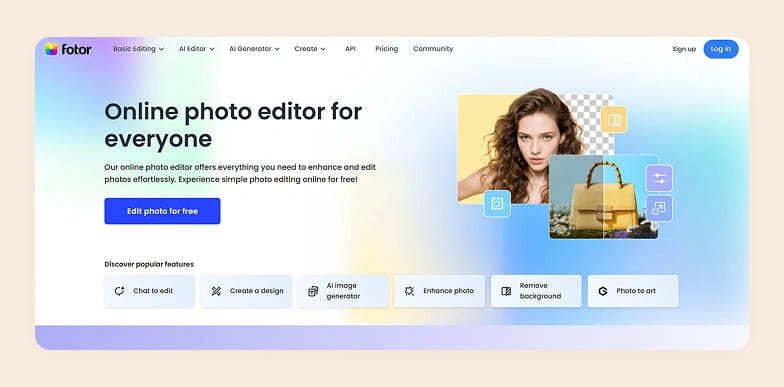
Fotor is an AI-first photo editing and design platform that offers basic editing tools, an AI-based editor, and an AI generator. It is available across the web, desktop, and mobile apps. You can make AI-driven edits like background replacement and lighting enhancements using simple text prompts. It also offers batch editing and a decent library of templates, making it particularly suitable for creating marketing graphics.
Key features
AI enhancer, AI remover, AI filter, AI replacer, AI image enhancer, AI photo editor, AI image generator, and AI agent.
Pricing
Fotor offers a free Basic plan with limited tools, AI credits, watermarked exports, and 512 MB storage, while paid plans start at $10.99/month with more AI credits, premium features, and higher storage. Higher tiers go up to $49.99/month, adding batch processing and brand kits.
Where Fotor falls short
- Fotor focuses too much on general graphic design and collage use cases.
- Its fragmented interface across editing, collage, and design modules makes large-scale catalog production less efficient.
- AI outputs often fall short on lighting realism and texture accuracy.
Why pick WizStudio over Fotor?
WizStudio is a better fit for product-focused teams because it moves beyond Fotor’s general-purpose design approach and offers a dedicated workflow built specifically for AI product photography. Instead of navigating fragmented modules, it provides a more streamlined experience suited for handling large catalogs efficiently. It also delivers more reliable AI outputs with improved lighting consistency and texture accuracy.
6. Krea AI
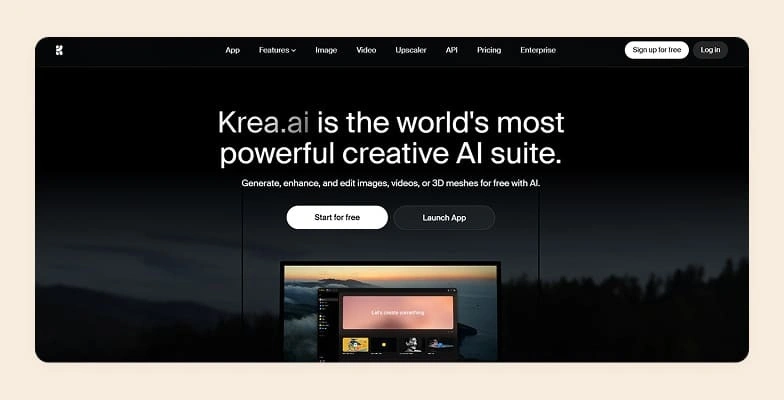
Krea AI is a creative AI suite that focuses on generating and enhancing visual content across both images and video. The platform supports workflows like style training using reference images, upscaling, and creating assets such as logos or patterns through smaller built-in tools. It is a popular choice among designers working on concept art, but it is also widely used for product imagery.
Key features
AI image generation, AI image enhancement, AI finetuning, and file management.
Pricing
Krea AI offers a free plan with limited daily credits, while paid plans start at $4.5 per month and scale up to $35 per month. Higher tiers have higher compute units(credits), access to advanced models and tools, and offer capabilities like video models, workflow automation, and higher-quality upscaling.
Where Krea AI falls short
- Advanced features can take time to learn and navigate effectively.
- Customization options remain somewhat limited.
- Output quality may be inconsistent, especially with complex prompts.
Why pick WizStudio over Krea AI?
WizStudio is a better fit for teams that want a more streamlined and reliable workflow without the learning curve that often comes with Krea AI’s advanced features. It offers more structured customization options, making it easier to create on-brand visuals consistently. Unlike Krea AI, where output quality can vary with complex prompts, WizStudio focuses on delivering more stable results, which is especially useful for product imagery
7. Picsman
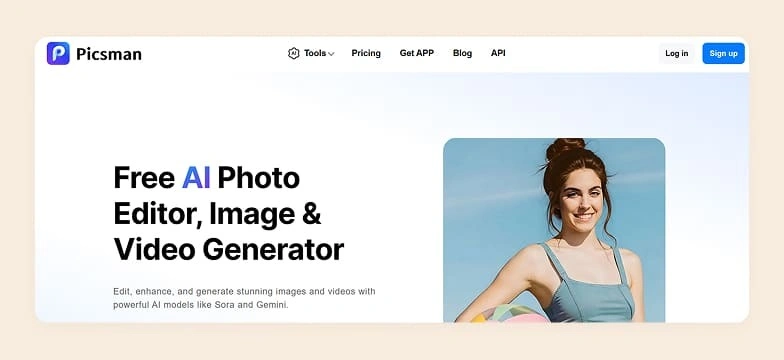
Picsman is a creative workflow engine that offers all the typical “edit + generate” features. It has a prompt-based editing system that allows users to modify specific parts of an image using text or even reference images. It also gives more controlled object replacement and scene manipulation rather than basic filters. It puts notable emphasis on ecommerce-style outputs, with an AI background generator that creates product scenes with matching lighting and shadows.
Key features
Change image background, enhance photo, remove object, remove background, and batch editor.
Pricing
Picsman offers a free plan with limited access, watermark previews, and minimal storage, while paid plans start at $9.99/month (or $4.99/month billed annually) with full AI tool access, credits, premium assets, and no ads. A pay-as-you-go option is also available, letting users purchase lifetime credits for flexible usage.
Where Picsman falls short
- Advanced edits often need manual fine-tuning to achieve better accuracy.
- Performance can slow down during heavy tasks like detailed background removal.
- The free plan comes with limited features and includes watermarked outputs.
Why pick WizStudio over Picsman?
Unlike Picsman, WizStudio has no need for manual fine-tuning and delivers stable performance even during complex tasks like background processing. It also has no limitations tied to free-tier constraints, such as watermarks or restricted functionality.
8. Photopea
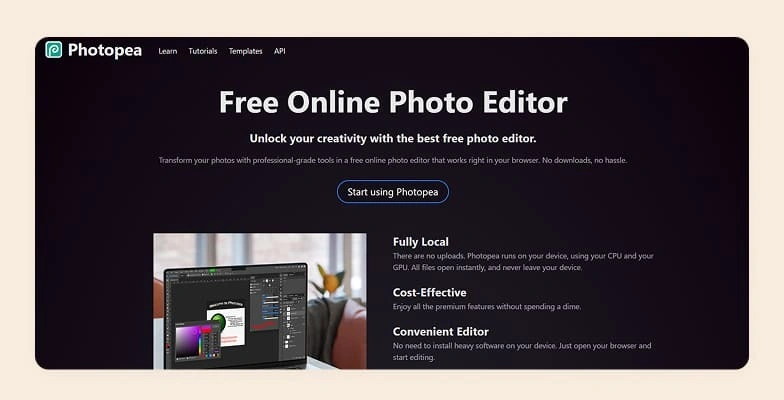
Photopea is a free Pixa alternative that runs entirely in your web browser, eliminating the need for downloads or installations. It offers a wide range of professional-grade tools similar to Adobe Photoshop, including layer-based editing, filters, text tools, and masking capabilities. This makes it suitable for advanced users. While primarily a traditional editor, Photopea also includes basic AI-powered features like automatic background removal and smart object selection to speed up common editing tasks.
Key features
Generate with AI and edit with AI.
Pricing
Although the core editing tool is free, access to its AI features requires a €5/month subscription.
Where Photopea falls short
- Not very intuitive and better suited for users with prior design experience
- Heavily cluttered with ads, affecting the overall user experience
- Marketed as free, but AI features come at an additional cost, making it feel like a hidden fee
Why pick WizStudio over Photopea?
WizStudio offers a far more beginner-friendly experience that does not require prior design expertise. Unlike Photopea’s ad-heavy interface, WizStudio provides a cleaner and distraction-free workflow, making it easier to focus on creating visuals. It also avoids the confusion of hidden costs, offering clearer access to its AI capabilities without positioning them as add-ons behind a “free” label.
9. Bazaart
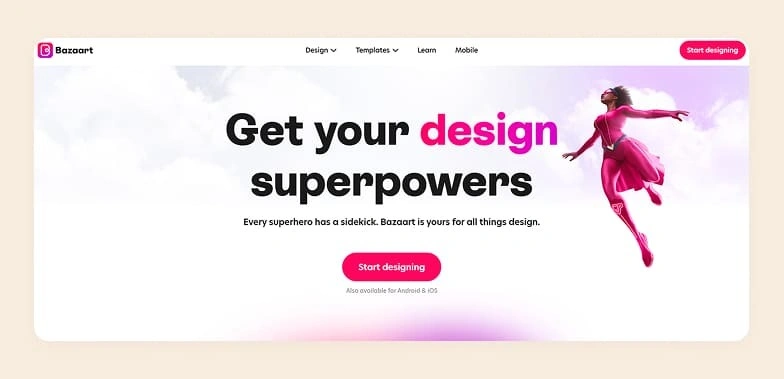
Bazaart is a mobile-first photo editing and design app that combines AI-powered tools with a touch-friendly interface, making it popular for creating social media visuals and quick graphic compositions on the go. It offers features like background removal, object cutouts, template-based designs, and a built-in library of stickers, fonts, and stock images, along with a community-driven aspect where users can explore and remix others’ creations. While it covers most basic editing needs. Its strengths are largely centered around mobile convenience rather than professional-grade ecommerce photography.
Key features
Background removal, AI image generation, remove objects, background generation, and upscale images.
Pricing
Bazaart offers two plans: a monthly plan at $11.99 and a yearly plan at $49.99. Both plans offer access to all tools and watermark-free downloads. There is a 7-day free trial also.
Where Bazaart falls short
- Does not support bulk AI generation for scaling content creation.
- Free version includes watermarked exports.
- Mobile-first design may not align well with desktop-focused workflows.
Why pick WizStudio over Bazaart?
WizStudio is a better choice over Bazaart for users who need to create visual content and work efficiently on a desktop. Unlike Bazaart, it supports bulk AI generation, making it easier to handle large volumes of visuals without repetitive effort. It also avoids limitations like watermarked exports in free outputs.
10. Phot.AI

Phot.AI is a cloud-based AI photo editing platform that brings together a wide range of tools for image and video enhancement within a single interface. It covers both basic adjustments and advanced features like generative fill, background replacement, and text-based editing, making it appealing for users who want an all-in-one solution. However, its feature-heavy approach can feel less streamlined in practice, often requiring users to navigate multiple controls and experiment to achieve consistent results.
Key features
Background remover, background replacer, generative fill, AI image extender, image enhancer, image upscaler, and AI photo editor.
Pricing
Phot.AI offers three paid plans starting at $16.67/month (Pro) for individuals with limited credits and core AI tools, followed by a $62.50/month Teams plan with higher limits and collaboration features. An enterprise-level Agency/Business plan is also available with advanced security and premium support.
Where Phot.AI falls short
- Interface can feel complex and overwhelming, with too many micro-controls that slow down quick workflows.
- Output quality is not always consistent, often requiring repeated adjustments to achieve desired results.
- Pricing can become expensive over time, with limited free access and key features locked behind higher tiers.
Why pick WizStudio over Phot.AI?
Unlike Phot.AI’s control-heavy interface, WizStudio offers a more beginner-friendly dashboard that reduces effort and speeds up production. It also delivers more consistent outputs without requiring repeated manual adjustments. Finally, WizStudio provides better value with more accessible features, avoiding the steep pricing and limitations seen in Phot.AI’s plans.
How to evaluate a Pixa alternative during the free trial?
The best way to choose the right Pixa alternative is to treat the free trial of each tool like a real evaluation phase, not just a quick test. Instead of exploring casually, use this time to actively validate whether the platform fits your workflow. Here are 10 things you should intentionally test during the free trial:
- Ease of use: Try completing a full workflow yourself. If you find yourself relying on tutorials or complex prompts, it may slow your team down later.
- Creative control: Experiment with changing backgrounds and styles. Check if you can actually match your brand guidelines without workarounds.
- Output consistency: Generate multiple images for similar products and see if the results look uniform enough for a catalog.
- Image quality: Push the tool with slightly complex inputs and evaluate whether the outputs stay sharp and realistic.
- Bulk processing: Upload multiple products and see how efficiently the platform handles batch creation. This is critical for scaling.
- Scalability: Simulate a larger workload during the trial. Notice if performance drops or workflows become slower.
- Ecommerce readiness: Check if the outputs meet your requirements for dimensions and formats without extra editing.
- Customization at scale: Try creating variations across multiple SKUs and see how easy it is to maintain consistency.
- Pricing clarity: Pay close attention to usage limits, credits, and hidden costs so you are not surprised later.
- Workflow integration: Use the tool alongside your existing processes, whether that is catalog management, marketing, or design, and see how well it fits in.
If a platform performs well across these during the trial, it is far more likely to hold up when you start using it at scale.
Create high-quality product visuals with WizStudio
If you evaluate WizStudio against the key factors discussed aboveyou will find that it is the best Pixa alternative available today. From day one, WizStudio brings a more structured approach that helps standardize imagery across large catalogs while still allowing room for creative flexibility. More importantly, WizStudio is built to handle real-world ecommerce demands, from bulk generation to variant creation and workflow efficiency. So, if you are exploring Pixa competitors, it is worth trying WizStudio to see how it fits into your operations.

FAQs on Top 10 Pixa(formely pixelcut) Alternative
1. What’s better than Pixelcut?
Many modern tools go beyond Pixelcut depending on your needs. But platforms like WizStudio stand out for ecommerce use. While Pixelcut focuses on quick edits for casual users, WizStudio offers structured workflows and batch processing capabilities. This makes it better suited for businesses managing large product catalogs rather than creating one-off visuals.
2. Is there a free version of Pixelcut?
Yes, Pixelcut (now Pixa) offers a free version with basic features. But it comes with limitations such as restricted access to advanced tools and usage caps. For businesses, this often means upgrading quickly. Alternatives like WizStudio also provide a free trial, but with unrestricted access to all the features, helping in the evaluation of real-world workflows and a free preview of all the capabilities.
3. Is Pixelcut AI worth it?
Pixelcut is useful for quick edits and simple visual generation. It is useful for individuals or small teams looking to create and edit social media posts or manage marketing materials. However, if you are an ecommerce business looking to generate visuals for commercial use, it might not meet your needs. As your catalog grows, limitations around consistency and workflow structure will become more apparent. For long-term use, especially in ecommerce, tools like WizStudio tend to offer more reliable and scalable solutions.
4. Which Pixelcut alternative creates realistic lifestyle images, not just background swaps?
Tools like WizStudio are designed specifically for generating a realistic lifestyle. It goes beyond basic AI background removal tools by placing products into fully styled scenes with consistent lighting and composition. This makes the outputs feel closer to studio photography rather than AI-edited images.
5. Which AI tool places products in realistic room settings like a professional studio?
WizStudio is particularly strong in this area, as it allows you to create complete room setups. Instead of isolated edits, it builds cohesive environments that mimic real studio setups. This makes it ideal for furniture photography and home decor photography, where context matters
6. Is Pixelcut good for furniture, home decor, or large product photography?
Pixelcut can handle basic edits, but it is not optimized for large or complex product categories like furniture or home decor. These require consistent lighting, scale accuracy, and scene-building capabilities. Tools like WizStudio are better suited as they maintain realism irrespective of how complex your needs are.
7. What is the best Pixelcut alternative for wholesale product imagery?
For wholesale use cases, consistency and scalability are critical. WizStudio is a strong alternative because its bulk product image generator produces standardized outputs across SKUs. These features make it easier to produce catalog-ready visuals that meet the needs of retailers and B2B buyers. If you’re specifically weighing Pebblely for this kind of volume, our guide to the pebblely alternative bulk product photo needs require covers that comparison directly
8. How can I reduce product photography time from weeks to days without a studio?
Some of the best AI tools can significantly speed up production by removing the need for physical shoots. You also don’t need to rely on traditional graphic design tools and manual refinement tools to get catalog-ready visuals. The right tool, like WizStudio, lets you generate a clean image of your product in seconds using automation. This reduces manual effort and turnaround time, helping your teams move from weeks of work to just a few days.