Skip to content




For many small apparel and furniture brands, SellerPic played a key role in lowering the barrier to entry for e-commerce product photography. It was a good enough tool that helped them move fast without heavy production setups. But as they grew, the definition of “good enough” evolved. The platform fell short in many areas when the same brands wanted to generate a larger volume of visuals quickly. The absence of bulk capabilities was one such area.
If you are one such brand that wants to move beyond SellerPic, this guide is for you. We have identified 10 best SellerPic alternatives based on their popularity and how well it handles workflow complexity and volume demands.
What is SellerPic?

SellerPic approaches product imagery as a workflow problem rather than a creative one. Its capabilities are designed primarily for fashion, apparel, and furniture brands looking to generate product visuals without spending on hiring models or props. For instance, a feature like virtual try-on is useful for fashion brands as it helps simulate how products appear on models, while AI editing tools support quick refinement and contextual presentation for furniture products.
For businesses in these categories, where catalogs change frequently and visual consistency matters, SellerPic helps in the generation and updation of imagery more efficiently. In other words, it helps businesses keep pace with ongoing merchandising and content needs without too much investment or effort.
Why look for SellerPic alternatives?
For starters, SellerPic is primarily designed around apparel and furniture workflows. This makes it less adaptable for brands in other categories like toys, industrial goods, gifts, etc. This narrow focus can make it harder for businesses outside the fashion and furniture sectors to create relevant visuals without significant workarounds.
Another common challenge is inconsistency in image quality. Many users have highlighted that getting the desired output in SellerPic often requires multiple prompt iterations. This slows down workflows and adds friction to scaling content.
On top of all these, SellerPic lacks robust bulk capabilities, such as generating multiple product variants in one go. This makes it less suitable for businesses that need to produce large volumes of images quickly.
In terms of pricing, SellerPic typically follows a subscription-based model with tiered plans based on usage, credits, and feature access, where lower tiers cater to small teams and higher plans are designed for bulk generation and scaling needs.
Top 10 SellerPic alternatives to try in 2026
If SellerPic isn’t quite delivering the results you need, now is actually the perfect time to explore your options. The AI product image space has evolved rapidly, with newer tools offering sharper outputs and more control over branding. To help you navigate this crowded landscape, we’ve compared 10 of the best SellerPic competitors in this section. Plus, we’ve highlighted 5 standout tools from the list so you can quickly compare what truly sets them apart:
| SellerPic alternative | Why choose it over SellerPic? | Free trial available | G2 Rating |
| WizStudio | Bulk generation of hyper-realistic and customizable lifestyle images for products. | Yes, with unrestricted access to all features | 4.8 |
| Pebblely | For its ease in generating images | No | 4.0 |
| Picjam | For its ability to generate UGC content | No | Not rated |
| Claid AI | For its ability to customize workflows according to needs | Yes, 50 free credits are available for usage | 4.5 |
| FASHN AI | For its team collaboration capabilities | Every account starts with 10 free credits | Not rated |
1. WizStudio

WizStudio is an ai product image generator and a SellerPic alternative that not only supports quick transformations of your product images but also gives you a complete and far more flexible image generation workflow. Instead of just converting inputs into standardized outputs, it lets you guide the scene with prompts and references. You can generate multiple lifestyle variations in one flow and even generate variants for the ones you like.
But what makes it truly stand out is its ability to manage the finer aspects of the outputs, such as lighting and shadows. This level of control ensures your product doesn’t just “fit” into a scene but looks naturally embedded within it, which is often where many AI tools fall short. Beyond that, WizStudio gives you the freedom to experiment without starting from scratch each time. You can iterate on backgrounds, tweak compositions, and maintain consistency across an entire product catalog.
Key features
- Multi-product staging: Design cohesive scenes with a multi product image generator that features multiple products together. Showcase bundles or collections more effectively instead of presenting items in isolation.
- Variant generation: Create multiple versions of the same product from one base image with an AI image variation generator, whether it’s different colors or finishes, without the need for separate photoshoots.
- Silo shot generation: Generate clean, distraction-free product images with a silo product image generator, keeping backgrounds consistent and lighting well-balanced. Perfect for maintaining a polished ecommerce catalog.
- Image-to-video: Transform static product images into short, engaging video clips using this ai product video generator from image that adds motion and subtle effects.
- Line drawings: Turn product images into technical-style illustrations that add measurements to product photos and highlight functionality.
- AI tools: Get built-in AI editing tools to fine-tune every aspect of your visuals. From enhancing image quality to quick edits with an AI background remover, these tools give you greater control without needing additional software.
Pricing
WizStudio keeps its pricing simple. Each plan unlocks most of the feature set while increasing your usage capacity.
- Free Trial: Comes with 5 credits and up to 50 generations valid for 15 days. Ideal for testing the platform with access to core features like a bulk silo generator, product background remover, ai dimension lines generator, and ai object remover.
- Starter ($250) – Comes with 16 credits valid for 2 months. A good fit for individuals getting started with regular product image creation. You get full access to AI editing, lifestyle generation, video features, and workflow tools.
- Pro ($500) – Comes with 40 credits valid for 4 months. Designed for growing teams that need higher output and consistent access to all advanced features.
- Studio ($1125) – Comes with 120 credits valid for 6 months. Best suited for high-volume production and brands that require large-scale creative generation.
For more details, check out our pricing page.

2. Pebblely

Pebblely is a browser-based SellerPic competitor built for a very specific purpose in AI product photography: changing backgrounds while keeping the original product image largely untouched. Instead of acting as a full-fledged editor, it works more like a scene generator where you upload a product photo, remove its existing background, and place it into a new environment. This focused approach makes it especially useful for ecommerce teams that want quick visuals without altering the product itself. While this niche positioning helps maintain consistent output quality and keeps the tool easy to use, it also limits flexibility.
Key features
Background themes, bulk generate, group shot, and custom prompts.
Pricing
Pebblely has two plans: Basic at $19/month for 200 images, and Pro at $39/month for 500 images. Both plans include critical features like themes, custom prompts, and bulk generation.
Why pick WizStudio over Pebblely?
Unlike Pebblely, WizStudio offers a more accessible entry point, allowing users to explore the platform without an immediate financial commitment. This makes it especially appealing for smaller teams and businesses that want to test capabilities before scaling. Beyond accessibility, WizStudio provides far greater creative control. Users can fine-tune outputs and go beyond simple background changes to fully enhance product images.
3. Picjam

Picjam is an AI studio used for turning basic DIY fashion images and UGC content into catalog visuals. It offers a broad feature set that caters to freelancers and small teams looking to turn their fashion inventory into upload-worthy visuals, but much of its value leans on convenience and automation rather than deeply customizable or brand-specific outputs. For businesses seeking quick and cost-effective enhancements to fashion imagery, it can be a practical SellerPic alternative. But for brands with more complex creative needs, you may find the platform’s outputs somewhat standardized.
Key features
Fashion generator, lifestyle photos, batch generate, make video, swap model, generate model, and remove background.
Pricing
Picjam offers a low-cost Studio Trial at $3 for 3 days with full feature access and 400 credits. Its main Studio plan, priced at $79/month, is designed for scaling brands with 24,000 annual credits. For larger operations, the Concierge plan provides high-volume production capacity with dedicated support and custom pricing.
How is WizStudio better than Picjam?
WizStudio has an advantage over Picjam in both cost and control. Picjam can feel expensive from the start, with no true free version and paid plans kicking in early, even trials often being limited or paid-entry experiences. On top of that, it leans heavily on preset workflows, which means you get faster outputs but less deep styling and customization compared to WizStudio.
4. Claid AI
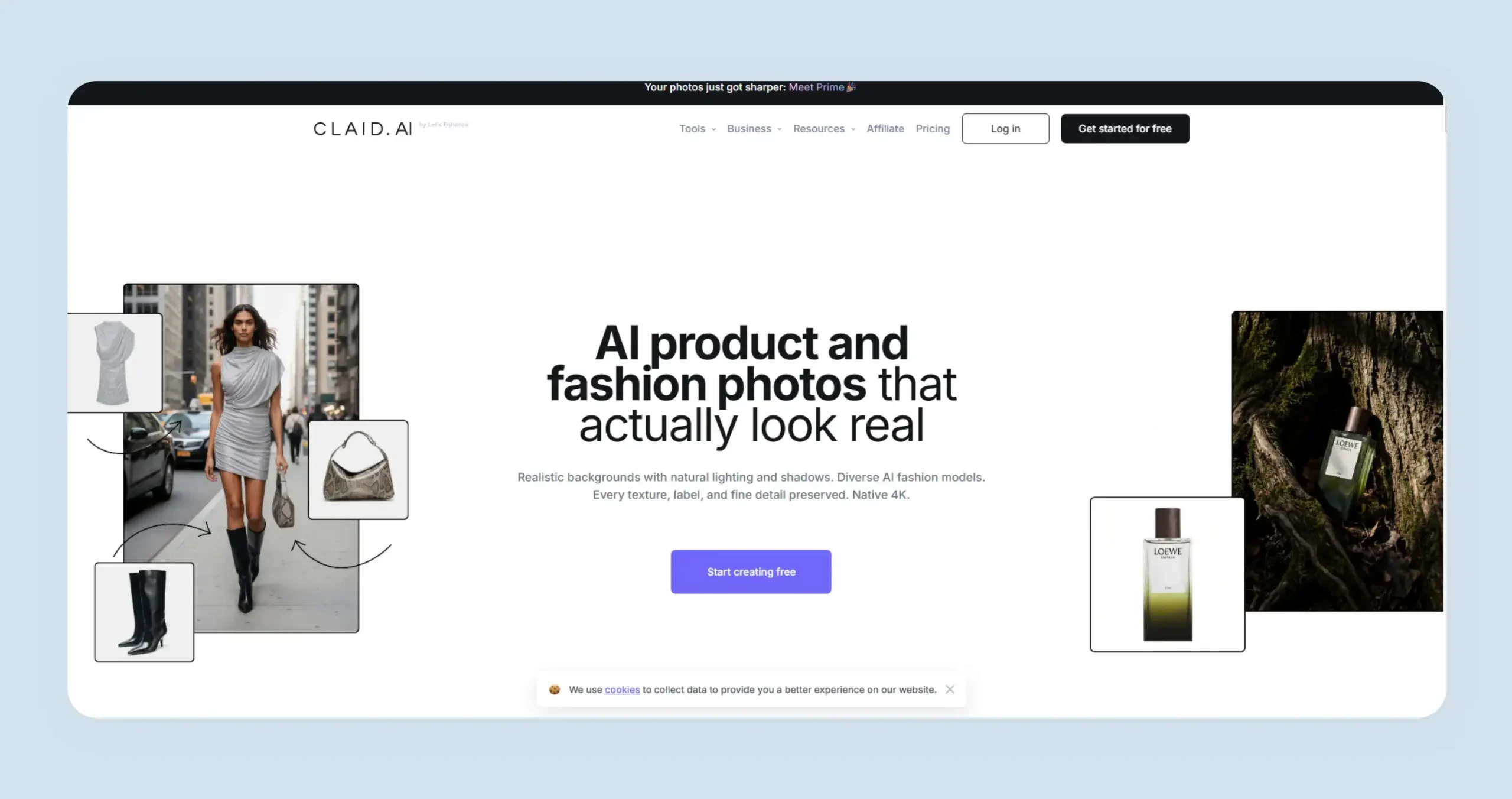
Like SellerPic, Claid AI leans heavily towards fashion use cases. Whether you want to present your apparel as a neat catalog image in a white background or place it in front of a more dynamic lifestyle scene, Claid AI can help. The platform also lets you convert flatlays or mannequin shots into on-model images using a diverse set of virtual models. It functions like a combined photo editor and studio photographer, using AI to automate complex image enhancements within a simple browser-based interface.
Key features
Flatlay to model, model backgrounds, image color changer, AI backgrounds, image enhancer and upscaler, image expander, AI fashion models, and AI fashion studio.
Pricing
Claid AI offers a free trial with 50 credits. Paid plans include Essentials at $15/month for 500 credits and 2K outputs, and Pro at $49/month with 2,000+ credits and 4K generation. For a fuller picture at catalog volume, the Claid AI pricing guide covers the web and API credit systems separately. A custom-priced Business plan is also available with API access and dedicated support.
Why pick WizStudio over Claid AI?
Claid AI loses its effectiveness for product categories other than fashion. WizStudio, on the other hand, is built to support a wider range of industries, including AI furniture photography, home decor photography, toys product photography, and general ecommerce, while maintaining the same level of accuracy and output consistency. It also achieves this without the need for technical setup, making it easier for teams to get started and scale quickly.
5. FASHN AI
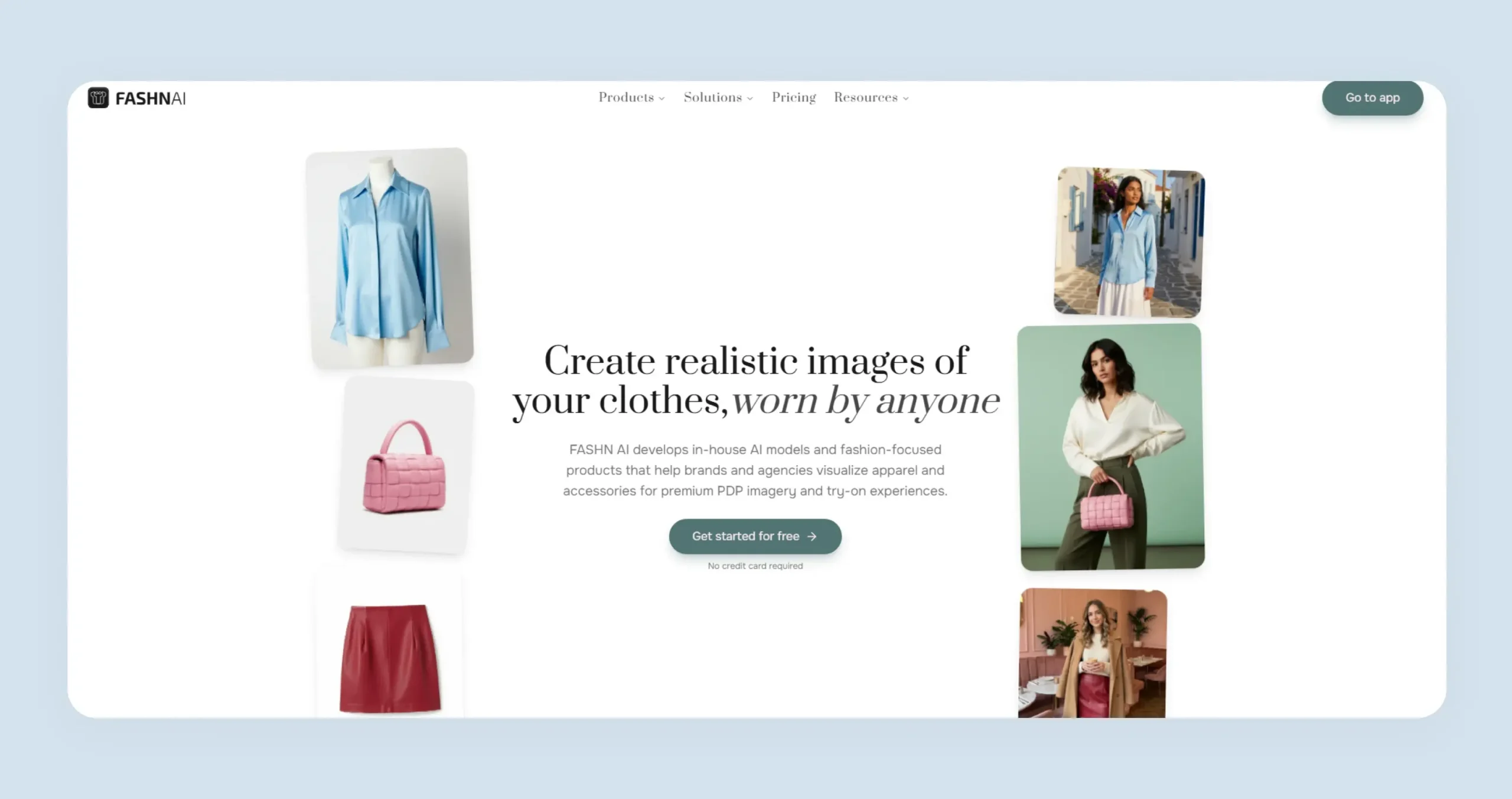
FASHN AI is a virtual fashion studio built around one core idea: separating the product from the model so each can be controlled independently. Instead of reshooting campaigns, brands can reuse the same garment across different models and poses while keeping lighting, fit, and identity consistent. This modular approach, combined with features like model consistency and virtual try-on, makes it particularly suited for fashion brands that want to standardize garment visuals across collections without sacrificing realism or brand identity.
Key features
Try-on, product to model, model swap, model creation, consistent models, and short video.
Pricing
Fashn.ai offers three plans: Basic at $19/month with 200 credits, core tools, and 4K images; Pro at $49/month with more credits, faster generation, and improved realism; and Agency at $99/month with higher credits, advanced features, better video output, and team collaboration.
How is WizStudio better than FASHN AI?
Apart from the fact that WizStudio supports far more industries than FASHN AI while still covering ai fashion photography, one major area where WizStudio is better is the learning curve. For many users, FASHN AI may feel more “tooling-heavy” than a lightweight app, making it harder to get started quickly. In contrast, WizStudio offers a more guided experience, allowing beginners to create visuals with minimal effort and ramp-up time.
6. Photoroom

Photoroom is a mobile-first and AI image editing platform that is used by businesses for quick visual alterations. Instead of focusing on granular design control, it leans into basic automation capabilities like instant background removal and background switch to help users move quickly from raw product shots to usable assets. Its cross-platform availability and integrations with ecommerce ecosystems via API make it particularly relevant for teams that prioritize workflow efficiency over hands-on creative customization.
Key features
White background, AI backgrounds, AI shadows, background removal, retouch, and static templates.
Pricing
Photoroom’s pricing is tiered based on usage and advanced capabilities. The Pro plan starts at $12.99 per month and includes up to 500 batch exports, while the Max plan at $34.99 per month increases this limit to 1,500 and adds Shopify integration. For larger-scale needs, the Ultra plan at $99 per month supports up to 5,000 batch exports along with access to more advanced models. There is also an Enterprise plan, catering to businesses that require high-volume API access and deeper automation.
How is WizStudio better than Photoroom?
Photoroom excels at quickly handling background edits, but WizStudio takes things a step further by creating full-fledged lifestyle visuals, clean silo shots, and even product variants. Unlike Photoroom, WizStudio is tailored for catalog-scale production and includes a unique review layer to maintain quality control before any asset goes live.
7. Flair AI

Flair AI is a design-focused platform built to help brands create product photos, videos, and ad creatives using a drag-and-drop canvas. Flair sits somewhere between a design tool and an AI generator rather than being a fully automated and end-to-end content engine. Flair AI is best suited for small to mid-sized ecommerce teams and creators who want a visual-first way to generate and experiment with product content. While it offers flexibility through its canvas-based workflow, outputs often depend heavily on manual input and setup. It may also struggle with maintaining perfect product fidelity in cases involving fine details or complex shapes.
Key Features
Magic erase, ai image extender, bulk content generation, on-model photography, and virtual try-on.
Pricing
Flair AI offers a tiered pricing model starting with a free plan that includes limited image and video generation. Paid plans begin at $10/month and scale up to $55/month, increasing access to custom models, generation limits, and rendering speed. For larger teams, an enterprise plan provides custom limits, API access, and commercial usage options.
How is WizStudio better than Flair AI?
Flair AI can sometimes struggle to maintain the exact shape, text, or logos of a product. WizStudio is better suited for preserving critical product details across visuals. This makes it a more reliable choice for brands that need precise imagery, especially for catalogs and product listings where accuracy is essential.
8. Uwear

Uwear has two main tools – AI Photoshoots and Virtual Try-On. The former focuses on generating on-model clothing visuals. Users can upload a single flat-lay or basic garment image and convert it into studio-quality photos across different models and backgrounds. The latter tool lets shoppers see themselves wearing the product through one-click try-on integrated into ecommerce flows. Both tools make it particularly useful for apparel brands that want to improve conversion through visualization rather than just static imagery.
Key features
Batch generation, consistent models, AI edits, backdrop manipulator, upscale, and generate videos.
Pricing
Uwear follows a simple pay-as-you-go pricing model, charging $0.10 per credit with no subscriptions or long-term commitments. Credits never expire, and users only pay for what they use across features like image generation, editing, and video creation, with each action consuming a set number of credits.
How is WizStudio better than Uwear AI?
Much of Uwear AI’s value lies in transforming flat-lay clothing images into wearable visuals. The tool feels more like a functional layer focused on “fit visualization” rather than holistic content production. WizStudio, on the other hand, supports the creation of entire catalogs, including lifestyle scenes and product variants, making it better suited for end-to-end content generation
9. Botika

Botika is an AI fashion model generator that allows brands to upload basic product images, select from a library of virtual models, poses, and backgrounds, and generate fashion photos or even short videos. Botika is suited for mid to large fashion brands and works well as a production efficiency tool for catalog and PDP visuals. Botika is fundamentally built around a model-driven workflow rather than open-ended creative generation. It excels at producing on-model images for apparel brands, but it is not a full creative engine for building diverse lifestyle scenes.
Key features
Model gallery, on model, flat lay, video, and mannequin.
Pricing
Botika uses a tiered subscription model starting at $22/month for 20 credits, with higher plans offering more credits and capabilities. The Pro plan at $35/month suits growing brands, while the Advanced plan at $230/month targets high-volume teams. For enterprise needs, custom pricing is available with tailored solutions and dedicated support.
How is WizStudio better than Botika?
While Botika relies on predefined models and lacks the ability to generate visuals from text prompts, WizStudio lets you create images from scratch using prompts, unlocking far more creative possibilities. It also supports custom model and background inputs, allowing you to maintain a stronger visual identity, something Botika currently does not fully support.
10. Pic Copilot

PicCopilot takes a performance-first approach to AI visuals, positioning itself less as a creative studio and more as an ecommerce optimization engine. Built on Alibaba’s marketplace data, the platform is designed to generate product images and videos that are specifically tuned to improve click-through rates and conversions rather than just look visually appealing. It combines AI tools with a template-driven workflow to help users quickly generate ready-to-use marketing assets across channels.
Key features
AI backgrounds, AI shadows, style clone, AI templates, background remover, and image translator.
Pricing
PicCopilot offers three pricing tiers, starting with a free plan that includes limited credits and basic AI tools. The Pro plan at $5.99/month adds more credits, bulk processing, and premium features, while Pro+ at $8.99/month provides higher credits and lower generation costs.
How is WizStudio better than Botika?
Pic Copilot’s structured system can lead to visuals that feel repetitive or less distinctive across campaigns, especially when multiple brands use the same model and background sets. In contrast, WizStudio enables more variation and brand-specific customization, helping you move beyond templated outputs and create visuals that better reflect your unique brand identity.
How to pick the right SellerPic alternative? 10 Key questions to ask before selecting
Here are 10 key questions you should ask before making a decision on whether it is the right SellerPic alternative or not. By answering these questions, you’ll be able to move beyond surface-level comparisons and choose a platform that works for you and your team from day one:
- How easy is the tool to use?: Does it have a simple interface with a minimal learning curve? Or will you need time to figure out controls and workflows?
- How much creative control do you really get? Can you guide outputs using prompts and edits? Or are you limited to preset templates and fixed styles?
- Is the output consistent across multiple generations? If you generate images for a full catalog, will they look cohesive or feel mismatched?
- What is the actual image quality like? Are the outputs realistic and usable for ecommerce? Or do they look overly AI-generated?
- Can it handle bulk generation efficiently? Does the platform support creating large volumes of images at once without slowing you down?
- Does it support ecommerce-ready outputs? Can you easily create clean product shots and variants that are ready for catalogs and ads?
- Are there built-in editing tools, or will you need external software? Are there features like background removal, upscaling, shadow control, and generative fill, as they can save a lot of time if included?
- Does it offer done-for-you services? If you don’t want to handle everything yourself, does the platform provide expert assistance or managed creative services?
- How flexible and transparent is the pricing? Are you paying per credit or monthly? And does the pricing actually scale well as your needs grow?
- Will it fit into your existing workflow? Can you easily integrate it into your current process, whether that’s for ecommerce listings, ads, or content creation, without major disruptions?
Generate stunning product images with WizStudio
If you’re looking for a SellerPic alternative that checks all the right boxes, your search will end with WizStudio. The platform lets you move beyond basic image generation and actually shape how your product visuals turn out. Whether it’s guiding scenes with prompts or automatically refining lighting and shadows, WizStudio gives you the level of precision that modern ecommerce demands. So, if you want to create product visuals without the usual limitations, WizStudio is definitely worth exploring.

FAQs on 10 best sellerpic alternatives
1. Which AI product photo tool is best for wholesalers with large SKU catalogs?
For wholesalers managing large SKU volumes, the ideal tool should support bulk generation without compromising on consistency. SellerPic may struggle here due to limited bulk capabilities. WizStudio is better suited for wholesalers with large catalogs as it supports high-volume image generation with consistent quality across entire catalogs.
2. What is the best alternative to SellerPic for manufacturers and distributors?
Manufacturers and distributors need tools that go beyond basic editing workflows and support the entire visual creation workflow at scale. SellerPic’s limitation in bulk image generation makes it less suitable here. WizStudio is a strong alternative as it offers many features to generate and edit product images in bulk while giving you absolute control over outputs.
3. Which AI tool generates product photos for B2B catalogs and trade shows?
For B2B use cases, tools must create clean, detailed, and sometimes technical visuals like line drawings or dimension-based images. SellerPic lacks depth in this area. WizStudio offers features like line drawings and silo shots, making it highly suitable for B2B catalogs and trade show presentations.
4. Is SellerPic good for furniture, home decor, or gifting product photography?
SellerPic works reasonably well for furniture and some home decor use cases due to its contextual editing features. However, it becomes limiting when you need more customization or scale. For gifting or broader decor categories, it may require workarounds. WizStudio provides greater flexibility across multiple categories, including dedicated gift product photography, making it more adaptable.
5. Which AI product photo generator works for non-apparel categories like rugs, lighting, or decor?
Most tools like SellerPic and similar platforms are optimized for apparel workflows, making them less effective for categories like rugs or decor. You need a tool that can handle varied product types and scene requirements. WizStudio supports a wide range of categories with customizable outputs, including lighting product photography
6. What is the best SellerPic alternative for home decor and lifestyle product photos?
For home decor and lifestyle visuals, the ability to create realistic scenes is key. SellerPic can handle basic setups, but lacks depth in maintaining realism. WizStudio excels in generating realistic lifestyle scenes with complete control over lighting, shadows, and composition.
7. What is a flexible, pay-as-you-go AI product photography tool?
Many tools follow rigid subscription models, which may not suit all businesses. While some platforms offer limited flexibility, it’s important to look for scalable pricing with clear usage. WizStudio offers credit-based plans that scale with your needs. All credits come with extended validity, giving you the flexibility to plan and execute your visual production without time pressure.
8. Which AI tool can generate catalog-ready product photos without a photoshoot?
The best tools should generate clean and ecommerce-ready images without requiring manual editing or reshoots. While SellerPic helps reduce dependency on photoshoots, it may fall short in quality consistency. WizStudio works as an ai catalog image generator, delivering polished outputs including silo shots, lifestyle images, and variants.